
SteamOS Preview Update Enables 4K 120hz on Steam Machine
SteamOS 3.1 preview update enables HDMI 2.1, VRR, and frame time improvements across supported devices.
Hardware by Nahe Yan on Nov 20, 2026
SteamOS continues to receive updates that improve compatibility, performance, and functionality across Steam hardware and other devices running the operating system. The latest SteamOS 3.1 preview update introduces HDMI 2.1 support, enables additional display features, improves frame times on the Steam Deck, and adds preliminary support for the ROG Xbox Ally X20.
The update also brings changes to the Steam Machine, allowing users to take advantage of display features that were previously unavailable. Alongside these updates, the Xbox 25th anniversary celebration brings 25 original Xbox games to the Xbox store, including several Star Wars titles that can also be played on Steam Deck through Steam with some modifications.
SteamOS 3.1 Preview Update Enables HDMI 2.1 Support
One of the major annoyances people had when the Steam Machine was announced was that it wouldn't have HDMI 2.1. However, if you looked into the actual port Valve was using, it appeared to support HDMI 2.1. People asked Valve about it, and the company explained that it was a licensing issue and that it would try to have it ready for launch.
Valve missed the launch window with HDMI 2.1 support, but it is now available in the new update. It isn't necessarily adding new hardware features, but it is enabling functionality that was already available through the port. The situation is similar to the PS5, which launched with an additional SSD port but couldn't use it until Sony added support months later.
The same thing is happening with 1440p support on the Steam Machine. The port is already available, and the update is now enabling it. As far as we know, this should unlock support across SteamOS. On a PC running SteamOS with an RX 9070 XT, we can take full advantage of the GPU through the operating system.
The RX 9070 XT initially required preview mode to access its drivers, so some users have been running it in preview mode for an extended period. With the new update, HDMI 2.1 support is now available, allowing users to take advantage of the port's features. HDMI 2.1 activates 4K 120hz support. While users could already play games at 120fps, latency was higher because the system wasn't using the full HDMI 2.1 configuration.
HDMI 2.1 Requires a Compatible TV, Port, and Cable
Check a few things when setting up HDMI 2.1 features. First, make sure your TV supports the feature. Second, make sure you're using the correct HDMI port, as some TVs only support VRR through specific ports. The most important step is using an HDMI 2.1 cable. The cable included with the PS5 supports HDMI 2.1, but older HDMI cables included with other devices might not support the same features.
Some HDMI cables may need replacing to take advantage of the update. HDMI 2.1 cables are available online, and longer cables can connect devices to TVs while routing them through walls or other spaces. The HDMI 2.1 support is one of the long-awaited features for the Steam Machine. Valve enabled it through the preview update, letting users access the features expected when the hardware was announced.
The patch notes also include preliminary support for the ROG Xbox Ally X20. Valve has added brightness and HDR support for the handheld, but issues remain when installing SteamOS on the device. The controls and speakers don't work, so some issues still need fixing before SteamOS can be used properly on the X20.
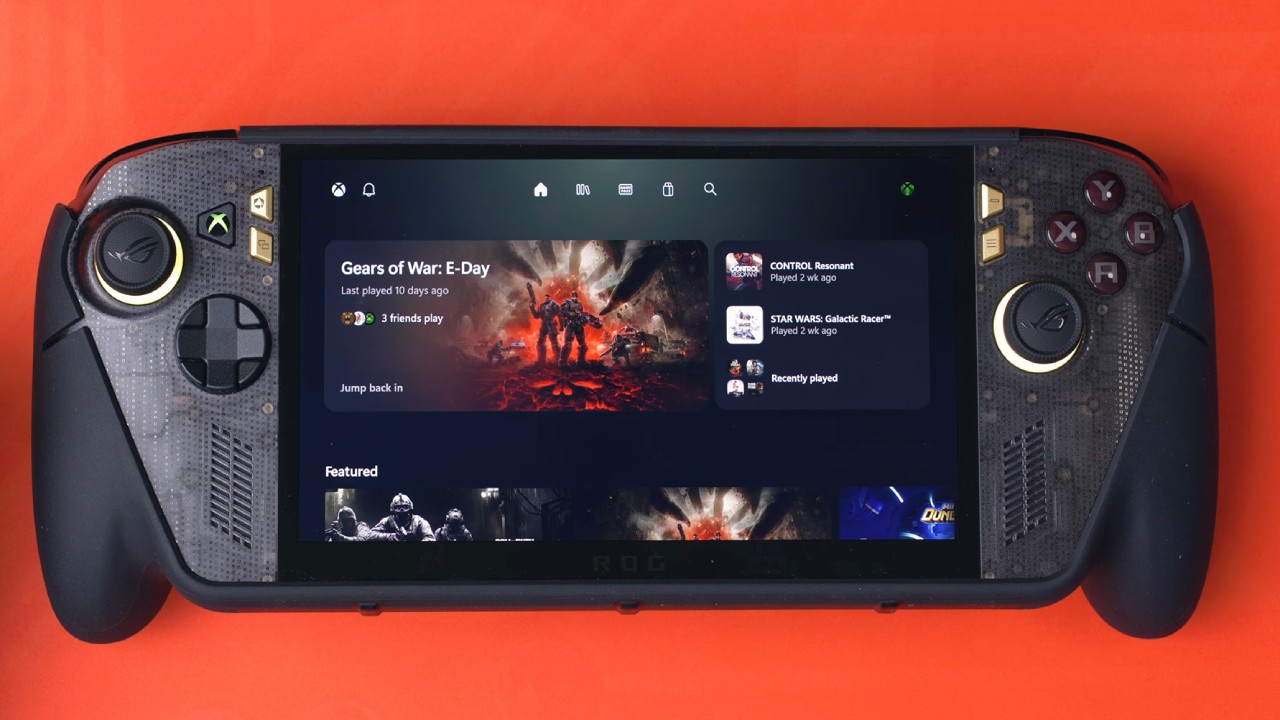
The update may have been an easy fix that Valve decided to release separately.
There are two major reasons to wait before installing SteamOS on the X20. The first is FSR 4.1.2, also known as FSR Light, which recently arrived on the Xbox Series X and Series S and is available on the ROG Xbox Ally handhelds. You can enable FSR Light through the ROG Armory Crate menu, and once activated, it can be injected into games that support it.
Performance mode can outperform FSR 3 quality, and because it is FSR 4 Light, it doesn't have the same performance overhead that can occur on the Steam Deck. If Valve adds FSR Light to SteamOS, it would make installing SteamOS on the X20 more appealing. However, the X20 was purchased to play games that can't run on the Steam Deck, so keeping the current setup is still an option.
Another reason to hold off on installing SteamOS is Win Handheld, which was recently installed on the X20. It is an alternative to SteamOS that provides an Xbox-style experience on Windows handhelds. Win Handheld offers features missing from the Xbox app and Xbox mode. The software has improved the experience, and it would make sense for Xbox to acquire the team and integrate its features into the Xbox app.
FAQ
Q. What does the SteamOS 3.1 preview update add?
A. The SteamOS 3.1 preview update adds HDMI 2.1 support, 4K 120hz support, full VRR support, preliminary support for the ROG Xbox Ally X20, and frame time improvements for the Steam Deck.
Q. Does SteamOS 3.1 enable 4K 120hz on the Steam Machine?
A. Yes. The update enables HDMI 2.1 support, allowing the Steam Machine to use 4K 120hz and full VRR support through a compatible TV, HDMI port, and HDMI 2.1 cable.
Q. Can you install SteamOS on the ROG Xbox Ally X20?
A. SteamOS has preliminary support for the ROG Xbox Ally X20, including brightness and HDR support. However, the controls and speakers don't work yet, so additional updates are needed before the operating system can be used properly on the handheld.
Q. Which Star Wars games can you play on Steam Deck from the Xbox anniversary lineup?
A. Star Wars: Knights of the Old Republic, Knights of the Old Republic II, and Star Wars: Republic Commando are available on Steam and can be played on the Steam Deck with some modifications. Star Wars: Episode III: Revenge of the Sith can also be played through PS2 emulation.
Editor, NoobFeed
Gaming Hardware Updates
No Data.