
GTX Titan XP Performance in Arc Raiders
GTX Titan XP Demonstrates Sustained Gaming Performance and Stability in Arc Raiders, Despite Its 2017 Architecture and Modern Engine Demands.
Hardware by Naheyan Tahmin on Nov 13, 2025
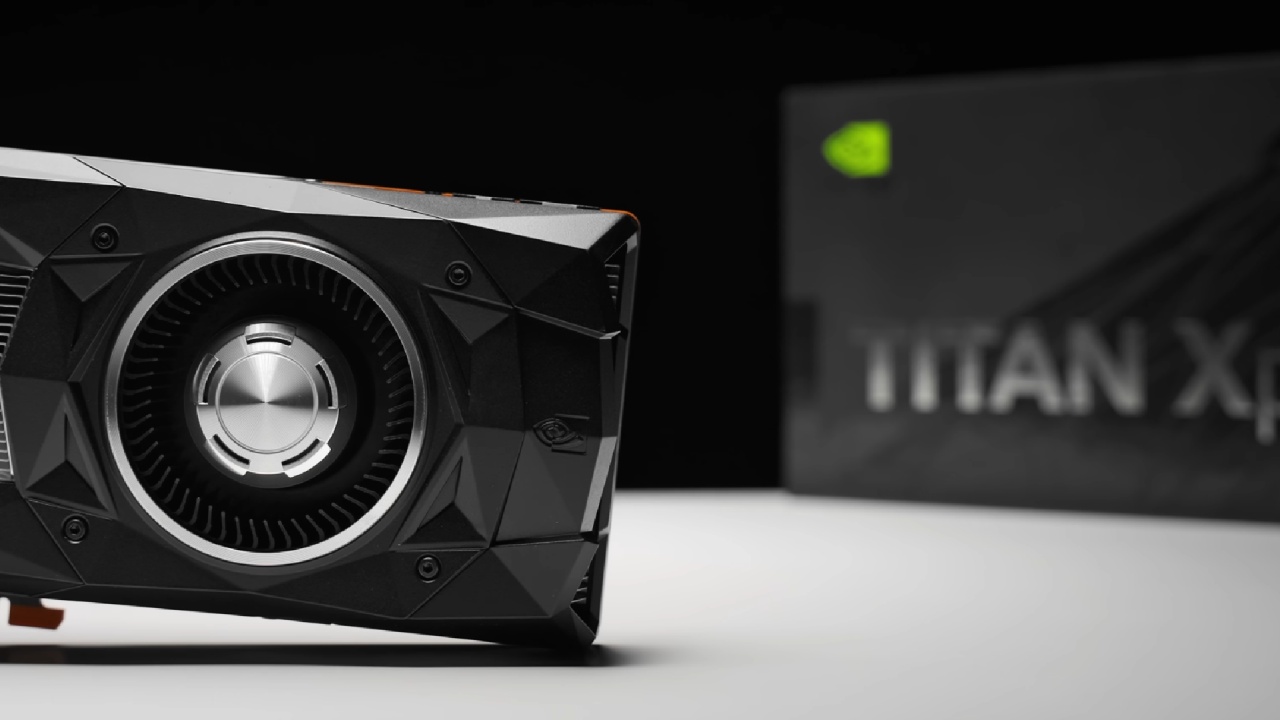
Nvidia GeForce GTX Titan XP is one of the fastest GTX graphics cards. It shows how effectively a 2017-era card can handle new games like Arc Raiders. Almost 9 years later, the card still receives driver updates, which keep it very relevant in contemporary gaming benchmarks.
It has 12GB of GDDR5X memory and is around 10% faster than the GTX 1080 Ti. It works well with contemporary CPUs, such as the Ryzen 7 9800X3D, paired with 32GB of system memory.
Performance at 1080p High Settings
GTX Titan XP averages 79 fps at 1080p with high settings and no anti-aliasing. Although it's old, it still functions well, even in open areas with dense vegetation. When anti-aliasing isn't present, you can see things like leaf shimmering. This is a typical problem with Unreal Engine 5.
Turning on TAA removes shimmering, but it also softens the image, making it less clear. The experience remains the same, with smooth gameplay and very little stuttering, indicating the game is well-optimised.
When we compare performance to modern hardware, we see that the framerates are similar to those of a recent mid-range GPU in optimised games. When games run on Unreal Engine 5 without ray tracing or significant global illumination, they perform well, which means older hardware can still deliver good results.
Comparisons of Anti-Aliasing
There are different visual and performance trade-offs when you switch between TAA, TSR, and FSR3 Native AA. TAA makes things look softer, but makes foliage more stable. TSR, on the other hand, lowers framerates by about 10 fps compared to FSR4 Native AA.
FSR3 Native AA makes details clearer and reduces shimmering without sacrificing many frames, resulting in a more balanced picture. At 1080p, this setting provides more than 60 fps and maintains that speed.

Testing the 1440p Resolution
Titan XP averages approximately 60 fps at 1440p on high settings with TAA and 100% resolution scaling. It sometimes drops into the 50s. The card's 12GB of VRAM is still enough, with about 5.5GB used during games.
When you switch to FSR3 Native AA, the framerates decrease slightly to the 50s, but the game still runs smoothly. The FSR Quality setting makes the game run faster than 60 fps, but it also makes some pixels look blurry and shiny as you move.
FSRFG increases the FPS to about 110, but it also introduces substantial motion blur and input latency, making the game less responsive. This makes it not good for competitive or precise games. Native frames are still better for clarity and less lag.
Optimised Play and Medium Settings
With TAA and medium settings at 1440p, the frame rate reaches approximately 70 fps, providing consistent results with only a slight loss of quality. At this setting, FSR3 Native AA delivers approximately 65 fps, maintaining clarity while eliminating shimmering.
This setup achieves approximately 10–15 more fps than 1440p high with the same anti-aliasing. Some visual trade-offs are a slightly shorter draw distance and the pop-in of distant objects.
This combination of sharpness and smoothness enables users to play games at higher resolutions without significantly compromising image quality.
4K Performance Review
At 4K resolution and medium settings, the GTX Titan XP achieves approximately 40 fps with TAA. The picture quality improves with higher pixel density, making it less soft than at lower resolutions. Enabling FSR Quality allows the game to run at over 60 fps. Still, it also causes plants to shimmer again.
FSR Performance mode lowers clarity slightly and raises framerates into the 60s, making the images look like they do at native 1440p.
Upscaling approaches make gameplay smoother, but native rendering still appears to look better. Users who want 4K can consider using medium settings with FSR Quality for a good balance of quality and speed.

Improvement and Long Life
The performance in Arc Raiders shows that engine optimisation works well. GTX Titan XP still performs well in demanding games, about on par with mid-range GPUs from prior generations. Even though its architecture is almost ten years old, it stays compatible and stable thanks to continued driver support.
We recommend using 1440p medium settings with TAA or FSR 3 Native AA for the optimal balance. This setup ensures that the images are clean, with minimal shimmering, and the framerate remains stable at approximately 70 fps. At 1080p, high settings with FSR Native AA render things looking just as fluid and clear on smaller screens.
Final Thoughts
Nvidia GeForce GTX Titan XP remains a viable option in Arc Raiders as of 2025. It works well at 1080p and 1440p, and even better at 4K when upscaling is enabled. Users may have a consistent and seamless experience with the right settings, demonstrating that optimizing settings and balancing visuals can extend the lifespan of older technology.
Also, check our other NVIDIA articles:
- NVIDIA GeForce RTX 5080 Review (2025): Still A 4K Gaming Powerhouse?
- RTX 5090 Performance Testing In GTA 5 – 1080p, 1440p, and 4K Max Settings Benchmark
- NVIDIA RTX 5070 Review: Mid-Range Muscle or Marketing Hype?
- RTX 5070 Ti Review: Performance, Thermals & Power Efficiency Tested
- ASUS ROG Astral RTX 5090 OC Edition Review: 32GB GDDR7 & 4K Gaming Benchmark
- ASUS GeForce RTX 5090 LC Liquid Cooled GPU Review: Unmatched Silence & Speed
- MSI GeForce RTX 5090 32GB SUPRIM SOC Review: Power Efficiency, Cooling, and Gaming Performance
- INNO3D RTX 5060 Ti 16 GB X2 Review: Gaming Benchmarks, Temps, and Power Efficiency
- HP Omen 45L Review: RTX 5090 Performance, Thermals, and Value Analysis
- ASUS TUF Gaming GeForce RTX 5060 Ti Review: DLSS 4, Power Efficiency, and Gaming
- ASUS Prime RTX 5060 Ti OC 16GB Review: DLSS 4, Ray Tracing, & Thermals Tested
- NVIDIA GeForce RTX 5060 Review: Specs, Gaming, and Cost per Frame
- MSI GeForce RTX 5090 GAMING TRIO OC Review: A Monster Power GPU
Editor, NoobFeed
Latest Articles
No Data.