
Top NVMe SSDs to Upgrade Any Gaming PC or Console
A detailed breakdown of current M.2 NVMe SSDs covering performance, thermals, pricing, and platform suitability for gaming systems
Hardware by Nahe Yan on Dec 02, 2025
The top M.2 NVMe SSDs on the market right now come in a wide range of speeds, sizes, and prices. They speed up load times, maintain high open-world performance, and help computers keep up with the demands of modern games.
Some of the newer models offer variable levels of speed, heat, battery life, and value, allowing different configurations to be optimised.
WD Black SN7100 for laptops and small builds
We think of the WD Black SN7100 as a new Gen4 NVMe drive suited for regular gaming laptops. It features a single-sided design that improves heat dissipation in tight locations and incorporates new Kioxia memory chips with the Polaris 3 controller.
On the 4 TB model, it can read at 7,000 MB/s and write at 6,700 MB/s. The 1TB and 2TB variants can read and write at 7,250 MB/s and 6,900 MB/s, respectively. The 500GB version can only read and write at 6,800MB/s and 5,800MB/s, respectively.
In several 4K read benchmarks, random performance exceeds 100 MB/s while keeping temps down. It reached 48°C under a motherboard heatsink while under heavy load. The drive doesn't include DRAM and instead uses a host memory buffer.
This is fine for gaming and ordinary chores, but if you need to move a lot of files, a drive with DRAM might be better. Prices range from $64 for 500GB to $ 330 for 4 TB, making it a mid-range model. The layout on one side works with laptops, ultrabooks, and small systems.
The Crucial P310 Series is Great for People On a Budget
We think the Crucial P310 series is a good choice for Gen4 performance at a low price. The 2280 and 2230 models both employ the Phison E27T controller and Micron 232-layer QLC NAND. They can read up to 7,100 MB/s and write up to 6,000 MB/s. The P3102280 is a good deal for desktops and laptops at $79 for 1TB. The 500GB version costs $62, the 2TB version costs $132, and the 4TB version costs $240.
Until the cache limitations are reached, performance stays the same. The 2TB version can write continuously for roughly 650GB before slowing down to about 350MB/s. That level is rarely reached by gaming and other tasks.
The P3102230 works with handheld devices like the Steam Deck and the ROG Ally. The 1TB version costs $85, while the 2TB version costs $130. Random performance is lower than that of TLC machines, although gaming workloads don't show a difference. The endurance is 220 TBW per terabyte, and it comes with a 5-year warranty.
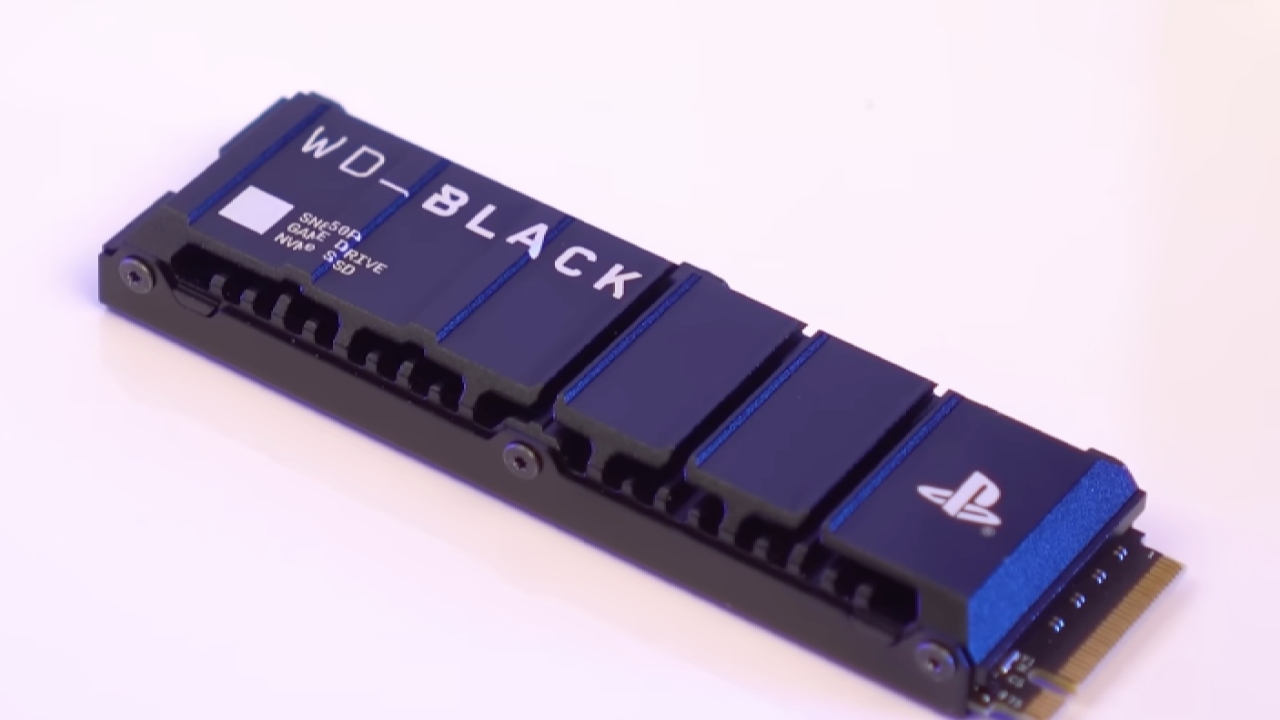
WD Black SN850P for PS5
If you have a PS5 and want a drive that works with it and is tuned, we look at the WD Black SN850P. It is like the SN850X, but it has PlayStation certification and a heatsink made for the PS5 slot. The 8TB version can read at 7,200 MB/s and write at 6,900 MB/s.
The 8TB version can read at 7,300 MB/s and write at 6,900 MB/s. Performance meets and exceeds what consoles need, and load times in supported games are the same as those of internal storage.
Prices for the 1TB version start at $130, the 2TB at $219, the 4TB at $399, and the 8TB at $720. The endurance is 600 TBW per terabyte, and the warranty lasts for five years. The SN850X costs less, but the SN850P natively supports PS5 thermals and firmware behaviour.
WD Black SN8100 and Samsung 9100 Pro
We look at PCIe 5.0 possibilities for people who need fast speeds. The WD Black SN8100 can read at 14,900 MB/s and write at 14,000 MB/s, no matter how big it is.
Samsung 9100 Pro can read 14,700 MB/s and write 13,400 MB/s. The higher-capacity models can read faster. The SN8100 has a Silicon Motion SM2508 controller, and Samsung has a 5nm Pascal controller.
You can get both drives with or without heatsinks. SN8100 delivers strong performance across both random and continuous workloads, including direct storage. The cost is $140 for 1 TB, $224 for 2 TB, $449 for 4 TB, and $1,000 for 8 TB. Without a heatsink, power consumption stays around 7W, and temperatures remain below 85°C.
The Samsung 9100 Pro works well with Turbowrite 2.0 and can handle long jobs. The prices are $135 for 1 TB, $219 for 2 TB, $417 for 4 TB, and $899 for 8 TB. When it's working hard, it uses about 9W. The SN8100 is a little faster, but Samsung is a better deal, especially at 8TB.
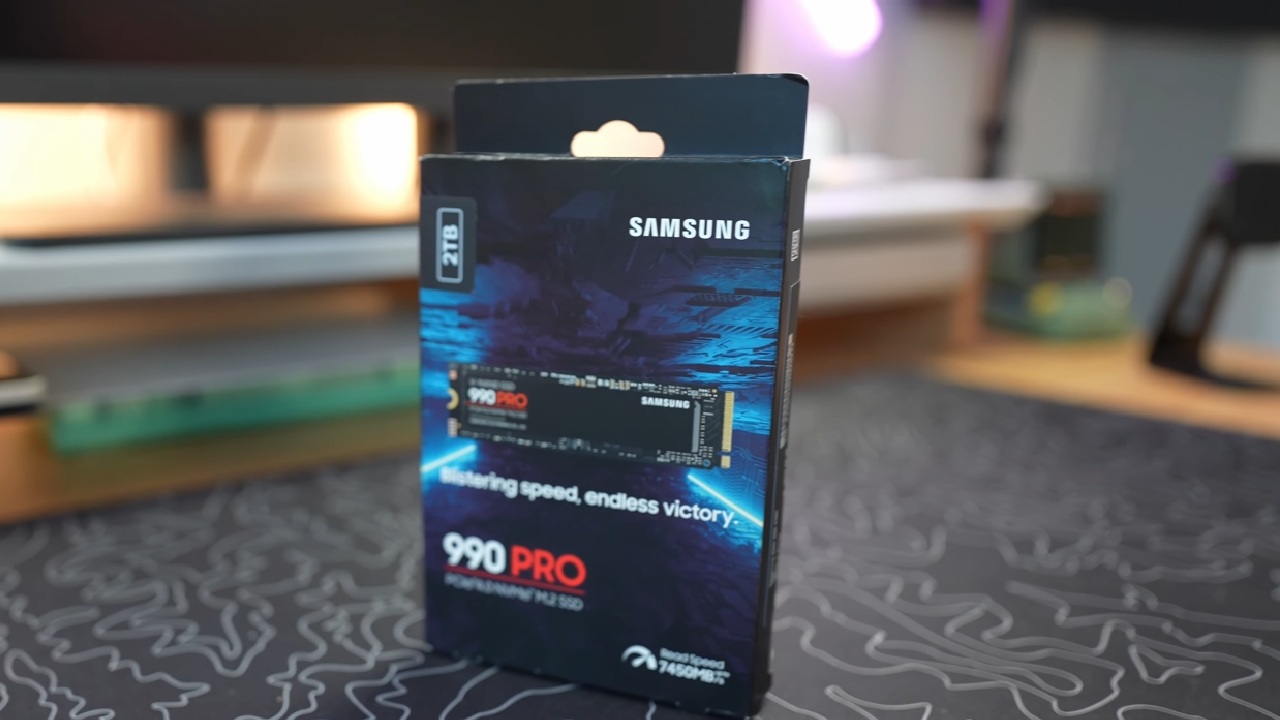
SN850X and 990 Pro are Two High-end PCIe 4.0 Options
We look at PCIe 4.0 solutions that offer a good mix of speed and price. The 1TB to 4TB editions of the WD Black SN850X can read up to 7,300 MB/s and write up to 6,600 MB/s. The 8TB version can read up to 7,200MB/s. Prices are $110 for 1 TB, $165 for 2 TB, $315 for 4 TB, and $680 for 8 TB.
It keeps its excellent speeds thanks to its larger SLC cache, which almost doubles to 600GB on the 2TB version. A heatsink is a good idea because temperatures can reach 80–85°C under constant load. For smaller capacities, the endurance is 600 TBW per terabyte. For 4TB and 8TB, it is 300 TBW per terabyte.
Samsung 990 Pro can read at 7,450 MB/s and write at 6,900 MB/s. Random performance is 1.6 million read IOPS and 1.55 million write IOPS. The cost is $110 for 1 TB, $186 for 2 TB, and $320 for 4 TB. It has one side that can hold up to 4TB and works with laptops and PS5.
To prevent the controller from overheating (above 95°C), a heatsink is recommended. Both drives come with 5-year guarantees and work in the same way. The SN850X helps with latency in PC games, and the 990 Pro helps with mixed workloads.
Final Thoughts
PCIe 5.0 is fast, but most people don't need it. You can use the WD Black SN7100 to upgrade your laptop. The Crucial P310 series is made for people who want to save money. The SN850X and 990 Pro are still good picks for gaming performance that matters. SSD prices change frequently; users should check them regularly to find the best upgrade deals.
Also, check our other hardware articles:
- AMD Ryzen 9 9950X3D Review: Setting The Standard For 2025 Gaming CPU
- Amazon Luna 2025 Review: Is Prime Gaming's Cloud Service Your Go-To For Casual Fun?
- AMD RX 9070 XT Review: AMD's RDNA 4 Champion for 1440p Gaming
- GeForce Now Ultimate: Ditching Your Gaming PC For Cloud RTX 4080 Power?
- NVIDIA GeForce RTX 5080 Review (2025): Still A 4K Gaming Powerhouse?
- Intel Core Ultra 9 285K Review And Performance Breakdown (2025)
- AMD Ryzen 7 9800X3D Review: 3D V-Cache Goes God Mode with Stunning Gaming Performance
- Intel Core Ultra 9 285K vs AMD Ryzen 7 9800X3D: In-Depth Gaming Performance and Benchmark Comparison
- NVIDIA GeForce RTX 5080 Super Performance In Cyberpunk 2077: Path Tracing & DLSS 4.0 Tested
- AMD Radeon RX 9070 XT In Cyberpunk 2077: Ray Tracing & FSR 4.0 Tested
- Intel Arc B580 Review: The $250 GPU Revolutionizing 1440p Gaming
- Intel Arc B570 Vs. B580: Value, Specs, And Real-World Gaming Performance
- RTX 5090 Laptop Vs. M4 Max MacBook Pro: Ultimate Raw Performance Vs. Battery Endurance
- Intel Arc b580 Vs. RTX 4060: Game Performance And Value Analysis
- RTX5090 Hell Is Us Demo 4K Ultra Benchmark: DLSS Vs. Native Performance Guide
- NVIDIA RTX 5070 Review: Mid-Range Muscle or Marketing Hype?
- Nintendo Switch 2 Review: Handheld Performance, Features & Value Breakdown
- RTX 5070 Ti Review: Performance, Thermals & Power Efficiency Tested
- Samsung Odyssey OLED G81SF Review 2025: Ultimate 32-Inch QD-OLED Gaming Monitor
- AMD RX 9070 Performance Review: Thermals, Clocks, and Real-World FPS
- AMD Ryzen 5 7600 Review: Best Budget Gaming CPU of 2025?
- AMD Radeon RX 7800 XT Review: RDNA 3 Power For Midrange Gaming
- Asus ROG RTX 5090 Astral OC Vs. Founders Edition: The 4K Gaming Benchmark
Editor, NoobFeed
Gaming Hardware Updates
No Data.