
Intel Arc B580 Red Dead Redemption 2 Performance Benchmarks
Optimized settings allow Intel Arc B580 to achieve high frame rates and controlled VRAM usage in Red Dead Redemption 2.
Hardware by Shinji Okazaki on Feb 06, 2026
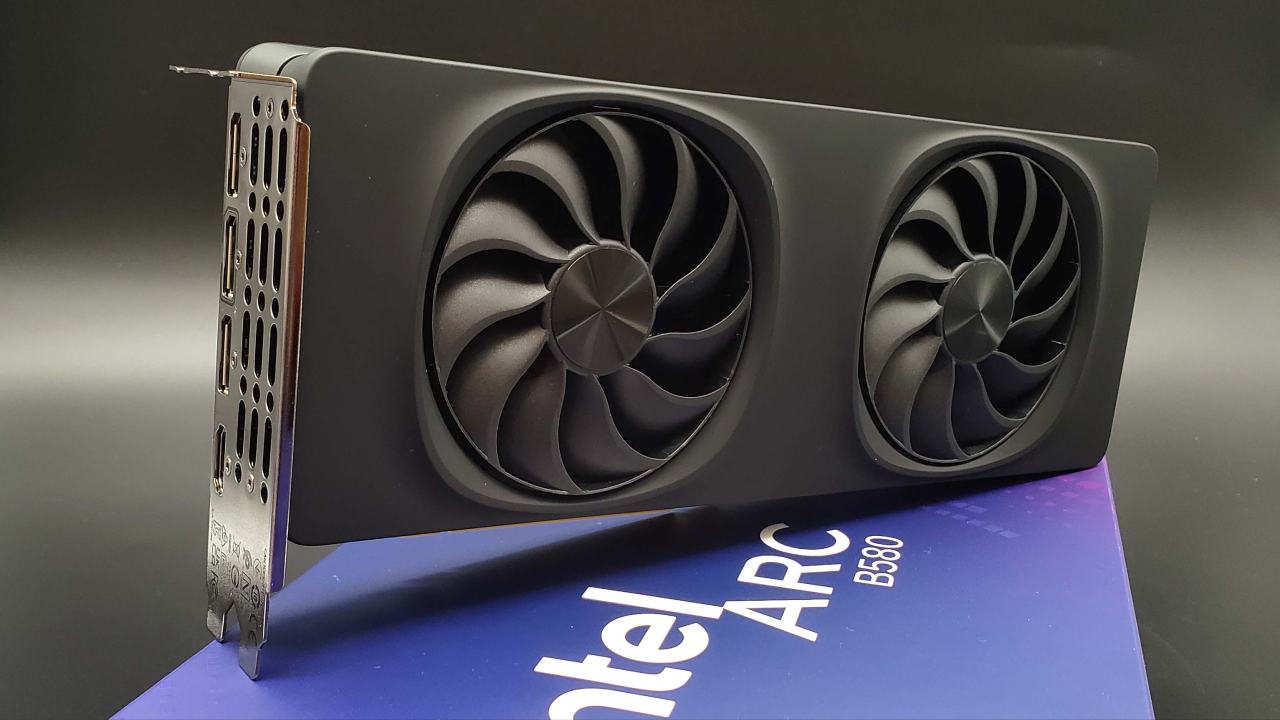
A special edition Intel model is used to test the Intel Arc B580 in Red Dead Redemption 2. The machine has a Ryzen7 9800X3D processor, 32GB of RAM, and Resizable BAR support. In earlier tests on an Intel 12600KF system, the machine crashed within 10 minutes due to unstable drivers.
The game runs fine on the present system. The hardware pairing illustrates that you don't need a high-end processor to keep the B580 from slowing down; you can get equal frame rates on cheaper devices.
How to Test and Graphics Settings
Testing starts with 1080p, then goes to 1440p, and finally to 4K. Using Benchmark King's optimized settings gives you visuals that are almost as good as ultra-level and performance that is much better. These settings retain most visual characteristics while tripling the frame rate compared to the highest presets. At 1080p, frame rates exceed 100 fps, resulting in a seamless experience that is much better than what you would get on prior consoles.
How Well it Works at 1080p
At 1080p, the typical frame rate is between 120 and 130 fps. Some stuttering occurs, but it affects all GPUs and is caused by the game engine. Because there aren't any modern anti-aliasing solutions like XeSS native AA or FSR native AA, you have to use TAA or MSAA. MSAA at 2x and 4x makes everything shimmer, especially plants and distant objects. At 1080p, the best output is with a mix of TAA High and 2xMSAA. This reduces shimmering while keeping performance consistent, but frame rates drop by about 30%.
Scaling and Stability at 1440p Resolution
That's about 90-100 fps at 1440p with TAA on and MSAA off. The higher quality gives you more details without slowing down too much, and the picture is clearer than it was at 1080p. Power use goes up a little but remains well below the 190W rating, usually around 120W. Driver instability causes the screen to flash dark from time to time, prompting a restart. After a restart, things get more stable, and performance stays the same.
Notes on Driver Problems and Optimization
Still, you can't always count on a driver. It crashes when you play games or even when you install drivers, so DDU needs to be restarted. These issues show up on numerous systems and games, indicating that driver maturity is still a problem. Nevertheless, once it is stable, the GPU works well in Red Dead Redemption 2, especially because the game is well-optimized.
Results for 4K Performance
B580 gets about 60 fps at 4K with the best settings, but it sometimes drops to 50. At this resolution, image sharpness improves significantly, and VRAM utilization stays around 7.5GB. This workload is easy for GPUs with 8GB of VRAM to handle. The game is still fun to play, especially with a gamepad, thus 4K is a good choice for this title with the right settings.
A Comparison of Ultra Preset Performance
When you switch to the highest 1080p settings without MSAA, your frame rate drops from over 120 fps to about 50 fps. There aren't many visual differences between optimal and non-optimized settings, but there is a big drop in performance. This shows why people said the game was poorly optimized when it first came out. Even the best GPUs have trouble with maximum presets at higher resolutions. Optimized settings make things more consistent and smooth out the frame pace.
Final Thoughts
For all resolutions, it is best to use optimized settings. Using TAA with 2xMSAA at 1080p gives you a good balance. At 1440p, TAA with native resolution makes everything clearer and keeps things running smoothly. With optimum settings, 4K keeps roughly 60 fps with a consistent frame time. Without XeSS support, there isn't much room for additional scaling. An update that adds support for modern upscaling should improve performance at higher resolutions.
When the settings are set up right, the Intel Arc B580 works well with Red Dead Redemption 2. It works well at 1080p, 1440p, and even 4K, but driver steadiness is still a problem.
Also, check our other Intel chips Articles below:
- Intel Core Ultra 9 285K Review And Performance Breakdown (2025)
- Intel Core Ultra 9 285K vs AMD Ryzen 7 9800X3D: In-Depth Gaming Performance and Benchmark Comparison
- Intel Core i5-13400F Gaming Performance: Still Worth It in 2025?
- Intel Core i9‑14900K vs. AMD Ryzen 7 7800X3D: Power Profiles & Gaming Benchmarks
- Intel Core i9 14900K: Specs, Benchmarks, and Competitor Comparison
- Intel Core Ultra 5 245K Review: Gaming, Productivity & Power Efficiency Tested
- Intel Core Ultra 9 285 K's iGPU Gaming: In-Depth Benchmarks & Analysis
- Intel vs. AMD Gaming Laptop: Performance, Thermals & Battery Life Compared
- AMD Ryzen 7 9800X3D vs.7800X3D vs. Intel Core Ultra 7 265K: Gaming, Thermals & Price Analysis
Editor, NoobFeed
Gaming Hardware Updates
No Data.