
NVIDIA Fixes GeForce Driver Bug Causing Up to 30GB SSD Writes
NVIDIA acknowledges excessive background ssd writes and releases a GeForce hotfix to address unusual storage activity.
Hardware by Nahe Yan on Nov 27, 2026
NVIDIA GPU drivers reportedly cause excessive SSD write activity, even when computers are idle. Users with RTX 30, RTX 40, and RTX 50 series graphics cards have reported unusual background writes linked to GeForce drivers. In some cases, the reported activity reached an estimated 30GB per hour, raising concerns about unnecessary SSD wear.
NVIDIA has acknowledged the problem and released a hotfix to address it. A graphics driver shouldn't keep writing huge amounts of data when a computer is idle, but some Radeon owners found that it does. AMD acknowledged excessive background writes and released fixes for its Radeon graphics cards. NVIDIA users began reporting something strikingly similar.
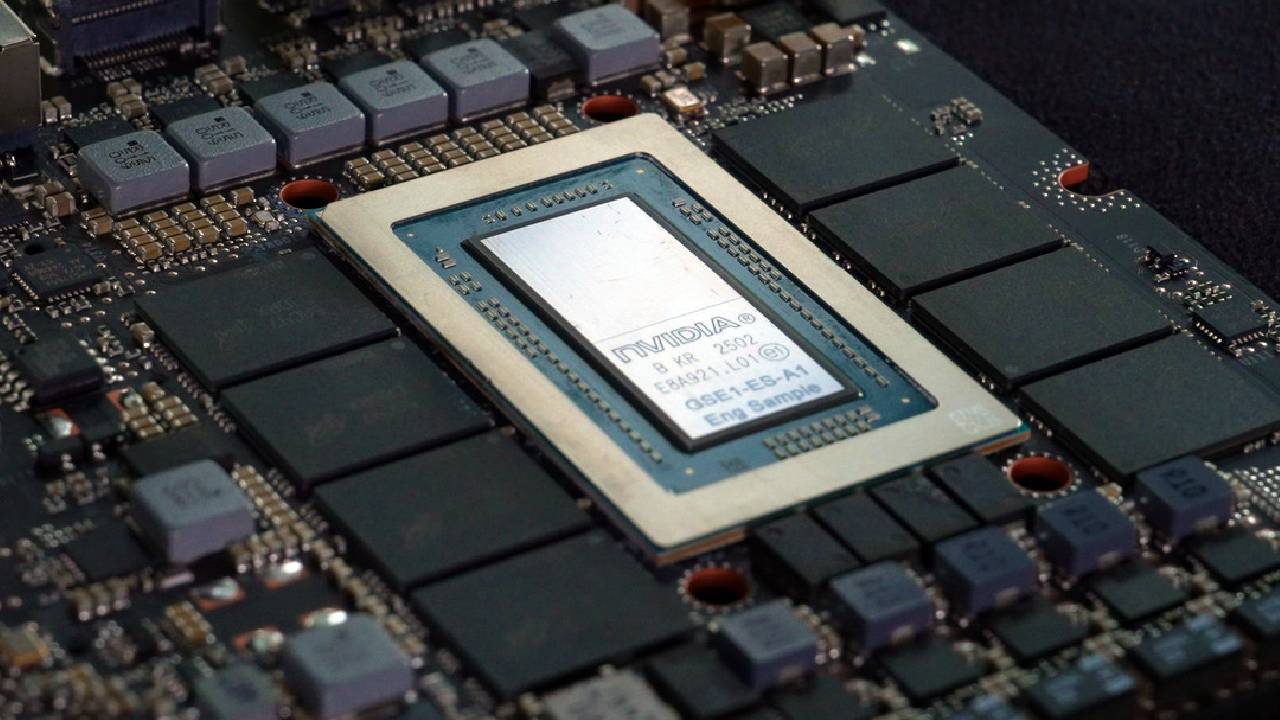
NVIDIA GPU Drivers Reportedly Cause Excessive SSD Writes
The complaints centered on GeForce drivers 621.14 and 621.24, with reports from RTX 30, RTX 40, and RTX 50 series systems. Investigations pointed toward a process called nvdisplay.container.exe, which belongs to the NVIDIA Display Container LS service. Instead of sitting quietly in the background, this process was repeatedly writing to a binary log file named nvlog.nvlogstg.
The activity raised concerns about unnecessary storage writes and their potential impact on SSD endurance. Now look at the numbers. One user measured less than 2MB of process writes over 5 minutes with the older 621.01 driver. After upgrading to 621.14, that figure reportedly jumped to 515MB in a comparable test. Others claimed even more dramatic activity, reaching an estimated 30GB per hour.
But does that mean your SSD is being destroyed? Not necessarily. Windows can report how much data a process writes without telling you exactly how much reaches the NAND flash chips inside your SSD. Memory caching and storage management can reduce actual physical writes. The real concern is unnecessary activity continuing around the clock, potentially using up some of your drive's endurance without providing any benefit.
Here's a quick way to check. Press Windows and R, type resmon, and hit Enter. Open the Disk tab in Resource Monitor. Look for nvdisplay.container.exe and watch its write activity while you're not running games or recording video. If it keeps writing to the same NVIDIA log file at a sustained rate, you may be seeing the bug. Watch it for several minutes rather than judging a brief spike.
NVIDIA releases GeForce hotfix 621.35 to address the SSD write problem.
Here's the important update. NVIDIA acknowledged the issue and released GeForce Hotfix 621.35 on November 20 specifically to address excessive background writes to that log. Some owners tried turning off overlays, restarting the display service, or clearing the log file, but these workarounds were inconsistent. Turning the service off completely can also break the NVIDIA Control Panel and app.
It's an optional, non-certified hotfix, so use NVIDIA's official support page and check compatibility before installing it. Don't randomly delete system files or disable essential services. Driver updates can improve games and fix vulnerabilities, but they can also introduce unexpected side effects. Check disk activity when something seems wrong and keep important files backed up.
The reported issue highlights why monitoring background storage activity can be useful, particularly after installing a new graphics driver. While excessive process writes don't automatically mean the same amount of data reaches the SSD's NAND flash, unnecessary activity running around the clock is still worth investigating.
FAQ
Q. Can NVIDIA GPU drivers cause excessive SSD writes?
A. Yes. Certain GeForce drivers reportedly caused nvdisplay.container.exe to repeatedly write data to an NVIDIA log file, with some users reporting up to 30GB of writes per hour.
Q. Which NVIDIA GPU drivers are associated with the SSD write problem?
A. The reports centered on GeForce drivers 621.14 and 621.24, affecting systems with RTX 30, RTX 40, and RTX 50 series graphics cards.
Q. Which NVIDIA driver fixes the excessive SSD write problem?
A. NVIDIA released GeForce Hotfix 621.35 on November 20 to address excessive background writes to the nvlog.nvlogstg file.
Q. How can you check whether your NVIDIA driver is writing excessive data?
A. Press Windows + R, type resmon, and open the Disk tab in Resource Monitor. Look for nvdisplay.container.exe and monitor its write activity while your PC is idle.
Editor, NoobFeed
Gaming Hardware Updates
No Data.