
Steam Deck OLED Review 2026: Performance, Battery Life, Display, Emulation, and Real Gaming Experience
A portable OLED gaming system offering flexible performance, customization options, and access to a massive PC game library.
Hardware by Nahe Yan on Jan 17, 2026
Steam Deck OLED is a portable gaming choice for people who want to move beyond standard console ecosystems. The device is a good option for gaming on the road because PC parts are expensive. It also gives you access to a vast Steam library and lets you customize it.
Steam Deck comes in a tall brown box with a 45W power adapter, papers, and a protective case. The cable is 2.5 meters long, but you can't remove it. The packaging inside the box shows different game situations in multiple languages. The case that comes with it has a small grip, a hard shell outside, a soft inside, recessed regions for buttons and thumbsticks, and a back compartment for the power adapter. There are rings on the zippers for miniature locks or keychains. It may feel strange at first that the case opens from the top down.
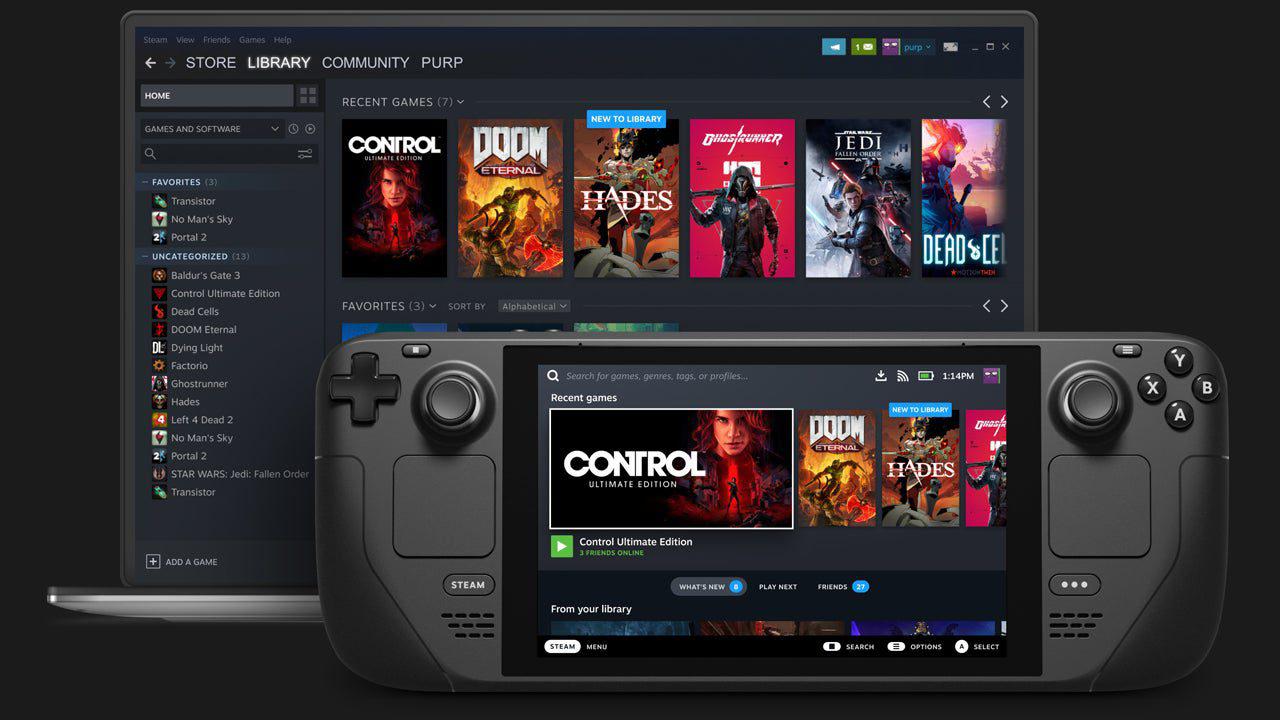
Steam Deck feels lighter than I thought it would, especially compared to devices like the Switch 2 and PS Portal. It weighs roughly 640 grams, is evenly distributed, and doesn't seem heavy. The orange power button stands out against the matte black finish, which looks tidy.
Quality of the Controls and Build
The device has two symmetrical joysticks that are easy to swap, although they are not Hall-effect sticks. Two square trackpads below them make a hollow sound when you touch them. A D-pad, view and menu buttons, ABXY buttons, a Steam button, and a fast access button are all standard controls. The sound quality from the front-facing speakers is good enough.
There are L&R bumpers, L&R triggers, volume buttons, a 3.5mm headphone jack, an exhaust vent, a USB-C connection, and the power button on the top. On the back, four buttons may be remapped, another vent, and the Valve logo. There is a microSD slot on the bottom, which is not covered, and there is no second USB-C port.
The shiny coating on the thumbsticks gets dirty and oily, but stick grips can help. You can also customize the device's appearance by installing skins. Steam Deck is pleasant to grip and easy to use overall.
Storage and Connections
Steam Deck is a portable PC with older hardware specs. The 512GB OLED variant can fill up quickly, thus it makes sense to upgrade the internal storage to a 2TB Corsair MP600 M.2 SSD. You need to take out the screws, switch the drive, then put the gadget back together.
The overall storage capacity can reach up to 3TB, thanks to Bluetooth 5.3, Wi-Fi 6E, and support for 1TB microSD cards. Some people prefer the 512GB version to the 1TB OLED variant because it has an anti-glare screen that slightly changes color and dark levels. The LCD model is no longer available, so only the 512GB and 1TB OLED options remain.
Quality of the Display
Steam Deck OLED features a 7.4-inch OLED HDR screen with a resolution of 1280x800 and an aspect ratio of 16:10. It supports up to 90 screen refreshes per second. Blacks are darker, colors are more vibrant, and overall image quality is superior to LCD screens.
For SDR and HDR, the brightness may reach 600 and 1000 nits, respectively. However, 50% brightness is usually more than sufficient for comfortable viewing. The touchscreen makes SteamOS easier to use, even with a screen protector.
SteamOS in Action
To set up SteamOS, you need to connect to Wi-Fi, log in, and get to the game library. The UI works well, and most features can be used with touch, although the quick menu needs button input.
You can get to the home, library, store, and system options from the Steam menu. Settings, performance tools, and plugins are all under the fast menu.
Compatibility and Performance of Games
Games are either "Verified" or "Playable." Verified titles work well with the right controls and easy-to-read content. You might need to use a touchscreen or an on-screen keyboard to make small changes while playing games, but they still work.
Most of the time, AAA games run better on lower settings. Remake of Final Fantasy 7 Intergrade runs at 45 to 55 fps on low settings, with certain moments reaching 60 fps. Rebirth runs at 30 fps on low settings, but it drops frames. You also need to make changes to the command line for Clare Obscure Expedition 33 to work properly.
With its handheld preset, Stellar Blade runs better, getting up to 60 fps with some drops. You may make things even more stable by changing the parameters. The typical battery life for AAA games is 2 to 3 hours, and the fans are loud.
Indie games like Hollow Knight run well and don't require much power.
Battery Life and Managing Power
Battery life depends on the game type and settings. AAA games last for about 2 to 3 hours of play. Emulated and older games can last six hours or more at 50% brightness.
Running Final Fantasy 13 at 30 fps with a 5W TDP and a 400MHz GPU clock gives you about 7 hours of battery life with seamless gameplay.
Games that don't use Steam and emulators
One of the main things people use the Steam Deck for is emulation. The Game Boy, Super Nintendo, N64, PlayStation 1, PlayStation 2, and PlayStation 3 all work well. Old games like Alleyway and Turtles in Time work fine.
Some gamers choose to play older games on official PC versions rather than emulators because they offer cloud saves and other features that make their lives easier.
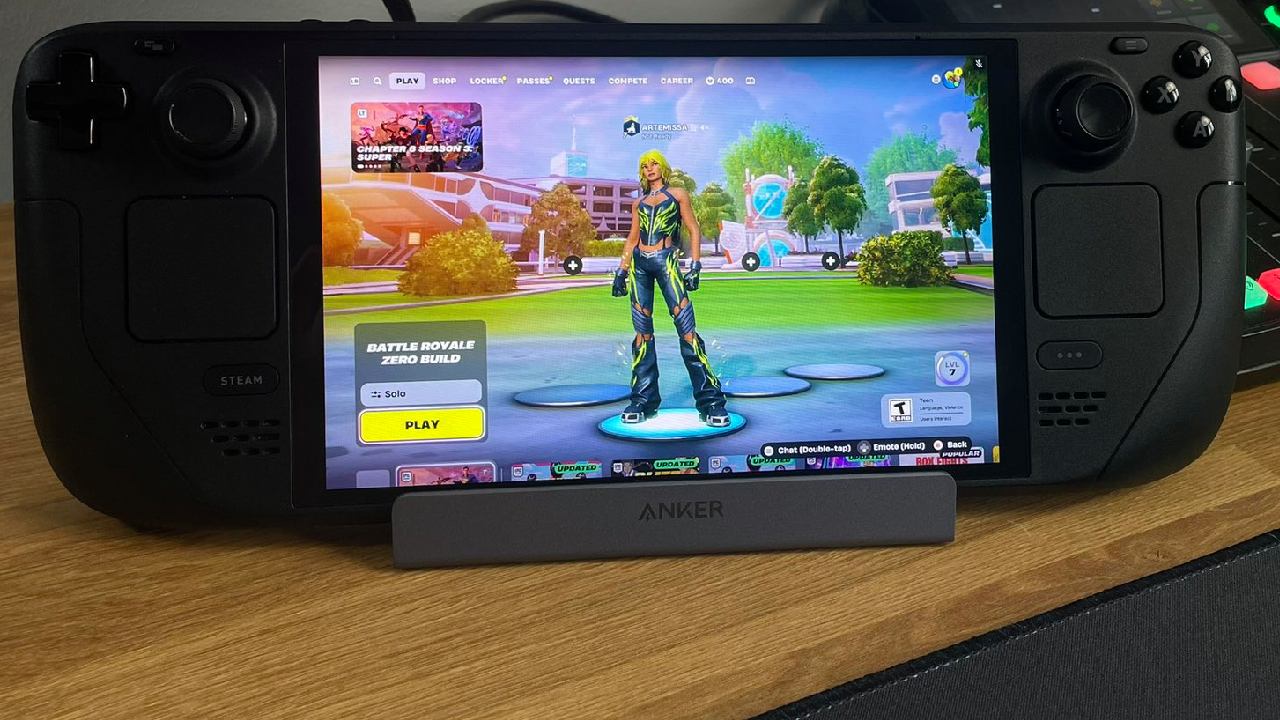
Chiaki and other non-Steam apps let you play PS5 games from afar with custom controls and touchpad support. The battery life remains good while streaming, though the connection quality can fluctuate.
Other non-Steam games, such as Honkai Star Rail, run at about 60 fps. Zenless Zone Zero has performance issues and needs to be set up manually.
Desktop Mode and Docking
You can use Desktop Mode to get to a full Linux OS. You can manage files with flash drives. You can add displays, keyboards, and mice to the Steam Deck via USB-C, making it a compact desktop gaming setup.
Final Thoughts
Your Steam Deck OLED can play many different games. In addition to working well with emulators, it is also compatible with older PC games and games that do not require an online connection. The performance of AAA is not particularly impressive at the moment; nonetheless, the system is portable, can be customized, and is compatible with SteamOS. As a result, it is a respectable choice for gamers that favor the ability to modify settings and play games outside of their primary configuration.
Cloud saves, free online multiplayer, and broad program compatibility all add value over time. If you have the correct expectations, the Steam Deck OLED is a good handheld gaming device for a variety of uses.
Also, check our other articles below :
- ASUS ROG Ally X Handheld Review: Double the Battery, Double the Comfort
- Nintendo Switch 2 Vs. Original Switch 1: A Full Comparison
- How To Connect A Camera And Join Voice Chat With Nintendo Switch 2
- Nintendo Switch 2 Review: Handheld Performance, Features & Value Breakdown
- ROG Xbox Ally X Vs. ROG Ally X: Display, Battery & Controls
- ASUS ROG Ally X vs. Steam Deck OLED: Display, Battery & Gaming Benchmarks
- MSI Claw 8 AI+ Review: Display, Controls & Gaming
- Nintendo Switch 2 vs. Steam Deck OLED: Gaming, Performance, Battery, Display and Value
- PlayStation Portal Review: Remote Play, Cloud Streaming & Travel Gaming
- PlayStation Portal vs. Lenovo Legion Go: Best Portable Gameplay
- Cyberpunk 2077 Patch 2.3 FPS Test on MSI Claw 8 AI+
Editor, NoobFeed
Gaming Hardware Updates
No Data.