
Ultimate Arc Mini AI PC Review – Compact Workstation for Gaming & AI Workloads
Explore a compact Intel Arc-powered mini workstation suitable for gaming, AI, and content creation.
Hardware by Tanisha Aria on Dec 10, 2025
A small computer system powered by Intel Arc hardware. It is designed to serve as both a mini workstation and a gaming PC. The Minisforum MS02 is the unit being tested at the center, and it is used with different parts to see how well it performs for games, AI, image generation, and local large-language model use.
The design supports high-end mobile processing power, expandable memory, and a low-profile dual-slot GPU, which makes it a valuable setup for both work and fun.
.jpg)
Minisforum MS02 Ultra – Chassis, Form Factor & Specs
We really look into the MS02 Ultra and try out different pieces of gear together to see what it can do. The small frame has an industrial look, making it suitable for vertical or horizontal placement.
The machine can be set up in almost any location since it doesn't take up much space. It has a 300W power supply and four SO-DIMM slots that support up to 256GB of RAM.
The last configuration tried used a low-profile RTX 5060 triple-fan card. The MS02 makes it easy to connect because it includes the 8-pin PCIe power connector the card requires.
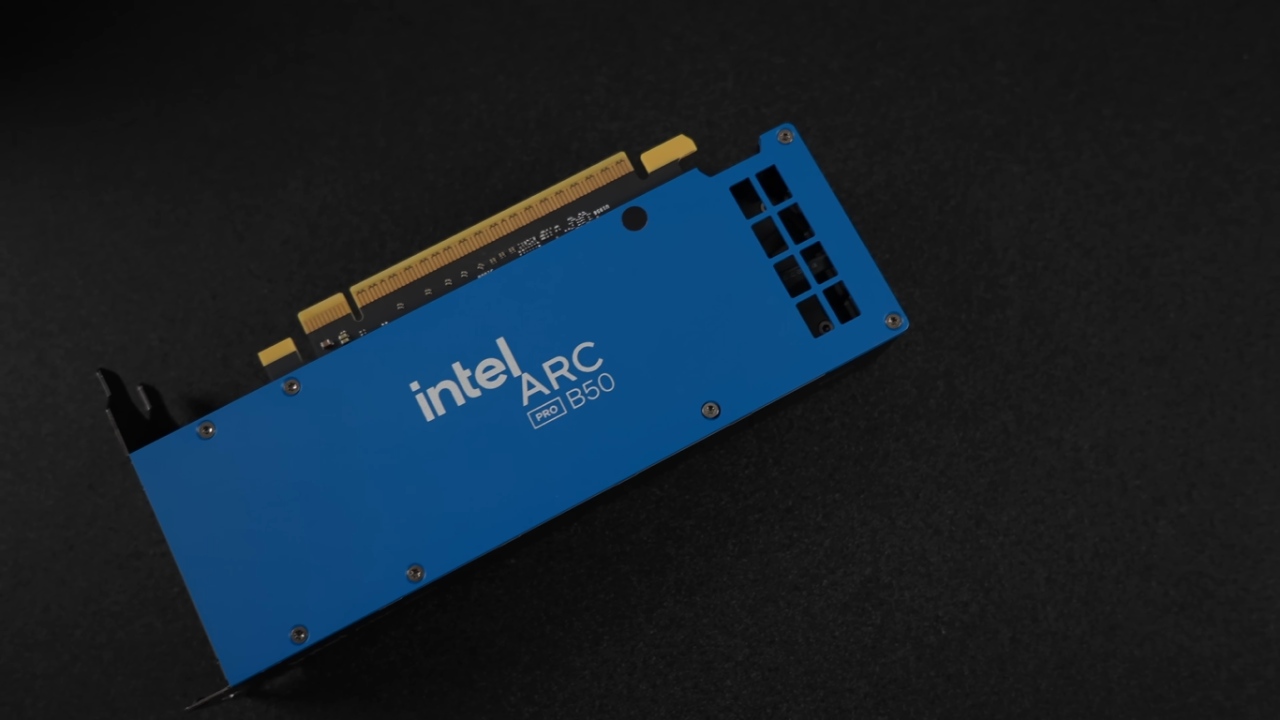
We're installing the Intel Arc Pro B50 for this test. It's a dual-slot, low-profile workstation GPU with a blower-style cooler and 16GB of VRAM, ideal for users who prioritize efficiency, AI experimentation, and performance.
Before the cover can be slid off, two screws at the back must be taken out to open the system. Inside, a two-fan ducted cooling system blows air over a special CPU cooler.
The PCIe layout has a PCIe x16 5.0 slot and memory slots that allow ECC when the Ultra model is used. The unit also includes a dual 25Gb network interface card for high-speed local connectivity.
Internal Layout – CPU, Cooling, RAM & Connectivity
Intel Core Ultra 285HX, which has 24 cores and 24 threads, powers the machine. When a separate GPU is used, power limits go up to 90W for PL1 and 110W for PL2. PL1 can also steadily hit 110W without a GPU.
USB4 version 2 supports external GPUs and offers up to 80 Gbps of bandwidth, enabling more configurations beyond the internal dual-slot form factor.
Right now, the MS02 uses 64GB of RAM. Still, it can handle up to 256GB for tasks like experimenting with large language models, heavy content creation, or advanced multitasking.
Installing the Arc Pro B50 adds a quiet, efficient GPU to the system that doesn't require extra power and can be used for many tasks, such as local inference or running GPU-accelerated apps.
Installing the Intel Arc Pro B50
Once the B50 is installed, it works perfectly with the MS02's airflow system. It isn't primarily sold for gaming, since it's a workstation-class card, but it can still play newer games at decent speeds.
When the system is set up vertically, the GPU's fan pulls cool air through the chassis vents. This keeps the temperatures stable.
We also look at Intel's AI Playground, which is a tool that makes it easier to set up models and services. It installs ComfyUI with just one click, making it easy to set up Intel GPUs for this kind of work.
ComfyUI works well after setup, and the tools that come with it let users create images, enhance them, and try out different models with both OpenVINO and custom processes.
Intel AI Playground – Image Generation & ComfyUI Setup
In AI Playground, the B50's AI features can be quickly tested with tools that create images. Image creation uses a model with about 12GB of memory and runs well on the GPU.
Four pictures are made with GPU usage that responds, and the speed stays the same. The software also includes a desktop assistant tool and can enlarge images.
A major benefit of ComfyUI is that it can be installed with a single click. When Intel users install ComfyUI, especially when they set it up by hand, they often have trouble getting everything to work together. In this case, the setup is automatic, giving users direct access to supported workflows and models.
Local LLMs Using LM Studio
LM Studio is a tool for checking the performance of local LLMs. When we load a GPT-OSS 20B model, it uses about 8.6GB of VRAM at first and about 20GB of total system RAM when fully loaded.
The MS02 can hold up to 256GB of RAM, making it a good choice for hosting larger models. Arc Pro B50 adds about 11.6 GB of VRAM to run model reactions locally using both the CPU and GPU.
The token output rate is 33.42 tokens per second, and a total of 1,179 tokens have been processed. For a 20B model, performance is fast, which shows that the B50 is a good low-power GPU for LLM inference.
Everyday Workstation Potential
This setup works well for general productivity tasks, such as editing photos and videos or developing software. The strong CPU speed and GPU acceleration are useful for apps like Photoshop, DaVinci Resolve, and Premiere.
The MS02 Ultra, paired with the Arc Pro B50, offers a good balance of power efficiency and performance for a small desktop for daily use.
CPU & GPU Benchmarks
Benchmark tests show how well the MS02 performs:
Geekbench Six
- 2,957 single-core
- 17,992 multi-core
Cinebench R24
- 128 for single-core
- Multi-core: 1.93
For a mobile HX-class processor, the CPU beats the last version of Apple chips and gives you multi-core performance at the level of a desktop computer
3DMark Test Scores
- On the Arc Pro B50, the GPU score was 1,632, which is equal to 16.32 fps.
- Time Spy: Eight thousand four hundred seventy-eight
The B50 isn't as good as gaming-focused GPUs like the RTX 5060, but it always performs better than built-in graphics options.
Gaming Performance at 1440p and 4K
Cyberpunk 2077
With XESS at 1440p Ultra, the performance is balanced and usable. If you set the settings too low, the average frame rate rises to about 84 fps. When you turn on XeSS Frame Generation, speed goes way up, with averages over 100 fps in low-latency mode and no noticeable input lag.
Forza Horizon 5
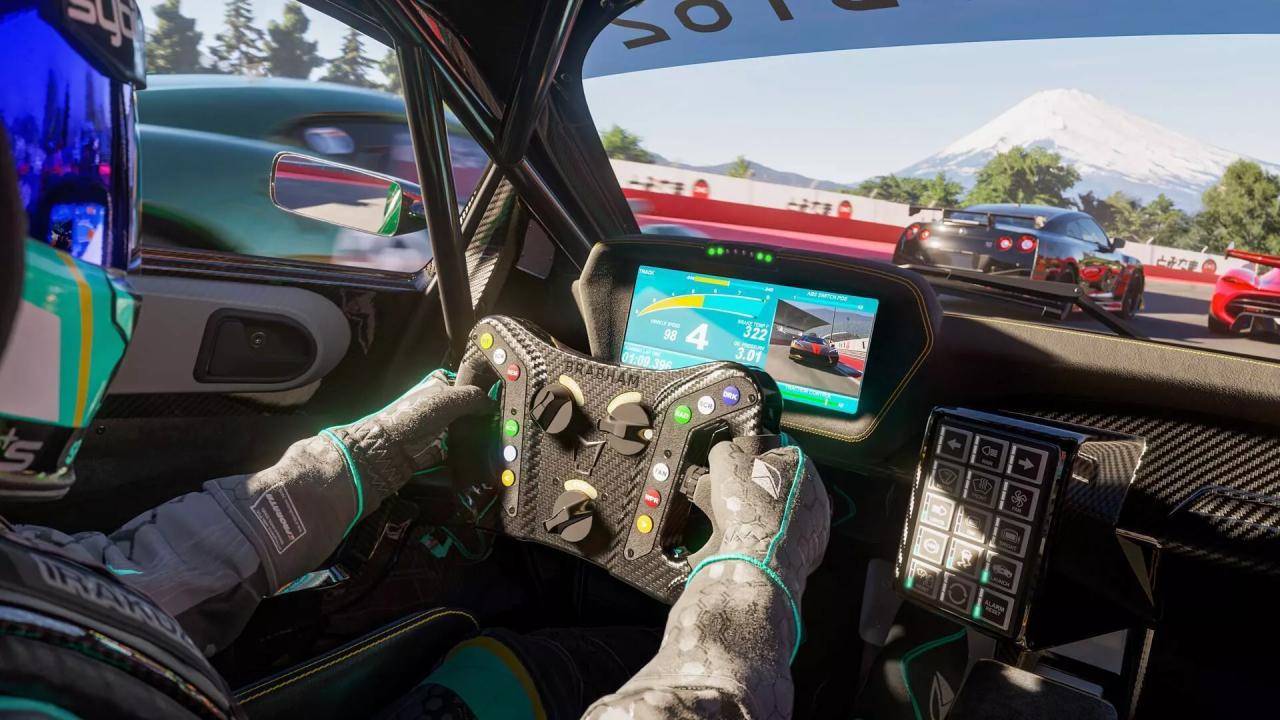
At 1440p Ultra, the GPU runs the game without needing XeSS. At 4K Ultra, the framerates sometimes drop below 60 fps, but about 78 fps is delivered when moving to 4K High.
Spider-Man 2
In Spider-Man 2, on High 1440p with XeSS Quality, the average frame rate is in the 70s, though it can drop to 59 fps. The game is still fully playable, but performance may vary depending on the scene.
Final Thoughts
The MS02 Ultra is fun to use and works well for AI tasks, artistic apps, and games. It's useful for both hobbyists and professionals thanks to its compact form factor, smart cooling system, and support for low-profile workstation-grade GPUs.
Arc Pro B50 delivers strong AI performance, good power efficiency, and decent gaming performance for a card not designed for gaming.
Also, check our other articles below:
- PS5 Pro vs. PS5 Slim: Frame‑Rate, Graphics & Performance
- PS5 Pro vs. Radeon RX 9060 XT vs RTX 5060 Ti: Ultimate $700 Gaming Showdown
- ASUS ROG Ally PS5 Remote Play | How to do Remote play on PS5 Using Sony's Official Remote Play App
- Stream PS5 Games on Steam Deck OLED: Step-by-Step Installation and Configuration
- PS5 Pro vs. PS5 Slim vs. PS5 — Design, Storage, Specs, and Gaming
- PS5 Pro vs. Xbox Series X: Specs, Price, Storage, Customization, and Gaming
- PS5 Pro vs. PC Gaming: Comparison of Graphics, Frame Rates, and Price
Contributor, NoobFeed
Gaming Hardware Updates
No Data.