
Valve Releases Windows Drivers for Steam Machine as "Red Line of Death" Gets Official Fix
Valve released official Windows drivers for Steam Machine covering graphics, WiFi, Bluetooth, and SD card support.
Hardware by Nahe Yan on Jul 13, 2026
As it did years ago with the Steam Deck, Valve has quietly released Windows drivers for Steam Machines. That said, an easy solution has been found for the "Red Line of Death", and latest shipment activity indicates the Steam Frame is getting closer. The three developments combined provide a clearer idea of where Steam hardware stands now.
Before the Steam Deck's release, Valve had quietly been working on Windows drivers. It announced its intention to provide a dual-boot wizard that would optionally allow users to partition their SSD and choose to boot into SteamOS or Windows at startup. However, this feature would be most beneficial for multiplayer games with anti-cheat restrictions.
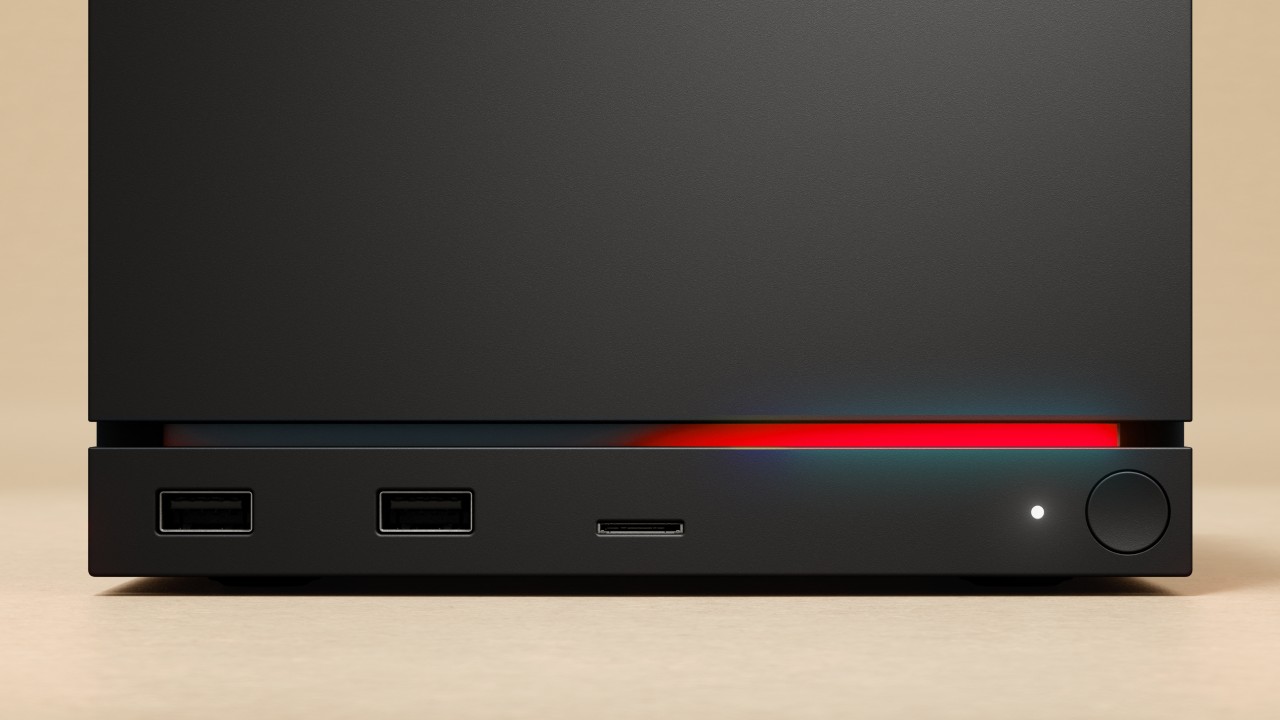
Steam Machine Drivers are Available for Windows
That wizard came when SteamOS became a reality, and in the same fashion, the Steam Machine is doing it now. Valve has published drivers for Windows (including drivers for the microSD card slot, Wi-Fi card, audio, and other hardware-specific components). There is one caveat, however. The good news is that Windows officially requires a complete wipe of the Steam Machine and its use as a single-OS Windows device; the bad news is that it has real disadvantages.
This isn't something Valve supports, and it would use both general-purpose AMD graphics and CPU drivers instead of the specially optimized versions that Valve creates for its hardware. The Steam Machine's hardware is by no means impressive, and with that driver loss factored in, it's a fair compromise.
The full-screen mode in Windows' Xbox has been much improved recently, and would probably run fairly well on the Steam Machine, but it's far less polished than SteamOS. The idea of converting a Steam Machine into a one-off Windows machine seems impractical if you're specifically aiming for Game Pass.
Waiting for a new PC or an unused PS5 SSD to build another Windows machine, or just looking for a used component to turn into another Windows machine. But with over four years of dual-boot wizardry promised, there's not much urgency to switch now, particularly since most multiplayer games already run with ease on SteamOS, and the remaining compatibility issues will surely be resolved by the end of this year.
Simple Solution to the Red Line of Death Issue
Although the so-called Red Line of Death was reported as being a serious matter, it actually wasn't, and only two cases of its happening have been confirmed, so it doesn't seem to be a widespread problem. Now, Valve has confirmed the culprit: a BIOS bug that could be fixed by resetting the CMOS rather than a deeper hardware problem.
The solution to the problem is simple. Unplug the Steam Machine, wait a few minutes, then tap the power button a few times and hold it down for a moment to discharge any residual power, just like when replacing an SSD on a Steam Deck. Then, reconnect the power source and press and hold the power button for 6 seconds, until the indicator light flashes.
The LED bar will then flash in various colors; upon the green color indication, the power button will switch on as normal. The LED bar will be blue the first time the system is booted, and it will take a bit longer to start up, because the system is resetting memory and going through the first-time configuration processes again.
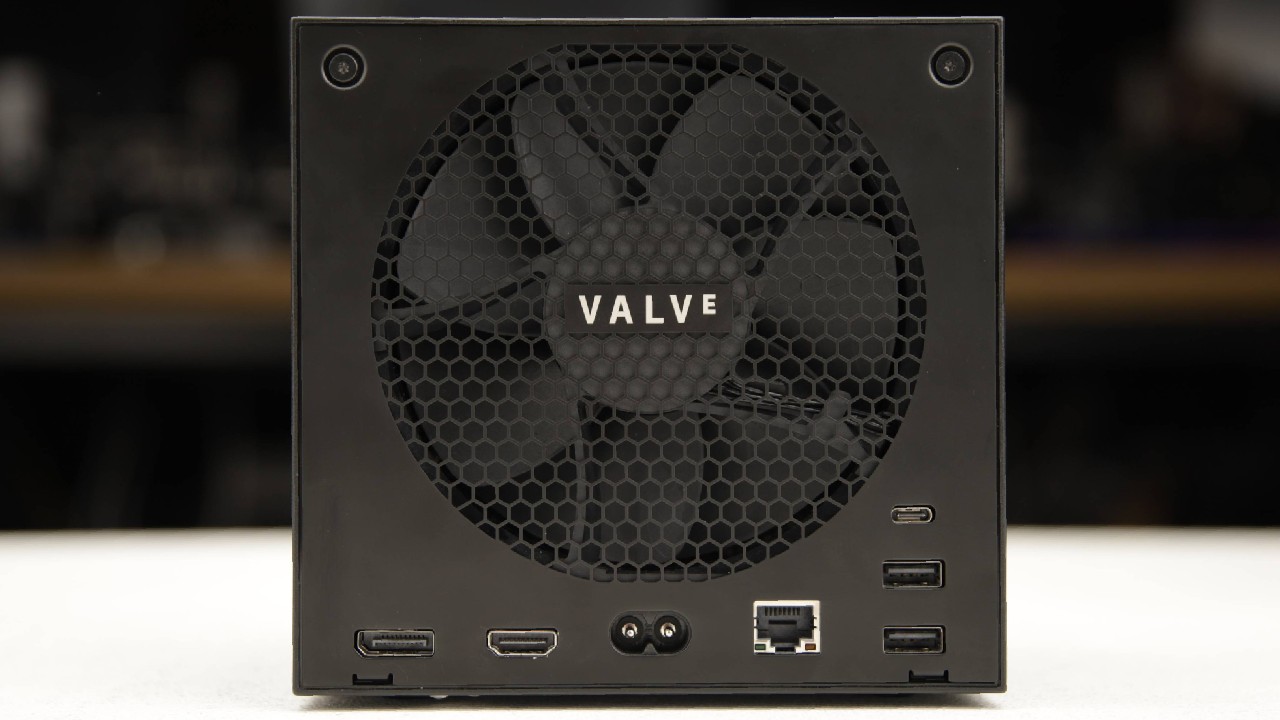
Meaning of Red LED During Extended Play
It is important to note that there is a difference. The LED bar is red during gameplay, but the system keeps operating properly; that is not a hardware failure - that is a separate indicator that the Steam Machine is overheating. This situation seems to be the exception, and is likely to only come up under extreme circumstances, like running a very heavy title at max resolution of 4K with frame rates dropping into the 15fps to 20fps range.
Some cooling has always been cited as a plus of the Steam Machine's design, and most reviews have been favorable about the cooling performance and quiet operation, making this scenario unlikely for most users. The easiest way to deal with the red LED while playing the game is to close the game and let the system cool down.
In addition to Steam Machine news, Valve has been shipping Steam Frame units regularly.
To date, a total of 14 shipments have been spotted. Given the lack of Steam Controller or Steam Machine releases in the past, this appears to be a batch release, suggesting one is coming. Apart from that, Valve has been lax about releasing small Steam Machine driver updates recently, and they recently released a graphics driver update, which indicates that the majority of the driver work has been completed, allowing them to focus on getting the Steam Frame launch-ready.
A bit of attrition has occurred among VR studios unhappy with the state of VR as a whole, with some now releasing flat-screen versions of their previously VR-only titles. That doesn't mean the tide of VR support has completely turned, however, and the potential for a successful VR Steam Frame with both the hardware and software ecosystems gaining a genuine following seems promising, so long as the software base and hardware market gain an audience.
The other question on everyone's mind is pricing,, and we've seen the industry trend in that direction, with VR hardware makers saying that competing headsets are priced at $1,600 or higher, indicating that they have largely ceased offering hardware discounts. When the price and release date are finally announced, it's likely that Valve will adopt the same type of reservation system as the Steam Machine, which uses a pre-purchase model.
Editor, NoobFeed
Gaming Hardware Updates
No Data.