

ASUS Flow Z13 Review: Ryzen AI Max+ 395 Powers Next‑Gen 13-inch Hybrid
Uncover the trade‑offs between size, thermals, and battery life as we push the 13.4-inch 180Hz touchscreen through real‑world tests
Hardware by Nakiro on Aug 02, 2025
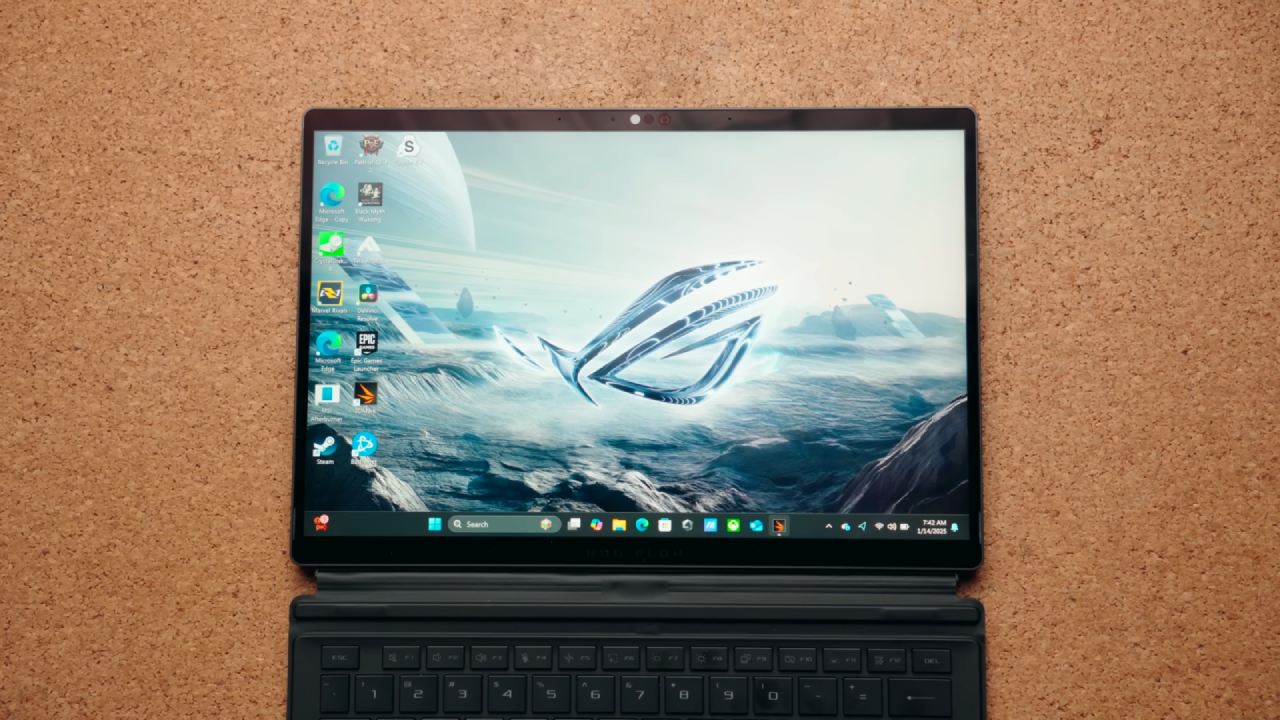
ASUS Flow Z13 arrives as a 13-inch laptop/tablet hybrid, marrying a sleek all‑metal chassis and glass touch screen with the raw power of AMD’s Ryzen AI Max+ 395. Its compact design belies performance figures that rival much larger gaming rigs, delivering high‑settings 1440p gaming alongside desktop‑class multi‑core CPU throughput.

Here, we explore every facet of Z13, from build quality to battery life, in clear, paragraph‑style prose.
Design & Build Quality
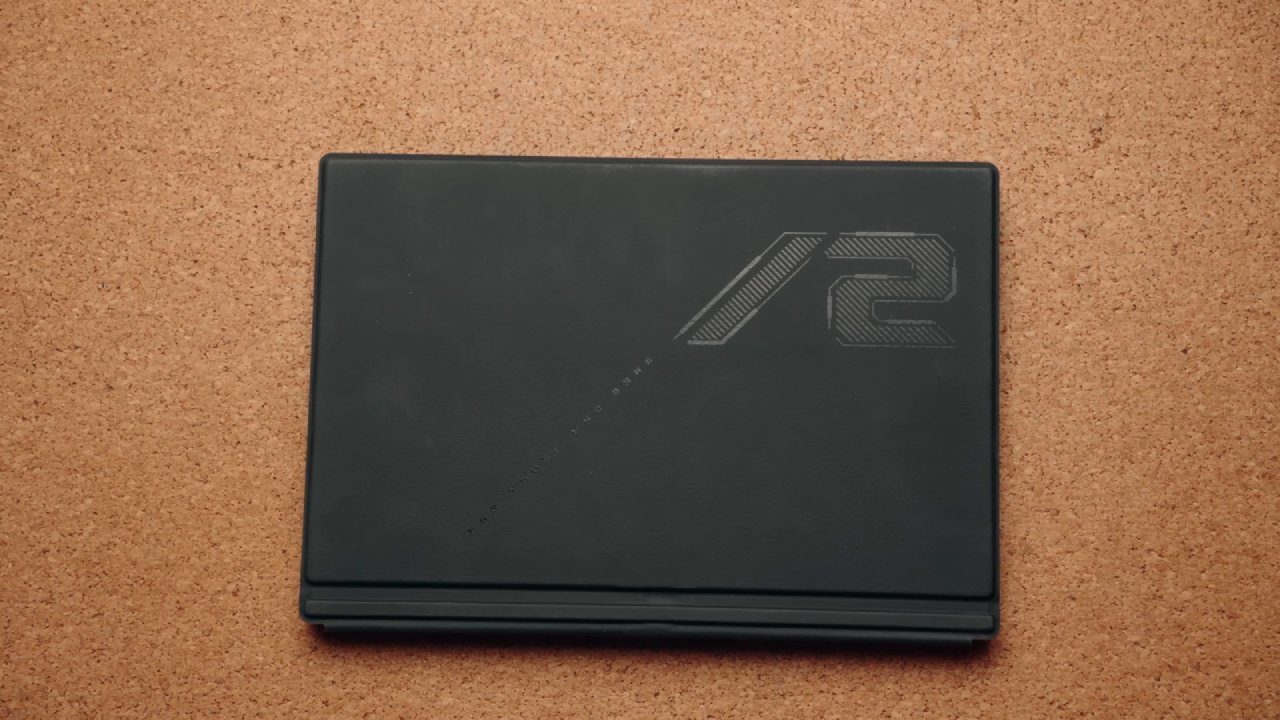
Z13’s unibody metal construction and glass touch screen exude solidity, while a subtle RGB light window on the rear adds flair. A robust kickstand with heavy‑duty hinges supports up to 170° of adjustment, though it’s wise to remember you’re handling a tablet when placing it on a desk.
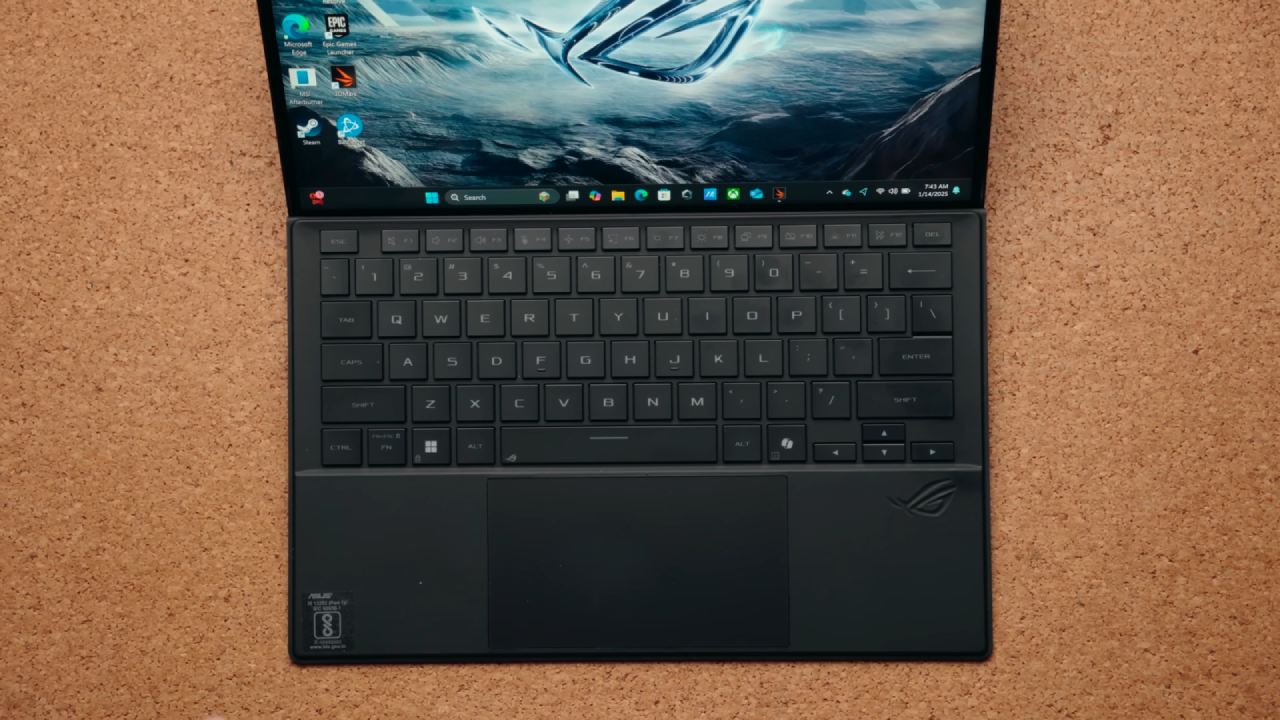
The detachable keyboard snaps on via magnetic pins and feels sturdier than its predecessor, though slight flex remains unless you lie it flat, sacrificing typing angle for rigidity. When detached, it doubles as a protective cover during transit.
Size & Weight
Measuring marginally smaller in width and depth than the last generation, Z13 is nonetheless thicker at its bulkiest point. At 3.6lb (1.6kg) without peripherals, it’s exceptionally portable; adding the 200W charger brings it to 4.9lb (2.2kg).
While other models like Zephyrus G14 and TUF A14 may edge it out in lightness when accounting for keyboard covers, Z13 remains among the most travel‑friendly devices with comparable performance.
Laptop Specs
Our review unit features Ryzen AI Max+ 395 paired with Radeon 8060S graphics, 32GB LPDDR5X‑8000 memory, and a 13.4-inch 180Hz touch display. Configuration options span both higher and lower tiers to suit diverse budgets and workloads.
.jpg)
Keyboard, Lighting & Touchpad
The chiclet‑style keyboard offers single‑zone RGB backlighting, controllable via Armory Crate, though even the brightest setting proves somewhat dim. Typing feedback is acceptable despite the inherent flex, and the enlarged touchpad delivers smooth tracking and a satisfying click—provided you avoid the upper‑pad depressions by lying the keyboard flat.
Touchpad Reliability
Intermittent touchpad failures spoiled our testing experience. Despite confirming driver integrity and software settings, the cursor would sometimes remain unresponsive. ASUS offered a replacement unit, but we continued testing under the assumption that this issue is rare. If you encounter such glitches, a reboot typically restores functionality.
Ports & Display Output
The left edge houses two USB4 Type‑C ports (each supporting 100W charging and DisplayPort 2.1), HDMI 2.1, the proprietary charger port, and a UHS‑II MicroSD slot. On the right, you’ll find a USB 3.2 Gen2 Type‑A port, a 3.5mm audio jack, power and volume buttons, and a tablet‑mode command center key. Both Type‑C ports charge and drive external displays, with HDMI output validated at 4K 120Hz, 12‑bit.
Upgrade Options
Space constraints limit internal upgrades to the single 2230 M.2 storage slot accessible via a metal hatch and TR5 screw behind the kickstand. Swapping the SSD necessitates a full OS reinstall, underscoring Z13’s modest upgradeability.
SSD, MicroSD Card & Wi‑Fi Speed
Our 1TB PCIe Gen4 SSD delivered excellent throughput, matched by the UHS‑II MicroSD slot’s performance. The internal card sits flush, reducing snag risk at the expense of tricky insertion. Wi‑Fi 7 on a MediaTek chipset reached around 2 Gbps—solid, though trailing Intel‑based competitors.
RAM & VRAM Configuration
Memory is soldered to the SoC, precluding aftermarket upgrades, but AMD’s design enables factory options up to 128GB. Armory Crate lets you allocate VRAM from system RAM, up to 96GB on top‑end models. We found an 8GB VRAM/24GB system split optimal; the default 4GB VRAM often throttles game performance until manually adjusted.
Audio & Latency
Stereo speakers at the base edges sound thin with minimal bass. A new boot chime can be silenced via software or BIOS. LatencyMon results were within acceptable bounds and generally superior to many recent laptops.
Battery & Power Saving
A 4‑cell 70Wh battery (25% larger than last year’s) sustains nearly nine hours of YouTube playback and about two hours of gaming. The panel power saver down‑clocks the screen to 60Hz on battery, reverting to 180Hz on AC power without visible flicker. “Battery Care” mode caps charging at 80% to prolong battery lifespan.
Cooling Architecture
Dual fans, a vapor chamber, and liquid‑metal thermal interface keep temperatures in check by drawing air through rear vents and exhausting it upward, avoiding heat‑soaked palm rests.
Performance Modes
Armory Crate offers Silent, Performance, Turbo, and Manual modes. Manual unlocks CPU/GPU power sliders and fan curves; we maxed these settings for benchmark consistency, though quieter fan presets suffice for gaming.
Thermal Testing
Under combined CPU/GPU stress, peak internal temps hovered around 80°C—a commendable outcome for a 13-inch chassis. Clock speeds scaled predictably with power limits across modes.
Intermittent Power‑Limit Anomalies
Early tests showed a 75W power cap anomaly that resurfaced in sporadic low‑FPS gaming stutters, reminiscent of fallback to integrated graphics. Reboots cleared the issue, but triggers remain unknown. ASUS is investigating; other reviewers using smaller game samples did not report this.
Gaming Performance & FSR Benefits
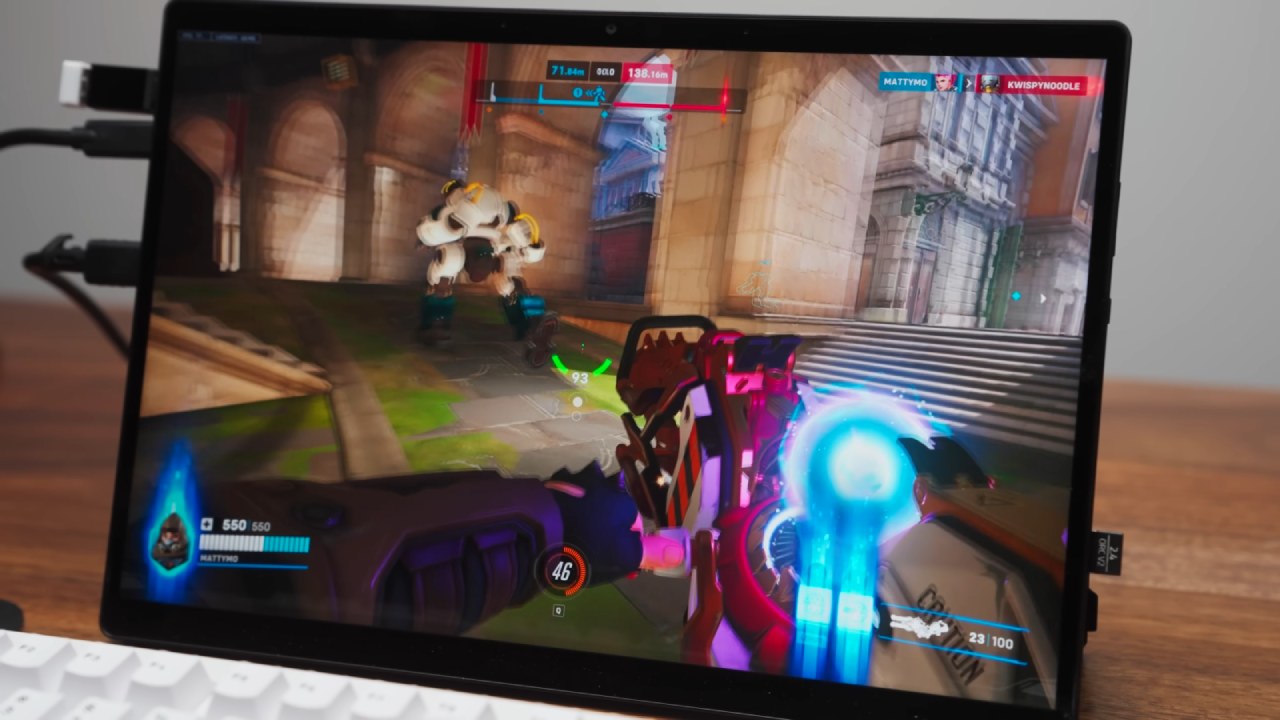
In native tests, FSR Balanced boosted frame rates significantly. Even on a 100W Type‑C supply, gaming remained playable at 2560×1600, though battery drain accelerated by 5% over ten minutes.
CPU Benchmarks
Cinebench multi‑core scores outpaced many 18-inch workstations when plugged into the 200W brick, with single‑core trailing top Intel mobile chips. On battery or 100W Type‑C, performance dipped but stayed impressive for the form factor.
Thermals During Gameplay
Keyboard temperatures remained among the coolest we’ve recorded—under 30°C—thanks to the lack of heat‑generating internals beneath the typing surface.
Acoustic Profile
Idle silence gives way to increasing fan noise under load. Turbo and Manual modes produce audible volume, though Performance mode strikes a balance between acoustics and FPS gains.
Display Characteristics
The glossy 13.4-inch panel mirrors last gen’s specs with a jump to 180Hz. Color gamut is robust, but out‑of‑box Delta E required calibration. Peak brightness exceeds 500 nits, and minor backlight bleed proved negligible.
Responsiveness & Latency
With overdrive enabled, gray‑to‑gray response measures at approximately 3.6 ms. Total system latency remains competitive, though some cheaper laptops in FPS titles like Counter‑Strike 2 post marginally lower end‑to‑end delays.
Connectivity Features
Absent a MUX switch—owing to a single GPU design—Z13 defaults to FreeSync. Dual cameras include a front 5MP IR module (1440p capture) and a rear 13MP sensor (4K), both supported by stereo mics.
Game Benchmarks
At 1080p high settings, Cyberpunk 2077 edges past AMD’s 6800M and trails RTX 4060 solutions; 1% lows hint at the benefit of the processor’s 80 MB cache. Red Dead Redemption 2 underperformed relative to expectations, suggesting driver optimization may be pending. GPU‑heavy titles like Control hovered around 60 fps at 1440p.
Comparative Analysis
Across 25 titles, Z13’s integrated graphics routinely compete with mid‑range discrete GPUs, validating its status as the most potent tablet‑style gaming device available.
Workstation & Content Creation
3DMark confirms robust synthetic scores. In Adobe Photoshop, performance rivals RTX 4060/4070 systems, though DaVinci Resolve leans toward Nvidia hardware. Premiere and Blender tests remain unsupported on this platform.
BIOS & Linux Support
The BIOS offers limited customization compared with other brands. Ubuntu 24.10 live testing enabled keyboard, touchpad, touchscreen, Wi‑Fi and front‑camera functionality, but rear camera, speakers, Bluetooth, brightness controls, and RGB lighting await driver updates.
Pricing & Availability
At launch, configurations start at $2200 for the 64GB memory tier. The 32GB model we tested commands a slight premium, likely to adjust as stock stabilizes. For the pure gaming performance dollar, discrete‑GPU laptops offer greater FPS value, but none match Z13’s blend of power and portability.
Who Should Consider Z13?
If you prioritize an ultraportable tablet form factor capable of genuine gaming and AI workloads—and you’re prepared to invest accordingly—Z13 stands alone. For those willing to trade a bit of thin‑and‑light magic for larger screens or cost‑per‑FPS efficiency, traditional gaming laptops remain compelling. Ultimately, for devoted power users seeking a true all‑in‑one tablet experience, Z13 tops the list.
Check our Other Handheld Articles :
- ASUS ROG Ally X Handheld Review: Double the Battery, Double the Comfort
- Nintendo Switch 2 Vs. Original Switch 1: A Full Comparison
- How To Connect A Camera And Join Voice Chat With Nintendo Switch 2
- Nintendo Switch 2 Review: Handheld Performance, Features & Value Breakdown
- ROG Xbox Ally X Vs. ROG Ally X: Display, Battery & Controls
- MSI Claw 8 AI+ Review: Display, Controls & Gaming
- Nintendo Switch 2 vs. Steam Deck OLED: Gaming, Performance, Battery, Display and Value
- PlayStation Portal vs. Lenovo Legion Go: Best Portable Gameplay
- Cyberpunk 2077 Patch 2.3 FPS Test on MSI Claw 8 AI+
- Zotac Zone Handheld Review: Balancing Battery Life and High‑Performance Gaming
- Switch 2 vs. PS Portal: The Ultimate Portable Console Comparison
- MSI Claw A8 Review: AMD Ryzen Z2 Extreme Powers Portable Gaming
Editor, NoobFeed
Latest Articles
No Data.