
Best GeForce RTX 5070 Ti Graphics Cards for Gaming in 2025
Comprehensive insights into top RTX 5070 Ti cards emphasizing build quality, boost behavior, and long-term durability.
Hardware by Tanvir Kabbo on Dec 24, 2025
The following guide lists tested GeForce RTX 5070 Ti graphics cards, along with a few other models worth considering based on their performance, reputation, or user preference.
MSI GeForce RTX 5070 Ti Gaming Trio OC Plus
We take a look at MSI's GeForce RTX 5070 Ti Gaming Trio OC Plus, available in four variants: Gaming Trio, Gaming Trio OC, Gaming Trio Plus, and Gaming Trio OC Plus.
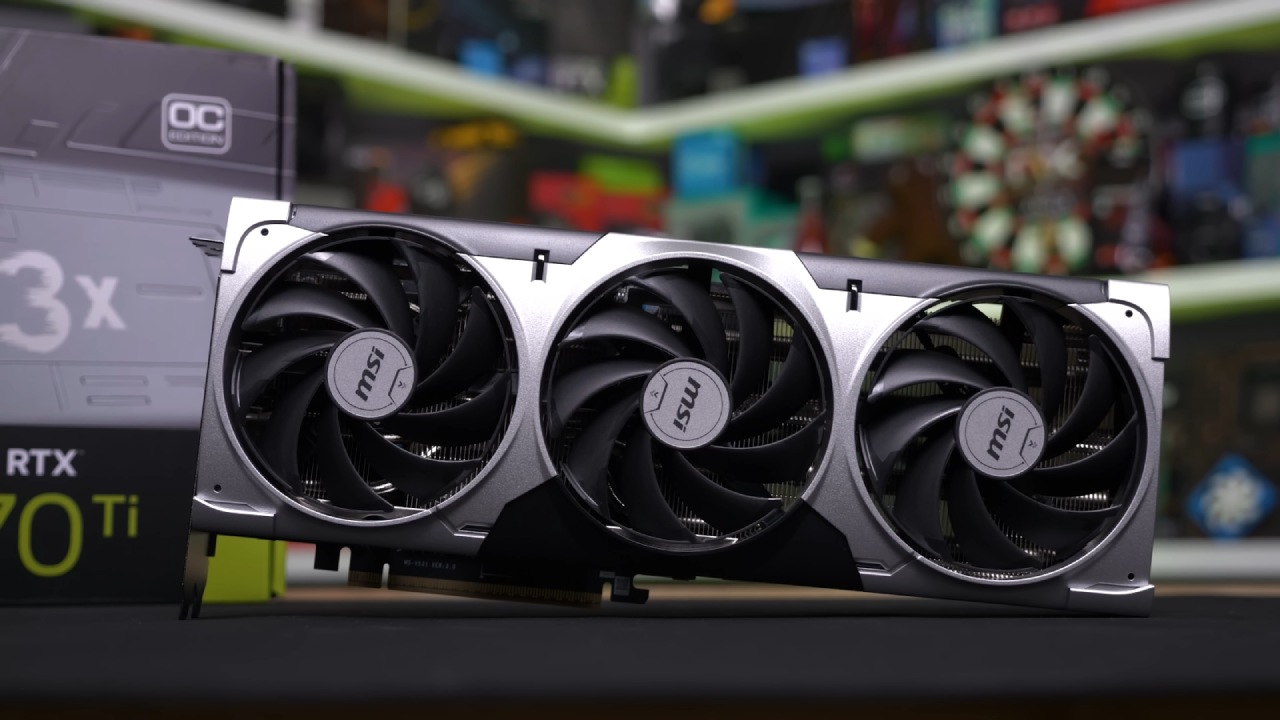
The only difference between them is the boost clock speeds, and the variations are minor and mostly negligible. You can simply go with whichever variant is cheaper at the time.
This model stands out as one of the best RTX 5070 Ti cards we've tested so far. Its performance is nearly identical to that of other 5070 Ti cards, trailing by only a couple of frames per second and staying well within the margin of error.
What we appreciate is that it isn't overly bulky or thick. It measures around 13in long, 5.5in wide, and just under 2in thick, slightly thicker than a typical two-slot GPU. It features an all-black design with minimal subdued RGB lighting, and a white variant is available for all-white builds.
The card includes a dual BIOS switch that lets you toggle between silent and gaming modes. We recommend leaving it in gaming mode, as it stays quiet even with the more aggressive fan curve.
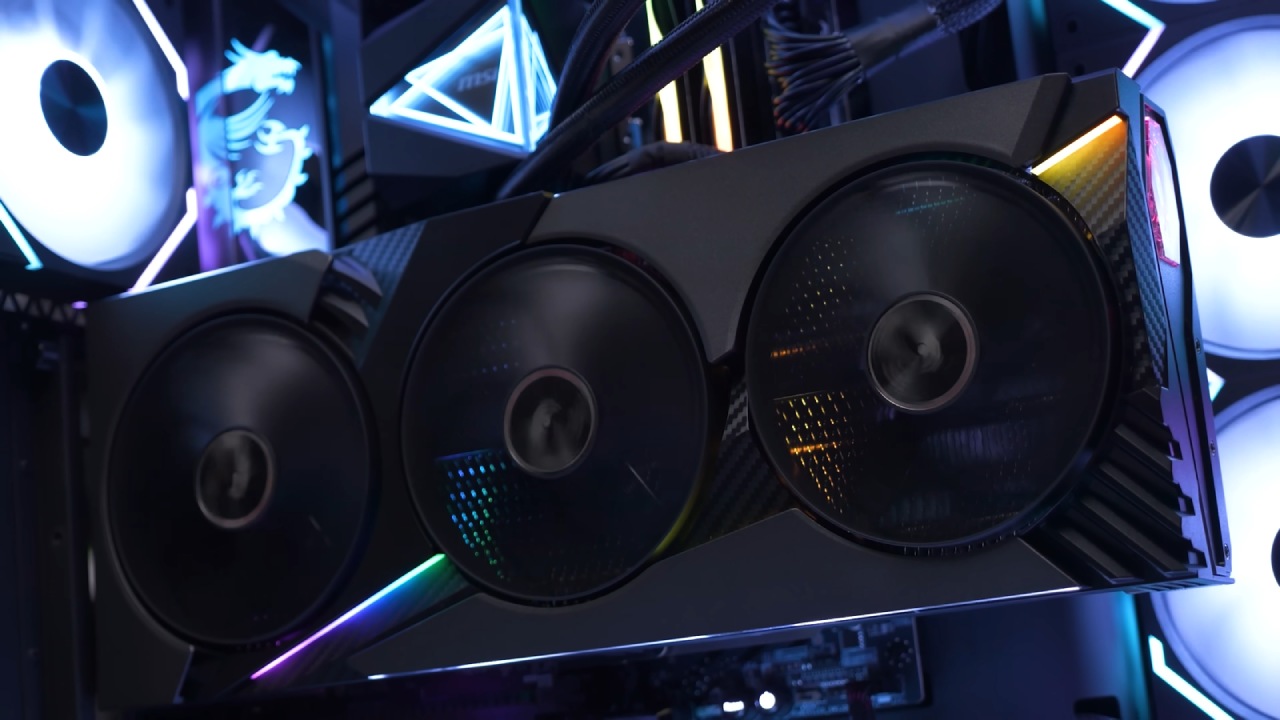
If you prefer a more aggressive design with bolder RGB lighting and a premium feel, MSI offers the 5070 Ti Vanguard SOC model. MSI doesn't have a Supreme model for the 5070 Ti.
Still, the Vanguard is their latest high-end design and similar in quality to the Supreme series while maintaining a gamer-oriented aesthetic. Based on MSI's MSRP, the Gaming Trio OC Plus and Vanguard SOC are surprisingly priced similarly. Which one you choose depends on your preferences.
Zotac Gaming RTX 5070 Ti AMP Extreme Infinity
Next up is the Zotac Gaming RTX 5070 Ti AMP Extreme Infinity. It's the fastest 5070 Ti card we've tested so far and is easy to overclock. Using the Afterburner power limit slider, you can increase its power limit to around 115% or 120%. Even so, running it at stock speeds or applying a slight undervolt may be more practical.
Zotac offers only two models for the RTX 5070 Ti: the AMP Extreme Infinity and the Solid. The AMP Extreme Infinity is the premium option. We really like its aesthetics; it may be Zotac's best design yet.
The complex designs on the backplate and the eye-catching infinity mirror on the back side make it evident that it is meant to be mounted horizontally. The card is large and heavy, measuring about 13 inches long, 5.4 inches wide, and 2.7 inches thick.
Zotac also sells the Gaming RTX 5070 Ti Solid OC, which has a simpler industrial style. Only the Zotac logo is RGB lit, while the line pattern across the shroud defines its look.
It's more affordable than the AMP Extreme Infinity and, as far as we know, performs similarly. The main difference lies in aesthetics: they are more subdued but deliver comparable performance at a lower cost.
Colorful iGame RTX 5070 Ti Ultra W
For those wanting a white graphics card to match a themed build, the Colorful iGame RTX 5070 Ti Ultra W performed surprisingly well. It features an all-white color scheme, accented with pink graffiti-style elements that the company describes as hip-hop-inspired. The card measures 13in long, 5.5in wide, and around 2.4in thick.
It includes a one-key overclock button that also functions as a dual BIOS switch. When set to turbo mode, the boost clock increases from 2452MHz to 2497MHz, though real-world boost speeds can go even higher during gaming. Turbo mode also raises the power limit to 110%, which benefits overclockers. We still recommend sticking with stock speeds for stability.
The only drawback is the design, as the pink graffiti accents may not appeal to everyone. Additionally, while the backplate is metal, the front cooler shroud feels somewhat plasticky. Still, if you like the look, it's an easy recommendation.
ASUS ROG Strix RTX 5070 Ti
One model we weren't able to test but still feel confident recommending is the ASUS ROG Strix RTX 5070 Ti. The Strix line remains a favorite for its premium design and aesthetics. ASUS has repositioned the Strix series from flagship status to a semi-premium tier, with the new Astro series now at the top of the lineup.
The Strix RTX 5070 Ti measures about 13in in length, nearly 6in in width, and around 2.5in in thickness. It carries a traditional triple-fan design rather than the four-fan setup used on the Astro series. Equipped with ASUS's MaxContact cooling solution, a vapor chamber, three Axial-Tech fans, and a phase-change thermal pad on the GPU, it offers excellent thermal performance. The only drawback is the premium pricing.
The TUF Gaming RTX 5070 Ti is a good choice if you want a cheaper ASUS option. It looks more like something used in an industry than something used by gamers. The performance is the same as the Strix, but it doesn't look as good. The non-OC version is especially affordable.
Performance Observations
All three cards work almost the same right out of the box in a 12-game test. Whether an OC or non-OC model, or despite slightly varying boost clock speeds, the performance differences are negligible. NVIDIA controls how well the GPU works, and no matter how many VRMs, PCBs, or circuit upgrades are made, performance stays around the same, with only a few additional frames at best.
ASUS, MSI, and Zotac are brands that primarily focus on improving cooling and design. Coolers that work well help keep temperatures lower, which lets GPUs run at higher boost speeds for longer. The Zotac 5070 Ti AMP Extreme Infiniti did boost slightly higher than the others. The MSI Gaming Trio OC Plus was the most conservative but still delivered comparable performance.
MSI's RTX 5070 Ti consumes slightly less power than the others, which may explain its slightly lower clock speeds and frame rates. The iGame 5070 Ti Ultra W, on the other hand, had the lowest operating temperatures, even though it used a little more power. This shows that its cooling system is really good.
None of the cards had notable coil whine, and they all ran rather quietly. Under full load, the fan on the iGame 5070 Ti was a little loud, but it was still quiet overall. Zotac and MSI's cooling designs were really good. Even while the PCs were working hard, the fans stayed almost silent.
Final Thoughts
We've tested many RTX 5070 Ti graphics cards, and these are the best we've found so far. We can also recommend a few others. If you don't know what to do and want to get the most for your money, the cheaper model is usually the best choice. To save money, certain budget versions may employ fewer materials or less effective cooling. However, many still work as well as more expensive models.
Many people choose graphics cards based on design and looks because Nvidia decides how well they work. You can simply go with the card that best suits your taste or complements your build, keeping in mind that you might pay a bit extra for the looks.
Also, check our other NVIDIA articles below:
- NVIDIA GeForce RTX 5080 Review (2025): Still A 4K Gaming Powerhouse?
- NVIDIA RTX 5070 Review: Mid-Range Muscle or Marketing Hype?
- RTX 5070 Ti Review: Performance, Thermals & Power Efficiency Tested
- ASUS GeForce RTX 5090 LC Liquid Cooled GPU Review: Unmatched Silence & Speed
- MSI GeForce RTX 5090 32GB SUPRIM SOC Review: Power Efficiency, Cooling, and Gaming Performance
- INNO3D RTX 5060 Ti 16 GB X2 Review: Gaming Benchmarks, Temps, and Power Efficiency
- HP Omen 45L Review: RTX 5090 Performance, Thermals, and Value Analysis
- ASUS TUF Gaming GeForce RTX 5060 Ti Review: DLSS 4, Power Efficiency, and Gaming
- ASUS Prime RTX 5060 Ti OC 16GB Review: DLSS 4, Ray Tracing, & Thermals Tested
- NVIDIA GeForce RTX 5060 Review: Specs, Gaming, and Cost per Frame
- MSI GeForce RTX 5090 GAMING TRIO OC Review: A Monster Power GPU
Senior Editor, NoobFeed
Latest Articles
No Data.