
Battlefield 6 Guide | How to Set Favorite Weapon (Custom Loadout)
Here’s how you can set a Favourite weapon to make it easier to select custom loadouts.
Game Guide by Joy Rahman on Nov 06, 2025
Having a custom Favourite Loadout in Battlefield 6 allows you to have faster access to weapons that you prefer during matches.
Knowing how to set Favourites mitigates the need for constantly browsing through every option mid-game. This guide will explain how you can set up and manage, and use custom weapons effectively in Battlefield 6.
From the games menu, head to the Loadout section, which will contain each of the classes and their own weapons list. Select a class that you want to work on and view with primary and secondary weapons, attachments, and equipment.
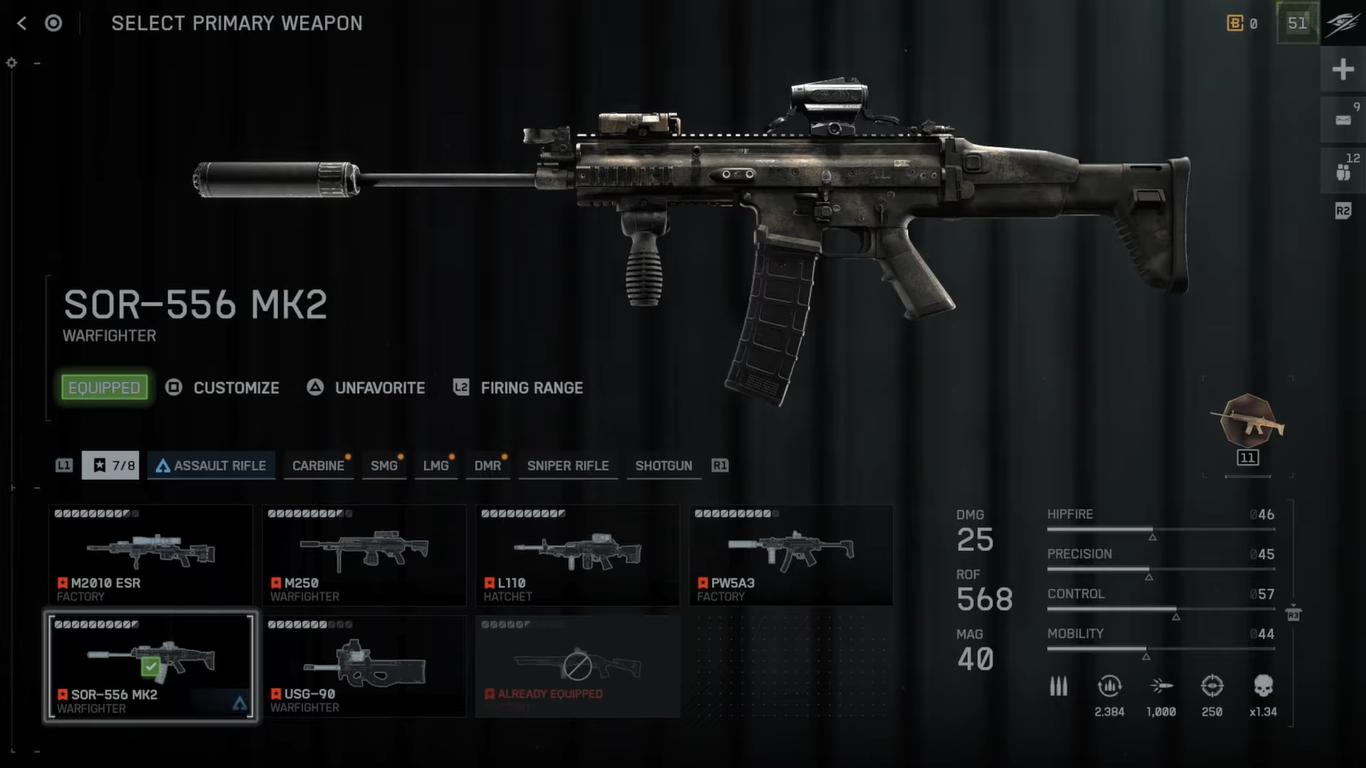
Mark As Favourites
Each of the weapons can be marked as a Favourite before heading into a match. What this does is ensure that the weapons appear in your Custom Loadout Slots. To do this, you will need to:
- Open the Loadout menu.
- Choose a class and then highlight the weapon you want to use.
- Press Square (or alternative) to manage the weapon.
- Lastly, press triangle to set as Favourite.
Once the weapon is marked as a favorite, you’ll be able to view it by pressing L1 in the Favourites tab.
You only have access to a limited number of Favourite weapons at the same time. To make room if all the slots are full, you’ll simply need to select a current Favourite and replace it with another, and then mark the new weapon as a Favourite by following the same process.
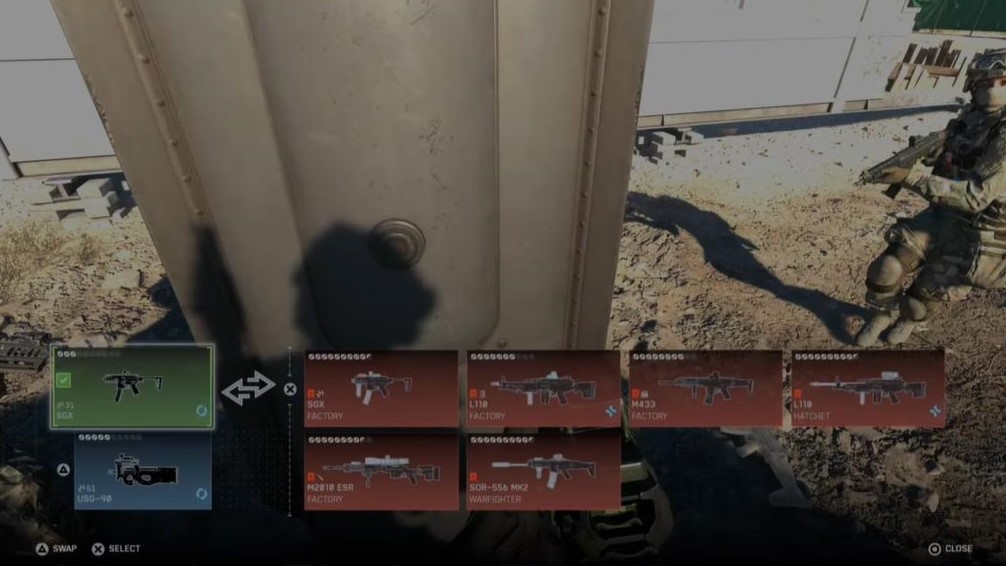
After setting up, heading to a match, and opening the Custom Loadout Menu, the favorite weapon will appear there and can be equipped instantly.
This allows you to streamline your customisation and selection, making sure that your preferred gun is always available.
Also, check out our Battlefield 6 Review and other guides below:
- Battlefield 6 Beginner's Guide | Tips & Tricks
- Battlefield 6 Guide | How to Fly Helicopter
- Battlefield 6 Guide | How to Fly Jets
- Battlefield 6 Guide | Best Classes
- Battlefield 6 Guide | Best L110 Loadout
- Battlefield 6 Guide | Best SGX Loadout
- Battlefield 6 Guide | Best Low Recoil Early Weapons
- Battlefield 6 Guide | How to Level Up Player & Gun Fast
- Battlefield 6 Guide | Best M433 Loadout
- Battlefield 6 Guide | Best M4A1 Loadout
- Battlefield 6 Guide | Best PW7A2 Loadout
- Battlefield 6 Guide | Best Low Rank Weapons List
- Battlefield 6 Guide | How to Improve Aim Accuracy
- Battlefield 6 Guide | How to Stop Dying
- Battlefield 6 Guide | Best M2010 ESR Loadout
- Battlefield 6 Guide | Best Current Meta Weapons
- Battlefield 6 Guide | 10 Hidden Mechanics
- Battlefield 6 Guide | How to Get End of an Era Trophy
- Battlefield 6 Guide | How to Use Tanks
- Battlefield 6 Guide | One Stone Trophy
- Battlefield 6 Guide | Best Battle Royale Weapons
- Battlefield 6 Guide | Best Weapon Attachments
- Battlefield 6 Guide | How to Increase Enemy Visibility
- Battlefield 6 Guide | How to Set Favorite Weapon (Custom Loadout)
- Battlefield 6 Guide | Top 10 Most Accurate Weapons
Contributor, NoobFeed
Latest Articles
No Data.