

Optimal RAM Capacity for Modern Gaming
Modern gaming performance continues shifting toward higher memory capacities as operating systems demand greater available resources.
Hardware by Godrics01 on Dec 10, 2025
People have been asking about this issue for a few years now, and it's becoming more important as Windows 10 loses support and more gamers switch to Windows 11.
Aside from the condolences, the question is what to anticipate from an 8GB system in late 2025. If you know what you're doing, you can get a lot done, but it looks like there are some limits.
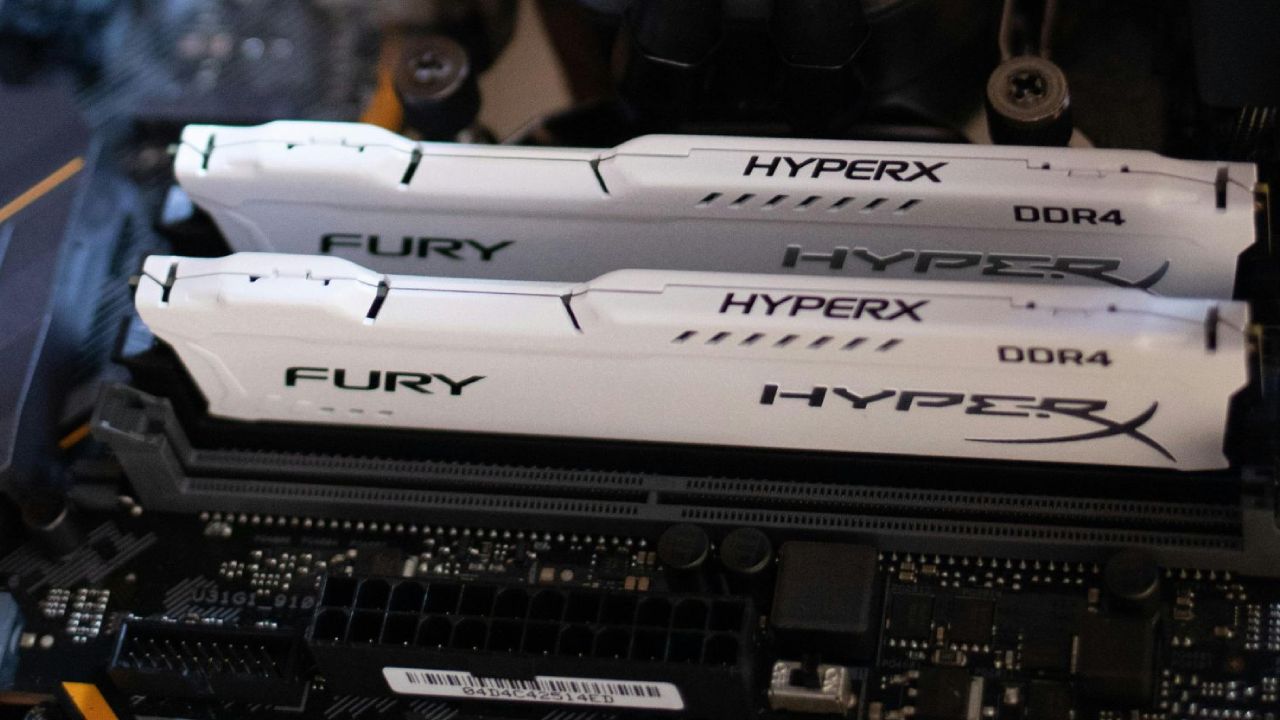
Setting up and Testing Parameters
Before we look at the data, we tried three memory kits across four setups to achieve the capacities we discussed. At 2400 megatransfers per second and a CAS delay of 17 ticks, they were all tested. This speed is not unusual; faster memory will perform better than slower memory. However, the tests only assess memory capacity, not differences in performance between newer kits.
The latencies are higher than those of recent high-capacity kits, but the focus is on capacity. The description has all the information about the system. Even though we used an i3-12100 and an RTX 2080, a less powerful CPU might not slow things down as much because the memory speeds are lower. The tests were done on Windows 11, which is known for using a lot of memory.
How Battlefield 6 Runs
Even though the game needs 16GB, 8GB worked better than expected when the high-graphics preset was set to 1080p and DLSS was set to balanced. The frame speeds were between 100 and 130 fps. When, we changed to 12GB, the performance went over 150 fps at many moments, however this setup made things stutter a little, which didn't happen with 8GB.
Upgrading to 16GB kept the same performance as 12GB but eliminated stuttering. When more than one background program was running, 32GB and 64GB behaved the same as 16GB. Based on this, 16GB was a great experience, whereas the lesser kits worked but had some problems from time to time.
How Well Cyberpunk 2077 Works
At 1080p on the lowest settings and DLSS set to balanced, performance was essentially the same across all capacities, save for 12GB. Almost every capacity stayed close to 90 fps, and the 1% lows didn't change much.
The 12GB setup, which probably ran three DIMMs on a four-DIMM board, made the averages, 1% lows, and maximums all worse. This suggested employing DIMMs in pairs on consumer boards, which are much stronger. When DIMMs are paired incorrectly, they can often cause stability or booting issues.
8GB worked OK for playing the game, but it was hard to navigate the menus outside of the game. The main menu kept freezing, and loading screens made everything freeze up. These problems went away when the memory was 16GB or more. For most uses, 16GB is the optimum starting point.

How Well Fortnite Works
Fortnite's performance was about the same at all capacities, except for 12GB. The 1% lows were a lot lower with 8GB, but the game didn't seem to be affected much. But menus often froze on the 8GB and 12GB models.
Once we reached the main island, things went back to normal, and the problems were more with the CPU than with the memory. Even so, 16GB was still the best choice to avoid freezing in games.
How Well Helldivers 2 Works
Helldivers 2 utilizes all of its RAM, which makes it fun to test. The average performance was highest with 8GB, which was surprising. Most configurations, save for 12GB, had similar 1% lows and maximums.
Menus worked fine, but during the descent cutscene, systems with less than 16GB of RAM would freeze for 10 seconds before restarting. Once you were in the game, things settled down. Due to constant loading delays, 16GB is the minimum recommended memory.
How well does Minecraft Java Edition Work
The Java Virtual Machine makes Minecraft use a lot of memory. Even when I gave the JVM three-quarters of the system memory on version 1.21.10 with great options like threaded rendering, a 16-chunk render distance, and an 8-chunk simulation distance, the performance stayed good.
8GB averaged 337 fps and a low of 62 fps, while 12GB averaged 330 fps and a low of 62 fps. At 16GB, the average increased to 361 fps, with a low of 135 fps. Most of the time, performance ranged from 330 to 400 fps. The findings were almost the same for 32GB and 64GB, with very few changes in the lows.
Minecraft works well on small devices, but 16GB is the bare requirement for dedicated projects.
How Well Oblivion Remastered Works
Oblivion Remastered tells customers who start with less than 16GB to be careful. Still, 8GB and 12GB worked, but they had big problems with 1% lows. Above 16GB, performance was the same.
8GB technically works; however, it often stutters. For steady speed, especially in heavily loaded areas, 16GB or more is the best choice.
What you Need to Know About RAM: DRAM and SRAM
DRAM is the primary type of RAM used in modern computers. To store each bit, DRAM must be refreshed continuously and uses a pair of capacitors and transistors. Because it is fast and static, SRAM (static RAM), implemented as transistor-based cells, is used for caches and registers.
Neither DRAM nor SRAM is stable. There are types of memory that don't lose their data, such as NAND flash and magnetic storage. However, DRAM is the most used type of system memory since it is cheap and dense.
SRAM is used in CPUs as caches and hardware buffers. DDR DIMMs and GDDR use DRAM to provide computers with the gigabytes they need to run common tasks. DRAM cells leak charge, so they need to be refreshed continuously. This makes the technology slower, but it is much denser and cheaper to create.
.jpg)
Recommended Amount of RAM for 2025–2026
After testing, it looks like 8GB isn't enough for Windows 11. It can play games, but it freezes, stutters, and takes a long time to load. Moving to 12GB improves things, but it might also cause problems if the DIMMs don't match.
Going up to 16GB fixes almost all of the problems. There are no more sudden load spikes, stutters, or stops when swapping memory. For DDR4 systems, 16GB is the best value for the money.
32GB is better for DDR5 configurations because performance depends on the number of bank groups used. 16GB still works, but 32GB is a better long-term decision.
16GB or 32GB is still enough for regular chores. 32GB is enough for light content development, but more may be needed for heavier tasks. Most of the time, 32GB is enough for most workflows, including video editing, where usage rarely exceeds 29GB.
Final Thoughts
Using RAM on Windows 11 and Linux, Linux can function OK with 8GB of RAM, even if you have a lot of programs open. On an 8GB PC, Windows 11 uses about 7GB of memory while it's not doing anything. Managing starting apps can help, but Windows automatically frees up memory when you start a game.
This dynamic reallocation causes short freezes but stops crashes. When the game finishes, Windows resumes using more resources when it's not doing anything.
Even so, 16GB is adequate for playing games on Windows 11 without any problems. For most people, sticking with 16GB is the best option given how expensive memory is. 32GB is a good improvement, though. For everyday computing, 64GB of RAM is too much. Future systems that need that much RAM will probably use quicker memory technology.
Also, check our other hardware articles below:
- AMD Ryzen 9 9950X3D Review: Setting The Standard For 2025 Gaming CPU
- Amazon Luna 2025 Review: Is Prime Gaming's Cloud Service Your Go-To For Casual Fun?
- AMD RX 9070 XT Review: AMD's RDNA 4 Champion for 1440p Gaming
- GeForce Now Ultimate: Ditching Your Gaming PC For Cloud RTX 4080 Power?
- NVIDIA GeForce RTX 5080 Review (2025): Still A 4K Gaming Powerhouse?
- Intel Core Ultra 9 285K Review And Performance Breakdown (2025)
- AMD Ryzen 7 9800X3D Review: 3D V-Cache Goes God Mode with Stunning Gaming Performance
- Intel Core Ultra 9 285K vs AMD Ryzen 7 9800X3D: In-Depth Gaming Performance and Benchmark Comparison
- NVIDIA GeForce RTX 5080 Super Performance In Cyberpunk 2077: Path Tracing & DLSS 4.0 Tested
- AMD Radeon RX 9070 XT In Cyberpunk 2077: Ray Tracing & FSR 4.0 Tested
- Intel Arc B580 Review: The $250 GPU Revolutionizing 1440p Gaming
- Intel Arc B570 Vs. B580: Value, Specs, And Real-World Gaming Performance
- RTX 5090 Laptop Vs. M4 Max MacBook Pro: Ultimate Raw Performance Vs. Battery Endurance
- Intel Arc b580 Vs. RTX 4060: Game Performance And Value Analysis
- RTX5090 Hell Is Us Demo 4K Ultra Benchmark: DLSS Vs. Native Performance Guide
- NVIDIA RTX 5070 Review: Mid-Range Muscle or Marketing Hype?
- Nintendo Switch 2 Review: Handheld Performance, Features & Value Breakdown
- RTX 5070 Ti Review: Performance, Thermals & Power Efficiency Tested
- Samsung Odyssey OLED G81SF Review 2025: Ultimate 32-Inch QD-OLED Gaming Monitor
- AMD RX 9070 Performance Review: Thermals, Clocks, and Real-World FPS
- AMD Ryzen 5 7600 Review: Best Budget Gaming CPU of 2025?
- AMD Radeon RX 7800 XT Review: RDNA 3 Power For Midrange Gaming
- Asus ROG RTX 5090 Astral OC Vs. Founders Edition: The 4K Gaming Benchmark
- Intel Core i5-13400F Gaming Performance: Still Worth It in 2025?
- ASUS GeForce RTX 5090 LC Liquid Cooled GPU Review: Unmatched Silence & Speed
- ASUS ROG Ally X Handheld Review: Double the Battery, Double the Comfort
- Lenovo Legion Go S Review: The Ultimate Steam Deck 2 Alternative
- Sapphire NITRO+ AMD Radeon RX 9070 XT Review: The Ultimate 4K Gaming GPU
- Alienware 16 Area 51 Review: The Ultimate 2025 Gaming Laptop
- Alienware Area-51 Review: Unmatched 4K, Thermal, and Acoustic Performance
- AMD Ryzen 7 7800X3D: Delivers Gaming Performance Far Beyond Expectations
- AMD Ryzen 9 7900X Review: Powering the AM5 Era with DDR5 & PCIe 5.0
- Intel Core i9‑14900K vs. AMD Ryzen 7 7800X3D: Power Profiles & Gaming Benchmarks
- Intel Core i9 14900K: Specs, Benchmarks, and Competitor Comparison
- ASRock Radeon RX 7800 XT Challenger OC Review: Best Price-to-Performance GPU of 2025
Editor, NoobFeed
Latest Articles
No Data.