
DRAGON QUEST VII Reimagined Beginner’s Guide | Gameplay Tips & Tricks
Quick settings, clear time-travel rules, and early Vocation progress without wasted grinding.
Game Guide by Faviyan Mustafiz on Feb 08, 2026
Dragon Quest 7 Reimagined is more fun when the pace is faster, the goals are clearer, and the Vocations are done at the right time. Follow the steps below to stay on track, find Fragments quickly, and work your way up to Gladiator, Paladin, and Champion.
Best Settings to Start With
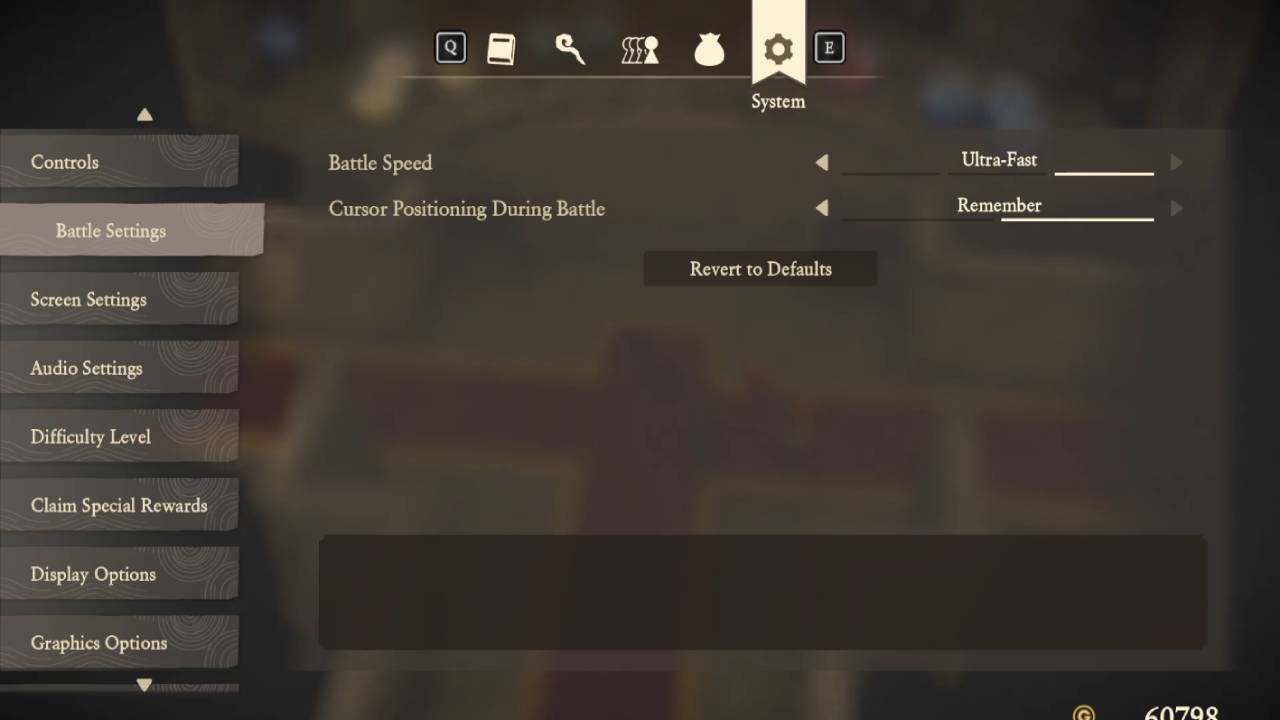
Go to the settings menu right away. Set Dash Controls to Toggle. This way, when you press Shift once, you keep running, and when you press it again, you stop. Set the speed of the battle to "Ultra Fast." For smoother pacing, keep Damage Dealt on Normal and set Experience and Proficiency Earned to More and Gold Acquired to More.
Set Monster Strength to Too Strong to make up for this. To stop enemies from following you in the overworld and to cut down on random interruptions, set Monster Activity to Monsters Don't Attack.
No Guesswork in the Past and Present
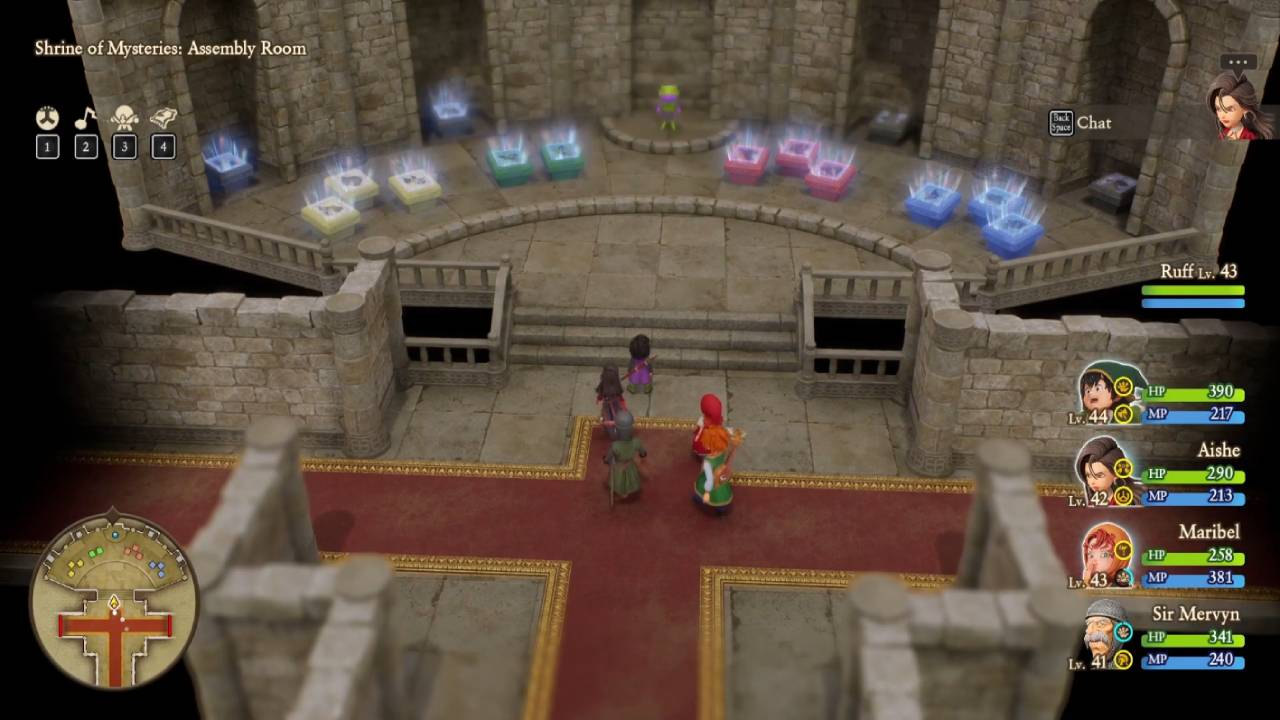
There are only two times: the Present and the Past. You are always in the Present by default. To go back in time, touch the Tablets in the Shrine of Mysteries. If the extra rooms and portals are too distracting, don't worry about them. The main shrine room is where you should put Fragments and move on.
Use Maps and Goals to Find Pieces
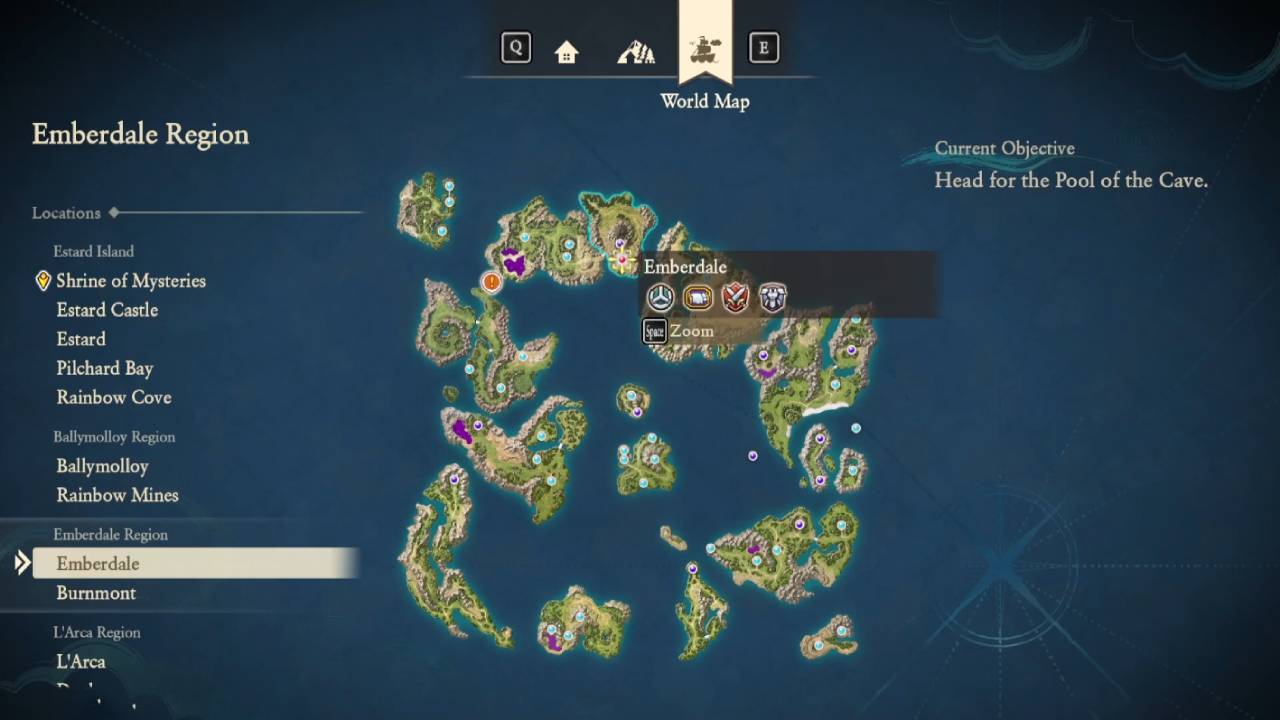
The dotted path markers are useful, but the current goal on the right side is the most important one. Press X at any time to see what you need to do next. To teleport to Emberdale, open the world map and click on it.
To find a Fragment, open the local map to see where it is. If you can't see the marker, switch to a different floor or layer of the area until it shows up. Then, follow the stairs to get to it.
The "Do It Twice" Pattern and Shrine Hints
When you're not sure what to do next, talk to the green creature in the middle of the Shrine of Mysteries. It usually points to the next Fragment and the right pedestal, which will open up a new area. Most of the main areas are explored twice: once in the Past and once in the Present, but with a small change. If you expect this loop, it won't be as confusing.
Vocations and Moonlighting: Change Jobs Without Getting Weaker
After about 10 hours, you can switch vocations. The basic ones are Warrior, Martial Artist, Mage, Priest, and Dancer. Don't change everyone to a level-zero vocation right away, because this can make the party much weaker.
Keep using mastered jobs until you unlock Moonlighting. This is because Moonlighting lets you equip two Vocations at once. Use a strong main vocation, then level a new one in the Moonlighting slot so you don't lose progress.
To unlock things quickly, focus on Martial Artist, Warrior, and Priest at first. To unlock Gladiator, you need to master Martial Artist and Warrior. To unlock Paladin, you need to master Priest and Martial Artist. The long-term goal is to become a Champion, and having at least two Champion vocations later makes it much easier to fight and build teams.
Farming Metal Slime for Quick EXP and Skills
After you unlock Moonlighting, go to the recommended Past area and grind there. This is where the best Metal Slimes spawn. To get there, use a specific maxed Tablet, then press shortcut 2 on your PC to make the Whistle go off and start fights.
Metal Slimes give a lot more experience than regular enemies, so this method levels up your character while the secondary Vocation gets better at what they do in the background.
While the secondary vocation levels up through Moonlighting, keep the main vocation strong. This way, the grind stays fast without slowing down the story.
Also, check our DRAGON QUEST VII Reimagined Review and other guides below:
- DRAGON QUEST VII Reimagined Guide | How to Beat All Bosses in Al-Balad
- DRAGON QUEST VII Reimagined Guide | How to Beat All Bosses in Hardlypool
- DRAGON QUEST VII Reimagined Guide | How to Beat All Bosses in Alltrades Abbey
- DRAGON QUEST VII Reimagined Guide | How to Beat All Bosses in Roamer Encampment
- DRAGON QUEST VII Reimagined Guide | How to Beat All Bosses in Frobisher
- DRAGON QUEST VII Reimagined Guide | How to Beat All Bosses in L'Arca
- DRAGON QUEST VII Reimagined Guide | How to Beat All Bosses in Emberdale
- DRAGON QUEST VII Reimagined Guide | How to Beat All Bosses in Ballymolloy
- DRAGON QUEST VII Reimagined Guide | How to farm Super Seed
- DRAGON QUEST VII Reimagined Guide | Best Sage Druid Build
- DRAGON QUEST VII Reimagined Guide | Best Single-Target Damage Build
- DRAGON QUEST VII Reimagined Guide | Metal King Slime Farming Location
- DRAGON QUEST VII Reimagined Guide | Best Team Compositions for Endgame
- DRAGON QUEST VII Reimagined Guide | Pit of Silence Mirror Puzzle Solution
- DRAGON QUEST VII Reimagined Guide | Best Hero and Champion Vocation Build
- DRAGON QUEST VII Reimagined Guide | Best Seed Farming and EXP Grinding Locations
- DRAGON QUEST VII Reimagined Guide | How to Level Vocations Fast
- DRAGON QUEST VII Reimagined Guide | Early Game Metal Slime Farming Spot
- DRAGON QUEST VII Reimagined Guide | L’Arca Animal Festival Walkthrough
- DRAGON QUEST VII Reimagined Guide | Trial Room Shadow Puzzle Solution
- DRAGON QUEST VII Reimagined Guide | Green Gem Location and Rainbow Mines Puzzle Solution
- DRAGON QUEST VII Reimagined Guide | Estard Island Secrets and Missables
Contributor, NoobFeed
Latest Articles
No Data.