

Gigabyte X870E Aorus Extreme X3D AI Top Review
A feature-dense AM5 motherboard combining extreme power delivery, advanced cooling, and full next-generation connectivity in a single platform.
Hardware by Godrics01 on Nov 11, 2025
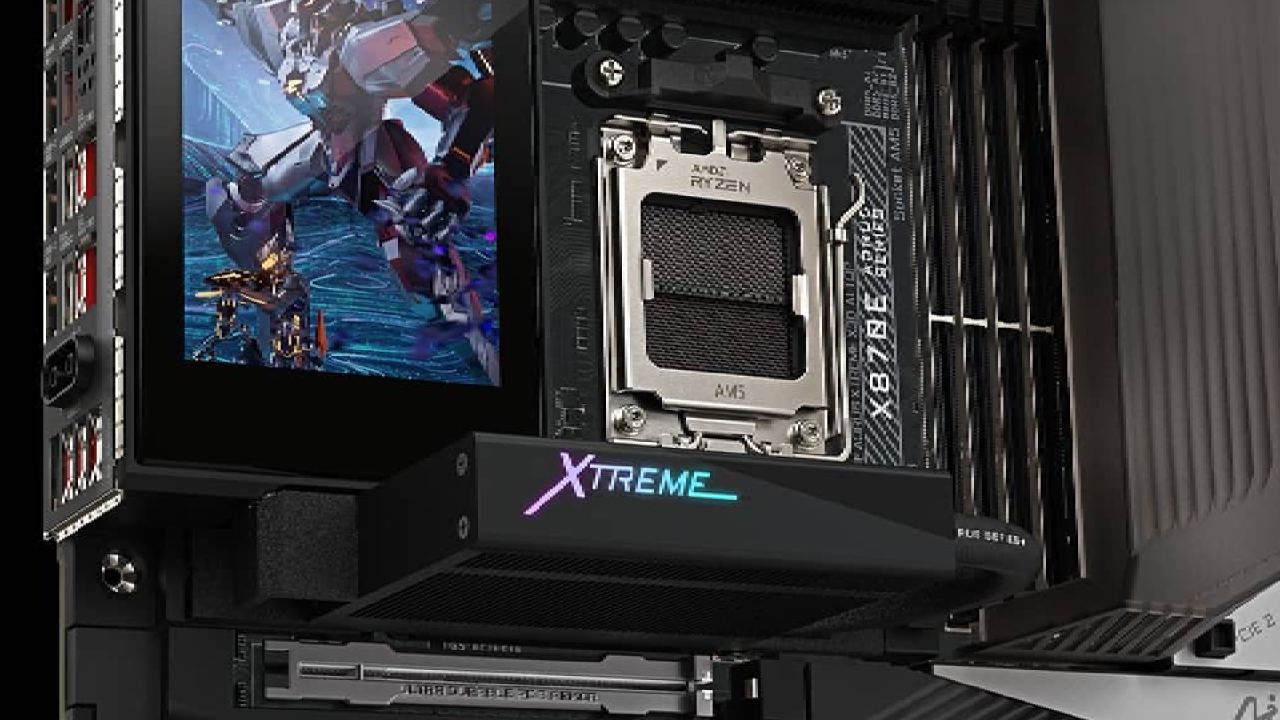
The Gigabyte X870E Aorus Extreme X3D AI Top motherboard is one of the most feature-rich models ever made. It comes with a long list of built-in parts and accessories that can handle almost any high-end desktop computing task.
The design and engineering focus on creating a single device that supports AM5 CPUs and next-generation interfaces while combining functionality, connectivity, and build quality.

Opening the box and the accessories that come with it
The X870E Aorus Extreme X3D AI Top comes in a large box that can accommodate a significant amount of parts and extras. The bundle includes a 32GB V-Color memory kit that operates at 8000MT/s, but availability may vary.
The box also comes with temperature probes, Velcro cable ties, and a RAM cooler with continuously running fans to keep it cool. There is also a G connector, a USB Type-C DAC, Wi-Fi 7 antennae, breakout cables for the RGB and USB 2.0 front panel connectors, and SATA cables for 2.5in SSDs or 3.5in hard drives.
There is also a contact plate that allows users to change the default CPU mounting system for improved contact pressure and heat transfer. Gigabyte includes a breakout adapter for the front panel, instructions, and a large M.2 heatsink that resembles a small air cooler due to its size and the design of the heat pipes.
All accessories and cables are organized to support the motherboard's proprietary connections and breakout headers.
Design and Build Framework
The X870E Aorus Extreme X3D AI Top features a full backplate that helps keep the chassis strong and cool. The board utilizes an 8-layer PCB architecture to ensure that signals remain strong and routing works efficiently.
It features four DDR5 DIMM slots that can accommodate a total of 256GB of memory and operate at speeds of up to 9000 MT/s. The memory cooler sticks to the motherboard with magnets and has pogo pins for power and RGB control.
Magnetic covers protect critical components of the board, including the LED demo connector and the top fan headers. It's easy to go to each section for cable management or maintenance. The design also incorporates several active and passive cooling components that maintain stable temperatures even under heavy load.
Setting up the power delivery and VRM
A 24+2+2-phase VRM system with 110A smart power stages handles power delivery. The arrangement features a 12+12 parallel design that evenly distributes the load.
The CPU gets greater power from two 8-pin EPS connectors. There are heat pipes that go from the IO cover to the top of the motherboard. These pipes connect the heatsinks to cool the VRM area.
Expansion and Connectivity
The board offers many ways to connect to other devices. It has two PCIe Gen5 x16 slots and one PCIe Gen4 x4 slot, all of which may be released without tools. There are five M. for storage. The system features two PCIe Gen5 slots and three PCIe Gen4 slots, each protected by a locking system and a magnetic heatsink that requires no tools for installation.
There are two USB 3.2 headers, a Type-C header with PD charging via an additional 8-pin PCIe connector, and extra headers for RGB, fan control, and temperature probes on the front panel.
The back IO area features two 10Gb Ethernet ports, two USB4 Type-C ports, several USB 3.2 Type-A ports, an HDMI 2.1 output, optical S/PDIF, line-out, a microphone input, and buttons for customizing Q-Flash Plus and Smart Button functionality. Wi-Fi 7 built-in connectivity rounds out the list of features.
Parts for heat and mechanics
The motherboard's cooling architecture covers almost all its components. Every M.2 slot has a cover that helps prevent heat buildup. The top slot has a bigger exterior heatsink with built-in lights.
The modular architecture makes it easy to access the drives for replacement or updates. Heat pipes connect the VRM cooling technology, improving temperature regulation.
The active RAM cooler works by making magnetic contact and using pogo pins. A small built-in fan moves air over the memory modules. The backplate helps cool the PCB passively.
How to Use and Apply
The X870E Aorus Extreme X3D AI Top has more functions than most people need. Still, it demonstrates the capabilities that can be built into a consumer-grade motherboard. Its specs and design make it well-suited to specialized setups that require high stability, ample storage, or robust networking.
The motherboard's tool-less design makes installation and maintenance easier from a usability standpoint. Even though its price is higher than most enthusiasts can afford, it sets the standard for building high-end motherboards.
Final Thoughts
The Gigabyte X870E Aorus Extreme X3D AI Top is an example of superior engineering in motherboard design. It offers many VRM options, supports high-frequency DDR5 memory, features several PCIe Gen5 ports, and includes built-in active cooling.
The addition of extra components, such as the contact plate, RAM cooler, and large M.2 heatsinks, demonstrates that the design is adaptable and reliable for optimal performance.
The board is an example of full-feature integration within a single platform, even if it costs a lot, and most customers don't need all of its features. It demonstrates that Gigabyte can design a comprehensive system that prioritizes usefulness and capabilities over practicality.
Also, check our other AMD articles:
- AMD Ryzen 9 9950X3D Review: Setting The Standard For 2025 Gaming CPU
- AMD Ryzen 7 9800X3D Review: 3D V-Cache Goes God Mode with Stunning Gaming Performance
- AMD RX 9070 Performance Review: Thermals, Clocks, and Real-World FPS
- AMD Ryzen 5 7600 Review: Best Budget Gaming CPU of 2025?
- AMD Radeon RX 7800 XT Review: RDNA 3 Power For Midrange Gaming
- Sapphire NITRO+ AMD Radeon RX 9070 XT Review: The Ultimate 4K Gaming GPU
- AMD Ryzen 7 7800X3D: Delivers Gaming Performance Far Beyond Expectations
- AMD Ryzen 9 7900X Review: Powering the AM5 Era with DDR5 & PCIe 5.0
- ASRock Radeon RX 7800 XT Challenger OC Review: Best Price-to-Performance GPU of 2025
- Intel Core i9‑14900K vs. AMD Ryzen 7 7800X3D: Power Profiles & Gaming Benchmarks
Editor, NoobFeed
Latest Articles
No Data.