

NVIDIA GeForce RTX 5070 Ti Arc Raiders Performance Analysis
Arc Raiders performance analysis showcasing RTX 5070 Ti capabilities across multiple resolutions with detailed visual behavior and frame generation results.
Hardware by Godrics01 on Nov 26, 2025
GeForce RTX 5070 Ti is tested in Arc Raiders using the MSI Ventus 3X version of the card paired with a Ryzen 7 9800X3D and 32GB RAM. All drivers are up to date, and no manual overclock is applied.
The review covers 4K, 1440p, and 1080p gameplay under maximum settings with DLAA, DLSS, RTXGI, and frame generation modes to show real-world performance and visual behavior.

4K Native With DLAA Maximum Settings
At 4K resolution with DLAA, RTXGI set to Dynamic Epic and the Epic preset, the card sits around 60 fps and dips occasionally to 59 or 58 fps in dense vegetation. The experience is playable but not ideal for a completely locked 60fps target.
Given the occasional drops during combat or high-detail scenes, switching to DLSS Quality provides much more headroom while preserving visuals. Vegetation and some shimmering remain noticeable at native 4K, but the GPU handles the title without major stutter.
4K DLSS Quality
The framerate is increased to 90–100 fps with DLSS Quality at 4K, resulting in a more fluid third-person shooting experience while preserving the same visual impact. Although there is some pixelation around the foliage and some plants continue to produce noise, the framerate tradeoff makes the level suitable for steady gameplay.
Night and dusk lighting can make rendering heuristics more visible. Yet, DLSS Quality at 4K remains the preferred balance for many scenarios.
4K With Frame Generation
Frame generation works well when base framerates are high. Four times, the FG pushes performance into the 200s, often around 240fps, which benefits 240Hz displays and yields very smooth motion with minimal perceived input lag in third-person play.
Three times, FG generally lands around 200fps and suits 165–180Hz monitors. Two times FG offers the best visual clarity with lower added latency, typically around 110–130 fps, and is a reasonable compromise between fluidity and fidelity in this title.
1440p Native With Maximum Settings
At 1440p with DLAA, the card typically delivers 90–120 fps, depending on scene complexity and lighting. Vegetation shimmer becomes more noticeable at this resolution due to lower pixel density, and turning off anti-aliasing reveals aggressive pixelation in foliage. DLSS Quality at 1440p looks softer than native DLAA.

It shows more pixelation in vegetation, so for clarity and responsiveness, we prefer native DLAA with FG where needed. Frame generation at 1440p can reach 150–160 fps with 2x FG and significantly higher with 3x or 4x FG, enabling high-refresh experiences.
High Frame Rates, Lower Visual Fidelity
The GPU can hit 130-150 fps at 1080p maximum settings; however, the quality is visually constrained. 1080p is less appealing on this GPU because its lower pixel density leads to texture breakdown and foliage shimmer.
DLSS Quality internally renders at 720p and appears soft at 1080p, so even though framerates are high, the visual fidelity is notably lower than at 4K with DLSS Quality. A higher-resolution monitor better utilizes the card's capabilities.
Visual Behavior and Anti-Aliasing
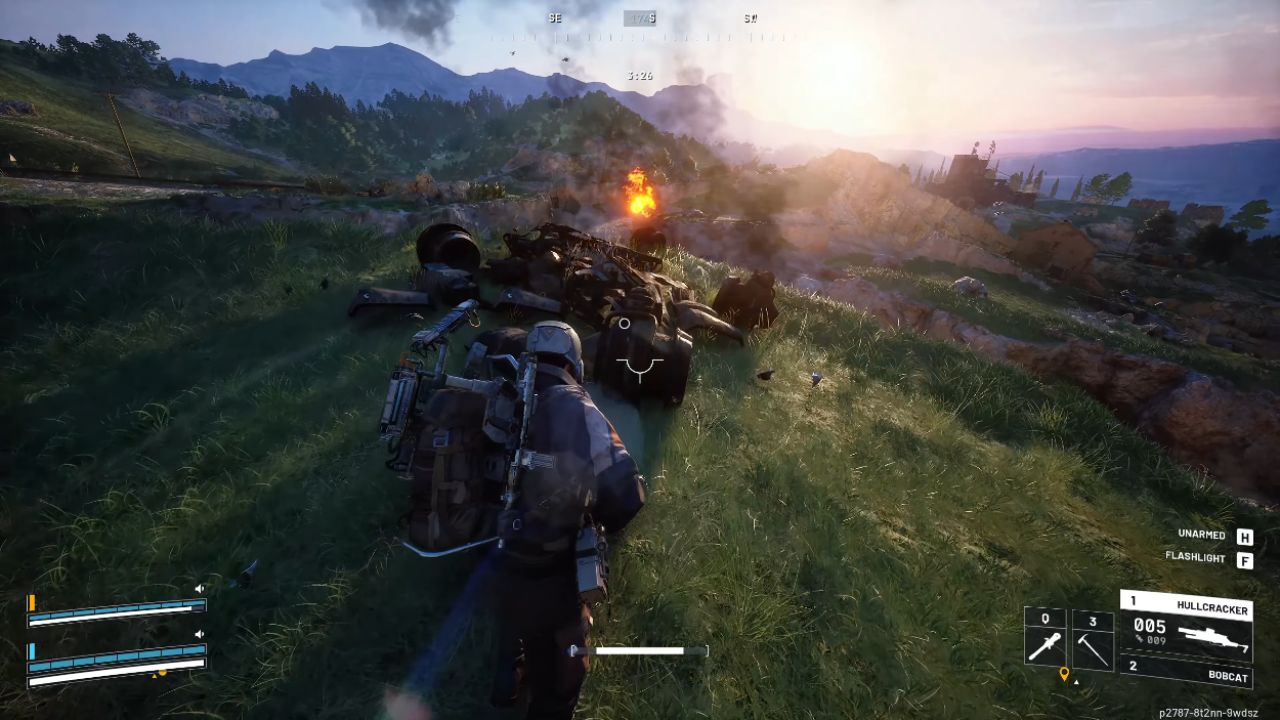
Arc Raiders uses Unreal Engine 5, and foliage rendering shows shimmer and noise under many conditions. DLAA provides the cleanest appearance overall while still showing noise on some bushes. DLSS Quality at 4K often looks better than lower-resolution native modes for vegetation detail, while TSR or plain TAA present softer images with less clarity at distance.
Disabling AA produces the sharpest view but reveals aggressive pixelation in vegetation. These visual characteristics are tied to the engine and asset behavior rather than the GPU alone.
Combat, Input, and Real Gameplay Notes
During firefights, robot encounters, and extraction sequences, the card maintains stable frame pacing. Input response is strong when base framerates are high and remains acceptable when using FG, especially at 2x FG, where added latency is minimal for third-person gameplay.
Even older GPUs like a GTX 1070 can run the game at playable framerates on low settings at 1440p, highlighting the title's optimization choices. Extraction scenarios and dynamic combat can cause temporary drops, but the overall experience stays smooth across maps.
Final Thoughts
For a balance of image and smoothness, we recommend 4K DLSS Quality with 2x FG or native 4K DLAA if you aim for locked 60fps and accept occasional dips. For 1440p setups, native DLAA plus frame generation yields good clarity and responsiveness. Avoid pairing the RTX 5070 Ti with 1080p if you want the best visual return, since 4K DLSS Quality or 1440p DLAA delivers superior detail and overall experience.
Performance summary observed in testing includes 4K native around 60fps, 4K DLSS Quality around 90–100fps, 4K DLSS with FG 4x around 240fps, 1440p native around 90–120fps, and 1080p native above 140fps but with reduced visual fidelity.
Also, check our other NVIDIA articles below:
- NVIDIA GeForce RTX 5080 Review (2025): Still A 4K Gaming Powerhouse?
- RTX 5090 Performance Testing In GTA 5 – 1080p, 1440p, and 4K Max Settings Benchmark
- NVIDIA RTX 5070 Review: Mid-Range Muscle or Marketing Hype?
- RTX 5070 Ti Review: Performance, Thermals & Power Efficiency Tested
- ASUS ROG Astral RTX 5090 OC Edition Review: 32GB GDDR7 & 4K Gaming Benchmark
- ASUS GeForce RTX 5090 LC Liquid Cooled GPU Review: Unmatched Silence & Speed
- MSI GeForce RTX 5090 32GB SUPRIM SOC Review: Power Efficiency, Cooling, and Gaming Performance
- INNO3D RTX 5060 Ti 16 GB X2 Review: Gaming Benchmarks, Temps, and Power Efficiency
- HP Omen 45L Review: RTX 5090 Performance, Thermals, and Value Analysis
- ASUS TUF Gaming GeForce RTX 5060 Ti Review: DLSS 4, Power Efficiency, and Gaming
- ASUS Prime RTX 5060 Ti OC 16GB Review: DLSS 4, Ray Tracing, & Thermals Tested
- NVIDIA GeForce RTX 5060 Review: Specs, Gaming, and Cost per Frame
- MSI GeForce RTX 5090 GAMING TRIO OC Review: A Monster Power GPU
Editor, NoobFeed
Latest Articles
No Data.