
Asus ROG Raikiri 2 Review: Features, Performance, and Value Breakdown
A comprehensive overview of a premium gaming controller balancing hardware quality with software driven tuning.
Hardware by Shinji Okazaki on Dec 17, 2025
Raikiri 2 is the second version of the Raikiri controller line, and Asus is a well-known brand. The original generation was good, but instead of comparing the two directly, the question here is whether the Raikiri 2 is worth the effort and money.
The controller was sent for review, but that doesn't change the comments made. Here is a full breakdown of the experience, features, strengths, and weaknesses.
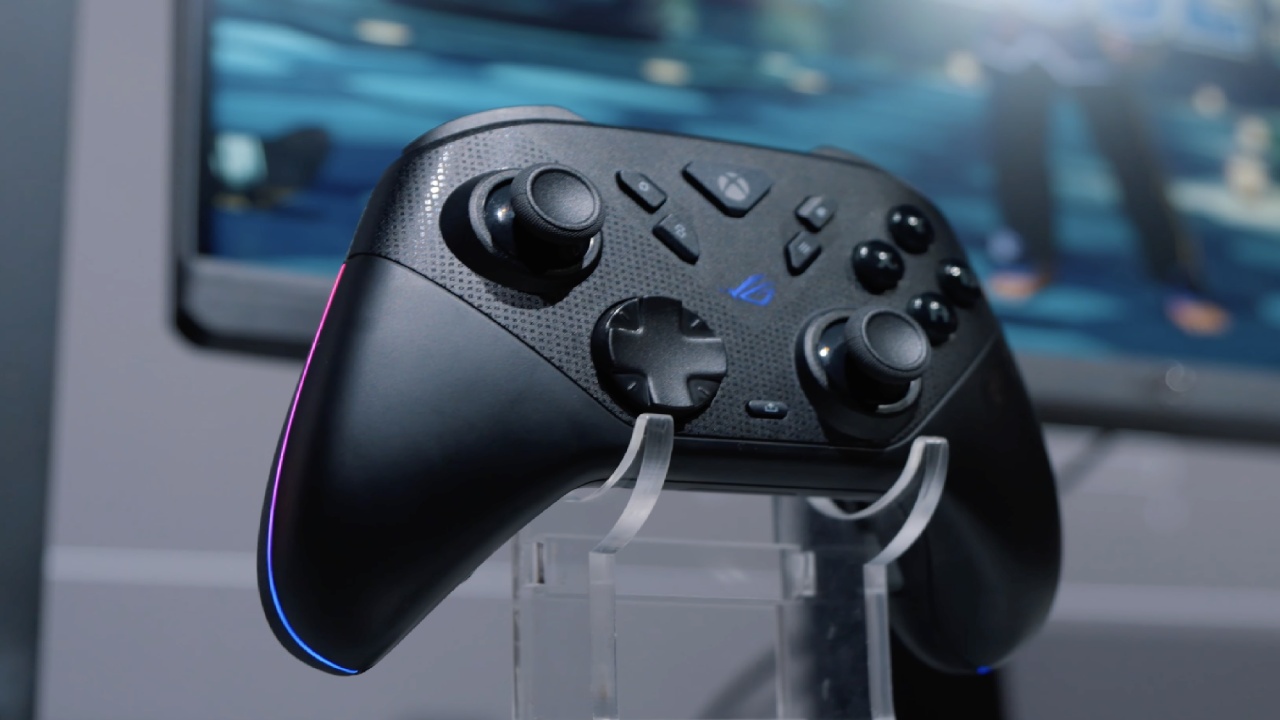
Unboxing and Extra Parts
The package feels high-end and clearly shows off the ROG Raikiri 2 Xbox Wireless brand. The controller works with Xbox One, Xbox Series X, Xbox Series S, Windows 10, and Windows 11. It is Xbox licensed. Based on testing, it doesn't work on iOS or macOS.
The first thing in the box is a carrying case containing the instructions, warranty card, and stickers. There is also a charging cable that goes from USB-C to USB-A. The cable is lengthy, has ROG branding, and feels strong. Two plastic dock supports with rubber bottoms are supplied to help you adjust the controller's angle when it's on the charging dock.
The charging dock features a rubber bottom and legs that let you adjust the station's position. The controller is at a small slant when the legs are on it. It sits face-up when they are not there. The carrying bag feels sturdy and has a soft lining to prevent scratches as you move it.
There are two extra thumbsticks included. These are taller than usual. You can remove the thumbsticks, which lets you set them up in different ways, such as using a conventional left stick and a taller right stick for FPS games. You can even charge the controller while it's in the case, just like with more expensive controllers, by running the USB-C cord through the case.
For $190, the packaging and bonuses make it clear you're getting your money's worth in the build quality, the extras, and the product's overall look.
Design and Storage for Dongles
It could appear like a problem at first that there is no dongle in the box. But the controller has a special internal storage slot just for the dongle. The dongle is quite compact and fits well within the controller, so it doesn't take up much space. Once it's put away, you can't really see it, which makes it more useful and convenient than larger dongles used by other controllers.
Quality of Construction and Comfort
At 255g, the controller is on the lighter side, but it doesn't feel cheap. The plastic is the same kind used on other high-end controllers, giving it a strong feel. One downside of the finish is that it shows fingerprints, even with clean hands, due to the temperature difference between the finish and the hands.
You can see that the design pays close attention to every detail. The front faceplate has Xbox branding that isn't too obvious. In contrast, the rubberized back grips feature the ROG text repeated multiple times. The controller is quite comfortable to hold because it has the same form as an Xbox controller. After long use, the location of the sticks, the reach of the buttons, the triggers, and the bumpers all feel natural.
After about two weeks of use, there were no problems with comfort, button placement, or ease of use. This design feels more natural and balanced than other controllers with different shapes.
Thumbsticks and How Well they Work
Raikiri 2 has TMR thumbsticks from K-Silver, the same type as those in the GameSir G7 Pro. The stems of the sticks are made of plastic and don't have any internal restriction rings, which makes them feel like plastic-on-plastic. Even yet, moving the stick feels smooth and in control.
The inner dead zone is set to 10% by default, which is easy to see in FPS games. You can change the dead zones in the Gear Link app, and setting them to zero helps with the problem. But even at zero, there is still a useful inner dead zone of about 3–5%.
This might not be obvious to casual players. It affects fine aiming and recoil control when playing competitive FPS games. Once the problems are fixed, the sticks should work much more like they were meant to.
KontrolFreeks that look like Xbox controllers work well for thumbstick extensions. PlayStation-style models are overly huge and do not seat correctly.
.jpg)
D-Pad and Face Buttons
Like the bumpers and rear buttons, the ABXY face buttons use microswitches with a Mylar coating. They fit snugly in the shell with very little movement. The travel distance is minimal, and you can feel a crisp click. Sometimes, when you hit the button quickly, it doesn't reset fast enough. This is a problem with other microswitch-based designs as well.
The D-pad also has a rubber pad and a dome shape that work with microswitches. It looks like a regular Xbox D-pad, and it works well for platformers and other genres. It feels responsive, springy, and accurate. But in combat games, diagonal and multi-input consistency aren't ideal. The edges are also a little sharp, which can make your fingers hurt if you use them for a long time.
Layout of Buttons and Ergonomic Problems
The controller has buttons for the menu, view, screenshot, library, and control center. The library and control center buttons are at the top, and the menu and view buttons are at the bottom. This makes it hard to use the controls comfortably. The layout doesn't make sense, and you can't switch these buttons in software, which limits personalization.
Bumpers, Triggers, and Buttons on the Back
Micro switches are used in the bumpers, and it's easy to turn them on all around. They feel strong and responsive. The triggers are based on TMR and have hair-trigger stops with micro switches for short travel. The triggers have a long travel distance by default, which makes them good for racing games. Laser texturing on the bumpers and triggers makes them easier to hold.
The buttons on the back are one of the best things about the controller. Because of where they are, the ring and middle fingers may rest naturally on them, making them easy to use and pleasant. They also have micro switches. This layout might not be as good for those who want to use one finger on both back buttons.
Audio, Vibration, and Connectivity
The controller can work with wired, Bluetooth, and 2.4GHz dongles. It also has a switch for use with Xbox and PC. As expected for an Xbox-licensed controller, it has a 3.5mm audio connection. The audio latency through the jack is negligible, and the dongle stays responsive even when in use.
Two motors handle vibration; however, there is no trigger for vibration. Feedback feels more regulated and more accurate than a regular Xbox controller.
Software and Personalization
The Gear Link web app handles configuration, and you don't have to install anything. The controller may hold up to five profiles on board. Users can change dead zones, trigger behavior, vibration strength, LED colors, and button mapping. You can only change the library button, the control center button, and four buttons on the back.
The app doesn't let you use keyboard mapping, macros, turbo, or shift layers. You can calibrate the joystick, and to update the firmware, you need to connect both the controller and the dongle to a USB port simultaneously.
Results of Latency and Testing
Based on the available data, the polling rate is 1000Hz, while the actual results are usually about 874Hz. Most inputs register at 1ms, although some register at 2–3ms. Tests of stick resolution reveal about 930 points, which is good but not the best in its class.
The inner dead zone problem makes it harder to do well on aiming exams. Compared to other high-end controllers that use similar stick modules, the scores are lower than expected. Performance should improve after the software upgrades fix this.
Gaming Performance
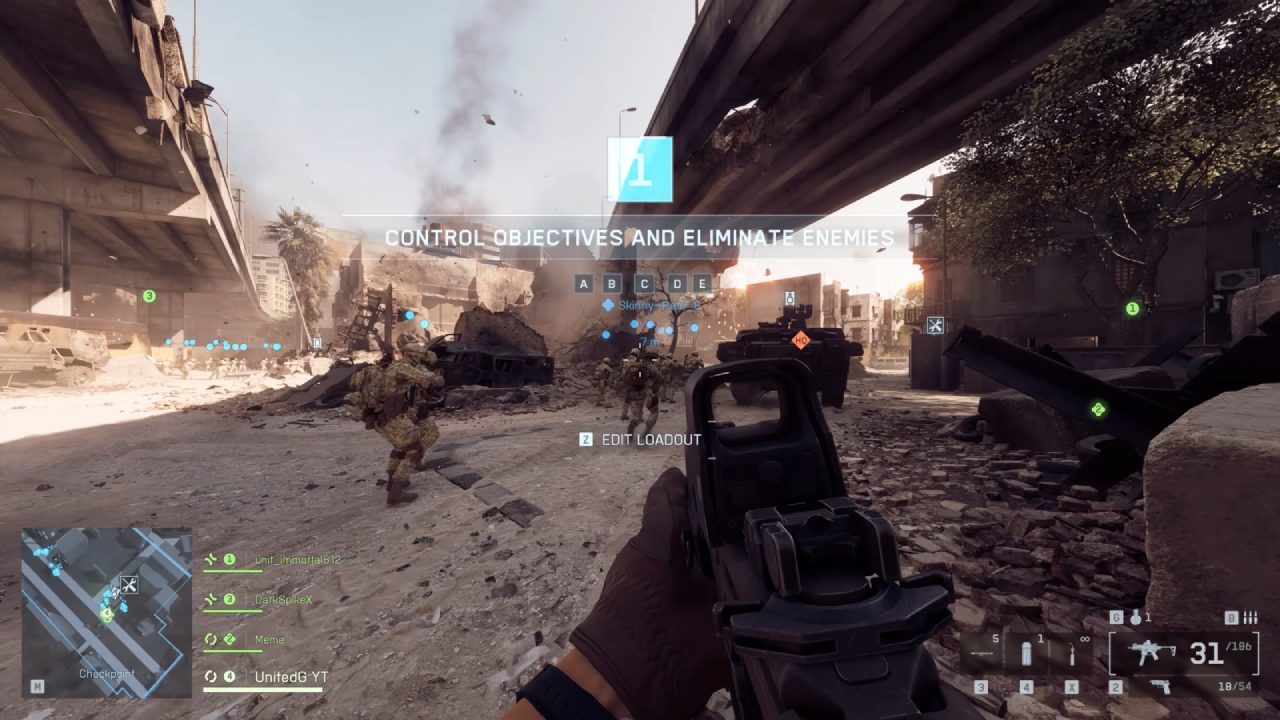
The controller performs well in platformers like Hollow Knight since the buttons and inputs respond rapidly. In first-person shooter games like Battlefield and Fortnite, the dead zones within make it hard to aim and control recoil, making it hard to make precise changes. These problems should be fixed in future firmware releases.
The D-pad works well for simple inputs in fighting games, but it struggles with more complex directional sequences. It is usable, but it is not one of the greatest choices for that type of game.
Final Thoughts
Asus ROG Raikiri 2 is well-built, comfortable to use, comes with good peripherals, works well wirelessly, and has well-placed buttons on the back. The value of the $190 bundle comes from the materials, the whole package, and its compatibility with Xbox.
It can't reach its full potential, especially in FPS games, due to software issues and the current internal dead zone. The controller is set up to deliver a richer experience in future releases.
Also, check our other Handheld articles :
- ASUS ROG Ally X Handheld Review: Double the Battery, Double the Comfort
- Nintendo Switch 2 Vs. Original Switch 1: A Full Comparison
- How To Connect A Camera And Join Voice Chat With Nintendo Switch 2
- Nintendo Switch 2 Review: Handheld Performance, Features & Value Breakdown
- ROG Xbox Ally X Vs. ROG Ally X: Display, Battery & Controls
- ASUS ROG Ally X vs. Steam Deck OLED: Display, Battery & Gaming Benchmarks
- MSI Claw 8 AI+ Review: Display, Controls & Gaming
- Nintendo Switch 2 vs. Steam Deck OLED: Gaming, Performance, Battery, Display and Value
- PlayStation Portal Review: Remote Play, Cloud Streaming & Travel Gaming
- PlayStation Portal vs. Lenovo Legion Go: Best Portable Gameplay
Editor, NoobFeed
Gaming Hardware Updates
No Data.