
Crimson Desert on MSI Claw 8 AI Plus Performance Test with XeSS 3.0 and Frame Gen
Official Intel support and XeSS 3.0 integration significantly improve performance stability and frame rates across demanding gameplay scenarios.
Hardware by Tanvir Kabbo on Apr 13, 2026
Crimson Desert is always getting better thanks to updates that improve performance, visuals, and support for more platforms. A new version adds official Intel compatibility and advanced capabilities like XeSS 3.0 and multi-frame generation, which greatly improve Gameplay on all supported devices.
Intel's official support and patch improvements
We're back to playing Crimson Desert on the MSI Claw 8 AI Plus. Even though it wasn't officially supported at the time, the game worked with an Intel driver upgrade earlier. A new patch from the devs officially adds Intel compatibility to the game. This includes XeSS 3.0 and the ability to make multiple frames.
.jpg)
The update fixes problems that occurred when the game first launched and didn't work properly with Intel. There are no longer any warnings about GPU drivers when you start the game on Xbox or Steam. In addition to improved performance and graphics, the patch also adds many other enhancements, including tweaks to gameplay mechanics and graphical options.
XeSS Performance, Resolution, and Graphics Settings
Resolution can go up to 1200p, although 800p is usually the best choice. XeSS is now available and can be used with Intel's frame generation options, including 2x, 3x, and 4x modes.
The best, most reliable setup is still to run the game on a low preset with high texture quality, especially since the game is still hard. Even with XeSS set to performance mode, performance can decline noticeably in heavy areas at 1200p unless frame generation is enabled. For this reason, 800p strikes a better compromise between performance and visual clarity, especially on smaller screens.
Performance of Frame Generation and Input Latency
Performance is greatly enhanced by turning on 2x frame generation. Although some base FPS loss is anticipated, the frame rate jumps to roughly 60 fps, which is roughly twice as fast as before. Compared to previous configurations, such as FSR frame generation on other handhelds, this one feels more responsive and fluid.
Switching to 3x frame generation further improves performance, pushing FPS well above the base range of 30–38 fps. Stability is still good, with no crashes or big problems. But raising the frame generation levels adds greater input lag, which is more evident when you're playing.
When generating 4x frames, performance can exceed 100 fps in some areas, reaching 102–105 fps. There aren't many visual artifacts, such as ghosting, which is a big improvement over prior frame-generating methods. Even at high frame rates, higher frame generation options aren't as effective in fast-paced or high-stakes combat situations because of the longer latency.
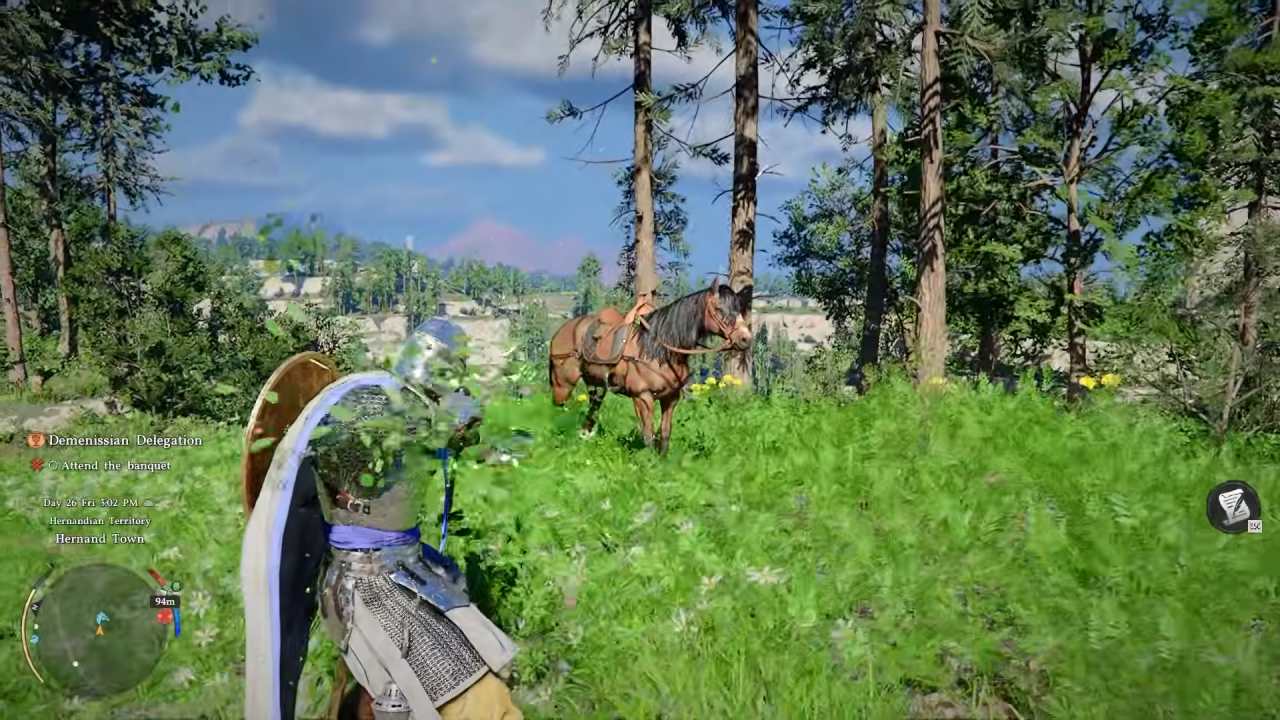
Optimizing Gameplay at 800p
When you lower the resolution to 800p, the experience is more consistent. When frame generation is on, the frame rate normally stays between 80 and 90 fps in bright places. Even if you don't utilize the most extreme upscaling modes, balanced or quality XeSS settings still make images look well on small screens.
You may observe the base performance better when you switch off frame creation. It can be anything from 30 to 50 fps, depending on where you are. The easier parts of the game tend to stay closer to the higher end, while the harder parts sometimes drop into the 30fps region.
XeSS with 2x frame generation offers the optimal balance between smoothness and responsiveness. You can see performance improvements without adding too much latency, which makes it a good choice for long gaming sessions.
Future Potential and Ongoing Optimization
The focus of development work remains on correcting issues and improving how things work. As improvements continue, handheld devices should get even better. There are also talks of expanding the game to more platforms, such as future portable systems. This could lead to even better performance optimization.
Crimson Desert is a game that keeps getting better with each update, so it's interesting to go back and see how things have changed over time.
Also, check our other hardware articles:
- AMD Ryzen 9 9950X3D Review: Setting The Standard For 2025 Gaming CPU
- Amazon Luna 2025 Review: Is Prime Gaming's Cloud Service Your Go-To For Casual Fun?
- AMD RX 9070 XT Review: AMD's RDNA 4 Champion for 1440p Gaming
- GeForce Now Ultimate: Ditching Your Gaming PC For Cloud RTX 4080 Power?
- NVIDIA GeForce RTX 5080 Review (2025): Still A 4K Gaming Powerhouse?
- Intel Core Ultra 9 285K Review And Performance Breakdown (2025)
- AMD Ryzen 7 9800X3D Review: 3D V-Cache Goes God Mode with Stunning Gaming Performance
- Intel Core Ultra 9 285K vs AMD Ryzen 7 9800X3D: In-Depth Gaming Performance and Benchmark Comparison
- NVIDIA GeForce RTX 5080 Super Performance In Cyberpunk 2077: Path Tracing & DLSS 4.0 Tested
- AMD Radeon RX 9070 XT In Cyberpunk 2077: Ray Tracing & FSR 4.0 Tested
- Intel Arc B580 Review: The $250 GPU Revolutionizing 1440p Gaming
- Intel Arc B570 Vs. B580: Value, Specs, And Real-World Gaming Performance
- RTX 5090 Laptop Vs. M4 Max MacBook Pro: Ultimate Raw Performance Vs. Battery Endurance
- Intel Arc b580 Vs. RTX 4060: Game Performance And Value Analysis
- RTX5090 Hell Is Us Demo 4K Ultra Benchmark: DLSS Vs. Native Performance Guide
- NVIDIA RTX 5070 Review: Mid-Range Muscle or Marketing Hype?
- Nintendo Switch 2 Review: Handheld Performance, Features & Value Breakdown
- RTX 5070 Ti Review: Performance, Thermals & Power Efficiency Tested
- Samsung Odyssey OLED G81SF Review 2025: Ultimate 32-Inch QD-OLED Gaming Monitor
- AMD RX 9070 Performance Review: Thermals, Clocks, and Real-World FPS
- AMD Ryzen 5 7600 Review: Best Budget Gaming CPU of 2025?
- AMD Radeon RX 7800 XT Review: RDNA 3 Power For Midrange Gaming
- Asus ROG RTX 5090 Astral OC Vs. Founders Edition: The 4K Gaming Benchmark
Senior Editor, NoobFeed
Gaming Hardware Updates
No Data.