
RTX 5090 Battlefield 6 Season 2: DLSS 4.5 Benchmarks at 4K and 8K
Vegetation rendering, memory allocation, and fps stability tested with RTX 5090 overkill settings.
Hardware by Shinji Okazaki on Feb 20, 2026
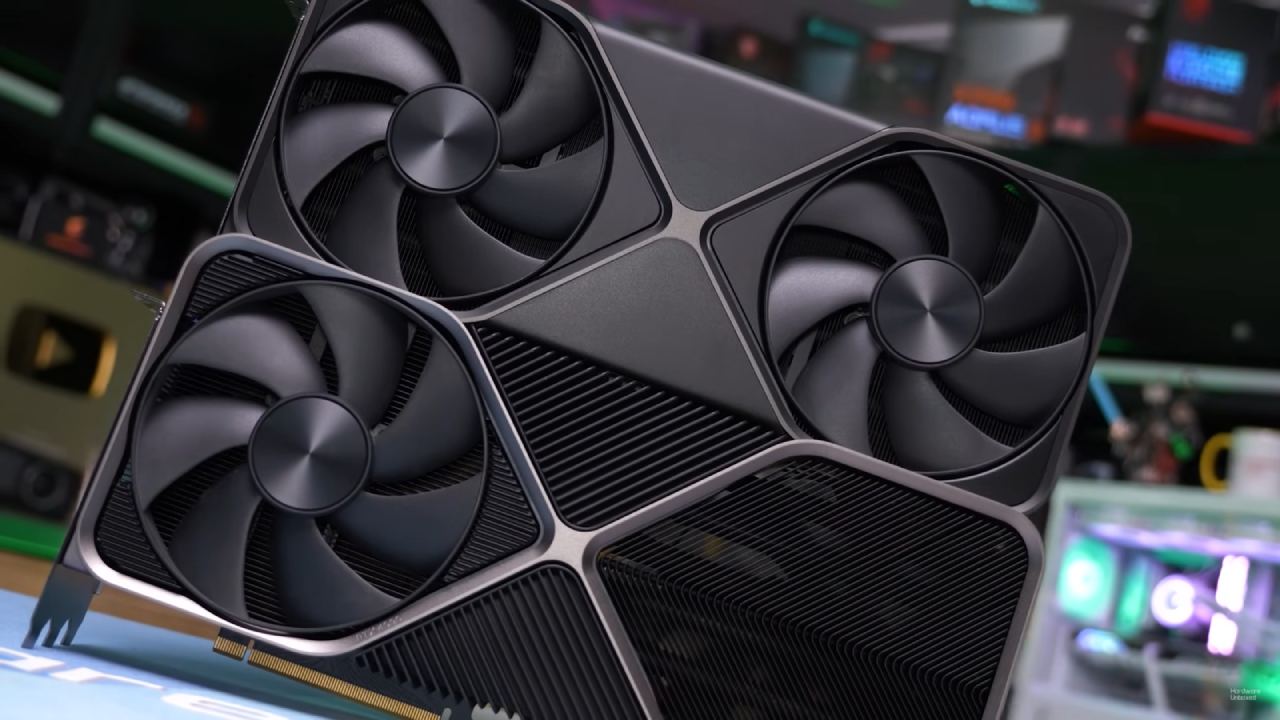
Testing the RTX 5090 in Season 2 of Battlefield 6. Battlefield 6 Season 2 adds a new map and changes rendering, yet it still supports DLSS 4 and 4.5. GeForce RTX 5090 Founders Edition, a Ryzen 7 98H00X3D, and 32GB of RAM are used to test performance scaling,
VRAM allocation, frame generation, and 8K upscaling. Testing is done at 4K and 8K resolutions with different DLSS presets and frame generation modes to assess their impact on performance and visuals.
Setting up the test and the first 4K overkill settings
We start at 4K resolution with the RTX 5090's overkill preset. Anti-aliasing is set to DAA, and there is no upscaling. We will try DLSS and multi-frame generation later.
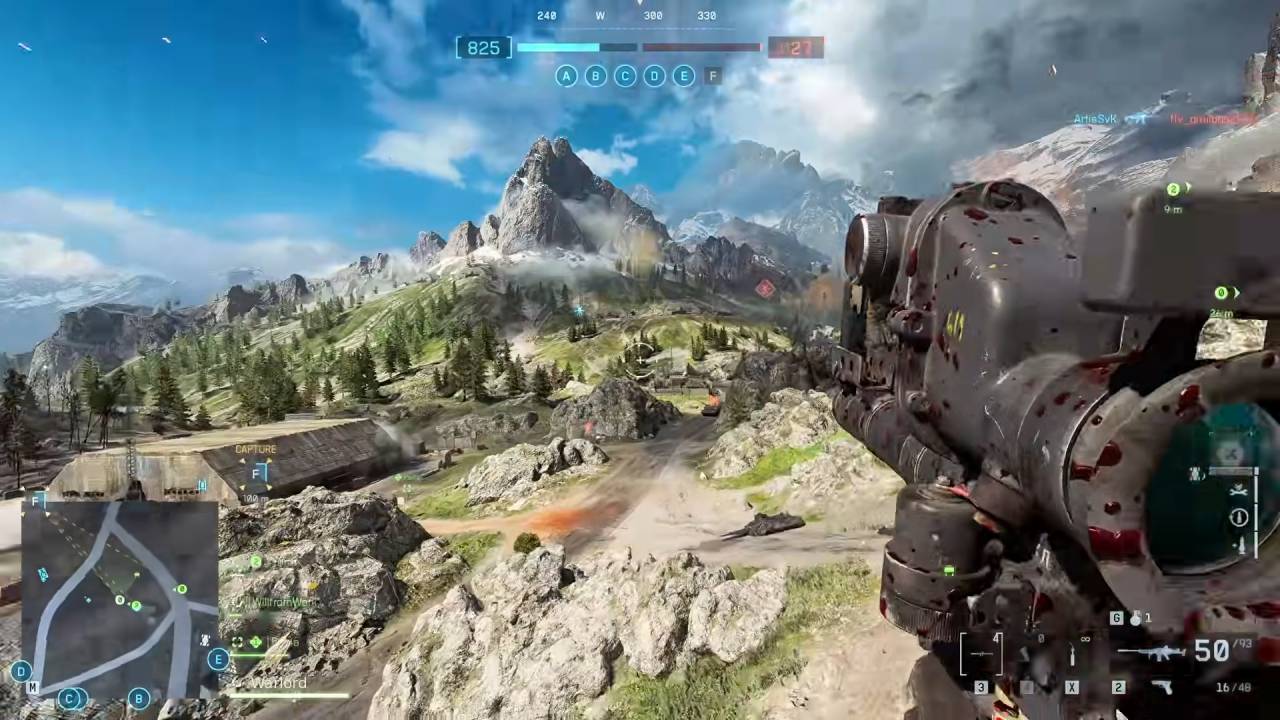
The new Contaminated map has more plants than the old Eastwood map. The performance seems worse than Season 1, because there is more greenery. But overall optimization stays the same. In Breakthrough mode, which has more activity on screen than Conquest, the GPU keeps a frame rate of roughly 100fps to 105fps even when there are explosions and a lot of players.
The performance profile is the same as it was last season. There hasn't been a big drop in optimization.
DLSS Quality at 4K
When DLSS Quality is enabled, performance reaches about 170 fps. DLSS Quality renders internally at 1440p and then upscales to 4K, meaning it can work as well as native 1440p in some cases.
There is no clear distinction between DAA and DLSS Quality in terms of appearance. DLSS 4.0 works great and gives you more fps without any noticeable reconstruction problems when you don't change anything. Rendering of plants remains steady, and the flickering seen in earlier iterations is no longer present.
Depending on how complicated the scenario is, performance would be about 10 fps greater at 1440p than at 4K DLSS Quality.
DLSS Performance in 4K
When you switch to DLSS Performance, frame rates approach 200 fps, usually staying around 190 fps. The picture is still clear, and the plants no longer shimmer or flicker. DLSS 4.0 in Performance mode makes the picture slightly softer but keeps reconstruction stable.
With DLSS Performance, VRAM allocation at 4K is too high, reaching about 13GB. The memory leak problems from before are fixed. VRAM utilization no longer increases indefinitely, and performance stays steady without stuttering, even during long sessions.
At this level, 190 fps at 4K with settings that are too high gives you a seamless experience with powerful 1% lows.
4K Multi-Frame Generation
When you enable 4x multi-frame generation on top of DLSS Performance, frame rates can reach 400–500 fps, depending on the scene's complexity. Even as the input lag increases a little, it's not very noticeable in the moment-to-moment action.
Disabling frame generation may still be better for competitive gaming, as it reduces input latency. But for 4K monitors with a high refresh rate, frame generation delivers very high fps.
Responsiveness improves when you switch back to native DAA or DLSS without frame creation.
DLSS 4.5 at 4K Preset M
DLSS 4.5 is available when you use the NVIDIA app to change DLSS to Preset M. Compared to DLSS 4.0, performance is a little harder. Frame rates drop to 80-90 fps in places where DLSS 4.0 used to keep them closer to 100.
There isn't much of a difference in how it looks compared to Preset K. It's hard to tell what changed without comparing them side by side. The decreased fps, on the other hand, is easy to see, especially when going from 150 fps to 190 fps.
When you switch DLSS 4.5 to Performance mode, the fps is about the same as with DLSS 4.0 in Quality mode. But there is some noise in the grass rendering. DLSS 4.0 Performance was used to make plants look a little softer, which helped hide noise. DLSS 4.5 seems sharper, but it makes grass textures look grainy.
DLSS 4.5 isn't any better than DLSS 4.0 in terms of image stability or performance in this title.
DLSS 4.5 at 4K Preset L
Preset L is the most advanced and demanding DLSS 4.5 variant. When LAA is set to 4K, performance drops further, to between 70 and 90 fps. In the same scenes, it lowers the fps by about 20 fps compared to DLSS 4.0 Preset K.
The image still looks a lot like Preset K, making it hard to justify the extra performance cost. Using Preset L with DLSS Performance brings the fps back to about 180, although you can still see the noise from the plants. The picture is a little clearer than Preset M, but it's still noisier than DLSS 4.0 Performance.
With Ultra Performance mode and Preset L set to 4K, the game runs at about 90 fps and is still usable. The fact that 720p can be upscaled to a solid 4K presentation at this quality shows that it has a good ability to reconstruct.
Native 8K Testing
When using native 8K resolution with TAA and overkill settings, the frame rate dips to 30-40 fps. At this frame rate, the game gets hard. DLSS Performance lets you play at 60 fps while still keeping the picture clear.
When you switch to Ultra Performance at 8K, which renders internally at 1440p, you get about 90 fps. The image quality is still close to 4K DLSS Performance, though some grass noise varies depending on the preset.
Preset M and L for DLSS 4.5 at 8K
Preset M at 8K Ultra Performance delivers about 90 fps, with a bit of noise from plants. The picture is as clear as 4K DLSS Performance.
Preset L at 8K Ultra Performance is a little less sharp than Preset M, but it's a little sharper. Even if the grass is still a little noisy, the overall detail retention is still good for an upgrade from 1440p or 720p internal resolution.
In Ultra Performance at 8K, the lowest frame rate for playability at that resolution, performance remained over 60 fps across all systems.
Final Thoughts
The performance of Season 2 is still the same as it was in earlier builds. Problems with vegetation flickering have been fixed. The memory leak has been fixed, stabilizing VRAM allocation.
In this game, DLSS 4.0 Preset K offers the optimum balance between performance and image stability. DLSS 4.5 Presets M and L make things sharper, but they also add a little noise to the grass and lower the fps.
DLSS Performance without frame creation stays about 190 fps at 4K on high settings. When 4x frame generation is enabled, the fps can exceed 400. DLSS Ultra Performance lets you play at 90 fps at 8K while keeping the image clear.
We can choose between native or DLSS Quality modes, which offer lower latency, and Performance and frame generation options, which offer the highest fps. Each configuration still works on the RTX 5090, no matter how you choose to play.
Also, check our other AMD articles below:
- AMD Ryzen 9 9950X3D Review: Setting The Standard For 2025 Gaming CPU
- AMD Ryzen 7 9800X3D Review: 3D V-Cache Goes God Mode with Stunning Gaming Performance
- AMD RX 9070 Performance Review: Thermals, Clocks, and Real-World FPS
- AMD Ryzen 5 7600 Review: Best Budget Gaming CPU of 2025?
- AMD Radeon RX 7800 XT Review: RDNA 3 Power For Midrange Gaming
- Sapphire NITRO+ AMD Radeon RX 9070 XT Review: The Ultimate 4K Gaming GPU
- AMD Ryzen 7 7800X3D: Delivers Gaming Performance Far Beyond Expectations
- AMD Ryzen 9 7900X Review: Powering the AM5 Era with DDR5 & PCIe 5.0
- Intel Core i9‑14900K vs. AMD Ryzen 7 7800X3D: Power Profiles & Gaming Benchmarks
Editor, NoobFeed
Gaming Hardware Updates
No Data.