
Xbox’s Latest Update Doubles Down on Customization as Microsoft Signals Bigger Changes Ahead
A new dashboard refresh, smarter Quick Resume controls, and deeper system upgrades hint at Xbox’s long-term shift toward a more personalized platform experience.
News by Wasbir Sadat on Apr 27, 2026
Xbox's next system update emphasizes customization. This gives players more control over their machine's appearance and functionality. Since the update is available for download, users can sample the new features without insider access or special trials. A bigger goal is to improve the Xbox experience by making small system changes rather than big hardware changes.
The person responsible for the update split points out that it is clear Xbox is putting a lot of effort into personalization, especially in the interface. There will not be a set layout for the home screen. Instead, players will be able to organize their dashboards and choose visual themes that fit how they use the system. "Groups," which let users organize games and apps into their own custom sections, are among the biggest changes.
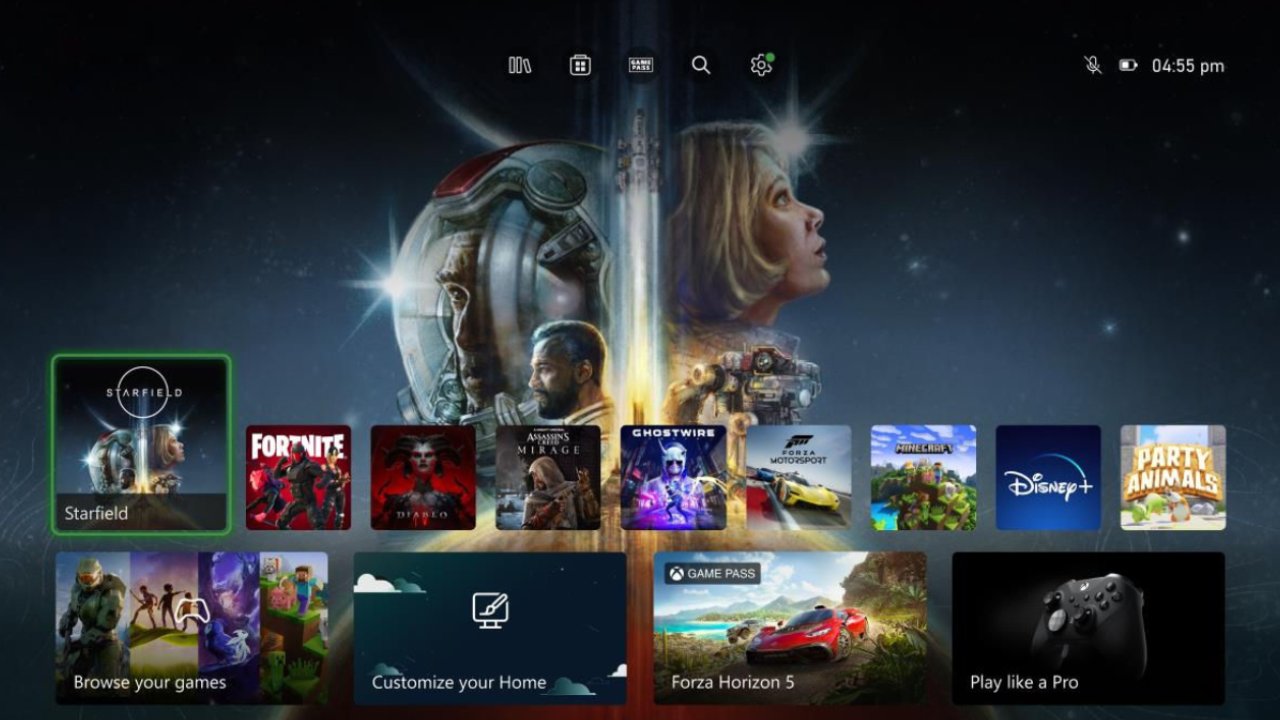
Some examples are games you've been meaning to play, games you can pick up quickly, streaming apps, or casual "chill" picks. Groups have been around before, but they couldn't always appear the same way on the home screen. Xbox no longer lets users pin only two groups to the screen; now, they can pin up to five at once.
The dashboard will now feel more like a personal hub rather than a shop.
Users can now easily move groups around, add or remove them from the home screen, and change everything from the guide menu, without going through system settings. This makes customization easier and helps organize material. People have long said the Xbox screen has too many promotional tiles and carefully chosen ads, so this change fixes that.
By making smaller, more personal groups take visual center stage, the update gives users more room for their own content choices instead of what the system suggests. Xbox has not only improved planning but also made Quick Resume work better. The best things about this generation's consoles are Quick Resume, which lets players pick up right where they left off in a game without having to load or restart their profile.
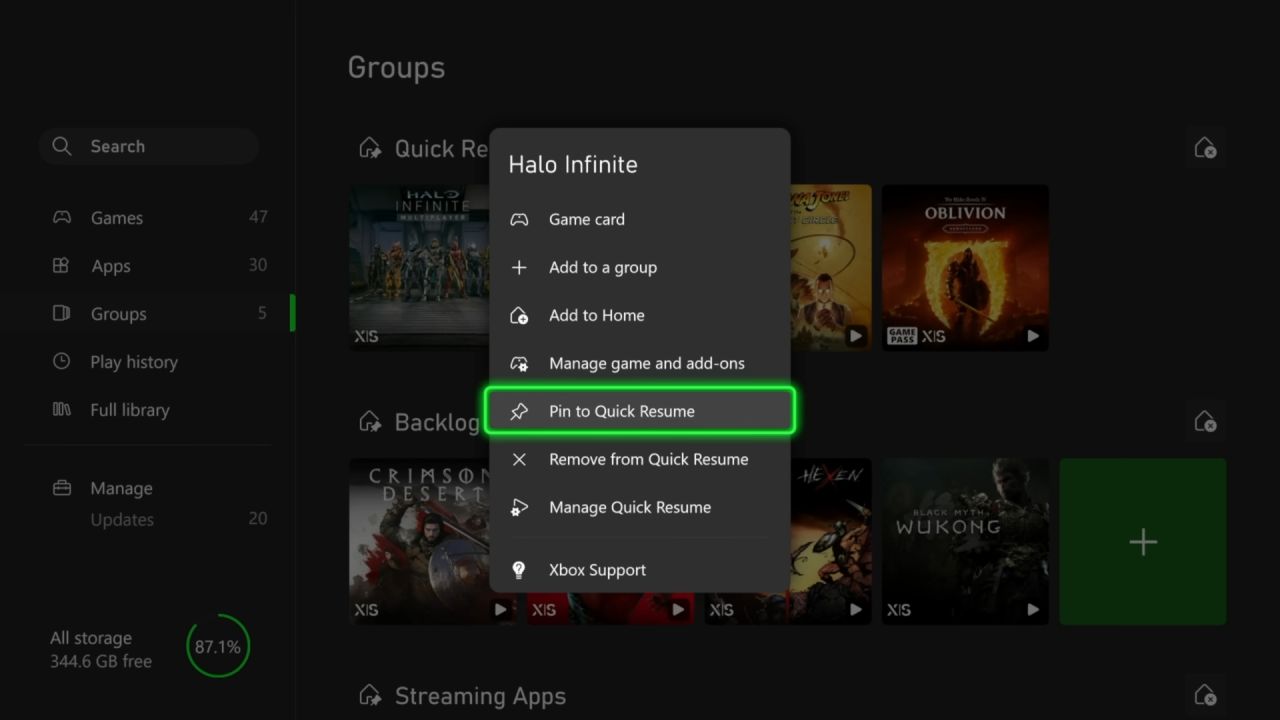
But not all games benefit equally from it. For example, multiplayer games often behave strangely when they are paused and then resumed. Some users are annoyed that games like Halo Infinite multiplayer keep showing up in the Quick Resume list even when it's not the best time to play. With the update, you can now turn off Quick Resume for each game separately.
Now, players can permanently stop certain games from using Quick Resume.
This gives them more control over which games use the tool and which don't. You can access this via a new setting called "Manage Quick Resume." You can do this from the game tile itself or from the system's "Manage Game" menu. It gives players a more precise way to adjust the system's behavior for each game.
By adding new features, Xbox is also making it easier to customize how things look. Instead of being limited to pre-set system choices, users can now use sliders to make their own theme colors. This means that players can fine-tune the general tone, saturation, and shades to suit their tastes. These special colors are also used for the guide and interface accents. This makes the system look more unified and unique.
Xbox is also letting users change how guide icons are grouped, giving them more control over the layout and navigation order. The pages are also getting small changes. For example, new badges are now easier to see under player profiles. By calling attention to significant facts, such as a user's long-term membership or subscription history, this adds a subtle yet obvious touch of individuality and personality to user accounts.
Xbox shows continued support for console players.
None of these changes is new, but they show that Xbox is always working to improve the console experience. The update's messaging stresses that hardware users will still be supported, even as the industry discusses that Xbox will focus more on PC and cloud games. The update comes as Microsoft discusses ways to improve Xbox's core platform features.
These ongoing changes show that the computer experience is improving slowly but steadily. This update doesn't really change how Xbox works, but it does make it easier for users to customize their experience and improve the system's performance. It shows that Xbox is still investing in its console ecosystem, even though its overall gaming plan includes more devices and services.
Contributor, NoobFeed
Related News
No Data.