
Best Budget and High End GPUs for Gaming in 2026 Full Buying Guide
Modern GPU selection in 2026 depends on VRAM capacity, upscaling support, and balanced price to performance ratios.
Hardware by Shinji Okazaki on Apr 05, 2026
It can be hard to choose the finest GPU for gaming in 2026. A lot of folks end up getting GPUs that don't work as well as they thought they would. The purpose is to learn about things that matter, such as VRAM, upscaling methods, ray tracing, and the price-to-performance ratio of both new and old GPUs.
This guide has all you need to know to pick the right graphics card, including suggestions for different resolutions and price ranges.
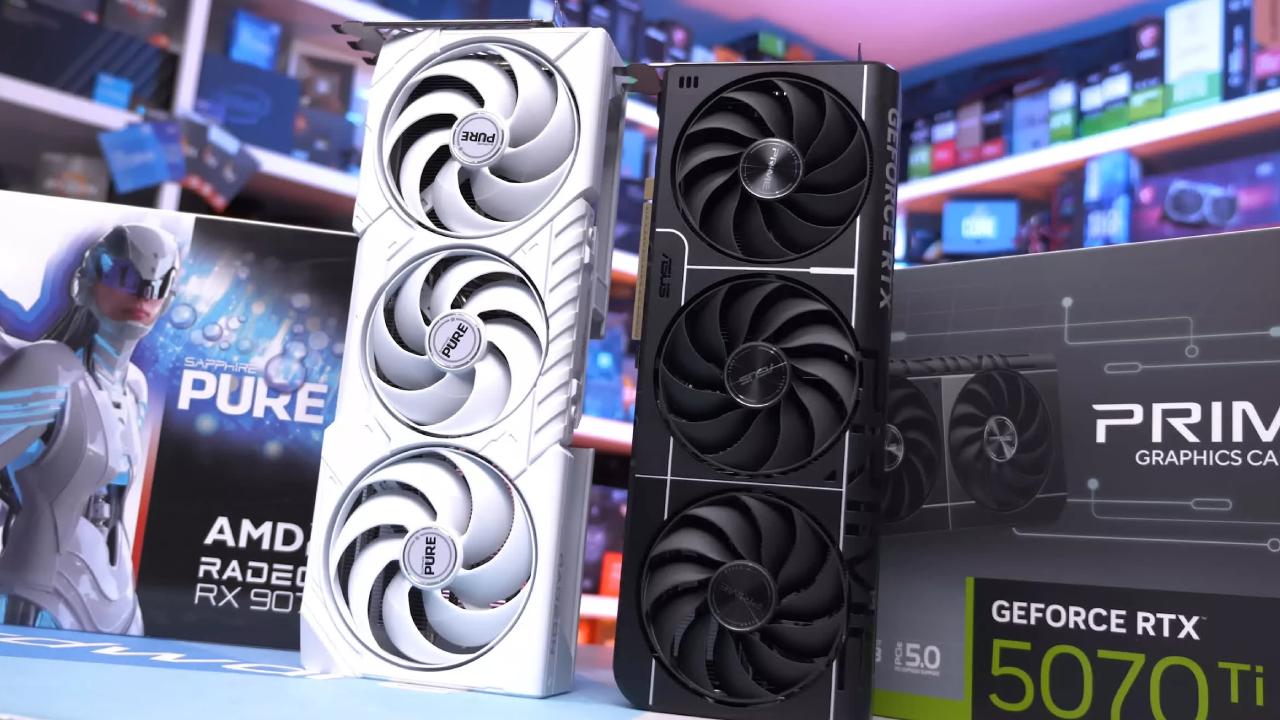
How Much VRAM Will You Need in 2026
VRAM is the graphics card's video RAM, which differs from system RAM. Modern games need a lot of VRAM, and if you go over the limit, you could lose graphics, have stuttering, or even crash. This happens more often in games that need a lot of graphics and less often in esports games.
For 4K gaming or 1440p with heavy ray tracing, we suggest at least 16GB of VRAM. For most games at 1440p, 12GB of VRAM is enough. 10GB of VRAM is enough for high settings at 1080p. GPUs with 8GB VRAM can still be used for esports at 1080p, though some games may require lower settings, and they won't last long. Don't buy a GPU without at least 8GB of VRAM.
Choices for GPUs in 2026
We can pick new GPUs from the AMD RX 9000 series, the NVIDIA RTX 50 series, and the Intel Arc B series. Other settings from prior generations are still supported.
RTX 5090 32GB, RTX 5080, and RTX 5070 Ti 16GB are all good choices for 4K gaming at about 60 fps without upscaling. For AMD, you can choose between the RX 9070 XT and the RX 9070 16GB. RTX 4090, RTX 4080, RTX 4080 Super, RTX 4070 Ti Super, RTX 3090, RTX 3090 Ti, RX 7900 XTX, and RX 7900 XT are some of the alternatives used.
If you want to play games at 1440p and 60 fps, you can choose from the RTX 5070, RTX 5060 Ti 16GB, RX 9060 XT 16GB, and Intel Arc B580 12GB. You may also use used GPUs such as the RTX 4070, RTX 4070 Super, RTX 4060 Ti 16GB, RTX 3080 Ti, RTX 3080 12GB, and RX 7800 XT.
There aren't as many new GPUs with at least 10GB of VRAM for 1080p gaming, so used models like the RTX 3080 10GB and RX 6700 10GB are worth considering.
RTX 5050, RTX 5060, RTX 5060 Ti 8GB, and RX 9060 XT 8GB are all budget GPUs. You may also find earlier secondhand GPUs with at least 8GB VRAM.
Technologies for Upscaling in 2026
DLSS, FSR, and XeSS are examples of upscaling technologies that let you render at a lower resolution and scale up to improve FPS. These can speed things up by more than 30%, but they can also cause issues with how things appear, including ghosting.
DLSS4 and DLSS4.5 make images seem great, especially on RTX 40 and RTX 50 series cards. You can use FSR4 on RX 9000-series cards, and you can even use it unofficially on older AMD GPUs. XeSS works with Intel Arc GPUs; the quality may not be perfect. FSR3.1 works with most GPUs and does a good job at 4K, but not so well at lower resolutions.
DLSS is the most popular game support right now, but FSR and XeSS support is growing.
Ray Tracing in 2026
Ray tracing is not as significant as it used to be. Only a small number of gamers care about it. In most circumstances, AMD and Intel's new GPUs are almost as good as Nvidia's.
We only suggest putting ray tracing first if you really want it. If that's the case, go with an RTX 5070 Ti or higher. Ray tracing shouldn't be a big deal, because most current GPUs work the same way.
Workloads for Streaming and Creators
With AV1 encoding, streaming and recording performance is now about the same for AMD, NVIDIA, and Intel. H.264 works great for editing videos on NVIDIA and Intel, but H.265 is better for AMD.
There isn't much of a difference for everyday use. NVIDIA is still preferable for specific professional tasks, but for most people, any brand will do.
AIB Models and Different Types of GPUs
Different companies make different versions of the same GPU, each with its own cooling system and a small overclock. Most of the time, performance changes are less than 5%.
We suggest not spending too much on premium versions. Instead of paying more for small improvements, it's best to move up to a higher-tier GPU.
The Best Cheap GPUs in 2026
Most of the time, secondhand choices are available for less than $200. RX 5500 XT 8GB costs about $100 and can handle 1080p at a basic level. RTX 2070 Super costs about $150 and offers higher performance and DLSS compatibility, but it uses older technology.
For less than $300, you can get the Intel Arc B570 with 10GB of VRAM or the RX 9060 XT for about $330. These work well at 1080p and 1440p.
GPUs: New vs. Used
Used GPUs usually have a better price-to-performance ratio. Still, they come with hazards, including a shorter lifespan and no warranty. To make up for this, we add 40% to the value.
Many purchasers choose new GPUs even though they cost more since they are more reliable, come with a warranty, and last longer.
The Best 1440p GPU for Less than $500
RX 9060 XT 16GB is a great choice for gaming at 1440p. It works well and costs between $440 and $450. Options like the RTX 3080 12GB offer better performance, but they also come with age-related issues.
.jpg)
The Best 240Hz GPU for 1440p
RX 9070 and RX 9070 XT are great deals for high-refresh-rate gaming. If you prefer NVIDIA, the RTX 5070 is also a good choice. Prices are too high in the used market, which makes it less desirable.
Best 4K Graphics Card in 2026
RX 9070 and RX 9070 XT are great value for 4K gaming. For better performance, RX 9070 XT is the better choice. High-end choices like the RTX 5090 offer the best performance, but they cost a lot.
We suggest you avoid used GPUs that are too expensive, especially high-end ones. If you need an NVIDIA GPU, the RTX 5070 Ti is the best choice, even though it is still pricey.
Final Thoughts
Instead of brand preference or little features, we suggest focusing on VRAM size, overall performance, and realistic pricing. A balanced approach makes things last longer and be worth more.
Also, check our other hardware articles:
- AMD Ryzen 9 9950X3D Review: Setting The Standard For 2025 Gaming CPU
- Amazon Luna 2025 Review: Is Prime Gaming's Cloud Service Your Go-To For Casual Fun?
- AMD RX 9070 XT Review: AMD's RDNA 4 Champion for 1440p Gaming
- GeForce Now Ultimate: Ditching Your Gaming PC For Cloud RTX 4080 Power?
- NVIDIA GeForce RTX 5080 Review (2025): Still A 4K Gaming Powerhouse?
- Intel Core Ultra 9 285K Review And Performance Breakdown (2025)
- AMD Ryzen 7 9800X3D Review: 3D V-Cache Goes God Mode with Stunning Gaming Performance
- Intel Core Ultra 9 285K vs AMD Ryzen 7 9800X3D: In-Depth Gaming Performance and Benchmark Comparison
- NVIDIA GeForce RTX 5080 Super Performance In Cyberpunk 2077: Path Tracing & DLSS 4.0 Tested
- AMD Radeon RX 9070 XT In Cyberpunk 2077: Ray Tracing & FSR 4.0 Tested
- Intel Arc B580 Review: The $250 GPU Revolutionizing 1440p Gaming
- Intel Arc B570 Vs. B580: Value, Specs, And Real-World Gaming Performance
- RTX 5090 Laptop Vs. M4 Max MacBook Pro: Ultimate Raw Performance Vs. Battery Endurance
- Intel Arc b580 Vs. RTX 4060: Game Performance And Value Analysis
- RTX5090 Hell Is Us Demo 4K Ultra Benchmark: DLSS Vs. Native Performance Guide
- NVIDIA RTX 5070 Review: Mid-Range Muscle or Marketing Hype?
- Nintendo Switch 2 Review: Handheld Performance, Features & Value Breakdown
- RTX 5070 Ti Review: Performance, Thermals & Power Efficiency Tested
- Samsung Odyssey OLED G81SF Review 2025: Ultimate 32-Inch QD-OLED Gaming Monitor
- AMD RX 9070 Performance Review: Thermals, Clocks, and Real-World FPS
- AMD Ryzen 5 7600 Review: Best Budget Gaming CPU of 2025?
- AMD Radeon RX 7800 XT Review: RDNA 3 Power For Midrange Gaming
- Asus ROG RTX 5090 Astral OC Vs. Founders Edition: The 4K Gaming Benchmark
Editor, NoobFeed
Latest Articles
No Data.