
Lenovo Legion Go Z1 Extreme Gets April 2026 Driver Updates With Performance Improvements
Lenovo rolls out April 2026 Legion Go drivers with improved stability, updated GPU support, and slightly smoother gaming performance.
Hardware by Tanvir Kabbo on Apr 28, 2026
The first Legion Go with the Z1 Extreme is getting a new update from Lenovo, as the company keeps up its support with more drivers and previous BIOS fixes. The new drivers for GPU, chipset and power management provide incremental upgrades, and are more importantly, compatible with new software stacks.
New Driver Updates and BIOS Improvements
This time around, we are back to the original Lenovo Legion Go Z1 Extreme. As always, Lenovo has actually released a couple more of drivers for the OG Legion Go in April 2016.
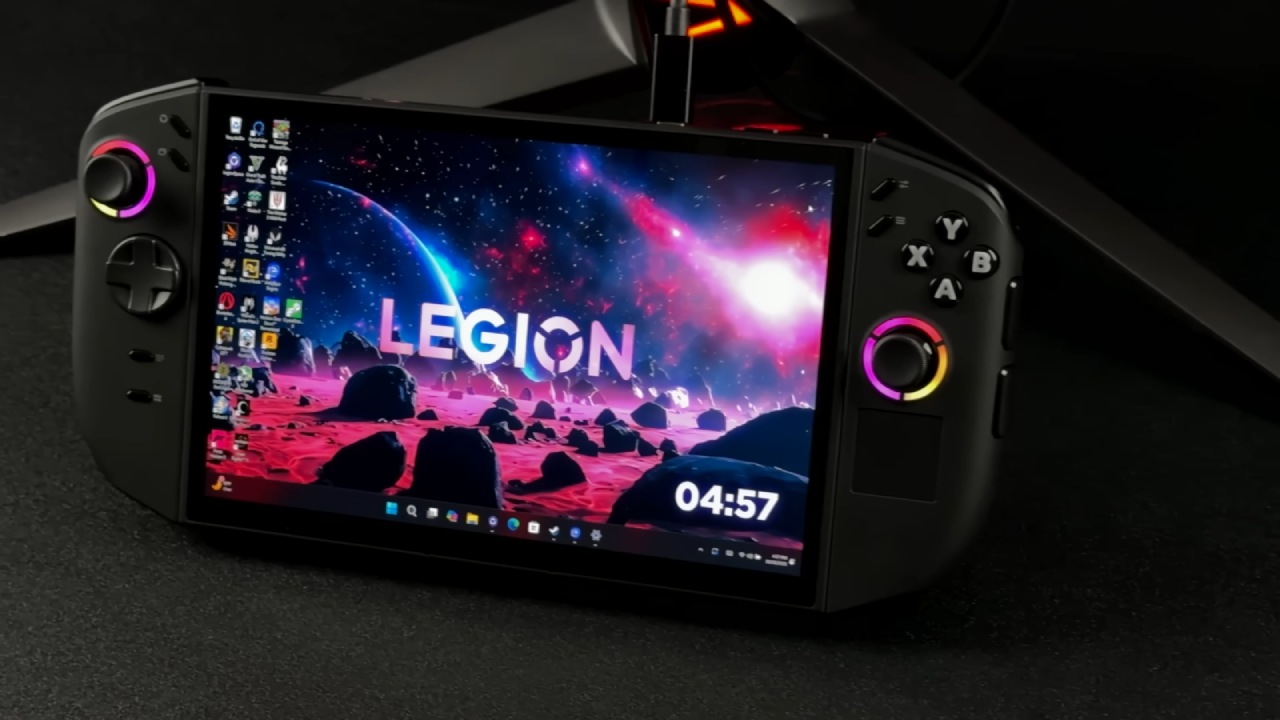
This is on top of some updates back in January this year, including BIOS. So at least we have been getting some support from them.
On the support site, there is the BIOS update for January 2026, which we wrote about before. There are also new GPU drivers from April 23. When installed, they are actually dated January and are the new Legion Go Z2 drivers. There are also new motherboard chipset drivers and new power management drivers, also dated April 23.
Downloading and Installing the Drivers
We download and install the three updates on the device. We check Windows Update and Legion Space, and see that these updates don't appear, so they are only available from the support website.
The quick access menu tabs identify the device and we are able to quickly access the appropriate support page. Manual update is chosen to select the drivers. The three drivers are downloaded: graphics, chipset and power management.
The driver files are installed from the downloads folder. First, the power management driver (the smallest file). There is a selection of install and not extract, and the usual next next next until finish.
The same process is repeated for chipset drivers. Once the licensing is accepted, the driver is installed instead of extracted and the installation completes with a reboot.
Finally, the GPU driver is installed. Once more we choose install. This includes the driver and AMD Adrenaline software. No need to update the store, and it works properly. It's back to normal and rebooted.
Driver Version and Software Behavior
Post-installation, the system is running version 26.1.1, which is identical to the driver version of the Legion Go Z2 Extreme. This confirms that the driver update is on par with Lenovo's driver stack.
The GPU driver is dated January 8, which is newer than the older September 2015 driver, but not the latest.

Performance Testing and Gaming Results
We tested the system in Cyberpunk 2077, as it already has a baseline from the last driver. The updated driver is slightly faster than the previous sideloaded ROG Ally driver, but not the original Legion Go driver.
But it's not much a difference, roughly 1fps better across several benchmark tests. The overall gameplay experience is slightly better, likely from the overall improvement of the three new drivers.
Pragmata continues to play great with frame generation on, ranging from 40-60fps. The game is running with high-to-medium settings, low textures (due to RAM restrictions) and upscaling.
The new drivers also run Crimson Desert very well. All games perform the same or slightly better than the official drivers, and in line with the sideloaded ROG Ally driver.
The update to the drivers is a big (but not too big) upgrade to the original Legion Go.
With new graphics, chipset and power drivers, the system is stable and performs admirably. While not a major improvement, the new drivers are stable and offer some boost in performance.
Senior Editor, NoobFeed
Gaming Hardware Updates
No Data.