
Snapdragon X2 Elite vs. X Elite Explained: Is the New ARM Chip Worth Upgrading
Next generation Snapdragon platform delivering higher sustained performance, better thermal control, and improved real world productivity across modern Windows devices.
Hardware by Tanvir Kabbo on Apr 14, 2026
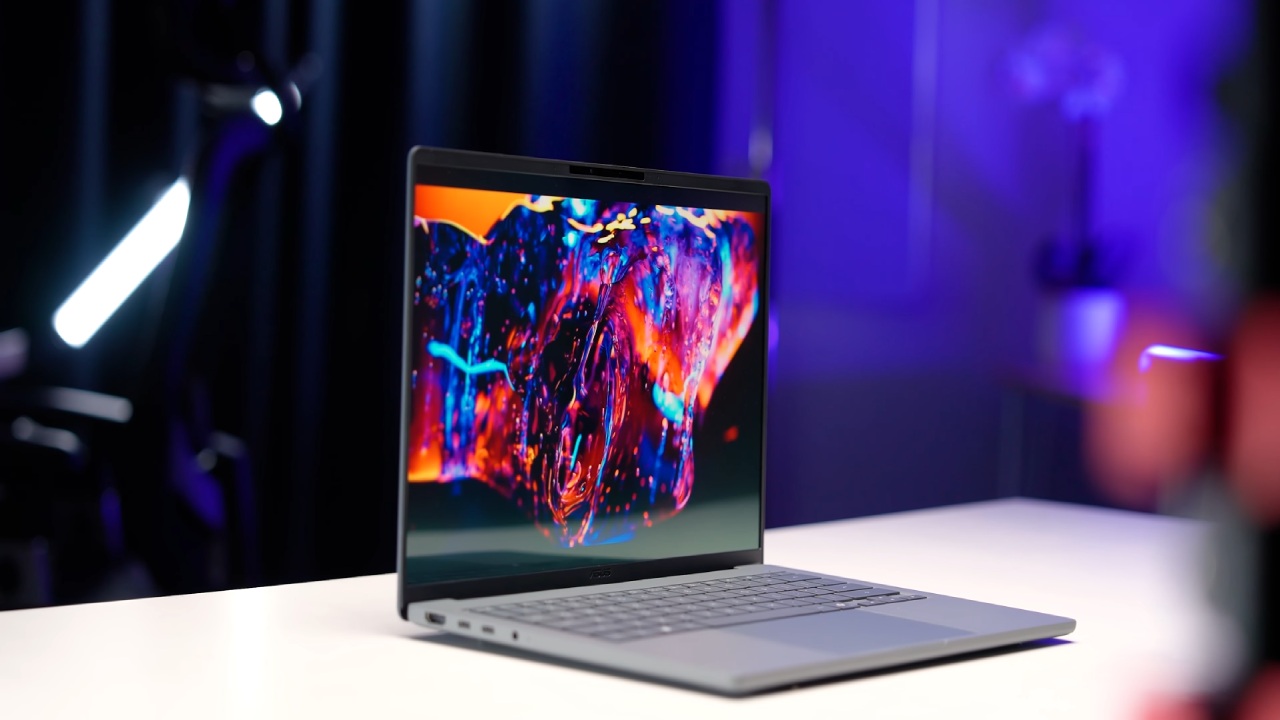
The Asus ZenBook A14 for 2026 is the first of a new line of Windows laptops that use the Snapdragon X2 Elite platform and ARM chips. It is a slim, light premium notebook with much higher CPU performance and a significant boost in GPU power compared to the previous generation of Snapdragon X Elite CPUs. It also has great battery life, OLED visuals, and current connections.
Design and Display Experience
The Asus ZenBook A14 has a luxury design, with a ceramic-aluminum body that makes it feel robust yet very light. The laptop has a 14-inch OLED screen with a resolution of 1920x1200 at 60Hz. It shows bright colors, deep blacks, and good contrast. This is not ASUS's most expensive OLED setup, but it still looks great with 600 nits of brightness and 100% DCI-P3 color coverage.
The device is also portable, weighing only 2.18 pounds, making it good for people who want to move around without sacrificing display quality.
Keyboard, Trackpad, and Input Layout
The ZenBook A14 has a backlit chicklet-style keyboard that is quiet when pressed. The space bar makes a little more noise than the other keys, but typing is still easy and responsive.
The lower deck has a big multitouch trackpad that makes it easy to use gestures and track things accurately. The larger trackpad surface makes it easier to use, especially for navigation and multitouch capabilities.
Ports and Connectivity Options
There is one full-size USB 3.2 Gen 2 port on the right side of the device. On the left side, there is a full-size HDMI port, two USB4 connections, and a 3.5mm audio jack. This combination ensures that current peripherals, external displays, and high-speed data-transfer devices will work with it.
The laptop also supports Wi-Fi 7 and Bluetooth 5.4, ensuring the best wireless performance for work and play.
Snapdragon X2 Elite Performance Overview
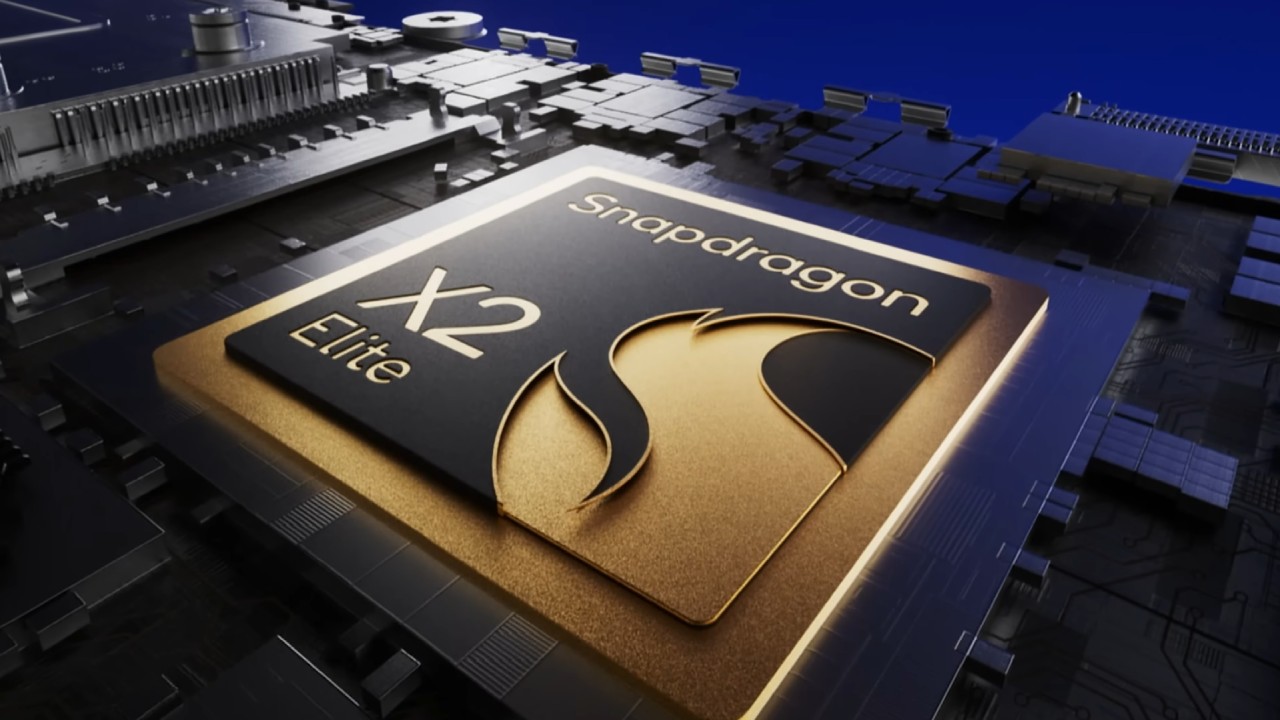
The Qualcomm Snapdragon X2 Elite X2 E88100 chipset powers the system. It has 18 cores and 18 threads, a 53MB cache, and boost rates up to 4.7GHz for single-core tasks and 4GHz for multi-core workloads.
The Hexagon NPU works with the built-in Adreno X2 GPU to deliver AI performance of up to 80 TOPS. It has a 1TB PCIe 4.0 NVMe SSD and 32GB of LPDDR5X RAM running at 9523MT/s. 16GB of that RAM is set aside for the GPU.
The system runs Windows 11 and has a power profile that is quite efficient for both work and play.
Power Modes and Thermal Behavior
The Asus MyASUS software offers three power profiles: whisper mode, standard mode, and performance mode.
The system keeps the TDP at roughly 15W, even when the CPU is working hard, when it is in whisper mode. This is done to preserve battery power and keep the system quiet. In this mode, you can check your email, watch videos, browse the web, and edit documents.
In regular mode, the sustained power levels reach about 31W, providing a good balance of performance and efficiency.
In performance mode, the system can handle about 45W of combined CPU and GPU load. The fans get louder, but the airflow remains smooth and controlled, with minimal noise.
Software Features and System Utilities
The MyASUS suite offers many options for optimizing and controlling your computer, including changing the fan profile, enabling battery care mode, using OLED care tools, and enabling noise cancellation for microphones. It also includes studio camera effects, sound settings ranging from dynamic to speech and cinematic, and volume controls.
Pixel refresh and burn-in prevention are two OLED protection technologies that work automatically, keeping the display healthy for a long time without any user intervention.
Benchmark Performance Results
The Snapdragon X2 Elite is better than the Snapdragon X Elite from the previous iteration.
The system scores 3566 points in single-core and 18348 points in multi-core Geekbench 6 tests. This is a 28% and 31% increase over the previous generation.
In Cinebench R24, single-core performance is 142, and multi-core performance is 1417. This is about 14% better for single-core performance and up to 42% better for multi-core performance than the older platform.
The system gets a score of 4084 in 3DMark GPU testing, which is a big boost over the 2263 score of the previous generation. This means that the visuals and overall gaming ability have improved a lot.
Improvements in graphics and gaming performance
The new Snapdragon platform has OS-level automatic super resolution, which employs the NPU to boost performance and visual quality by upscaling lower-resolution rendering. You can turn this on for each game or for all games, which lets the resolution change while you play.
You can also change the GPU settings for each game using the Snapdragon Control Panel. You may choose from options like texture filtering, frame capping, and video super resolution. You may also update drivers and get new drivers early with it.
Cyberpunk 2077's Performance
Cyberpunk 2077 runs at about 52 fps at 1200p and high settings with no scaling. The average frame rate goes up to about 72 FPS when you turn on automatic super resolution. The image quality stays clear, just like with balanced upscaling options.
Spider-Man 2 Performance
With IGTI scaling set to balanced and the settings set to medium at 1200p, the frame rate is in the mid-40s. Turning on frame generation greatly speeds up frame rates. Depending on the workload, there may be small stutters. Depending on how it's set up, FSR scaling works differently and doesn't always work as well as built-in scaling.

Forza Horizon 5 Performance
With no scaling and medium settings at 1200p, performance averages in the high 80s FPS. There may be some stutters in the game from time to time, mostly due to driver optimization, but overall performance is still good without the need for more upscaling.
Red Dead Redemption 2 Performance
When FSR is set to balanced, and the resolution is 1200p, the frame rate usually stays above 60FPS. When you're indoors, the frame rate is even higher because the rendering demand is lower.
Battery Life and Efficiency
The Snapdragon X2 Elite platform has one of the best battery lives. When the battery is fully charged and silent mode is on, the system may browse the web for up to 15 hours and 42 minutes at 30% brightness.
Local 1080p movie playback lasts more than 26 hours, and office workloads last about 15 hours and 19 minutes.
These results show how much more efficient ARM-based architecture can be when combined with better power management.
Final Thoughts
The Asus ZenBook A14 with Snapdragon X2 Elite is a great mix of mobility, efficiency, and better performance for CPU, GPU, and AI applications. The system has 18 cores, better graphics, and superior power tuning settings. It works well for both work and play, and it has a long battery life and a light design.
Also, check our other hardware articles:
- AMD Ryzen 9 9950X3D Review: Setting The Standard For 2025 Gaming CPU
- Amazon Luna 2025 Review: Is Prime Gaming's Cloud Service Your Go-To For Casual Fun?
- AMD RX 9070 XT Review: AMD's RDNA 4 Champion for 1440p Gaming
- GeForce Now Ultimate: Ditching Your Gaming PC For Cloud RTX 4080 Power?
- NVIDIA GeForce RTX 5080 Review (2025): Still A 4K Gaming Powerhouse?
- Intel Core Ultra 9 285K Review And Performance Breakdown (2025)
- AMD Ryzen 7 9800X3D Review: 3D V-Cache Goes God Mode with Stunning Gaming Performance
- Intel Core Ultra 9 285K vs AMD Ryzen 7 9800X3D: In-Depth Gaming Performance and Benchmark Comparison
- NVIDIA GeForce RTX 5080 Super Performance In Cyberpunk 2077: Path Tracing & DLSS 4.0 Tested
- AMD Radeon RX 9070 XT In Cyberpunk 2077: Ray Tracing & FSR 4.0 Tested
- Intel Arc B580 Review: The $250 GPU Revolutionizing 1440p Gaming
- Intel Arc B570 Vs. B580: Value, Specs, And Real-World Gaming Performance
- RTX 5090 Laptop Vs. M4 Max MacBook Pro: Ultimate Raw Performance Vs. Battery Endurance
- Intel Arc b580 Vs. RTX 4060: Game Performance And Value Analysis
- RTX5090 Hell Is Us Demo 4K Ultra Benchmark: DLSS Vs. Native Performance Guide
- NVIDIA RTX 5070 Review: Mid-Range Muscle or Marketing Hype?
- Nintendo Switch 2 Review: Handheld Performance, Features & Value Breakdown
- RTX 5070 Ti Review: Performance, Thermals & Power Efficiency Tested
- Samsung Odyssey OLED G81SF Review 2025: Ultimate 32-Inch QD-OLED Gaming Monitor
- AMD RX 9070 Performance Review: Thermals, Clocks, and Real-World FPS
- AMD Ryzen 5 7600 Review: Best Budget Gaming CPU of 2025?
- AMD Radeon RX 7800 XT Review: RDNA 3 Power For Midrange Gaming
- Asus ROG RTX 5090 Astral OC Vs. Founders Edition: The 4K Gaming Benchmark
Senior Editor, NoobFeed
Gaming Hardware Updates
No Data.