
Steam Machine Explained Why Valve Living Room PC Approach Matters
Steam Machine combines console-like simplicity with PC gaming flexibility through seamless integration, compact design, and optimized living room performance.
Hardware by Shinji Okazaki on Mar 25, 2026
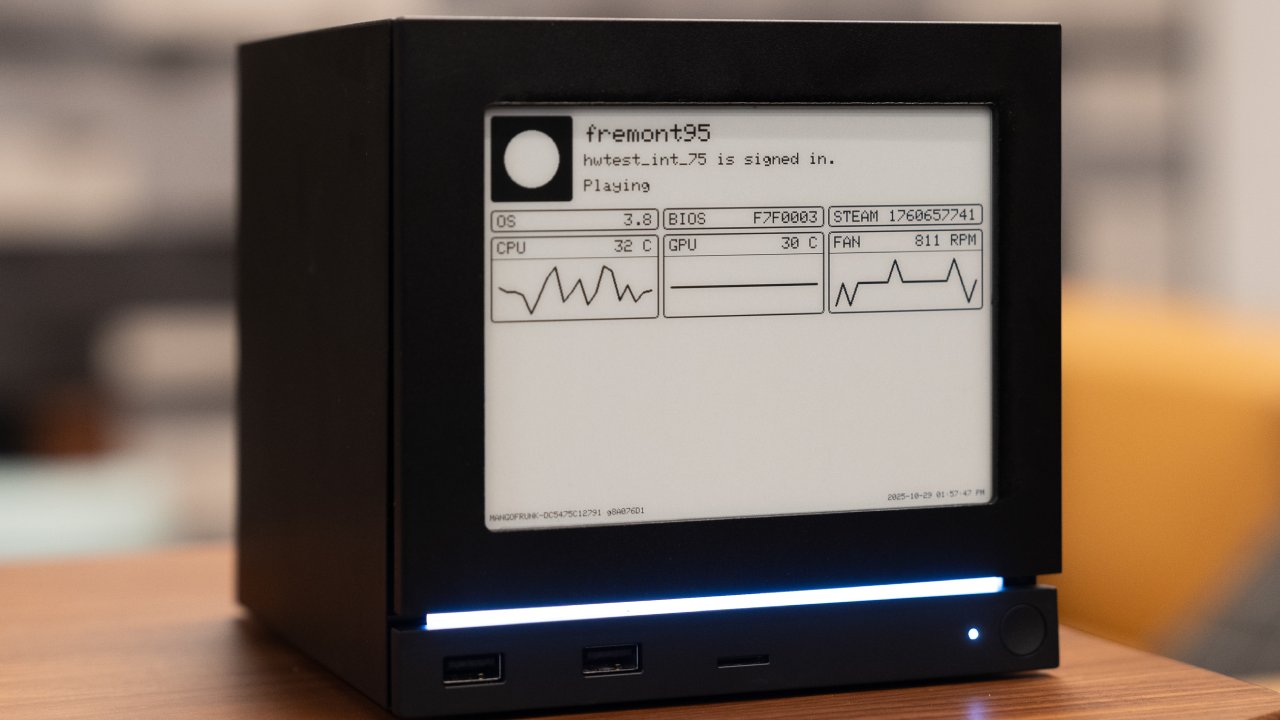
Steam Machine is on its way, and it will be out in a few months. Many people think that a gaming PC already works better than what Valve is about to ship, which makes them wonder why it matters.
That question is a good one. There is a crucial part of the Steam Machine that people often forget to talk about. People's views may alter when they look more closely.

Making a Homemade Alternative
We heard about the Steam Machine, which was internally codenamed Fremont, leaking information over and over again, and it always appeared like it was about to come out. Valve didn't say anything for a long period. So we took matters into our own hands and made our own version. We built a good PC, installed a Linux-based, gaming-focused distribution designed for couch play, and put it under the TV. Valve officially announced the Steam Machine not long after that.
The online response was similar to what had happened before. A lot of people said it wasn't worth the money because it wasn't powerful enough, and that a better system could be made for less. That might be true in terms of raw performance, but focusing solely on performance per dollar overlooks the bigger picture.
Living Room Integration Without Problems
We need to start with something simple yet important: consumer electronics control, or CEC. It might not appear important on its own. It's possible to control a TV and sound system with more than one remote. But being able to wake up the system with a remote and turn on the TV and audio system immediately makes the experience smooth. It seems like this is a device made for the living room, not just a regular PC that goes under a TV.
Problems and Solutions for HDR
Another thing to think about is HDR support. It can be hard to set up the right HDR output on a Linux-based PC connected to a TV. It's not enough to merely turn on HDR; you also have to make sure it works right. This typically means doing things that many users don't know about. Valve has addressed these problems by providing a solution specifically for this situation. Even though they had to use HDMI 2.0 instead of HDMI 2.1, they have worked hard to make HDR work without user assistance.
Trade-offs for Small form Factors
The Steam Machine's small size has both pros and cons. For the same budget, we can build a more powerful system. However, smaller systems always cost more for the same level of performance. This is a common motif across all small-form-factor electronics. You are paying for engineering that makes things smaller while keeping their functionality.
Compact systems need careful planning to find the right balance between performance, heat, and space. That extra complexity makes things more expensive. Steam Machine is in this group because its price reflects how difficult it is to build a modest, working system.
Designed to Work Quietly
Cooling is very important. The system has a big heatsink that takes up most of the space within. This lets one fan run at low rates while still keeping the temperature in check. So, the system runs silently under a TV. It's not easy to have this level of noise control on a little PC, and it takes careful planning.
More Than Just Individual Features
When you put these things together, they make a new experience. A system that acts like a console should feature CEC integration, good HDR support, a compact form factor, and quiet operation. Each feature may appear small on its own, but combined, they make the system seem like it does.
At that point, it doesn't matter as much to merely look at frames per dollar. The focus of the experience changes from sheer performance to usability and integration.
The Comparison of the Steam Deck
We have seen the same kind of thing with the Steam Deck before. In theory, it isn't the best handheld PC for the money. But that's not why people like it. The way it works is what makes it appealing. You can pick it up, push a button, and start playing. It stops right away when you stop and picks up where it left off.
There are no interruptions from prompts or driver upgrades from the operating system. It works like a console but lets you play PC games from your Steam library. Its value comes from how easy it is to use and how well it works.
Steam Machine is based on the same idea, but for the living room. It wants to provide you with a console-like experience while still letting you use PC gaming features.
Who Is It For
This method is for folks who wish to play games on a couch with as little setup as possible. If you want a small system that runs quietly, has built-in controls, and supports HDR properly, you'll need to spend time and make technical changes to a regular PC. Even then, the outcome could not be the same every time.
You could also use a console, but it only lets you access a Steam library. That implies you won't be able to play a lot of games, mods, and stored progress. For many people, that trade-off is significant.
We made a similar system and got close. Still, there's a big difference between a custom setup and a finished product that works right away. Valve is going for people who want the full experience without doing anything extra.
Final Thoughts
Valve is investing in this product because people want it. The path becomes apparent after thinking about the idea and trying to copy it. The Steam Machine is not meant to compete with bespoke PCs directly in terms of performance. It's about providing a consistent, seamless gaming experience in the living room while still using the PC ecosystem.
Also, check our other hardware articles:
- AMD Ryzen 9 9950X3D Review: Setting The Standard For 2025 Gaming CPU
- Amazon Luna 2025 Review: Is Prime Gaming's Cloud Service Your Go-To For Casual Fun?
- AMD RX 9070 XT Review: AMD's RDNA 4 Champion for 1440p Gaming
- GeForce Now Ultimate: Ditching Your Gaming PC For Cloud RTX 4080 Power?
- NVIDIA GeForce RTX 5080 Review (2025): Still A 4K Gaming Powerhouse?
- Intel Core Ultra 9 285K Review And Performance Breakdown (2025)
- AMD Ryzen 7 9800X3D Review: 3D V-Cache Goes God Mode with Stunning Gaming Performance
- Intel Core Ultra 9 285K vs AMD Ryzen 7 9800X3D: In-Depth Gaming Performance and Benchmark Comparison
- NVIDIA GeForce RTX 5080 Super Performance In Cyberpunk 2077: Path Tracing & DLSS 4.0 Tested
- AMD Radeon RX 9070 XT In Cyberpunk 2077: Ray Tracing & FSR 4.0 Tested
- Intel Arc B580 Review: The $250 GPU Revolutionizing 1440p Gaming
- Intel Arc B570 Vs. B580: Value, Specs, And Real-World Gaming Performance
- RTX 5090 Laptop Vs. M4 Max MacBook Pro: Ultimate Raw Performance Vs. Battery Endurance
- Intel Arc b580 Vs. RTX 4060: Game Performance And Value Analysis
- RTX5090 Hell Is Us Demo 4K Ultra Benchmark: DLSS Vs. Native Performance Guide
- NVIDIA RTX 5070 Review: Mid-Range Muscle or Marketing Hype?
- Nintendo Switch 2 Review: Handheld Performance, Features & Value Breakdown
- RTX 5070 Ti Review: Performance, Thermals & Power Efficiency Tested
- Samsung Odyssey OLED G81SF Review 2025: Ultimate 32-Inch QD-OLED Gaming Monitor
- AMD RX 9070 Performance Review: Thermals, Clocks, and Real-World FPS
- AMD Ryzen 5 7600 Review: Best Budget Gaming CPU of 2025?
- AMD Radeon RX 7800 XT Review: RDNA 3 Power For Midrange Gaming
- Asus ROG RTX 5090 Astral OC Vs. Founders Edition: The 4K Gaming Benchmark
Editor, NoobFeed
Latest Articles
No Data.