

SteamOS on Lenovo Legion Go 2: Near-Perfect Handheld Gaming Experience
SteamOS 3.8 brings near-complete functionality to the Lenovo Legion Go 2, enhancing its handheld gaming experience.
Hardware by Katmin on Nov 06, 2025
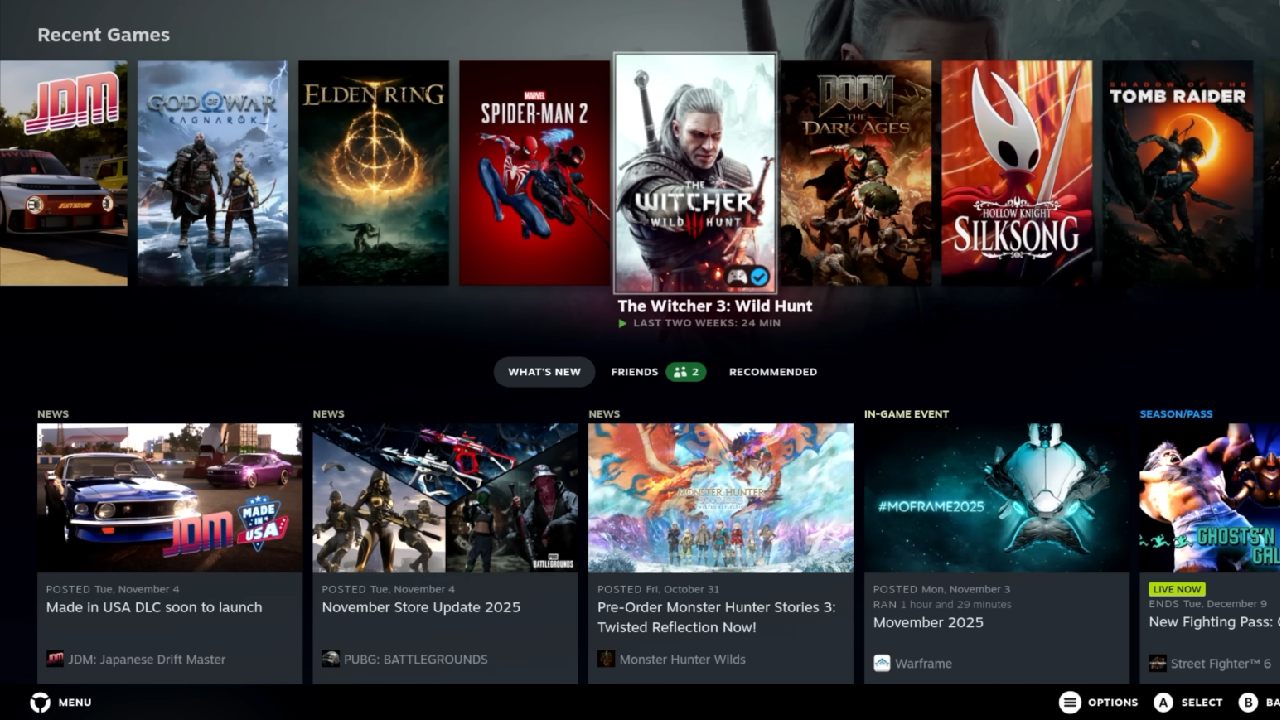
The Lenovo Legion Go 2 has recently worked quite well with SteamOS 3.8, making the experience feel virtually smooth. This handheld device is a great choice for gamers who desire a Linux-based portable system because most of its basic functions work perfectly. Third-party support is only needed for a few small functions, such as RGB control.

SteamOS 3.8 Setup and Interface
We installed official SteamOS Hollow 3.8 on the Lenovo Legion Go 2 with the Z2 Extreme configuration. All the face buttons are responsive, and tapping the left or right Lenovo buttons brings up the respective menus. One standout feature is full TDP control, combined with power profiles similar to those found on the Legion Go S. The LED indicator on top reflects changes in power profiles. You can also set a custom TDP of up to 35 watts directly from the built-in control.
HDR works flawlessly, and the 1200p 144Hz OLED display looks stunning, whether calibrated or not, providing vibrant visuals for both Steam and Windows environments.
RGB Control and System Specs
RGB control is the only feature that doesn't work natively without a third-party plugin. Using the Huync plugin, we gain full control over the system's RGB lighting. Navigating the settings reveals that the system runs on SteamOS Hollow 3.8, featuring an AMD Ryzen Z2 Extreme processor with eight cores and 16 threads. This unit has 32GB of RAM, split between 16GB for the system and 16GB for the iGPU, the Radeon 890M.
One of the advantages of SteamOS on the Legion Go 2 is the ability to manage TDP and GPU performance directly within the system. You can select between low power, balanced, performance, or custom profiles. Under custom mode, the TDP can range from 5 watts up to 35 watts, and GPU frequencies can reach up to 2900 MHz on the 890M iGPU.
The BIOS also performs well in controlling the fan, and Bluetooth and Wi-Fi functions work smoothly. SteamOS currently lacks the option to manually adjust the fan curve.
Gaming performance testing
We tried out a few games to see how well they worked in different situations.
Cyberpunk 2077
Using performance mode, the system reaches around 25watts. Running at 1080p with VRR enabled, the gameplay remains smooth and largely free of screen tearing. With frame generation enabled, wattage can be reduced to 20 watts while maintaining a smooth experience above 60 fps, improving battery efficiency.
Witcher 3
HDR enabled and set to medium FSR at 1200p with a 25watt TDP, the visuals were stunning. The system played the game without any issues, showcasing the OLED display's bright HDR potential without requiring calibration.
Doom: The Dark Ages
The game worked nicely at 1440x900 with medium settings and a 25-watt TDP. Allowing frame generation could significantly improve performance without compromising visual quality too much.
Spider-Man 2
It was still hard to play Spider-Man 2 even with the Z2 Extreme iGPU. To keep frame rates watchable, frame generation or FSR performance mode was necessary, and the resolution had to be decreased to 720p for consistent 60fps performance.
Elden Ring
Medium settings at 1440x900 with a 20-watt TDP achieved frame rates around 56-58fps. Increasing the TDP to 30watts did not significantly improve performance, and lowering the resolution provided more stable results.
Borderlands 4
Running at 800p, medium FSR, frame generation on, and 30watt TDP, we noticed some ghosting around character abilities. Reducing resolution or adjusting frame generation could help, but the game still requires further optimization for iGPU handhelds.
Indie Games at Low Wattage
Testing an easier indie title at 6W TDP, locked at 60Hz, yielded smooth performance, drawing approximately 11.3W from the battery. This means that the Legion Go 2's 74Wh battery can power approximately 6.5 hours of gaming. With further improvements, it may last more than 7 hours.

Final Thoughts
The Lenovo Legion Go 2 works almost perfectly with SteamOS 3.8. Most of the important features, such as TDP control, HDR, and VRR, function immediately. The only major issue is RGB control, which can be easily addressed with a third-party plugin. The system's iGPU limits make its gaming performance across a wide range of AAA and independent games even more amazing.
In the future, updates and modifications are likely to extend the battery's lifespan, increase frame rates, enhance overall performance, and improve the overall experience. The Legion Go 2 could be a formidable rival in the handheld Linux gaming market because it is both portable and powerful. This makes it a great choice for gamers who want a high-quality experience with SteamOS.
Also, check our other Handheld articles below :
- ASUS ROG Ally X Handheld Review: Double the Battery, Double the Comfort
- Nintendo Switch 2 Vs. Original Switch 1: A Full Comparison
- How To Connect A Camera And Join Voice Chat With Nintendo Switch 2
- Nintendo Switch 2 Review: Handheld Performance, Features & Value Breakdown
- ROG Xbox Ally X Vs. ROG Ally X: Display, Battery & Controls
- ASUS ROG Ally X vs. Steam Deck OLED: Display, Battery & Gaming Benchmarks
- MSI Claw 8 AI+ Review: Display, Controls & Gaming
- Nintendo Switch 2 vs. Steam Deck OLED: Gaming, Performance, Battery, Display and Value
- PlayStation Portal Review: Remote Play, Cloud Streaming & Travel Gaming
- PlayStation Portal vs. Lenovo Legion Go: Best Portable Gameplay
- Cyberpunk 2077 Patch 2.3 FPS Test on MSI Claw 8 AI+
Senior Editor, NoobFeed
Latest Articles
No Data.