
AMD Radeon RX 9070 XT Gaming and Editing Performance Breakdown
A look at frame rates, memory usage, cooling efficiency, and workflow improvements after switching to the RX 9070 XT
Hardware by Shinji Okazaki on Dec 10, 2025
RX 9070 XT is said to be an upgrade over 3070, offering performance improvements, improved VRAM behavior, enhanced recording stability, and improved overall system performance.
After a week and a half, you can see how well the GPU works for gaming, editing, and regular system use.
.jpg)
Performance in the Game and How it Scales Up
With FSR turned on, we get about 200 fps in Warzone on medium to low settings. More tuning might improve performance, but 200 fps is already smooth. FidelityFX Sharpening doesn't change the frame rate, but it does make the picture look rough; thus, FSR is still the best choice.
Overall, AMD drivers are still stable. There was one time when recording made the AMD program crash, perhaps because the handcam was on. OBS works fine with the handcam; therefore, we switched to OBS for recording. OBS doesn't seem to slow down performance at all; it only drops by 1 or 2 fps and doesn't impact latency.
Sometimes, moving tabs in the AMD program takes a long time. Loading the GPU or gaming tabs can sometimes take a long time. The problem doesn't go away when you restart the app; it only goes away when you restart the OS.
AMD's Instant Replay works well, with no lag or speed drops, and it works just like Nvidia's Replay. It can handle up to 100K bitrate, 4K, and 120fps, although not all platforms can playback 120 120fps.
Using VRAM and Loading System Memory
When using OBS, 16GB of VRAM is essential. Warzone used to require about 12GB of system RAM, but now it only needs about 6GB because extra VRAM helps ease the load. This relieves some of the load off the system memory, which is important because OBS uses a replay buffer that can consume up to 2GB or even 3GB.
The system RAM consumption stays between 80 and 86 percent, while VRAM handles the rest of what Warzone needs. Warzone still needs system memory to run, though VRAM requires less overall, which is helpful when recording.
How Well does it Do in Other Games
Elden Ring can only run at 60 fps unless you turn off the cap. It works fine on the highest settings, keeping a steady 60 fps. Without FSR and anti-aliasing, Battlefield runs at 200-300 fps on medium settings. It can exceed 300 fps on some maps, although it usually hovers between 200 and 270 fps, even when filming.
RX 9070 XT performs better than 3070 without DLSS in ultra performance mode, which previously lowered image quality. With ultra-performance DLSS on the 3070, the frame rate ranged from 120 to 150. With RX 9070 XT, the identical workload reaches 200 fps without upscaling.
Improvements to Editing and Workflow
RX 9070 XT makes editing easier than the 3070. There is no lag as you scrub through the timeline, and full-screen viewing does not stutter or buffer. Adding effects doesn't slow things down, making the editing process much easier.
Tuning, Acoustics, and Temperatures
The system noise stays low when it's not in use. The temps stay the same during a 300W GPU stress test. The GPU temperature is about 47°, the memory is between 74° and 76°, and the hotspot is about 71°. In zero fan mode, the fan doesn't turn on until the temperature reaches 50–60°. Even when the fan is on, the noise is still low.
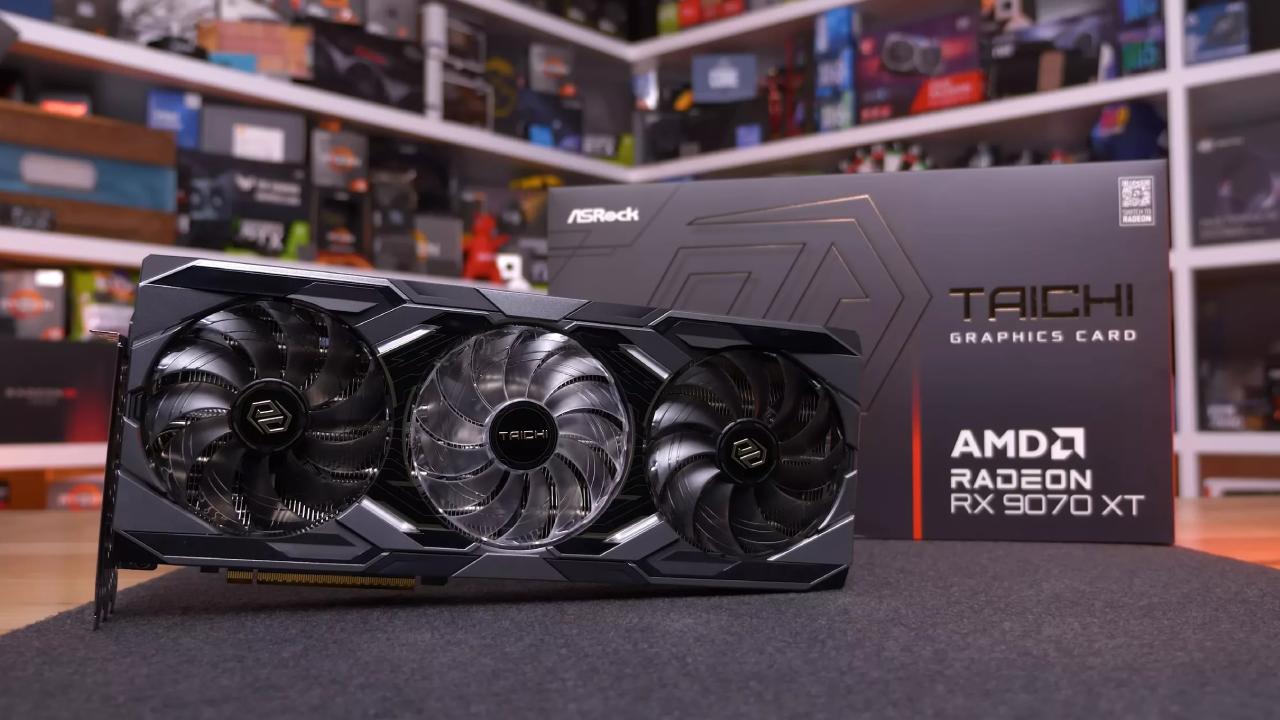
Undervolting means lowering the power to -20 and raising the memory clock by 200-300 MHz. There are no performance problems, and stability stays the same. More tuning might further improve performance, but the current settings maintain the desired 200 fps in Warzone and 60 fps in Elden Ring when recording.
Final Thoughts
So far, the RX 9070 XT has greater frame rates, smoother editing, better VRAM allocation, and less noise. OBS is better for recording than AMD software, and sometimes AMD software tabs take a long time to load, which may require a restart. The upgrade is a big step up from the 3070 for gaming and recording.
Also, check our other AMD articles below:
- AMD Ryzen 9 9950X3D Review: Setting The Standard For 2025 Gaming CPU
- AMD Ryzen 7 9800X3D Review: 3D V-Cache Goes God Mode with Stunning Gaming Performance
- AMD RX 9070 Performance Review: Thermals, Clocks, and Real-World FPS
- AMD Ryzen 5 7600 Review: Best Budget Gaming CPU of 2025?
- AMD Radeon RX 7800 XT Review: RDNA 3 Power For Midrange Gaming
- Sapphire NITRO+ AMD Radeon RX 9070 XT Review: The Ultimate 4K Gaming GPU
- AMD Ryzen 7 7800X3D: Delivers Gaming Performance Far Beyond Expectations
- AMD Ryzen 9 7900X Review: Powering the AM5 Era with DDR5 & PCIe 5.0
- Intel Core i9‑14900K vs. AMD Ryzen 7 7800X3D: Power Profiles & Gaming Benchmarks
Editor, NoobFeed
Gaming Hardware Updates
No Data.