
ASUS ROG Maximus Z890 Hero – Next-Gen Power, Design, and Overclocking Performance
Balanced design approach combining performance engineering, modern aesthetics, and builder-friendly features
Hardware by Tanisha Aria on Oct 30, 2025
The ASUS ROG Maximus Z890 Hero is the next step up in ASUS's flagship lineup. It can handle Intel's newest Core Ultra processors and has a great mix of design, power delivery, storage support, and new convenience features.
This motherboard is a great choice for people who want to build around the latest platform. It has a striking black and silver design, reinforced parts, and advanced connectivity.
Design of the Board
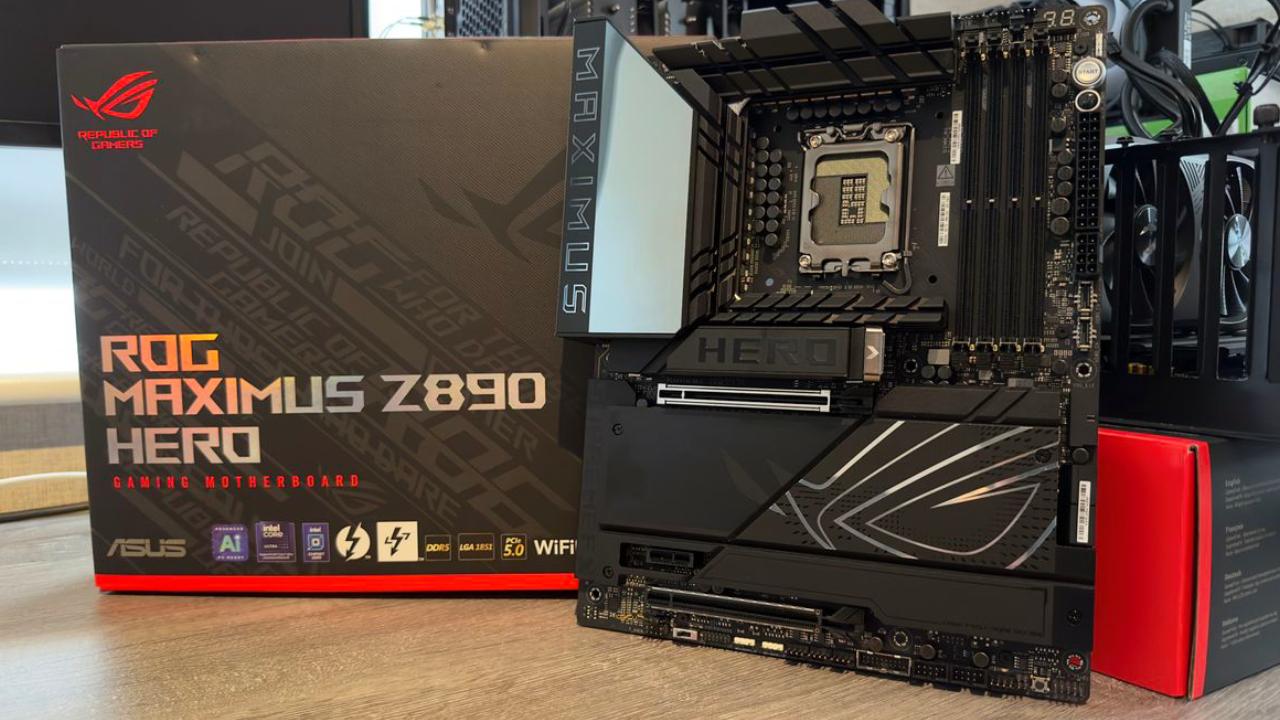
The Maximus Z890 Hero features a sleek, all-black design with subtle silver accents that complement it well in almost any build. The back I/O cover of the board features the Maximus logo. This is where ASUS's Polymo lighting comes in. It's an RGB light that can be customized to add a touch of style.
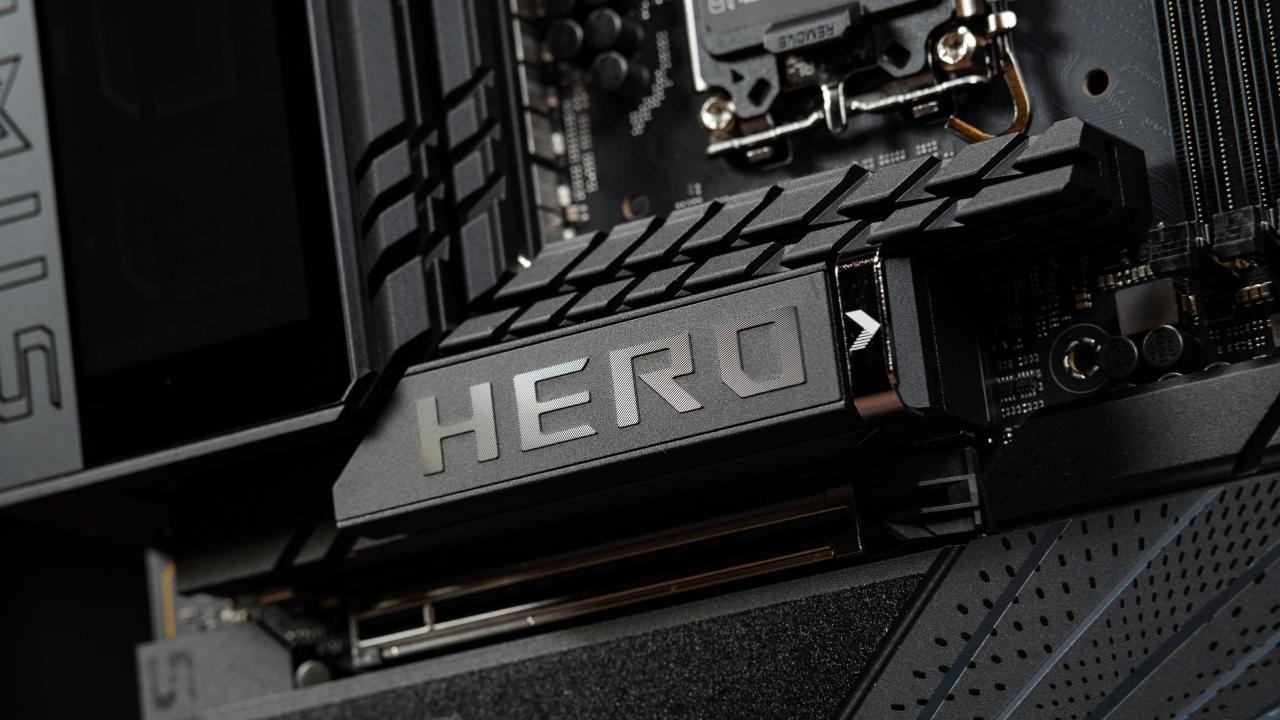
The large "Hero" logo is positioned in the center, and the ROG logo is located at the bottom half. The layout is well thought out, featuring large heatsinks, high-quality finishes, and a sleek, mirror-like I/O cover that lends it an even more high-end appearance.
CPU Socket and VRM
The new LGA1851 socket, designed for Intel's latest Core Ultra processors, is located at the center of the motherboard. It has the same size and spacing between mounting holes as the old LGA1700 socket, so any cooler that works with LGA1700 will work perfectly with this one.
ASUS has refined even the smaller details—such as a rubber-coated and flat-ended latch that prevents scratching and allows easier release.
The board has a 22+2+2 power stage configuration around the socket, with 110A power stages for the CPU, ProCool II connectors, microfine alloy chokes, and high-quality metallic capacitors. Three heatsinks, connected by a heat pipe, keep these parts cool, ensuring that the thermals stay stable even when the load is heavy.
The top edge of the board
There are two 8-pin EPS connectors located on the top edge, which are reinforced with metal to increase their durability. There are also four 4-pin headers next to them.
Two of these are for CPU fans (one is the main fan and the other is optional), one is for an AIO pump, and the last one is for a general-purpose fan. There is also a handy POST code display nearby that makes it easy to diagnose the system during setup or troubleshooting.
DDR5 Memory Support
The Z890 Hero has four DDR5 DIMM slots that can hold up to 192GB of 9200MHz memory. ASUS has introduced a new type of slot technology called Nitro Path DRAM. It loops pins to eliminate signal reflection, thereby strengthening the signal and providing more room for overclocking.
According to internal tests by ASUS, Nitro Path DRAM significantly increases headroom across all configurations, allowing memory modules to run at much higher speeds with improved stability.
Front-Edge Connections
Along the front edge, users will find a 3-pin addressable RGB header, a power button, a FlexKey button, and a 24-pin ATX power connector.
There's also an additional 8-pin PCIe power connector, a USB 3.2 Gen 2x2 header, and a USB 3.2 Gen 2 header. The Gen 2x2 header can deliver up to 60W of power when the PCIe power connector is plugged in. Otherwise, it provides 27W by default.
Further down the edge are four SATA 6Gb ports, a USB 3.2 Gen 1 header, and a Slim SAS connector. All connectors are placed at a 90° angle to prevent interference with GPU or expansion card installation. The Slim SAS connector supports U.2 and U.3 SSDs, offering massive storage capacities of up to 60TB—an impressive addition for users with heavy storage needs.
Bottom Connections
The lower section of the motherboard includes all essential headers and connections neatly lined up from left to right: HD audio header, PCIe mode switch, Thunderbolt 4 header, two 3-pin addressable RGB headers, three 4-pin fan headers, a USB 3.2 Gen 1 header, two USB 2.0 headers, a water pump header, a Retry button, and the front panel headers.
M.2 Slots and Storage
The bottom half of the board is largely covered by heatsinks dedicated to M.2 SSDs. The top M.2 heatsink is engineered for PCIe 5.0 NVMe drives and features ASUS's M.2 Q-Release system.
Removing a simple latch allows the heatsink to come off without tools, exposing the PCIe 5.0 slot. Installing an M.2 drive is just as easy—slide it in, push down the latch, and it locks securely in place with the M.2 Q-Slide mechanism.
Underneath the main heatsink, five additional M.2 slots are located, supporting a mix of PCIe 5.0 and PCIe 4.0 drives. The top slot runs at PCIe 4.0, the middle two at PCIe 5.0, and the two lower slots at PCIe 4.0. Each slot uses the new M.2 Q-Latch design, providing a completely toolless installation and removal experience.
Expansion Slots
The Maximus Z890 Hero features one PCIe 5.0 x16 slot, one PCIe 4.0 x16 (x4 electrical) slot, and one PCIe 4.0 x1 slot. The top PCIe 5.0 slot is reinforced with metal for enhanced durability. Instead of using a traditional button for GPU release, ASUS introduces the PCIe Slot Q-Release Slim system.
This mechanism ingeniously releases the GPU when pulled in one direction, while remaining securely locked when pulled the other way. It saves space on the board and makes removing large GPUs far easier, even in tight builds.
Rear I/O
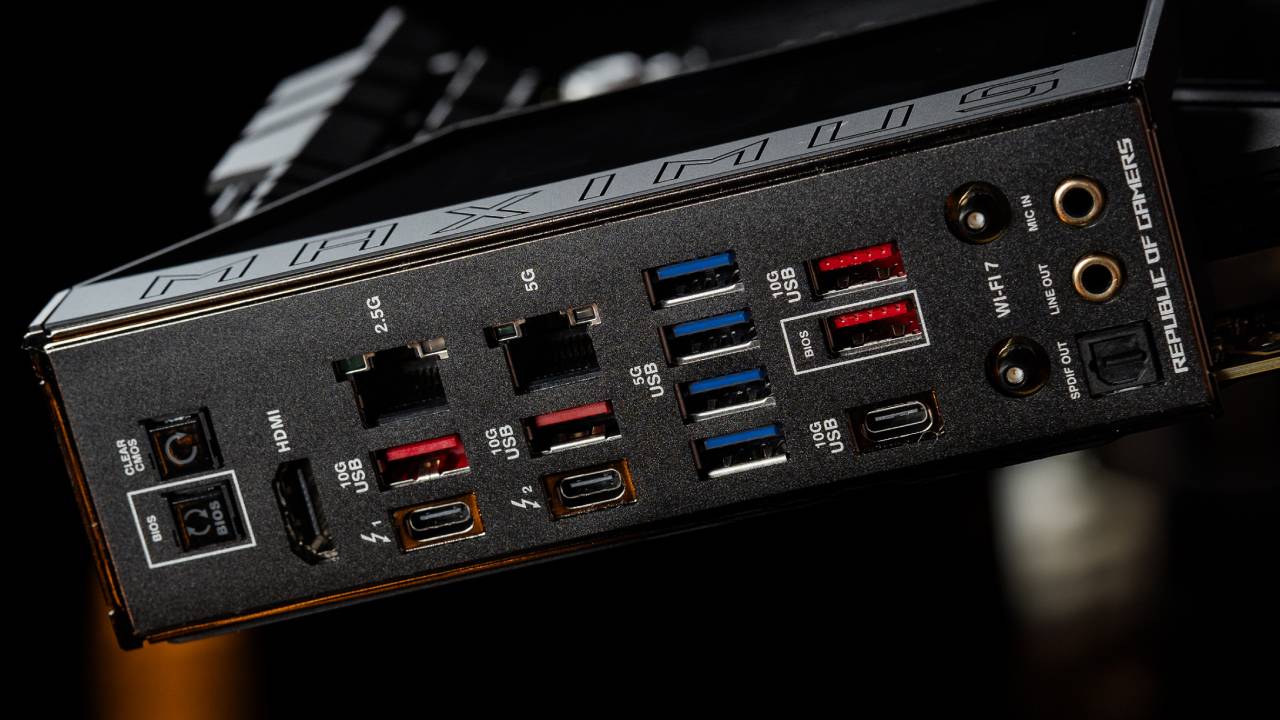
The rear I/O comes pre-installed and includes an extensive array of connections: Clear CMOS and BIOS Flashback buttons, HDMI output, 2.5Gb LAN, 5Gb LAN, two USB 3.2 Gen 2 Type-A ports, two Thunderbolt 4 Type-C ports, four USB 3.2 Gen 1 Type-A ports, two additional USB 3.2 Gen 2 Type-A ports, a USB 3.2 Gen 2 Type-C port, Wi-Fi 7 antenna connectors, and a full set of audio jacks.
The Thunderbolt 4 ports also support Thunderbolt Share, a new feature enabling ultra-fast data transfer between compatible systems—ideal for users managing multiple PCs or large media workloads.
Back of the Board and Cooling
The backside of the motherboard is reinforced with a metal backplate, which improves rigidity and helps dissipate heat from critical components. This sturdy design enhances overall cooling efficiency and prevents PCB flexing, especially when using heavy coolers or large GPUs.
RGB Lighting
The lighting on the Maximus Z890 Hero is simple but classy. The back I/O cover has customizable Polymo lighting under the ROG logo. You can change the colors and effects using ASUS's software. Although the trend is toward less RGB, the lighting still gives the build a clean, high-end appearance.
Final Thoughts
The ASUS ROG Maximus Z890 Hero is a great blend of power, style, and innovative ideas. The new Nitro Path DRAM slots show clear performance improvements, especially when overclocking.
Memory kits that used to top out at 6400MHz can now reach speeds of 7200MHz or higher. CU-DIMMs also work perfectly, running at 8200MHz right out of the box without any tuning.
Building and upgrading are easier than ever, thanks to features like the Q-Release Slim, which allows for the removal of GPUs and M.2 installations without the need for tools. The board's versatility is even better with the addition of Slim SAS for high-capacity drives, dual LAN ports, and Thunderbolt 4 with Thunderbolt Share.
The bottom heatsink still requires screws, but filling the middle Gen 5 M.2 slots can reduce the bandwidth of the top GPU slot by half.
These are trade-offs at the platform level, not problems with ASUS's design. Overall, the Maximus Z890 Hero is one of the best Z890 motherboards on the market, boasting numerous features and a high level of craftsmanship. It's a great choice for individuals seeking optimal performance, effortless overclocking, and premium construction.
Also, check our other articles:
- GeForce RTX 5090 Unleashed: Is NVIDIA's New Flagship the Ultimate 4K Gaming GPU?
- NVIDIA GeForce RTX 5080 Review (2025): Still A 4K Gaming Powerhouse?
- RTX 5090 Performance Testing In GTA 5 – 1080p, 1440p, and 4K Max Settings Benchmark
- NVIDIA RTX 5070 Review: Mid-Range Muscle or Marketing Hype?
- RTX 5070 Ti Review: Performance, Thermals & Power Efficiency Tested
- ASUS GeForce RTX 5090 LC Liquid Cooled GPU Review: Unmatched Silence & Speed
- MSI GeForce RTX 5090 32GB SUPRIM SOC Review: Power Efficiency, Cooling, and Gaming Performance
- INNO3D RTX 5060 Ti 16 GB X2 Review: Gaming Benchmarks, Temps, and Power Efficiency
- HP Omen 45L Review: RTX 5090 Performance, Thermals, and Value Analysis
- ASUS TUF Gaming GeForce RTX 5060 Ti Review: DLSS 4, Power Efficiency, and Gaming
- ASUS Prime RTX 5060 Ti OC 16GB Review: DLSS 4, Ray Tracing, & Thermals Tested
- NVIDIA GeForce RTX 5060 Review: Specs, Gaming, and Cost per Frame
- MSI GeForce RTX 5090 GAMING TRIO OC Review: A Monster Power GPU
Contributor, NoobFeed
Gaming Hardware Updates
No Data.