
Avoid Overpaying for RAM: Smart PC Build Adjustments in 2026
Memory and GPU inflation significantly reshape the value of modern gaming configurations.
Hardware by Shinji Okazaki on Feb 28, 2026
PC Part Picker sponsors Build Fix, a series in which submitted lists of PC parts are reviewed and feedback is given on what works and what doesn't. The lack of PC hardware has been a hot topic for more than four months now. There is a global shortage of DRAM, which has driven up prices for PC hardware, especially memory, storage, and GPUs.
Prices are really expensive right now. Some people might say that building PCs is no longer possible and that you should stop doing so. There are three ways to answer that. Some individuals need to build a PC right now, so that's the first thing. Even if the prices are exorbitant, it's still a good idea to figure out which alternative is best. Second, you shouldn't get used to prices that are too high. Third, it's worth looking at how extreme pricing has gotten.
.jpg)
Build Fix gets parts lists from community tab posts a day or two before filming. People review submissions and provide feedback. One idea was to use PC Part Picker to look at builds that have already been made and compare the prices of the parts when they were bought with their current prices. This method is applied here by reverting to Build Fix 18 from late August 2025, before memory and SSD costs went up.
A Mid-Tier Build: Then and Now
The chosen build is what most people suggest for someone constructing a new PC for the first time. Originally, a mid-range setup cost about $1,400, but the price was later reduced to under $1,300. In the past, this level of performance would have cost between $800 and $1,000. Because of inflation and rising prices, it had gone up to between $1,200 and $1,300. The build's purpose was to let people play games with higher refresh rates or resolutions while still being able to update on the AM5 platform.
The first proposal had a Ryzen 5 9600X processor for less than $200, a Thermalright air cooler for less than $40, an AM5 motherboard for less than $200, a white microATX box for less than $100, and a 1000W 80Plus Gold power supply that cost between $110 and $120. It also had a 2TB NVMe PCIe Gen3 SSD for less than $100 and 32GB of DDR5-6000 CL30 memory for $100. The graphics card was an RTX 5060 Ti with 16GB of memory, costing $460.
If you look at the prices now, the same list is almost $2,070, not including the original Crucial MX500 2TB SSD, which is no longer available. That is about $2,100 for a project that used to cost between $1,300 and $1,400. Some parts are now less expensive. The price of the 9600X has gone down. The price of the motherboard has dropped from $15 to $20. The case is still the same. The power supply costs roughly $10 less. The price hikes are mostly due to memory, which has gone up by about $400, and the graphics card, which has almost doubled in price.
Changing Parts to Lower Damage
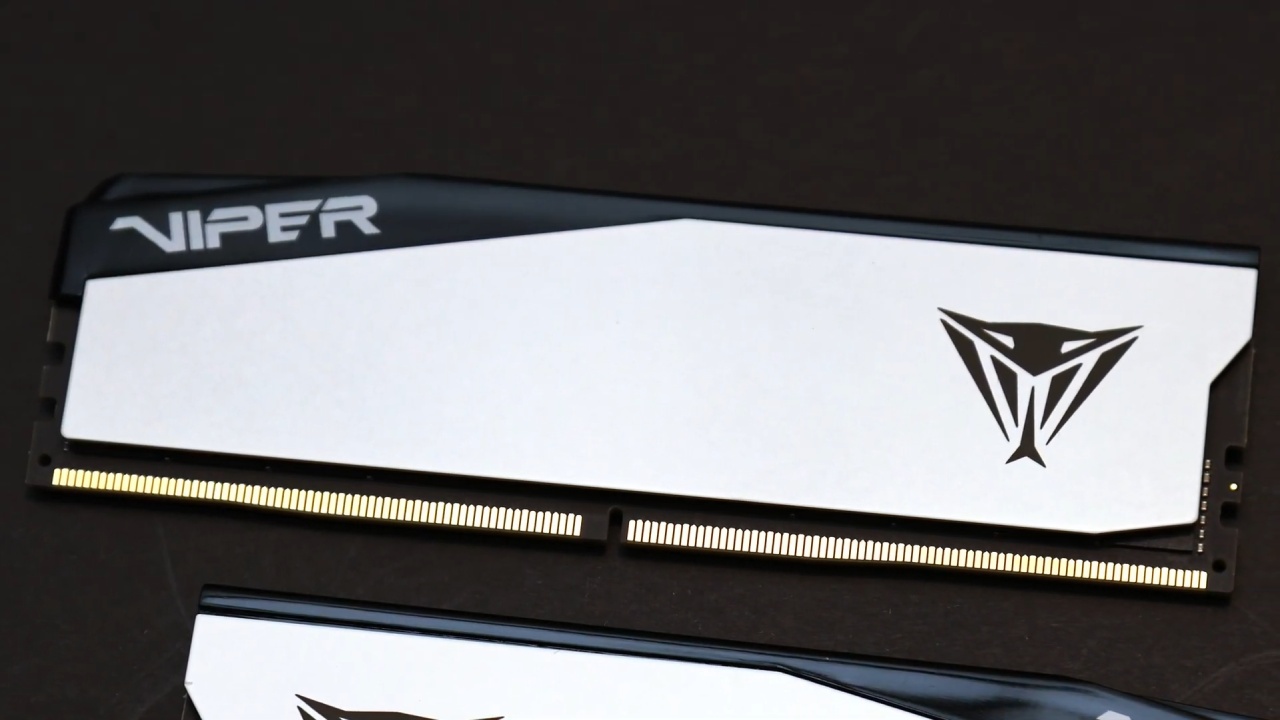
To lower overall costs, parts that are too expensive are replaced with identical parts with the same specs. The memory aim is still 32GB DDR5-6000 CL30. Even though it's no longer $500, alternatives are still close to $400. That is a lot more than the prior price of $100.
You can either keep the 2TB capacity or cut it down to 1TB for storage. When you sort by price per gigabyte, you can see that 4TB drives cost less per GB but still cost about $400. Even though it costs around $125 more than before, a 2TB Silicon Power UD90 at $225 is a good deal. If you cut it down to 1TB, the price drops to about $130-$140. We chose a 1TB Silicon Power UD90 PCIe Gen4 drive because its read speed is 5,000MB/s and its write speed is 4,800MB/s, which is far faster than PCIe Gen3 drives, which only go from 1,500MB/s to 2,000MB/s.
16GB options are still good for the graphics card. The price of RTX 5060 Ti 16GB versions starts at about $550 to $590. For comparison, we chose an MSI Ventus model that costs $550. There are other options, like the Radeon RX 9060 XT, that have been available for as little as $350, but more recently they have been closer to $440. The price of the Radeon 9070 has risen to $530; it often exceeds $600 lately.
The new build, after changes, costs about $1,660. That means a $360 increase from the original price of $1,300, and the storage space goes down from 2TB to 1TB.
Option 1: Use DDR4 Again and Upgrade in Smart Ways
Using DDR4 is one way to address the memory shortage. The configuration sent in included an i7-7700K, an ASUS Z170 motherboard, 16GB DDR4-3000 CL16 memory, SATA SSDs, an RTX 3070, and a 750W EVGA power supply. The idea was to upgrade most parts while keeping the GPU and PSU.
Reusing DDR4 saves a lot of money. A Ryzen 5 5600 on an AM4 platform costs $161. There are more options, including the 5600X for $185 or the 5600XT for a little more. Depending on the workload, these CPUs are about 20% to 30% quicker than a 7700K. A cooler must be included with every CPU.
Gigabyte B550 Eagle WiFi 6 motherboard, which costs $100, is an example of a B550 motherboard that works with other components and offers many features. The total cost of the CPU and motherboard is still less than $300, and you can reuse the RAM, GPU, storage, case, and PSU. Before tax, the total cost of the update is about $261.
It is best to increase the RAM to 32GB for live broadcasting and editing videos. When the price is right, a 2x16GB DDR4 kit can replace the current 2x8GB setup.
Option 2: Think about Systems that are Already Built
Sometimes, pre-built systems are a better deal because system integrators may have bought memory months ago for a lower price. That lets them keep their prices competitive. During periods of high memory prices, certain pre-made setups cost $800 to $1,000 less than similar systems built by the user.
When you compare, pre-built systems that cost roughly $1,300 come with parts similar to those in a self-built system, but they cost much more because memory and GPU prices have gone up. If price is the most important thing, it can be useful to look into pre-built deals.
Option 3: Look at the Used Market and Combo Deals
There are chances in the used market, especially with packages of motherboards, CPUs, and RAM. Sellers may not always factor the current price of memory into their pricing. Local listings can give you better chances than nationwide ones, but they aren't always available.
You could also save money with combo offers. Manufacturers provide retailers with marketing development funds to help them sell products. These funds can appear as savings on bundles, such as CPU and memory combinations. These deals can change quickly, and they might not always be there.
Final Thoughts
Because of a lack of memory, mid-range PCs have become hundreds of dollars more expensive in just a few months. But you can still choose. Reusing DDR4 parts, getting systems that are already put together, keeping an eye out for combo deals, and shopping on the used market are all ways to get prices down. It's possible to keep systems in good shape for work and play even if costs are higher than they were last month by making the right changes.
Also, check our other hardware articles below:
- AMD Ryzen 9 9950X3D Review: Setting The Standard For 2025 Gaming CPU
- Amazon Luna 2025 Review: Is Prime Gaming's Cloud Service Your Go-To For Casual Fun?
- AMD RX 9070 XT Review: AMD's RDNA 4 Champion for 1440p Gaming
- GeForce Now Ultimate: Ditching Your Gaming PC For Cloud RTX 4080 Power?
- NVIDIA GeForce RTX 5080 Review (2025): Still A 4K Gaming Powerhouse?
- Intel Core Ultra 9 285K Review And Performance Breakdown (2025)
- AMD Ryzen 7 9800X3D Review: 3D V-Cache Goes God Mode with Stunning Gaming Performance
- Intel Core Ultra 9 285K vs AMD Ryzen 7 9800X3D: In-Depth Gaming Performance and Benchmark Comparison
- NVIDIA GeForce RTX 5080 Super Performance In Cyberpunk 2077: Path Tracing & DLSS 4.0 Tested
- AMD Radeon RX 9070 XT In Cyberpunk 2077: Ray Tracing & FSR 4.0 Tested
- Intel Arc B580 Review: The $250 GPU Revolutionizing 1440p Gaming
- Intel Arc B570 Vs. B580: Value, Specs, And Real-World Gaming Performance
- RTX 5090 Laptop Vs. M4 Max MacBook Pro: Ultimate Raw Performance Vs. Battery Endurance
- Intel Arc b580 Vs. RTX 4060: Game Performance And Value Analysis
- RTX5090 Hell Is Us Demo 4K Ultra Benchmark: DLSS Vs. Native Performance Guide
- NVIDIA RTX 5070 Review: Mid-Range Muscle or Marketing Hype?
- Nintendo Switch 2 Review: Handheld Performance, Features & Value Breakdown
- RTX 5070 Ti Review: Performance, Thermals & Power Efficiency Tested
- Samsung Odyssey OLED G81SF Review 2025: Ultimate 32-Inch QD-OLED Gaming Monitor
- AMD RX 9070 Performance Review: Thermals, Clocks, and Real-World FPS
- AMD Ryzen 5 7600 Review: Best Budget Gaming CPU of 2025?
- AMD Radeon RX 7800 XT Review: RDNA 3 Power For Midrange Gaming
- Asus ROG RTX 5090 Astral OC Vs. Founders Edition: The 4K Gaming Benchmark
Editor, NoobFeed
Gaming Hardware Updates
No Data.