
Building a Budget Gaming PC with X99 Hardware in 2025: Still Worth It?
Follow step-by-step how we created a low-cost gaming machine that plays today’s top titles at 1080p with ease.
Hardware by Tanisha Aria on Oct 25, 2025
One of the best budget combos for flipping PCs back in the day was often an older Xeon paired with an LGA1150 motherboard. They were affordable, dependable, and could still run esports games today.
After making a few systems that were easy to upgrade, they started looking for something even cheaper—something closer to the price of a modern console and perfect for anyone who wanted to get into PC gaming without spending a lot of money. The X99 combo was the result of that search.
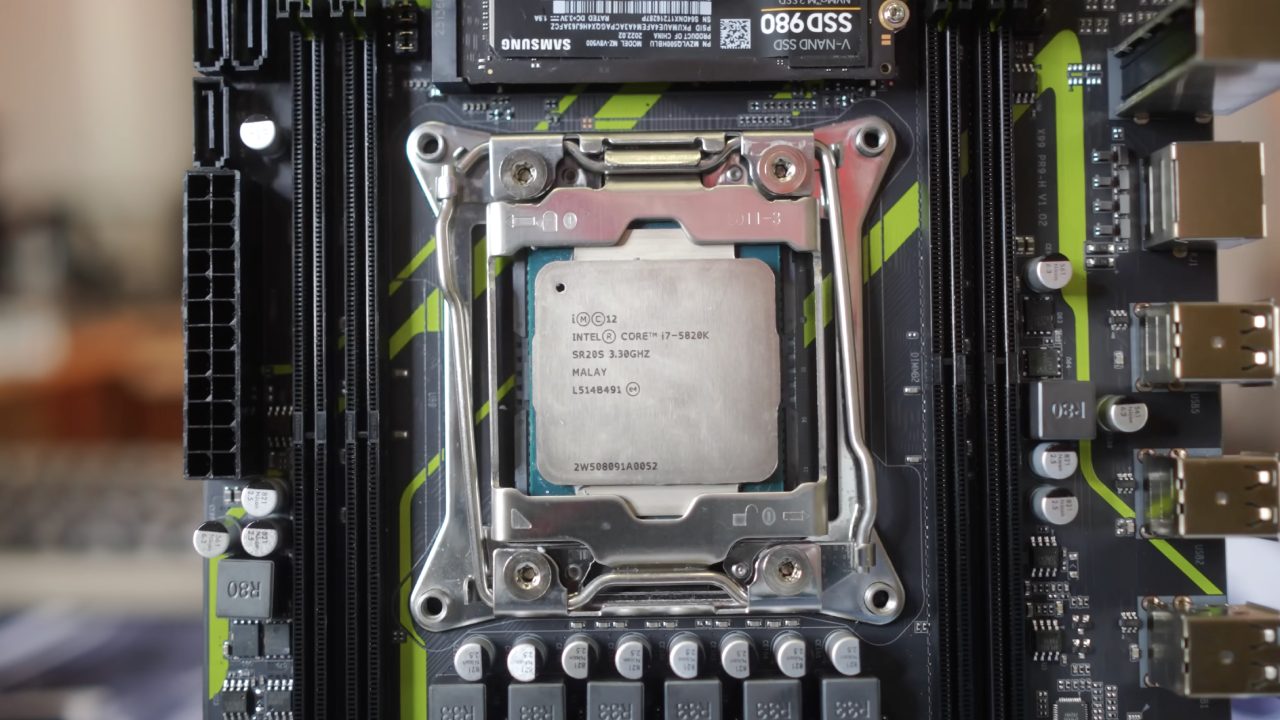
What Does the X99 Combo Do?
In short, the X99 combo is server-grade hardware repurposed and usually sold on AliExpress as a bundle with a motherboard, an Xeon CPU, and RAM at very low prices. A lot of people sell these kits, including Machinist, ZUS, and a few others.
It's basically old workstation hardware given new life for cheap builds. The value proposition sounds excellent, but it comes with some risks. Some boards don't work at all when they get there, some stop working after a few boots, and some don't even recognize RAM correctly.
When you build with these, you could get lucky and end up with something great, or you could end up with an expensive paperweight.
The decision to try the Soyo X99 combination after buying from other sellers and failing was a good one. Soyo, one of Maxsun's partners, sent a board that worked perfectly right out of the box.
There were no weird BIOS problems, the RAM worked well with it, and it even came with a CPU cooler bracket, which most X99 boards don't. That little change makes things much easier, since it can be hard to find compatible brackets for these boards.
In the future, we plan to sell these boards directly on our site, with the appropriate warranty support. For now, you can buy them directly from AliExpress, along with coolers that work with them through affiliate links that help the channel.
Build Setup
A CIT Overseer case was used for the build. It was a good choice because it had good airflow, RGB lighting, and a good layout for the price. But if you're on a tight budget, it's best to get any case you can find nearby, even if it's used.
You can find many of them for cheap or even free, and they work great as a first system. When gaming becomes a regular hobby, you can upgrade to a better case later.
There is also a plan to pair leftover cases and power supplies with budget setups like the X99 combo and sell them for low prices during the holidays. This will help more people get affordable entry-level PCs and keep old parts out of e-waste.
Specifications for the system
A Xeon E5-2630V4 powers the system. This is a common part of X99 bundles. When it was built, the whole thing—motherboard, CPU, and RAM—cost about $44. To enable dual-channel performance, an additional 16GB of RAM was purchased on eBay. Most bundles only come with one stick.
An RX 5500 XT with 8GB of VRAM was chosen for the GPU. You can usually find these on eBay for $70 to $90, which is a great price for 1080p performance. The GTX 1660 Super is another option. It runs some games better, but it only has 6GB of VRAM, compared to 8GB on the RX 5500 XT.
Power Efficiency
There are some things to keep in mind, even though the performance is excellent for the price. Xeon processors weren't made to handle modern gaming tasks, and they use more power than newer CPUs like the Ryzen 5 or Intel i3.
It also uses more power when it's not doing anything, which makes it less ideal for continuous operation. Still, the performance-to-cost ratio is hard to beat for cheap gaming or flipping PCs.
The thermals were better than I expected. The CPU stayed within safe limits with a basic tower cooler and good airflow. The RX 5500 XT also stayed cool and stable, which is why lower-end AMD cards remain a good choice for budget builds.
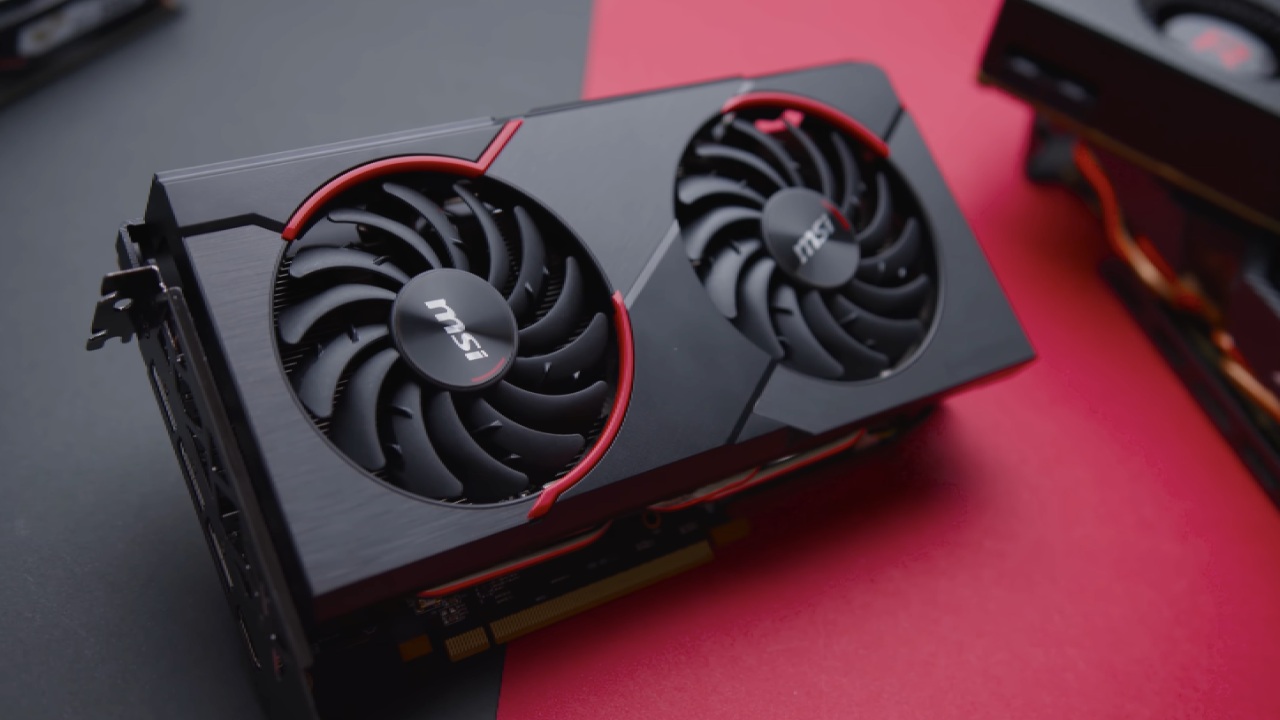
Gaming Benchmarks
In real life, the system works as expected for its price range, playing modern games at 1080p with some settings changes. It is also great for esports, which remain the most popular games in the world.
- Apex Legends: 117 fps on average with competitive settings, making the game run smoothly and respond quickly.
- Fortnite: 153 fps on pro settings, with lows of 60 to 63 fps, which means the game runs smoothly all the time.
- Marvel Rivals: About 70 fps with FSR 3 turned on (no frame generation). Overall, the gameplay is stable and fun.
- Helldivers 2: At 1080p and low settings, it runs at about 60 frames per second, but it sometimes drops into the 50s. You can play with others.
- CS2: It averages 81 fps, but sometimes drops into the 60s. This shows that the CPU can handle competitive loads pretty well.
- Cyberpunk 2077 runs at an average of 45 fps on medium settings with FSR turned on, which is smooth enough for playing alone.
- Warzone: About 62 fps on competitive 1080p settings. If you want better performance, you can use FSR3 frame generation.
- Battlefield 6: With the recommended settings, it stays at about 60 fps, which is a good sign for newer games.

Final Thoughts
People who want to get into PC gaming without spending a lot of money or who want to make money by selling systems will still find the X99 platform useful in 2025. It has some issues, like being power-inefficient and hard to upgrade, but it shows that you don't need new or expensive parts to play games well.
If you use your imagination, are patient, and find the right parts, you can make something that works much better than what you paid for it. These budget builds show that if you know how to use it, older hardware can still deliver modern gaming experiences worth having.
Also, check our other AMD articles:
- AMD Ryzen 9 9950X3D Review: Setting The Standard For 2025 Gaming CPU
- AMD Ryzen 7 9800X3D Review: 3D V-Cache Goes God Mode with Stunning Gaming Performance
- AMD RX 9070 Performance Review: Thermals, Clocks, and Real-World FPS
- AMD Ryzen 5 7600 Review: Best Budget Gaming CPU of 2025?
- AMD Radeon RX 7800 XT Review: RDNA 3 Power For Midrange Gaming
- Sapphire NITRO+ AMD Radeon RX 9070 XT Review: The Ultimate 4K Gaming GPU
- AMD Ryzen 7 7800X3D: Delivers Gaming Performance Far Beyond Expectations
- AMD Ryzen 9 7900X Review: Powering the AM5 Era with DDR5 & PCIe 5.0
- ASRock Radeon RX 7800 XT Challenger OC Review: Best Price-to-Performance GPU of 2025
- Intel Core i9‑14900K vs. AMD Ryzen 7 7800X3D: Power Profiles & Gaming Benchmarks
Contributor, NoobFeed
Gaming Hardware Updates
No Data.