
NVIDIA GeForce GTX 1070 GTA V Enhanced Edition Performance Review
Detailed examination of resolution scaling reveals how the GTX 1070 sustains frame rates despite demanding visual environments
Hardware by Nahe Yan on Dec 06, 2025
GTA V Enhanced Edition runs on a wide range of hardware, and even if the GTX 1070 is old, it can still handle it. GPU came out in 2016.
It doesn't support ray tracing or DLSS, but it still runs the latest version of the game smoothly on different screens and settings.
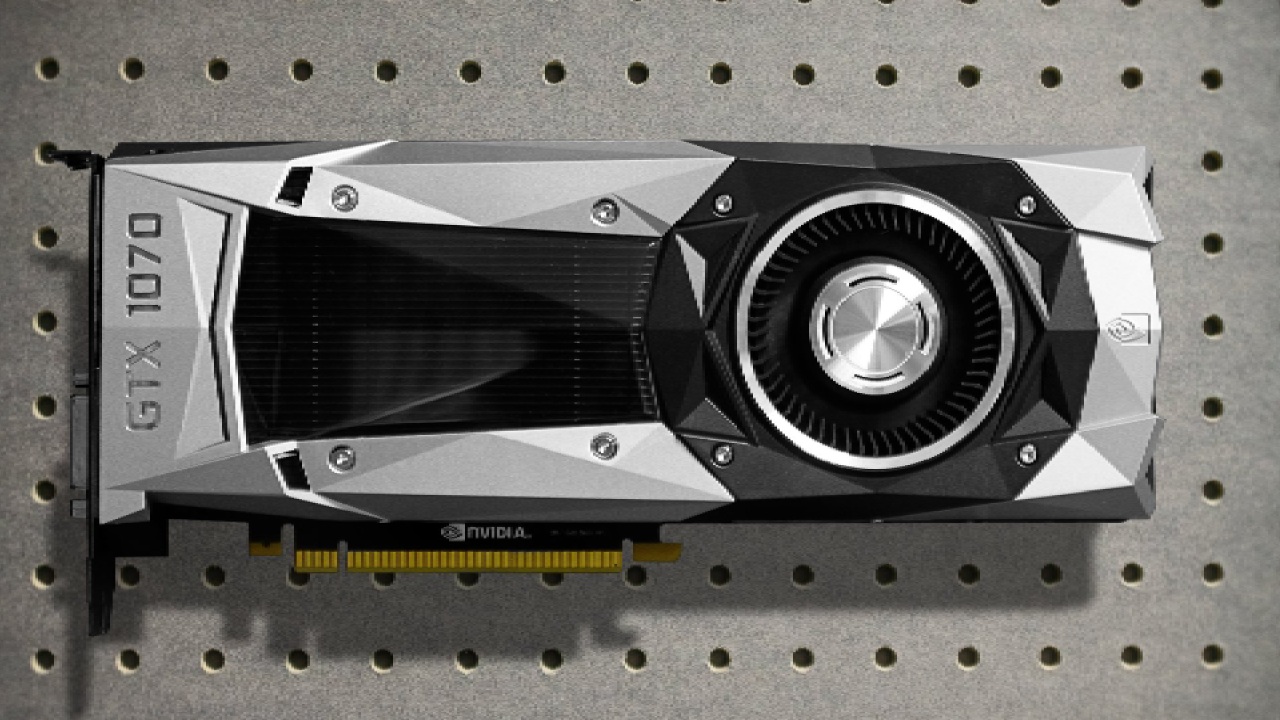
Bench Test and Setup
We used an i5-12600KF overclocked to 5.1GHz and 32GB of RAM with the GTX 1070 Founders Edition. The GPU was using the latest Nvidia drivers and wasn't overclocked manually. The settings started at 1080p resolution, the highest quality this GPU can handle.
Ray tracing was still off because it wasn't supported, and FSR3 was set to Native AA. At first, frame creation was turned off. Post effects were kept at normal to prevent motion blur.
Maximum Settings for 1080p Performance
We saw that when ray tracing is disabled, the GTA V Enhanced Edition maintains a visual quality similar to the original edition. Here, reflections and lighting improve a little, and the GTX 1070 maintains 60 fps in most places. Vegetation-heavy areas, such as hillsides, caused decreases into the high 50s, but the overall experience stayed stable.
FSR3 Native AA gave us clear graphics and good Performance without TAA. TAA added a soft, hazy look that made things much less clear, even though FPS rose a little into the 70s. The picture became jagged and pixelated without anti-aliasing, but the FPS stayed the same. FSR3 Native AA gave the best balance.
The frame generation option worked on the GTX 1070. Still, it wasn't good for normal gameplay because it caused visual artifacts around characters and significant input lag. Repeated shadows and motion blur remained, showing that frame generation didn't help this GPU much.
1440p Native AA and High Settings
GTX 1070 kept about 60 fps across the city at 1440p resolution with native AA and high settings. Inside thick plants, the temperature dropped into the mid-40s. When FSR was set to Quality mode, the FPS increased, but there was significant shimmering and noise, notably near grass.
Lowering the preset to High across all settings and keeping FSR Native AA enabled significantly improved Performance. In open areas, we saw average frame rates of about 80 fps, with very small drops in more intricate situations. The visuals stayed near the higher preset; therefore, this is the best setup for 1440p.
Performance at 4K Resolution
GTX 1070 achieved about 30 fps on high settings with native AA at 4K. Heavier areas brought Performance into the high 20s. FSR Performance mode increased FPS, but it also made things look fuzzy and noisy. Using the FSR Quality option sharpened the picture, averaging about 50 fps. Still, it remained softer and noisier than at normal resolution.
When I switched to the minimal preset at 4K, the frame rate went up to the mid-40s, with 1% lows in the 30s. Even though reflections and shadows weren't as sharp, the image quality remained consistent with the improved version's base visual style.
.jpg)
Using FSR3 Quality at 4K made the game run at about 60 fps, but everything looked less clear. The uplift helped the GPU, but the loss of sharpness made native AA better if 30–40fps is fine.
The value of a GPU and its Generation
GTX 1070 launched after the GTX 980 Ti and offered the same Performance but used 150W instead of 250W. It cost $379, which is less than the 980Ti's $650, and it had 8GB of VRAM instead of 16GB. It still works with many popular games and runs upgraded versions, such as GTA V Enhanced Edition.
Final Thoughts
By choosing the right settings for each resolution, we can keep the GTX 1070 running smoothly. There is an option for frame generation; however, we found that input lag, artifacts, and only a small performance boost made it not worth it. The GPU works well with FSR Native AA at both 1080p and 1440p. At 4K, both the FSR Quality and minimum presets let you get greater frame rates, depending on what you want.
Also, check our other NVIDIA articles below:
- NVIDIA GeForce RTX 5080 Review (2025): Still A 4K Gaming Powerhouse?
- RTX 5090 Performance Testing In GTA 5 – 1080p, 1440p, and 4K Max Settings Benchmark
- NVIDIA RTX 5070 Review: Mid-Range Muscle or Marketing Hype?
- RTX 5070 Ti Review: Performance, Thermals & Power Efficiency Tested
- ASUS ROG Astral RTX 5090 OC Edition Review: 32GB GDDR7 & 4K Gaming Benchmark
- ASUS GeForce RTX 5090 LC Liquid Cooled GPU Review: Unmatched Silence & Speed
- MSI GeForce RTX 5090 32GB SUPRIM SOC Review: Power Efficiency, Cooling, and Gaming Performance
- INNO3D RTX 5060 Ti 16 GB X2 Review: Gaming Benchmarks, Temps, and Power Efficiency
- HP Omen 45L Review: RTX 5090 Performance, Thermals, and Value Analysis
- ASUS TUF Gaming GeForce RTX 5060 Ti Review: DLSS 4, Power Efficiency, and Gaming
- ASUS Prime RTX 5060 Ti OC 16GB Review: DLSS 4, Ray Tracing, & Thermals Tested
- NVIDIA GeForce RTX 5060 Review: Specs, Gaming, and Cost per Frame
- MSI GeForce RTX 5090 GAMING TRIO OC Review: A Monster Power GPU
Editor, NoobFeed
Gaming Hardware Updates
No Data.