
GuliKit TT Pro vs. TT Max Review Full Feature Breakdown and Performance Analysis
GuliKit TT Pro and TT Max deliver modular design, cross-platform support, and extensive hardware customization.
Hardware by Nahe Yan on Feb 01, 2026
GuliKit makes controllers and joystick modules that can be swapped out for devices like the Steam Deck, ROG Ally, Nintendo Switch, and others. GuliKit TT Pro and TT Max controllers are the newest additions to the portfolio. They have the same physical design and are made to work with several platforms.
The boxes for the TT Pro and TT Max are nearly identical. The controller, a flat cable, a large printed guide, a 2.4GHz dongle, buttons that can be swapped out to switch between Xbox and transition layouts, a metal button puller, and four metal back paddles are all included. TT Max also comes with extra joystick caps, some of which are taller than normal. A protective carrying case is included. Inside the cover is an extra D-pad that looks like a Sega Genesis-style pad.
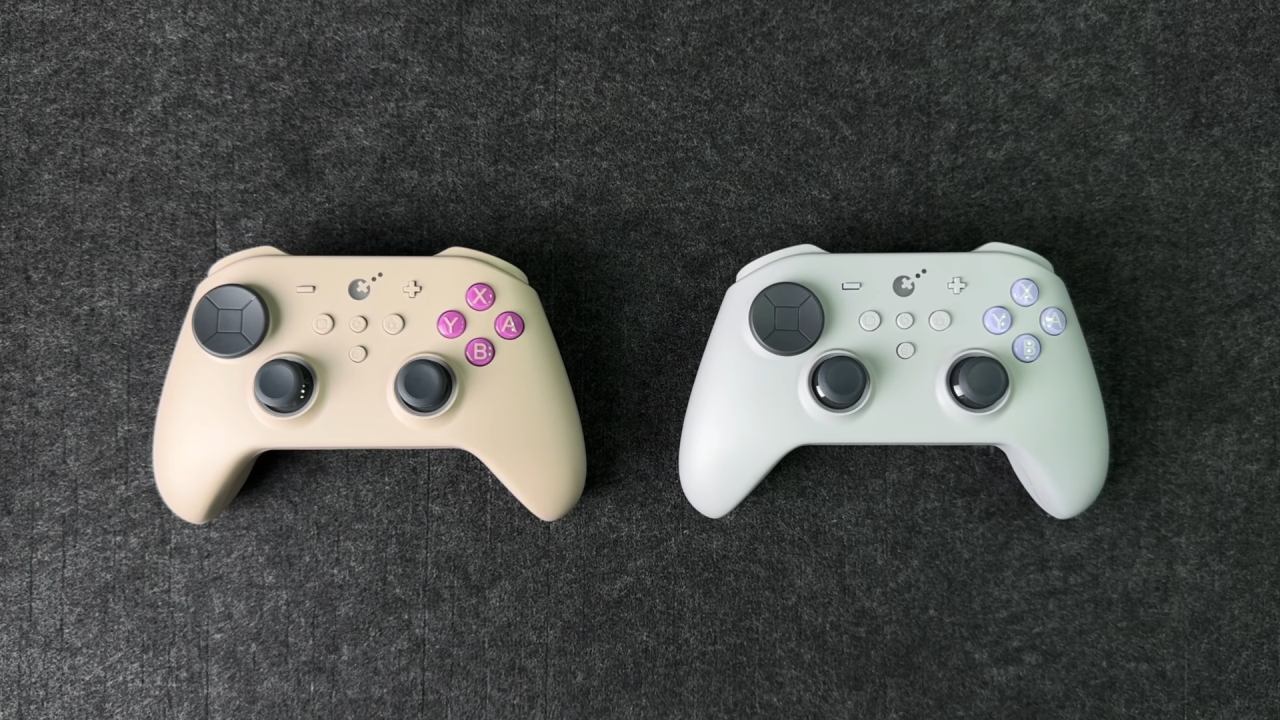
The written guide is necessary because there isn't an app to accompany it yet. The mobile app for Android and iOS will come out later. Depending on the version you buy, the controllers also come with buttons that match the controller's color.
Design, Build, and Comfort
TT Pro and TT Max are the same size, shape, and weight. The controller weighs 283 grams with the back paddles on. The body is made of a velvety plastic. The black variant tends to reveal fingerprints more quickly. In contrast, the lighter color versions do a better job of hiding obvious marks.
The controller has a symmetrical joystick layout similar to that of PlayStation controllers. The form was comfortable and good for extended use without causing tired hands. The laser-textured grips provide traction without rubber.
Problem with the Fit of the Case and Back Paddle
There is a design flaw with the carrying case. The controller won't fit inside the case anymore once the metal back paddles are on. To store the controller, you have to take out the paddles, which makes the case less useful for everyday use. The extra space inside is used for the extra D-pad instead of the paddles.
Different Models and Prices
TT Pro costs $60, and the TT Max costs $70. The hardware on both controllers is the same. The only variations are in the features. TT Max has gyro support and lets you record macros for up to 10 minutes. TT Pro, on the other hand, only lets you record macros for 10 seconds and doesn't have gyro. There are also extra joystick caps with the TT Max.
Power and Battery
The batteries in both controllers are 950mAh. GuliKit says the battery will last 14-26 hours. When used normally with LED rings on and vibration set to high, the battery lasts about 10 to 12 hours. You can charge it using USB-C, and the controller has a battery indicator.
Inputs and Buttons
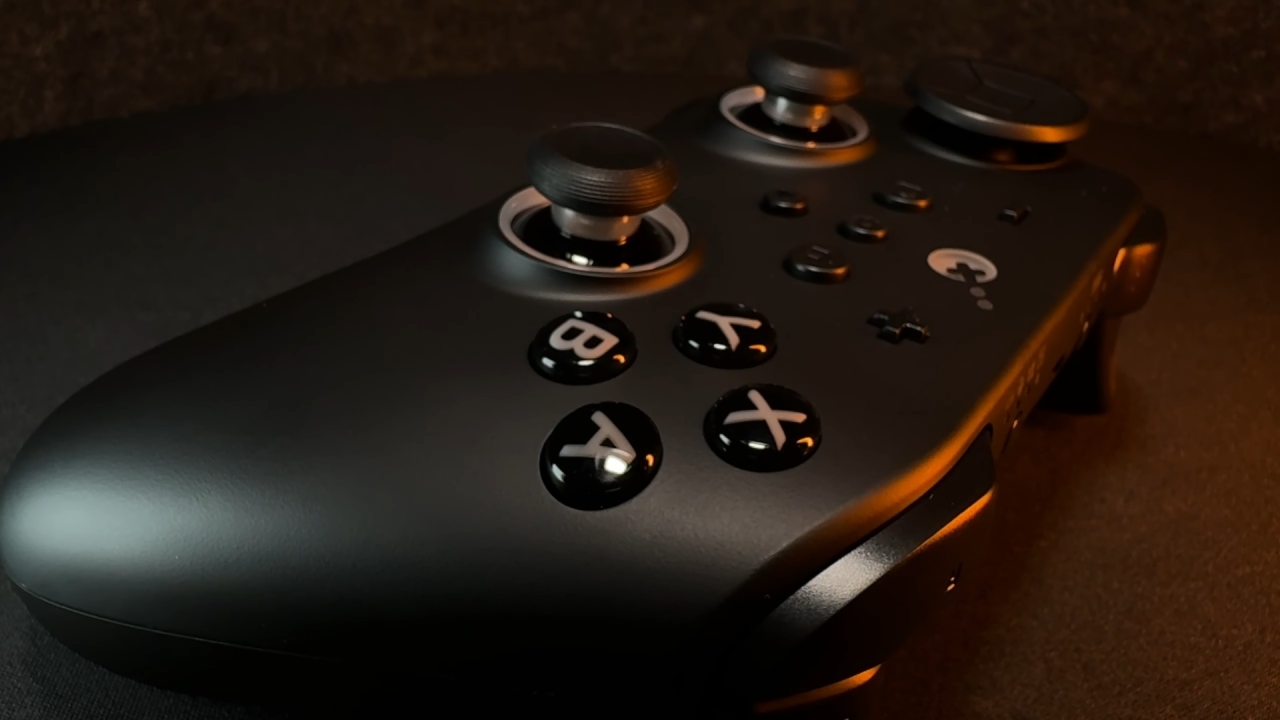
The ABXY face buttons feature membrane switches, just like the buttons on first-party Xbox controllers. They are silent and give a clear response when pressed. The D-pad is similarly made of membranes and feels like it's floating, which is more like a joystick than a regular directional pad. It's simple to accidentally trigger diagonal inputs, which can happen a lot in combat games.
The bumpers can be felt, but you don't have to push them very hard to make them work. The triggers have Hall-effect sensors and trigger stops that only move a little. There is a small dead zone on the outside when microswitch mode is not enabled; however, this usually doesn't affect gaming.
Joysticks and Changing the Tension
Both controllers use TMR720° adjustable tension joysticks. You may take out the joysticks and use them with other platforms, like the DualSense, Xbox controllers, Switch, and Steam Deck. There is a tool to change the tension, but you have to take the joystick off to make changes, which means you have to try different things to get it exactly right.
The lowest stress is about 25, and the highest is about 75. The joysticks also have metal limitation rings, though the sticks don't touch the rings at maximum range.
Support for Platforms and Connections
The controllers can be used in Switch, Windows, iOS, and Android modes. A special button lets you switch between modes. Bluetooth can poll up to 730 times per second with a delay of about 3 milliseconds. The Hyperlink Gen2 dongle that comes with it makes Windows wireless work well.
When plugged in via USB, the polling rate increases to about 1000 Hz. Because of technology limitations, Bluetooth polling on Switch is limited to 125 Hz.
Back Paddles and Personalization
Four metal back paddles come with the game. To put them in position, just press them until they click. Their shape and feel are like those of Xbox Elite controllers. You can change the mapping of these paddles or assign macros to them, but turbo features don't work. Long-term durability holds up even under heavy use.
Vibration and Response
The vibration motors are the same as those in other GuliKit products, such as the KingKong G6 V2 and the Mach F1. Feedback is like what you feel with a DualSense controller, with detailed vibration response in games that support it.
Testing Performance
When using the dongle, joystick testing showed a resolution of 11 bits and a polling rate of about 800 Hz. The circularity values are 4% on the left stick and 6.4% on the right stick. Wired performance stays the same, with the same consequences.
In targeting tests, performance improved when joystick tension was increased. Scores ranged from 41,000 to 50,000, and accuracy remained around 90% after the settings were changed.
D-Pad in Games
The D-pad works well enough in platformers and action games, but it isn't always reliable. In fighting games like Street Fighter5 and Streets of Rage4, diagonal inputs don't always work, and you might accidentally touch the joystick if it's not in the right location. The D-pad acts more like a rotating input surface than a directional pad, which may not work for various types of games.
Final Thoughts
Both versions can be used as a single remote for Switch, PC, mobile devices, and more. For most people, the TT Pro is enough. But for those who need them, the TT Max has a gyro and can record longer macros.
TT Pro is $10 cheaper if you don't require a gyro or long macros. If those features are important to you, the TT Max has them without affecting the main experience.
Also, check our other handheld articles below:
- ASUS ROG Ally X Handheld Review: Double the Battery, Double the Comfort
- Nintendo Switch 2 Vs. Original Switch 1: A Full Comparison
- How To Connect A Camera And Join Voice Chat With Nintendo Switch 2
- Nintendo Switch 2 Review: Handheld Performance, Features & Value Breakdown
- ROG Xbox Ally X Vs. ROG Ally X: Display, Battery & Controls
- ASUS ROG Ally X vs. Steam Deck OLED: Display, Battery & Gaming Benchmarks
- MSI Claw 8 AI+ Review: Display, Controls & Gaming
- Nintendo Switch 2 vs. Steam Deck OLED: Gaming, Performance, Battery, Display and Value
- PlayStation Portal Review: Remote Play, Cloud Streaming & Travel Gaming
- PlayStation Portal vs. Lenovo Legion Go: Best Portable Gameplay
- Cyberpunk 2077 Patch 2.3 FPS Test on MSI Claw 8 AI+
Editor, NoobFeed
Gaming Hardware Updates
No Data.