
Legion Go 2 Optimization Tricks: Improve Accuracy, Screen, and Gaming Experience
Accessory upgrades and system tweaks deliver noticeable improvements to overall Legion Go 2 comfort, control precision, and gaming performance.
Hardware by Masaru Hoshino on Dec 07, 2025
If you have a Legion Go 2, there are several ways to enhance your gaming experience with accessories, settings, and tweaks that can make a real difference in comfort, performance, and usability.
Here are seven tips that have worked well for us and are highly recommended for any user looking to get the most out of their device.
.jpg)
1. Lenovo Official Joystick Caps
One of the easiest ways to improve your gaming precision is with Lenovo's official joystick caps. Before using these, I relied on Skull and Co. Savage Raven caps, which are excellent. Still, the official ones are better suited for Legion Go 2. They come in different shapes, and I prefer the convex design, as it domes out entirely.
These caps are especially great for FPS games because they significantly improve accuracy. Unlike competitor caps that are chunkier, these are small and fit the joystick perfectly, allowing smoother movement and better control. They are available on the Lenovo store and other online retailers, and despite having featured them in previous content, they remain the most-asked-about accessory.
2. The Only Available Legion Go 2 Case
The case I use is a TPU case from China, priced at under $20, and despite being a nondescript product, it is extremely well-made. The rubberized texture makes it very grippy, and the ergonomics are excellent.
However, there are some drawbacks. First, it can be tricky to put on and remove, especially around the triggers. We recommend inserting the device top first, then gently pushing the base into place. Removing it should be done by pulling the base first to avoid damaging the triggers.
Second, if you use joystick caps, you may notice slight rubbing in the top corner where the case curves around the joystick gate. It's a minor issue, but worth noting. Lastly, the case is a full housing, meaning the Joy-Cons cannot be removed, limiting tablet mode use.
The positives include a perfect fit, full coverage, aligned cutouts, a working kickstand, and improved ergonomics. The side pad areas are also well-designed, hiding buttons that may be pressed accidentally while keeping them accessible with extra pressure. Despite minor issues, this is currently the best available option.
3. Matte Screen Protector
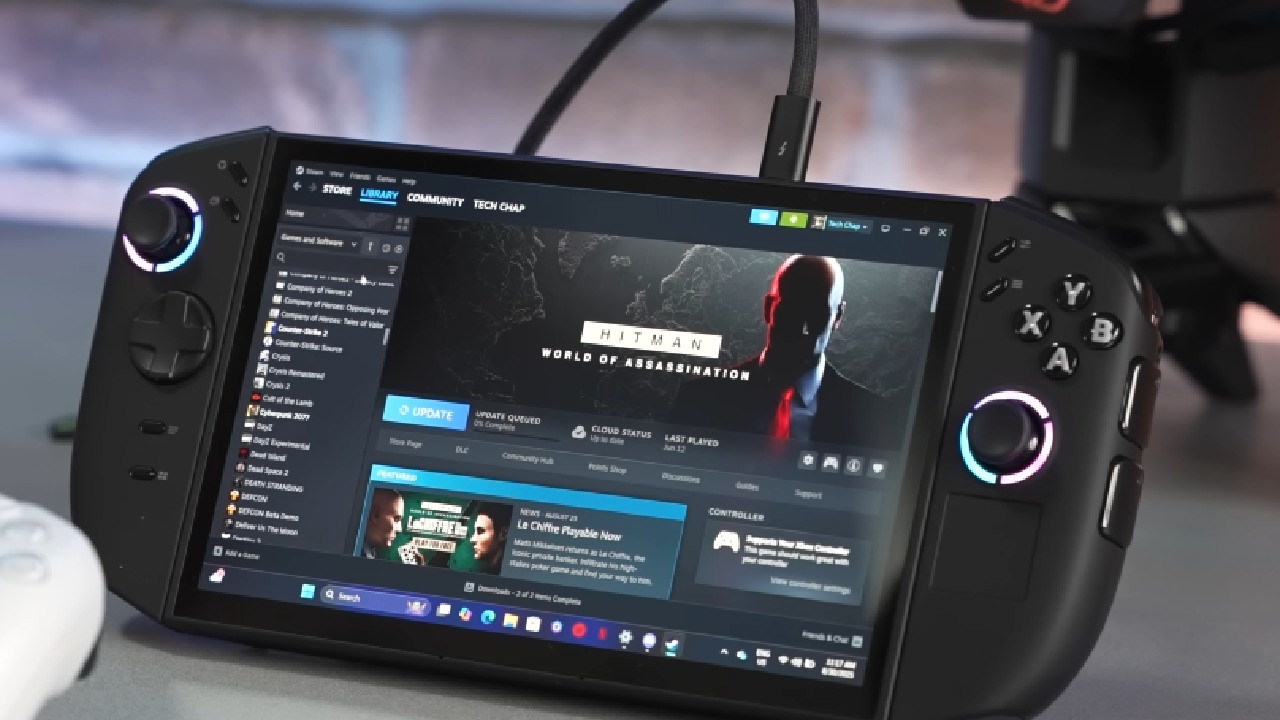
While the Legion Go 2 OLED screen is visually stunning, its glossy finish can cause distracting reflections, especially under bright light. A matte screen protector can eliminate this problem. I found the Upscreen Hybrid Matte protector, which works perfectly on the Legion Go 2.
The benefits are obvious: there is less glare, fingerprints are practically gone, and the screen feels more high-end. The trade-off is that picture quality is slightly worse, with a slight greasy haze most evident on pure white backgrounds. This isn't a big deal for everyday use or gaming, and the fact that it doesn't leave fingerprints is worth it.
4. Xbox Full Screen Experience
Enabling Xbox full-screen experience improves the gaming interface and optimizes performance. While Microsoft's rollout has been slow, you can enable it using the Xbox full-screen experience tool from GitHub.
Once installed, the tool allows one-click enabling and disabling, making it much easier to manage than previous methods. You may then adjust the button bindings to quickly access the game bar or task switcher. This will make your gaming experience smoother.
5. Customizing Game Artwork
We suggest using SteamGrid DB from the Widget Store to improve your game collection. This lets you swap out the default tiles for full artwork in games on Steam and Epic Games, making it easier to find your way around and look better. This is a small change, but it makes a big difference in how enjoyable it is to look through your game library.
6. Updating the SSD
Replacing the Legion Go 2 SSD is an excellent way to increase storage and improve your computer's performance. The WD Black SN7100 4TB SSD works well and is dependable.
The process is straightforward if you follow a careful, step-by-step method to disassemble the device and clone your drive. Upgrading your SSD not only provides more storage but also improves performance in certain applications and games.
7. Correct Screen Calibration and Performance Settings
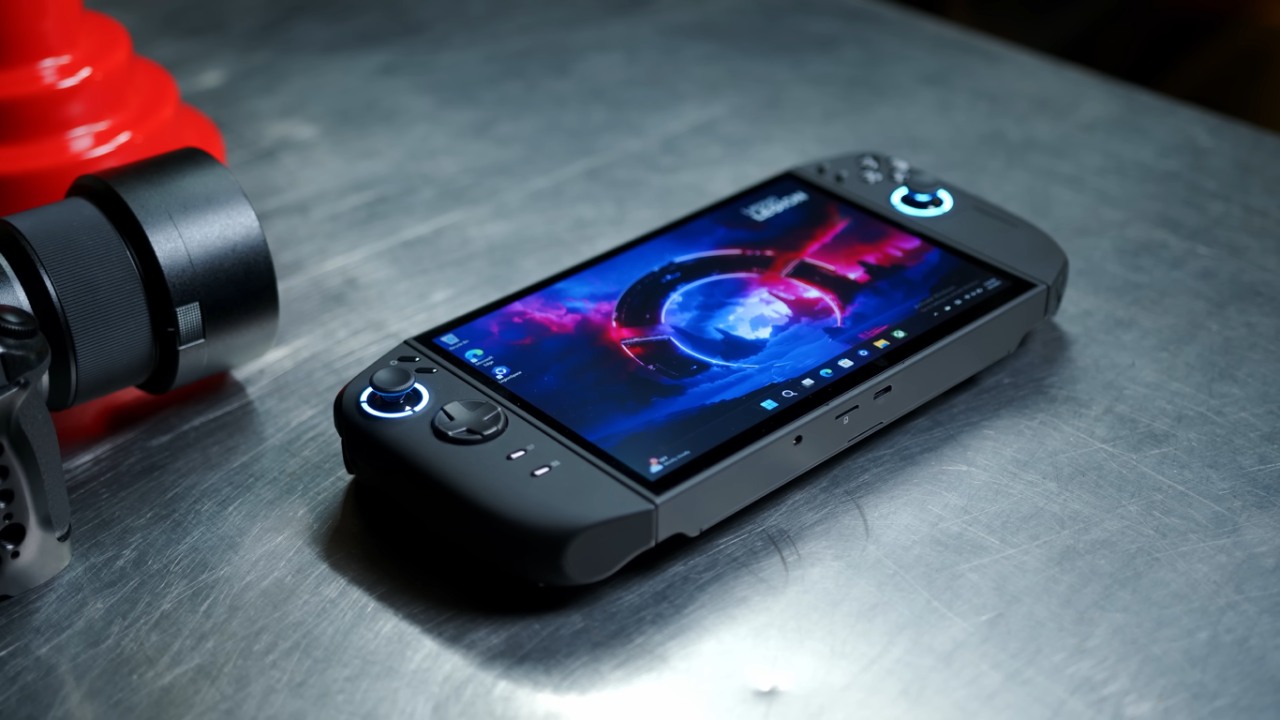
Despite the incredible OLED HDR10000 display, many users miscalibrate their screens. Proper calibration greatly improves picture quality. We provide step-by-step instructions for setting up your screen to display colors more accurately and brightly.
The OS power mode also affects how well the CPU and GPU work together. Many people think that the performance mode makes everything run better; however, it really sends power to the CPU, which makes the GPU run worse. The efficiency mode is usually the best choice for modern gaming. In contrast, the balanced or performance modes are better for tasks that utilize a lot of CPU power or for emulation. For the best results, change it dependent on your workload.
Final Thoughts
These tips will help you make the most of your Legion Go 2 by making it more precise, easier to grip, and better at what it does.
Every little thing you do to improve your gear, change your settings, or add protective equipment makes your gaming experience better and more entertaining.
Also, check our other Handheld articles :
- ASUS ROG Ally X Handheld Review: Double the Battery, Double the Comfort
- Nintendo Switch 2 Vs. Original Switch 1: A Full Comparison
- How To Connect A Camera And Join Voice Chat With Nintendo Switch 2
- Nintendo Switch 2 Review: Handheld Performance, Features & Value Breakdown
- ROG Xbox Ally X Vs. ROG Ally X: Display, Battery & Controls
- ASUS ROG Ally X vs. Steam Deck OLED: Display, Battery & Gaming Benchmarks
- MSI Claw 8 AI+ Review: Display, Controls & Gaming
- Nintendo Switch 2 vs. Steam Deck OLED: Gaming, Performance, Battery, Display and Value
- NVIDIA GeForce Now on Steam Deck: Battery Life, Gameplay, Streaming
Editor, NoobFeed
Gaming Hardware Updates
No Data.