
New Legion Go Drivers Roll Out Updating Graphics, Chipset, Bluetooth, and System Stability
A large batch of new drivers has launched, updating nearly every core component across the Legion Go system.
Hardware by Mitsuba Miyu on Jan 09, 2026
There are many new driver changes, and almost everything has been updated at once. A lot of changes have come out in a short amount of time, so it makes sense to update right away instead of waiting.
There's just too much to go over individually since almost every main part was updated at the same time.
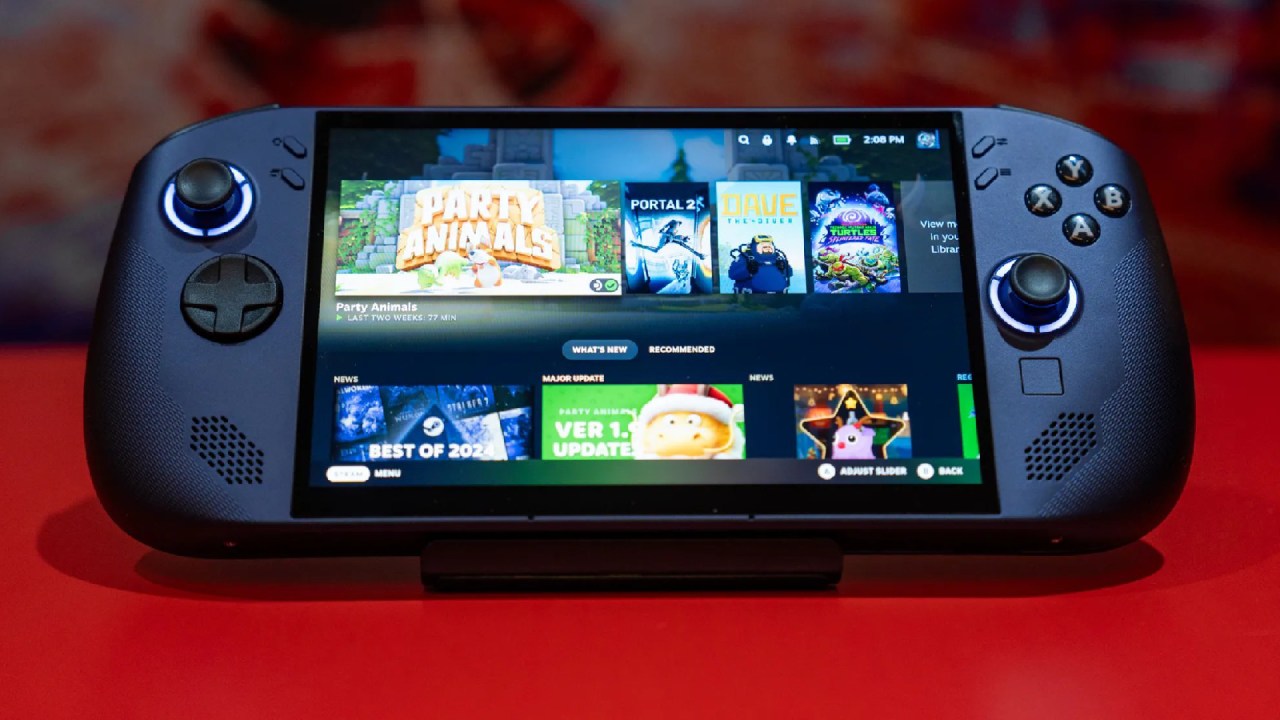
Accessing the Correct Driver Page
First, look up Legion drivers in a web browser. Most of the time, if you click on the first search result, you will be taken to the Legion Go page. Then, manually change the product and look for Legion Go. Pick the 8SP2 model, then select the part to update the Legion Go 2 manual. Here is the list of all the newest drivers.
Audio and Bluetooth Driver Updates
The audio driver is the first update to install. It downloads and installs without any problems. Going back to the list of drivers, Bluetooth has been updated as well. It's not clear exactly what has changed, but the Bluetooth feature has been updated to a newer driver version.
Camera and Card Reader Updates
There are new patches for both the camera and card reader drivers. These come straight from the manual driver list. Even though people don't always talk about these parts, keeping them up to date helps the system stay stable and compatible.
Better Video and Display Drivers
A new fix was also given to the video and display drivers, which is very important. These changes were finally released after users continued to experience visual problems and reported them. One of the most important steps in this update process is installing the newest display drivers.
Fingerprint Reader and Motherboard Drivers
The fingerprint reader's new update runs without any problems. Also, all system drivers show new versions. The boot driver, chipset driver, and HDR display driver are a few of these. Each one downloads and installs separately to ensure that the system's firmware and hardware remain up to date.
Getting to know people and improvements to power management
Drivers for networking and power control also got updates. With changes to power management, there is hope of improved overall speed and efficiency. These updates can change how the battery works, how stable the system is, and how quickly it responds to commands.
Legion Space Application Check
The Legion Space app doesn't show any updates available for download. Looking for updates in the app shows that it updates itself when needed. Even though new drivers were released about 6 hours earlier, Legion Space still says the system is up to date. This has been a problem with many versions of the device.
Why Manual Driver Updates Are Still Necessary
Legion Space can be a bad way to find drivers, since it often doesn't show new changes. The system might still say everything is up to date even when there are many new drivers. This delay can last several days, which is why downloading and manually checking drivers is still needed to stay up to date.
.jpg)
Installing All Downloaded Drivers
Once you have downloaded all available drivers, installation starts from the downloads folder. Installers are opened one at a time, agreements are accepted, and setups are finished one after the other. Chipset, HDR, networking, Bluetooth, card reader, and Realtek audio drivers are just a few of the drivers that are included. Installing the same driver more than once won't cause any problems.
Graphics Driver Verification in Device Manager
The system is rebooted after installation to make sure all drivers are applied properly. Opening Device Manager and going to Display adapters shows whether the correct AMD Radeon driver version is being used. At first, it seemed like an older version was used, but after a closer look, the correct, most recent driver is loaded.
Preventing Windows Update Overrides
Windows Update often says that older versions are new, even though they are not. Right after installing a driver, checking Windows Update makes sure that no optional changes are trying to replace the new drivers. If this happens, you should pause changes to prevent drivers from getting mixed up.
Testing the Visual Moiré Effect Issue
After restarting, the eye test is used to see whether the dot pattern problem that looked like moiré has improved. Even without HDR, the effect still shows up in some situations, especially when a lot is happening on the screen. The effect is still there at lower brightness levels, like around 43, but it's less visible.
Final Thoughts
Even though the visible problem doesn't seem completely fixed, the changes might have improved some things at lower settings. Since all drivers came out about 6 hours ago, it is very important to stay up to date. Keeping track of new driver releases ensures the best possible experience, especially when system-level fixes are made quickly and without detailed change logs.
Also, check our other Handheld articles below:
- ASUS ROG Ally X Handheld Review: Double the Battery, Double the Comfort
- Nintendo Switch 2 Vs. Original Switch 1: A Full Comparison
- How To Connect A Camera And Join Voice Chat With Nintendo Switch 2
- Nintendo Switch 2 Review: Handheld Performance, Features & Value Breakdown
- ROG Xbox Ally X Vs. ROG Ally X: Display, Battery & Controls
- ASUS ROG Ally X vs. Steam Deck OLED: Display, Battery & Gaming Benchmarks
- MSI Claw 8 AI+ Review: Display, Controls & Gaming
- Nintendo Switch 2 vs. Steam Deck OLED: Gaming, Performance, Battery, Display and Value
- NVIDIA GeForce Now on Steam Deck: Battery Life, Gameplay, Streaming
Editor, NoobFeed
Gaming Hardware Updates
No Data.