
MSI Claw 8 AI Plus One Year Later Performance Software and Pricing Breakdown
A one year evaluation of MSI Claw 8 AI Plus covering performance updates, pricing changes, and overall handheld usability.
Hardware by Shinji Okazaki on Jan 22, 2026
MSI Claw 8 AI Plus has been out for a year now. In January 2026, it will be time to see how well it has held up. Since Intel announced its next-generation Core Ultra 300 Panther Lake chips, people are becoming more interested in portable computers.
We can better understand the Claw 8 AI Plus's worth, performance, and usability now by looking back at it.
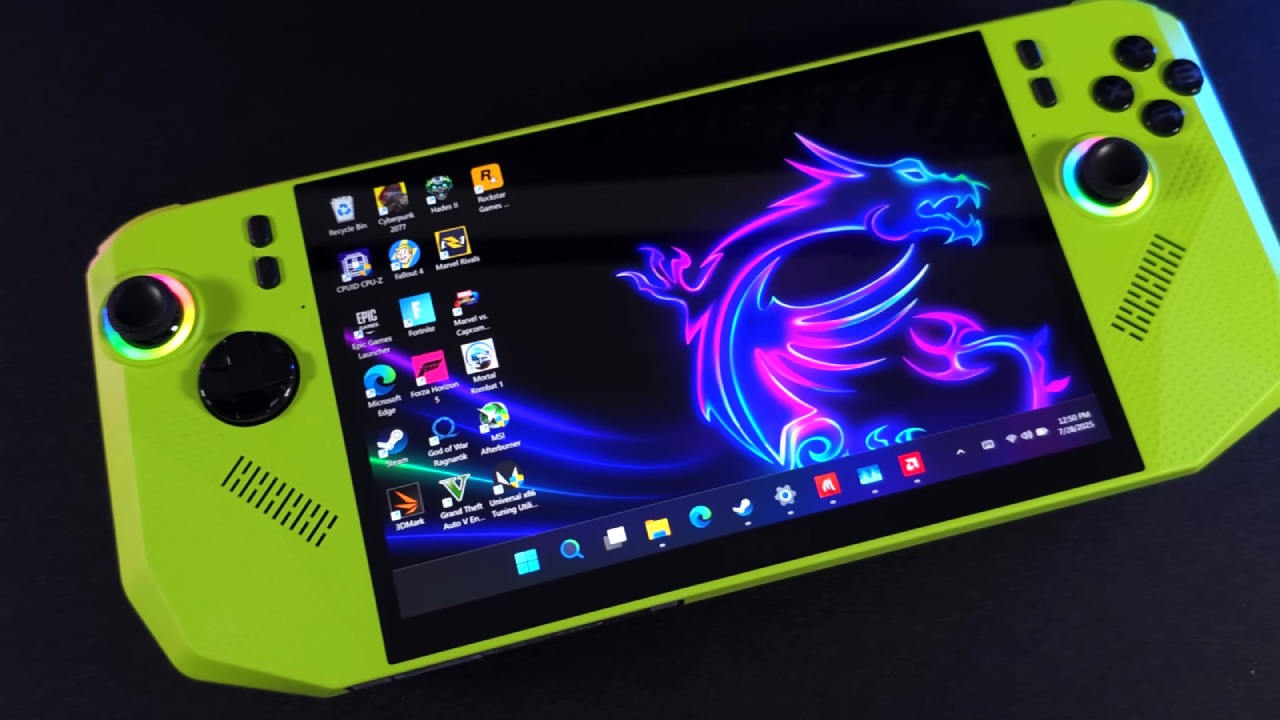
One Year of Use and First Worries
Looking back on our first impressions from the first few months, only a few problems stood out. These included restricted control over TDP and a buggy MSI Center M experience with few features. Over the last year, each of these areas has improved. TDP management now has two sliders instead of fixed settings, which gives you greater control. MSI Center M has been updated many times to fix stability issues, improve performance, and make the program easier to use overall. It still doesn't have as much depth as other software, but it works better now than it did when it first came out.
Changes to the Software and Daily Life
The quick menu on the game bar has also been improved with new features that make it easier to use the TDP slider and other tools. Whether you're on the regular desktop or the Xbox full-screen mode, navigation feels more consistent. It would be great to have more ways to customize and more detailed key mapping. However, the software is now stable enough that it doesn't really get in the way of daily life.
Over Time, the Quality of the Build and the Comfort
After a year of use, all the good things said in the first reviews are still true. The design and ergonomics are still good, making it easy and comfortable to hold. The build quality has stayed the same, and no problems have been noted with buttons, joysticks, ports, or wear and tear on the structure. Updates fixed audio driver problems that came up before, and the sound quality is still good.
Size and Type of Display
It still feels like the 8-inch screen is a good middle ground between different small screen sizes. Even when compared directly to other handhelds with different screen sizes, the 8-inch version is still good for gaming. Even though the 120Hz VRR IPS display isn't OLED, it still gives you a smooth, clean experience that's good for long sessions.
Performance and Intel Support
Driver support from Intel has been consistent, which continues to set this device apart. Updates come straight from Intel instead of going through OEM distribution, which can take a long time. Last-generation GPUs will also support new capabilities like XSS3, so the Claw 8 AI Plus will get better later this year. Core Ultra 7 still performs well, usually falling between the Z1 Extreme and the newer Z2 Extreme. In certain games, performance is still about the same as it was with newer AMD CPUs.
.jpg)
Full-Screen Xbox Experience
With 32GB of RAM, the change isn't huge, but the UI does make it easier to use. The experience feels more focused on games and phones, even though it is still built on Windows at its core.
Final Thoughts
After a year of heavy use, the MSI Claw 8 AI Plus has been a steady and dependable handheld. Some changes have been made to the BIOS, drivers, and software to make the device still useful. The game still works well, is comfortable, and will last for a long time.
Claw 8 AI Plus is still a good choice if you're considering a PC handheld in 2026. Intel has confirmed that Core Ultra 300 handhelds will be released later this year, so if you want newer hardware, it might be best to wait. We don't know how much future models will cost or when they'll be available, and sales of current models could change that. The final choice is up to you: do you want to get it right away, or wait for the next generation?
Also, check our other articles below :
- ASUS ROG Ally X Handheld Review: Double the Battery, Double the Comfort
- Nintendo Switch 2 Vs. Original Switch 1: A Full Comparison
- How To Connect A Camera And Join Voice Chat With Nintendo Switch 2
- Nintendo Switch 2 Review: Handheld Performance, Features & Value Breakdown
- ROG Xbox Ally X Vs. ROG Ally X: Display, Battery & Controls
- ASUS ROG Ally X vs. Steam Deck OLED: Display, Battery & Gaming Benchmarks
- MSI Claw 8 AI+ Review: Display, Controls & Gaming
- Nintendo Switch 2 vs. Steam Deck OLED: Gaming, Performance, Battery, Display and Value
- PlayStation Portal Review: Remote Play, Cloud Streaming & Travel Gaming
- PlayStation Portal vs. Lenovo Legion Go: Best Portable Gameplay
- Cyberpunk 2077 Patch 2.3 FPS Test on MSI Claw 8 AI+
Editor, NoobFeed
Gaming Hardware Updates
No Data.