
NVIDIA GPU Power Cable Backing Out Could Lead to Serious Heat Damage
Ongoing 16pin 12V2X6 connector concerns reveal potential long-term thermal cycling and gradual cable movement risks.
Hardware by Tanvir Kabbo on Feb 25, 2026
There is a rising worry about Nvidia GPUs that use the new 16-pin 12V-2X6 power connector. At first, it was thought that most of the melting instances were caused by user mistakes, notably not properly inserting the connector.
An inadequate connection makes the contact area smaller, increases electrical resistance, and can cause harmful heat to build up. For a while, that answer made sense.
User Error or Something More?
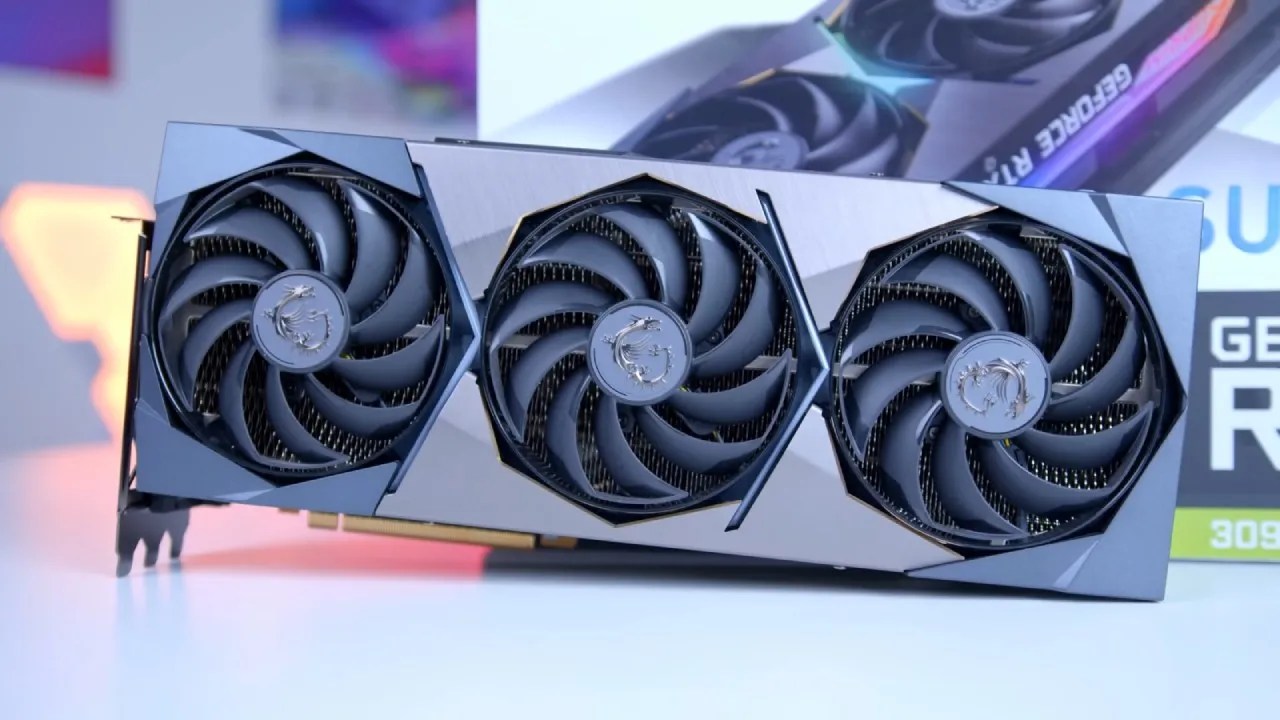
However, as more users reported melted connectors despite claiming proper installation, doubts began to surface. The issue gained renewed attention when MSI’s yellow-tip connector design entered the conversation. MSI includes a bright yellow section on its power cable as a visual indicator.
Once the connector is fully seated, the yellow portion disappears from view. If any yellow remains visible, the cable is not completely inserted.
The MSI Yellow Tip Debate
Recently, a Reddit user shared that their MSI cable had gradually backed out over time, revealing the yellow tip again. What made the situation more concerning was that several others reported similar experiences. This has led to increased scrutiny of MSI’s cable design.
Yet realistically, there should be no meaningful physical difference between MSI’s yellow connector and other properly manufactured 12V-2X6 cables. The yellow tip simply makes movement easier to detect.
Thermal Cycling as a Possible Explanation
A likely explanation involves thermal cycling. As GPUs operate under heavy load, the connector heats up and expands. When the system powers down and cools, it contracts. Over weeks and months, this repeated expansion and contraction may cause the connector to slowly shift outward.
The retention clip is designed to prevent this movement. However, if the clip is not firm enough or experiences minor warping from heat exposure, gradual loosening could occur.
Why Failures Often Happen Months Later
This theory aligns with the pattern observed in many reported failures. Most incidents do not happen immediately after installation. Instead, they tend to occur after months of normal use.
If the connector slowly loosens over time, electrical resistance can increase again, leading to renewed heat buildup and eventual melting.
What Nvidia GPU Owners Should Do
If you own an Nvidia GPU, the message is clear. It is vital to check the 16-pin connector from time to time. Make sure it is properly seated and that no part of it is loose or showing. Checking the connection could save you a lot of trouble, even if the system has been working properly for months.
Check connectors as part of regular system maintenance, just like checking temps or updating drivers.
The Bigger Picture: How Modern GPUs Deliver Power
The bigger picture shows how modest mechanical errors can have big effects on high-power parts. Modern GPUs use a lot of power, and the 12V-2X6 connector was created to make sure that these needs are met more safely. But even little changes in contact quality can cause great difficulties when the load is on for a long time.
As GPU performance gets better, power delivery systems also need to stay strong. To stop movement over time, manufacturers may need to improve retention mechanisms or make connector housings stronger.
High-end GPUs are big expenditures; thus, it's not optional to keep power connections safe. Staying alert is still the best defense. A quick inspection today could make the difference between a stable system and costly hardware damage tomorrow.
Also, check our other hardware articles:
- AMD Ryzen 9 9950X3D Review: Setting The Standard For 2025 Gaming CPU
- Amazon Luna 2025 Review: Is Prime Gaming's Cloud Service Your Go-To For Casual Fun?
- AMD RX 9070 XT Review: AMD's RDNA 4 Champion for 1440p Gaming
- GeForce Now Ultimate: Ditching Your Gaming PC For Cloud RTX 4080 Power?
- NVIDIA GeForce RTX 5080 Review (2025): Still A 4K Gaming Powerhouse?
- Intel Core Ultra 9 285K Review And Performance Breakdown (2025)
- AMD Ryzen 7 9800X3D Review: 3D V-Cache Goes God Mode with Stunning Gaming Performance
- Intel Core Ultra 9 285K vs AMD Ryzen 7 9800X3D: In-Depth Gaming Performance and Benchmark Comparison
- NVIDIA GeForce RTX 5080 Super Performance In Cyberpunk 2077: Path Tracing & DLSS 4.0 Tested
- AMD Radeon RX 9070 XT In Cyberpunk 2077: Ray Tracing & FSR 4.0 Tested
- Intel Arc B580 Review: The $250 GPU Revolutionizing 1440p Gaming
- Intel Arc B570 Vs. B580: Value, Specs, And Real-World Gaming Performance
- RTX 5090 Laptop Vs. M4 Max MacBook Pro: Ultimate Raw Performance Vs. Battery Endurance
- Intel Arc b580 Vs. RTX 4060: Game Performance And Value Analysis
- RTX5090 Hell Is Us Demo 4K Ultra Benchmark: DLSS Vs. Native Performance Guide
- NVIDIA RTX 5070 Review: Mid-Range Muscle or Marketing Hype?
- Nintendo Switch 2 Review: Handheld Performance, Features & Value Breakdown
- RTX 5070 Ti Review: Performance, Thermals & Power Efficiency Tested
- Samsung Odyssey OLED G81SF Review 2025: Ultimate 32-Inch QD-OLED Gaming Monitor
- AMD RX 9070 Performance Review: Thermals, Clocks, and Real-World FPS
- AMD Ryzen 5 7600 Review: Best Budget Gaming CPU of 2025?
- AMD Radeon RX 7800 XT Review: RDNA 3 Power For Midrange Gaming
- Asus ROG RTX 5090 Astral OC Vs. Founders Edition: The 4K Gaming Benchmark
Senior Editor, NoobFeed
Gaming Hardware Updates
No Data.