
Steam Deck OLED vs. ROG Xbox Ally X Comparison for Real World Gaming in 2026
An experience-driven look at two handhelds that prioritize different balances between power, simplicity, and daily reliability.
Hardware by Shinji Okazaki on Jan 27, 2026
In 2026, what a mobile has to offer is more important than how well it works. People rarely ask which is faster when comparing the Steam Deck OLED and the ROG Xbox Ally X. It's about how each device evolves over time and which one works best for everyday tasks.
Most of the time, the best compact isn't the most powerful one; it's the one that you pick up at the end of the day.
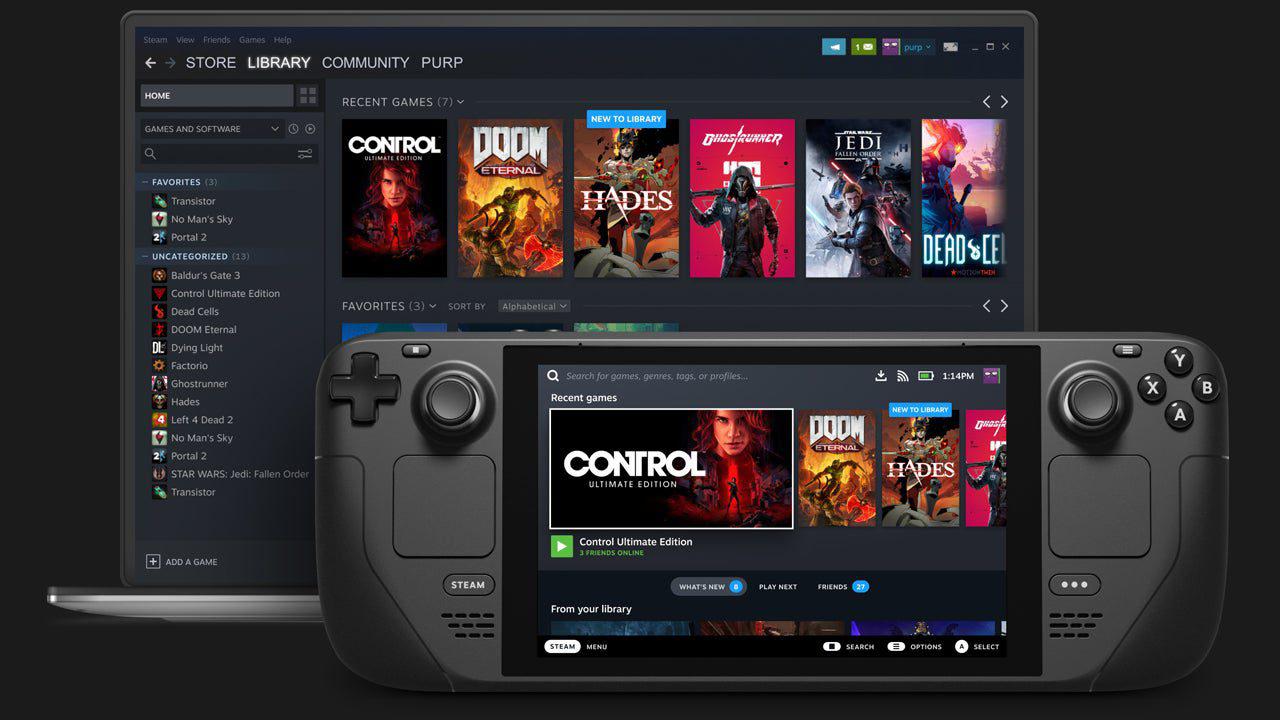
Two Devices That Think Differently
Many people think these two gadgets are very different, even though they both offer the same thing. You can pick up and play with both without having to think too much about it. It's not about numbers at all in this case. It's about how to live with these devices after the updates and the first enthusiasm, when they become a part of your daily life.
A difference in philosophy comes out. Steam Deck OLED acts like a console in several ways. It works within clear boundaries and accepts them. Power behavior is set, performance is known, and the system's main goal is to remain out of the way. Ally X is based on a PC. It gives you more power, alternatives, and flexibility, but it also makes you more responsible. That distinction makes the whole experience different.
How They Feel in Your Hands
The first actual choice you make is typically when you pick up each device, before you even use it or look at the options. Steam Deck is wider, more balanced, and lighter than it seems. Once you hold it for a while, it becomes less obvious, like something that has already gotten used to you. Ally X feels good, but it is thicker and more compact. Anyone who has used an Xbox controller before will recognize the grips, yet you will still be aware that you are holding it. Deck likes to rest, but Ally X wants to be held. Both ways are fine, but they feel different over time.
Quality of construction and daily trust
It gets more important over time that the build quality is better than the numbers. It seems like the Steam Deck was made to work. It's easy to slide into a bag or put on a desk. When you use it, it won't make you feel less calm if you make small mistakes.
Ally X is also very well made, but it feels more precise and finished. You feel careful because of how fine it is. Something quiet tells you to be careful with it. The way something makes you feel can change how well it works in real life.
Screen Experience Over Time
The screen on the Ally X looks better on paper because it has a higher resolution and a faster update rate. But the experience changes based on how you use it. When you look at darker scenes on the Steam Deck OLED, the blacks don't look gray; they just disappear. Over time, this is better for the eyes.
The screen on the Ally X appears clear and speedy, yet it sometimes feels small considering how powerful the device is. Once it gets clear, it usually stays clear. It's not about which screen is superior; it's about how each one feels after a long time of playing.
Sleep, Resume, and Friction
Both gadgets do a good job of handling sleep and resume, but the difference is in how they handle friction. You can get back into the Steam Deck right away by clicking the power button. SteamOS feels focused and tested, and suspend and resume often feel like they don't exist. You don't think about the system at all anymore.
Ally X is quite good at sleeping and waking up again, especially when used with console-style interfaces. But Windows is still running in the background. The system isn't broken, but it needs a little more care. Even when everything is working as it should, people are typically aware of updates and background activities.
Playing Games: Behavior and Performance
Steam Deck doesn't aim for the best performance. It is all about consistency. The frame pace, thermals, and power behavior all feel adjusted and stable. Everything works as it should.
Z2 Extreme makes more room for the Ally X's head. When used at 10w to 15w, it works well and is very efficient. It can get bigger and do more work if you try to push it. Being flexible is helpful, but it also means you need to do more. You are in charge of modes, changes, and how things work. Deck makes you feel calm, and Ally X makes you pay a little more attention.
Input and Controls Feel
When you stop thinking about them, controls are the most important. In this case, both gadgets work nicely. Buttons, triggers, and sticks all work well and don't get in the way of the game. Because it looks like a controller, the Ally X is a little more accurate. The grip form and stick location seem familiar.
The controls on the Steam Deck seem like tools and are always the same. The D-pad on the Ally X is clearly not as good as the other controls. It works, but it's the least polished component of the setup. In general, the controls on both devices are good and don't usually make a difference.
Battery Life and Freedom
How long the battery lasts affects how freely you can play. Steam Deck can use up to 15 watts of power and runs older games and indie games well. You may have long sessions without having to constantly check the battery level.
Ally X works well at lower wattages, but it is designed to handle more power. When playing hard AAA games or in turbo mode, the battery life drops quickly. You might have to switch settings and check percentages more often. Deck is great for easy evenings, and the Ally X is better for more planned sessions.
Thermals and Sound
Steam Deck's thermal behavior is easy to understand. It keeps cold, makes little noise, and gets little notice. Ally X becomes hotter, especially when playing intense games. You may feel the heat, but it's not harmful. When the system is under strain, the fan noise gets louder. It is still bearable, but when you feel the heat, you remember that you are holding a PC.
Portability and Routine Fit
You can easily fit both gadgets in a backpack. A nice case makes a big impact on how you use it every day. Here, portability doesn't mean fitting into a pocket; it is how readily the item fits into your daily life without causing any problems. In that way, both of them work, although in different ways.
Docked Use and Extended Play
Docking either device is easy and makes their personalities stand out even more. Ally X is like a PC on a bigger screen, giving you more options and access to many software programs. Steam Deck behaves more like a console than a desktop computer, even when used as a desktop. When you use it docked, the same disparities you see in handheld mode become even more obvious.
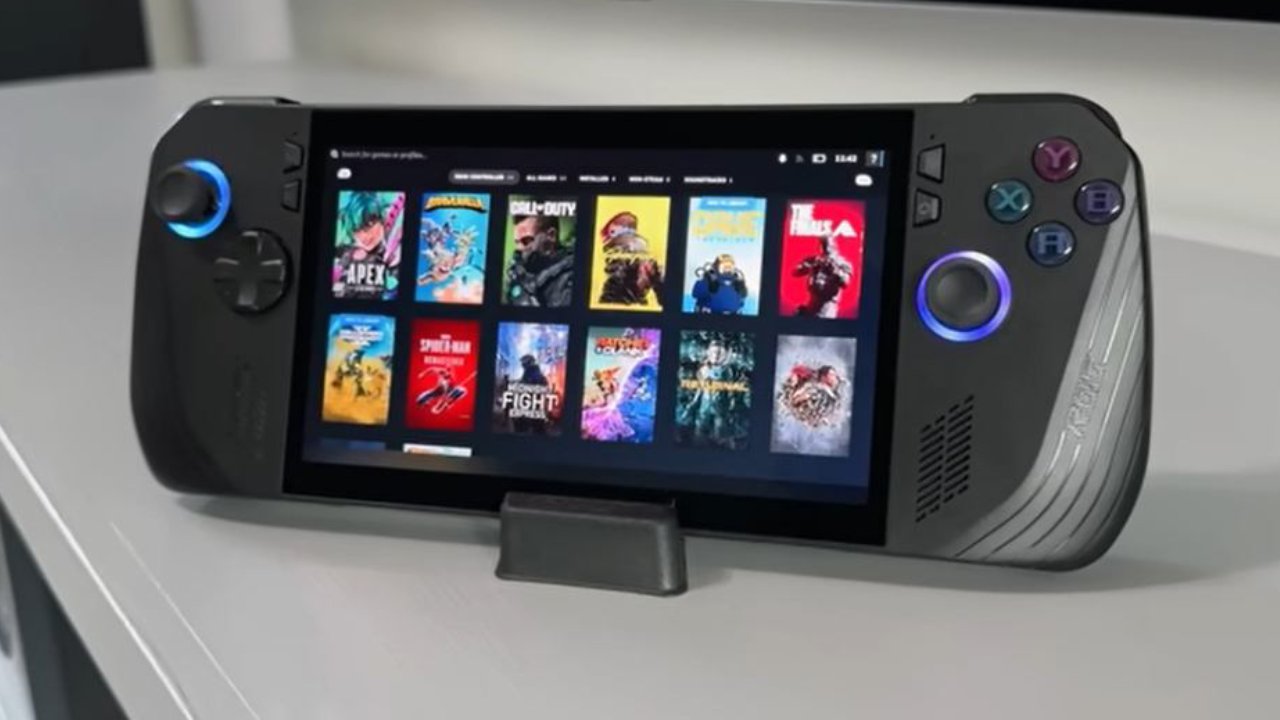
Expectations for Software and Emotional Response
Steam Deck can have problems, as when it has trouble resuming specific games. When that happens, it comes out of nowhere. Ally X usually gets through such circumstances without any problems, but when it does need help, it feels normal. That feeling is important. It affects how much you can forgive when things go wrong.
Access to the Ecosystem and the Game
The environment of SteamOS is streamlined and concentrated, with only one store and a straightforward flow. Initially, you create a library, and then you return to it. It is a trade-off that certain games do not function properly since they do not have anti-cheat support implemented.
Being a PC is good for Ally X. You may use several launchers and services, such as Game Pass, which lets you try out games before you buy them.
Final Thoughts
If you know how to use a PC, the ROG Xbox Ally X gives you the freedom, better speed, and the newest AAA games that you want. What games you want to play and how much trouble you are willing to take in exchange for more freedom are the only things that matter. Being honest about that usually makes the right choice clear.
Also, check our other articles below :
- ASUS ROG Ally X Handheld Review: Double the Battery, Double the Comfort
- Nintendo Switch 2 Vs. Original Switch 1: A Full Comparison
- How To Connect A Camera And Join Voice Chat With Nintendo Switch 2
- Nintendo Switch 2 Review: Handheld Performance, Features & Value Breakdown
- ROG Xbox Ally X Vs. ROG Ally X: Display, Battery & Controls
- ASUS ROG Ally X vs. Steam Deck OLED: Display, Battery & Gaming Benchmarks
- MSI Claw 8 AI+ Review: Display, Controls & Gaming
- Nintendo Switch 2 vs. Steam Deck OLED: Gaming, Performance, Battery, Display and Value
- PlayStation Portal Review: Remote Play, Cloud Streaming & Travel Gaming
- PlayStation Portal vs. Lenovo Legion Go: Best Portable Gameplay
- Cyberpunk 2077 Patch 2.3 FPS Test on MSI Claw 8 AI+
Editor, NoobFeed
Gaming Hardware Updates
No Data.