

Ultimate 1440p and 4K Gaming PC Build with Ryzen 7 9700X and RTX 5070 Ti
Choosing Ryzen 7 9700X and 32GB DDR5 memory ensures excellent performance across 1440p and 4K AAA gaming titles.
Hardware by RereRara on Nov 25, 2025
The build uses MSI's brand-new Pano 110RPZ case, which has three side-mounted intake fans, a glass-wrapped design, and support for back-to-front reverse-connect motherboards like the MSI Project Zero, ASUS BTF, and Gigabyte Project Stealth.
The third input fan greatly improves airflow, unlike similar cases like the Montek XR or Phanteks XTV, which usually have only two side fans.
.jpg)
The case costs less than $100, even though it looks expensive. It comes with a rear exhaust fan that is already attached.
- Lighting in RGB
- A tool-free steel mesh backside panel
- An ARGB/fan hub built in to make managing cables easier
- All white wiring and even a white PCB on the controller, color-matched
Motherboard Installation
A reverse-connect AM5 motherboard, the MSI X870 Tomahawk Max Wi-Fi, is used in the setup. Because all the connections are on the back, it's important to put this board straight into the case before placing it on a flat surface, which could damage the connector array.
When you put the board across the nine standoffs and make sure it fits perfectly in the Pano 110RPZ's holes, you're ready to install the components.
.jpg)
The CPU, Memory, and Storage
Processor
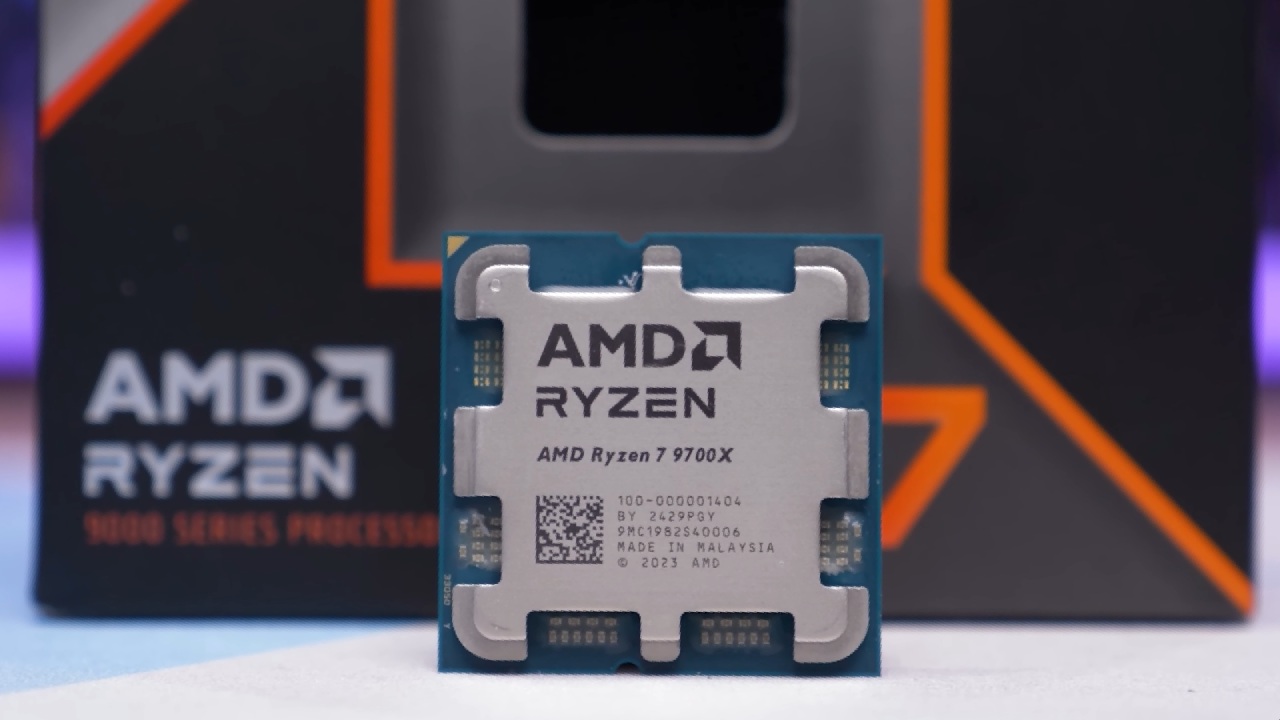
Ryzen 7 9700X is used in the build. It has more cores and slightly better speed than the 9600X. 9600X is still a great option for makers on a budget.
Storage
People use a TeamGroup MP44 1TB Gen4 SSD because it is fast, reliable, and cheap. Users can choose 2TB if they need more space.
Memory
Getting 32GB of DDR5 memory is recommended. The problem in 2025 is pricing—demand from the AI business has sharply raised the cost of DRAM. The G.Skill Ripjaws M5 is a great example of a 6000MHz CL30 kit. Any white dual-DIMM kit will look good with the build.
The standard AM5 steps are used to add the CPU, RAM (in the second and fourth slots), and SSD. The MSI board has an M.2 mounting system that doesn't require any tools.
CPU Cooler Choice
The Thermalright Peerless Assassin 120 SE, a two-tower air cooler with a white finish, handles the cooling. It's not very clear, but the case will work with it after being tested with the side glass in place.
Thermalright colors its mounting hardware to make it easier to add AM5 modules, but some brackets are still marked as AM4 even though they can be used with AM5 modules.
After removing the bolts that came with the motherboard, the AM5 mounting hardware is installed, thermal paste is applied, and the cooler is evenly held in place by turning it in different directions. The set is finished with two RGB fans.
Graphics Card
For this build, the GPU choices are:
- AMD Radeon RX 9070 XT (hard to find in white at MSRP)
- RTX 5070, which was used in this build because it was available and looked good.
The MSI white RTX 5070 works properly with the system. For better access during installation, the PCIe slot cap must be removed. The card is securely held in place by MSI's PCIe lock mechanism, and the GPU support bracket included with the kit prevents sagging.
Cabling and Front Panel Connections
The reverse-connect motherboard keeps all the wiring behind the motherboard tray, which makes it very easy to handle the cables. Before putting in the PSU, the front panel wiring is finished:
- Headers for CPU fans on top
- ARGB lines (with an extra splitter because there aren't enough hub headers)
- Cable for the system fan from the fan hub
- HD sound (bottom right)
- JFP1 buttons on the front panel (bottom left)
- Type-A and Type-C USB 3.0 plugs
- The PSU is used to connect the ARGB hub's SATA power later.
Setting up the power supply
- A Corsair RM750e White is used in the build, which provides: 24-pin system power.
- The original 12VHPWR/Gen5 GPU wire
- AC power for the ARGB hub
- There are two 8-pin EPS CPU ports.
Once it's hooked up, the PSU is installed with the fans off, and all the wires are neatly routed to the motherboard's rear connectors.
The hardware portion of the build is complete when the GPU wire is routed under the PSU shroud.

First Boot and Lighting
When you first turn it on, all of the fans and RGB lights work properly. What's in the case:
- A strip of RGB lights at the bottom
- RGB air intake fans
- RGB highlights on the front panel
- The reverse-connect design makes it easy to keep cables organized.
BIOS Configuration
Pressing Delete repeatedly during the first boot brings up the MSI BIOS.
Users can:
- Turn on memory settings (XMP/EXPO) in Easy Mode.
- Check the fan's operation.
- Make sure that files and RAM are found.
- Set up CPU improvements, such as Game Boost.
After being checked, the system is ready to install an operating system and run speed tests.
Also, check our other hardware articles:
- AMD Ryzen 9 9950X3D Review: Setting The Standard For 2025 Gaming CPU
- Amazon Luna 2025 Review: Is Prime Gaming's Cloud Service Your Go-To For Casual Fun?
- AMD RX 9070 XT Review: AMD's RDNA 4 Champion for 1440p Gaming
- GeForce Now Ultimate: Ditching Your Gaming PC For Cloud RTX 4080 Power?
- NVIDIA GeForce RTX 5080 Review (2025): Still A 4K Gaming Powerhouse?
- Intel Core Ultra 9 285K Review And Performance Breakdown (2025)
- AMD Ryzen 7 9800X3D Review: 3D V-Cache Goes God Mode with Stunning Gaming Performance
- Intel Core Ultra 9 285K vs AMD Ryzen 7 9800X3D: In-Depth Gaming Performance and Benchmark Comparison
- NVIDIA GeForce RTX 5080 Super Performance In Cyberpunk 2077: Path Tracing & DLSS 4.0 Tested
- RTX 5090 Performance Testing In GTA 5 – 1080p, 1440p, and 4K Max Settings Benchmark
- AMD Radeon RX 9070 XT In Cyberpunk 2077: Ray Tracing & FSR 4.0 Tested
- Intel Arc B580 Review: The $250 GPU Revolutionizing 1440p Gaming
- Intel Arc B570 Vs. B580: Value, Specs, And Real-World Gaming Performance
- Intel Arc B570 Review: Efficient Xe2 Performance At An Affordable Price
- RTX 5090 Laptop Vs. M4 Max MacBook Pro: Ultimate Raw Performance Vs. Battery Endurance
- Intel Arc b580 Vs. RTX 4060: Game Performance And Value Analysis
- RTX5090 Hell Is Us Demo 4K Ultra Benchmark: DLSS Vs. Native Performance Guide
- NVIDIA RTX 5070 Review: Mid-Range Muscle or Marketing Hype?
- Nintendo Switch 2 Review: Handheld Performance, Features & Value Breakdown
- RTX 5070 Ti Review: Performance, Thermals & Power Efficiency Tested
- Samsung Odyssey OLED G81SF Review 2025: Ultimate 32-Inch QD-OLED Gaming Monitor
- AMD RX 9070 Performance Review: Thermals, Clocks, and Real-World FPS
- AMD Ryzen 5 7600 Review: Best Budget Gaming CPU of 2025?
- AMD Radeon RX 7800 XT Review: RDNA 3 Power For Midrange Gaming
- Asus ROG RTX 5090 Astral OC Vs. Founders Edition: The 4K Gaming Benchmark
Contributor, NoobFeed
Latest Articles
No Data.