
ASUS ROG Xbox Ally Review: Ergonomics and Windows 11 Full-Screen Experience in 2025
ASUS ROG Xbox Ally delivers a Windows 11 full-screen experience with refined ergonomics and high-quality handheld display.
Hardware by Tanvir Kabbo on Oct 18, 2025
ASUS ROG Xbox Ally is a new handheld gaming device that brings a familiar but improved experience to the portable gaming market. It comes with Windows 11 and the new full-screen experience made just for handhelds. This lets players easily move between apps without having to go to the desktop until they need to.
Featuring a 7-inch 120Hz VRR IPS display at 1920x1080 resolution, 100% sRGB color accuracy, and 500 nits of brightness, it delivers a crisp and fluid gaming experience.
.jpg)
Design and Build Quality
ASUS has retained much of the design language from the Ally X, while introducing subtle ergonomic improvements. The white color variant looks sleek and elegant, making it visually appealing. The device features back handles that enhance comfort during long gaming sessions, providing a grip similar to that of an Xbox controller.
The buttons, linear triggers, and macro keys are well-positioned, and the large front-firing speakers deliver immersive audio. Despite lacking hall-based analog sticks, the RGB lighting around each stick adds a nice touch of customization, fully controllable through Armory Crate.
Ports and Connectivity
On top, the Ally includes two USB Type-C 3.2 ports, a volume rocker, a microSD card slot, a 3.5mm headphone jack, and a power button with an integrated fingerprint sensor. The LED power indicator is neatly placed, and the cooling vents on the back efficiently manage thermals. It supports Wi-Fi 6E and Bluetooth 5.2 for fast connectivity.
While the non-X variant lacks USB 4 support, it still offers strong connectivity for most gaming and media needs.
Internal Specifications
Powering the new ROG Xbox Ally is the AMD Ryzen Z2A APU, built on the Zen 2 architecture. It offers 4 cores and 8 threads, clocked at a base speed of 2.8GHz and boosting up to 3.8GHz. The integrated GPU features 8 RDNA 2 compute units running up to 1800MHz, slightly faster than the Steam Deck's GPU.
The system comes with 16GB LPDDR5 memory running at 6400 MT/s and a 512GB M.2 SSD, with additional storage upgradeable.
Ergonomics and Handling
ASUS has excelled in designing one of the most comfortable handhelds on the market. The handle design ensures your fingers naturally rest where they should, making button access easy and intuitive.
The triggers are responsive and ideal for racing or action games, providing precise control. The build feels sturdy yet lightweight due to the smaller 65Wh battery, compared to the 80Wh on the Ally X.
Windows 11 Full-Screen Experience
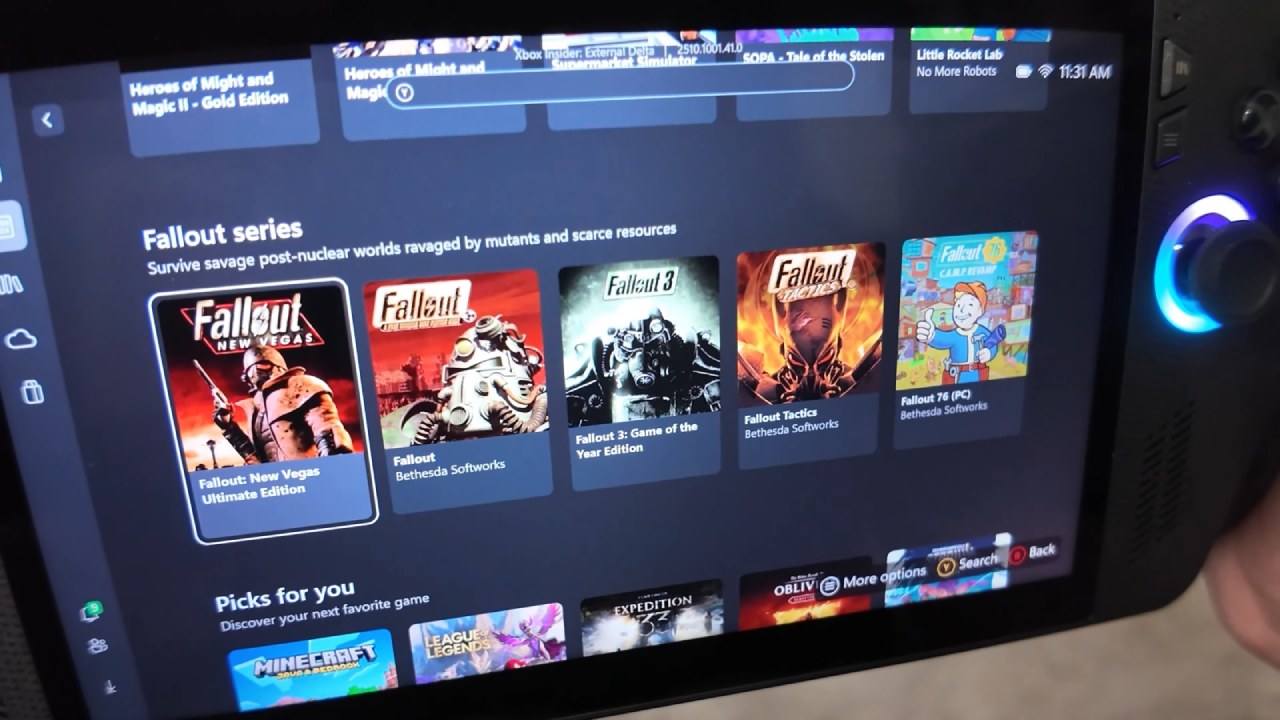
With the full-screen Windows 11 experience, the device starts up directly into the Xbox app, so you can play your games right away without having to go to the desktop. It also adds a new login screen that lets you use the fingerprint sensor or type in a PIN using buttons, just as on the Xbox console. The interface saves up to 2GB of memory by bypassing the traditional desktop environment.
You can easily switch between games and applications with the task picker and even run multiple apps simultaneously. However, it's not recommended for heavier titles. Switching to desktop mode is always an option, allowing you to install game stores like Steam, Epic, GOG, or Battle.net.
The addition of Steam Big Picture Mode enhances usability, making it a great alternative interface for those who prefer it over Xbox's ecosystem.
.jpg)
Armory Crate SE and Power Profiles
Armory Crate SE comes pre-installed, providing complete control over performance profiles and RGB lighting. Users can switch between Silent (6W), Performance (15W), and Turbo (20W) modes, with a manual option to temporarily boost to 24W.
The Game Bar integration allows quick access to Armory Crate for changing power settings without returning to the desktop.
Performance and Gaming Benchmarks
In Forza Horizon 5 at 1080p on medium settings with Turbo mode (20W TDP), performance stays mostly around 60fps. However, there are occasional dips below that. Lowering the resolution to 900p stabilizes frame rates closer to 60 fps.
On Spider-Man 2 at 720p, with very low settings and FSR balanced, performance hovers around 30 fps. Enabling FSR frame generation improves it slightly but introduces stutters.
When you play Cyberpunk 2077 at 720p on low settings with FSR balanced, you get about 40 fps @ 20W TDP. This is similar to the Steam Deck, but with some little differences. When FSR frame generation is turned on, the average goes up to about 70 fps, however there are still some drops during high-intensity moments.
Older or well-optimized games like GTA V run easily at 1080p with low settings and FSR balanced, getting an average of 67 fps.
Battery Life and Power Efficiency
Battery life varies based on performance mode. At a 15W TDP, the device draws about 24W total and offers around 2 hours and 40 minutes of runtime. In Turbo mode (20W TDP), total draw reaches 29.5W, resulting in roughly 2 hours and 10 minutes of gaming. Lighter 2D or indie games in Silent mode consume around 8.5W total, lasting up to 8 hours.
Comfort and Audio Performance
The ergonomics are great, and we can see how effectively ASUS balanced the design for comfort and performance. The speakers on the front of the device make the sound very clear and help you know where you are in space, which makes the game more immersive. The buttons and triggers all seem firm and responsive, which adds to the quality of the handheld.
Final Thoughts
The look and ergonomics of the ROG Xbox Ally Non-X are great, but its performance is not so great. The Ryzen Z2A APU is basically a better version of the Steam Deck chip, and it already seems old in 2025. Native PC gaming performance has trouble with new games, but it can still handle independent games and older AAA games.
The Ally's true strength, though, is its adaptability. You can use it for cloud gaming with Xbox Game Pass or GeForce Now, and it handles lightweight gaming beautifully. At $599, it's not the best option for cloud gaming alone, given that cheaper alternatives exist.
Still, for those who appreciate Windows' flexibility and premium design, it's an enjoyable handheld experience.
We can state with confidence that the ROG Xbox Ally Non-X doesn't have groundbreaking performance, but it does have a great design, is easy to use, and gives us a look at the future of Windows mobile gaming.
Also, Check Our Other Handheld Articles :
- ASUS ROG Ally X Handheld Review: Double the Battery, Double the Comfort
- Nintendo Switch 2 Vs. Original Switch 1: A Full Comparison
- How To Connect A Camera And Join Voice Chat With Nintendo Switch 2
- Nintendo Switch 2 Review: Handheld Performance, Features & Value Breakdown
- ROG Xbox Ally X Vs. ROG Ally X: Display, Battery & Controls
- ASUS ROG Ally X vs. Steam Deck OLED: Display, Battery & Gaming Benchmarks
- MSI Claw 8 AI+ Review: Display, Controls & Gaming
- Nintendo Switch 2 vs. Steam Deck OLED: Gaming, Performance, Battery, Display and Value
- PlayStation Portal Review: Remote Play, Cloud Streaming & Travel Gaming
- PlayStation Portal vs. Lenovo Legion Go: Best Portable Gameplay
- Cyberpunk 2077 Patch 2.3 FPS Test on MSI Claw 8 AI+
Senior Editor, NoobFeed
Latest Articles
No Data.