
Battlefield 6 Beginner's Guide | Tips & Tricks
Here are some tips and tricks that will help with your gameplay in Battlefield 6.
Game Guide by Joy Rahman on Oct 15, 2025
With the launch of Battlefield 6 commencing and already at full throttle, there are several settings and gameplay features that you should keep in mind before entering your first match.
These tips and tricks should help you understand the control mechanisms, how various classes and assignments function, how you can progress faster, and make tweaks to the game's visual, audio, and control settings.
Settings
Starting with making changes to the visual settings, it’s worth taking a moment to adjust several options in the Settings menu before you head into your first match. For the game to be easy on your eyes as well as the sound, there are several settings that you can tweak.
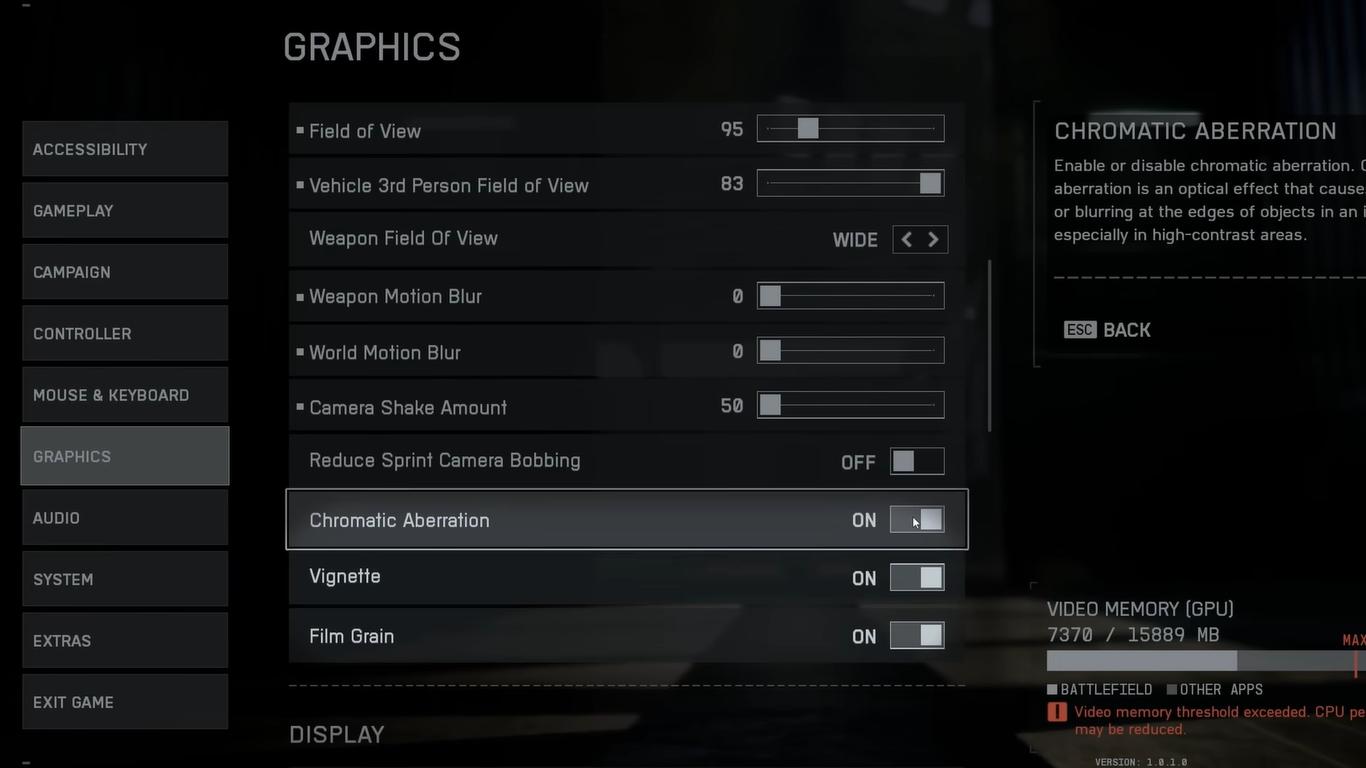
Battlefield 6 has a somewhat very sharp visual filter that kind of adds an outline and makes the textures look a bit harsh.
In the Settings menu, reducing the sharpening can help make the game visuals a lot smoother. Other visual settings can be a hindrance in first-person shooter games, such as vignette, chromatic aberration, film grain, motion blur, and V sync. Turn these off for reduced input lag and to optimize visuals. (Keep the V-sync on if you are experiencing screen tearing)
There are camera-related settings that you should also consider adjusting or turning off, like the Camera Shake and Camera Motion Bobbing. This is to keep the view smooth during fights so that you are not at a disadvantage.
Crosshair
Tweaking the crosshair can also be another important aspect, as it can be a bit hard to see sometimes; you want to increase its thickness, as well as add an outline to make it easier to visualize.
The game has a lot of customization options, so you can also change its color to your liking or pick something that contrasts with the environment.
Mini Map
Utilizing the mini map is really important in order to work with your team. Battlefield 6 has a pretty small mini map, so you’ll want to increase its size to the max to improve your awareness of nearby threats, objectives, and allies.
Even at its biggest size, the map is still pretty small, and it doesn’t ruin the HUD aesthetic.
Sound
Audio plays a pretty big role when it comes to knowing where your enemies are; it’s important that you disable the Tinnitus Effect, which causes ringing after explosions and flashes, making it easier on your ears as well as reducing overall sound distortion.
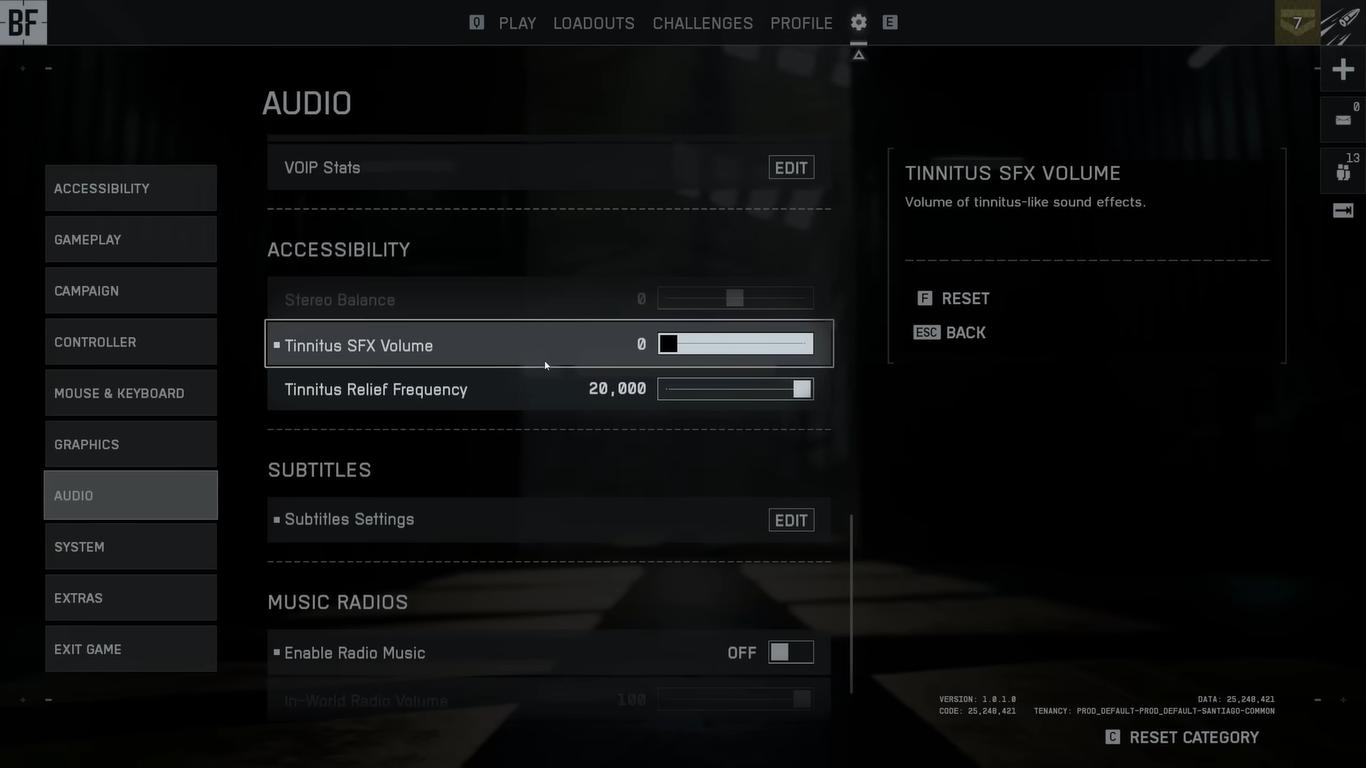
It’s also important that you set the correct output type; make sure to select Headphones if you’re using one instead of using the default stereo setting.
You also want to adjust the overall audio mix volume to improve clarity if you do have high-quality headphones, and lowering the music volume to around 30% or less will help you hear stuff whilst still maintaining ambiance.
Controls
Battlefield 6 is filled to the brim with control customization, and a lot of adjusting will probably take a while and will depend based upon your preference, the more you play.
But certain things that we do recommend is changing sprinting, crouching from toggle to hold. This will allow you to utilize your movement much faster.
Enter a setting we recommend that you disable is the Double-Tap to Slide, which can sometimes cause you to slide without intending to during gun fights.
And to reduce automation, I also recommend turning off Auto-Lean and Auto-Peak so that you don’t unintentionally do something that you don’t want to and maintain full manual control of your character.
Vehicle Sensitivity
Each of the vehicle types, of which there are many in Battlefield 6, will have its own sensitivity. The default setting tends to feel sluggish at times, especially on helicopters and aircraft.
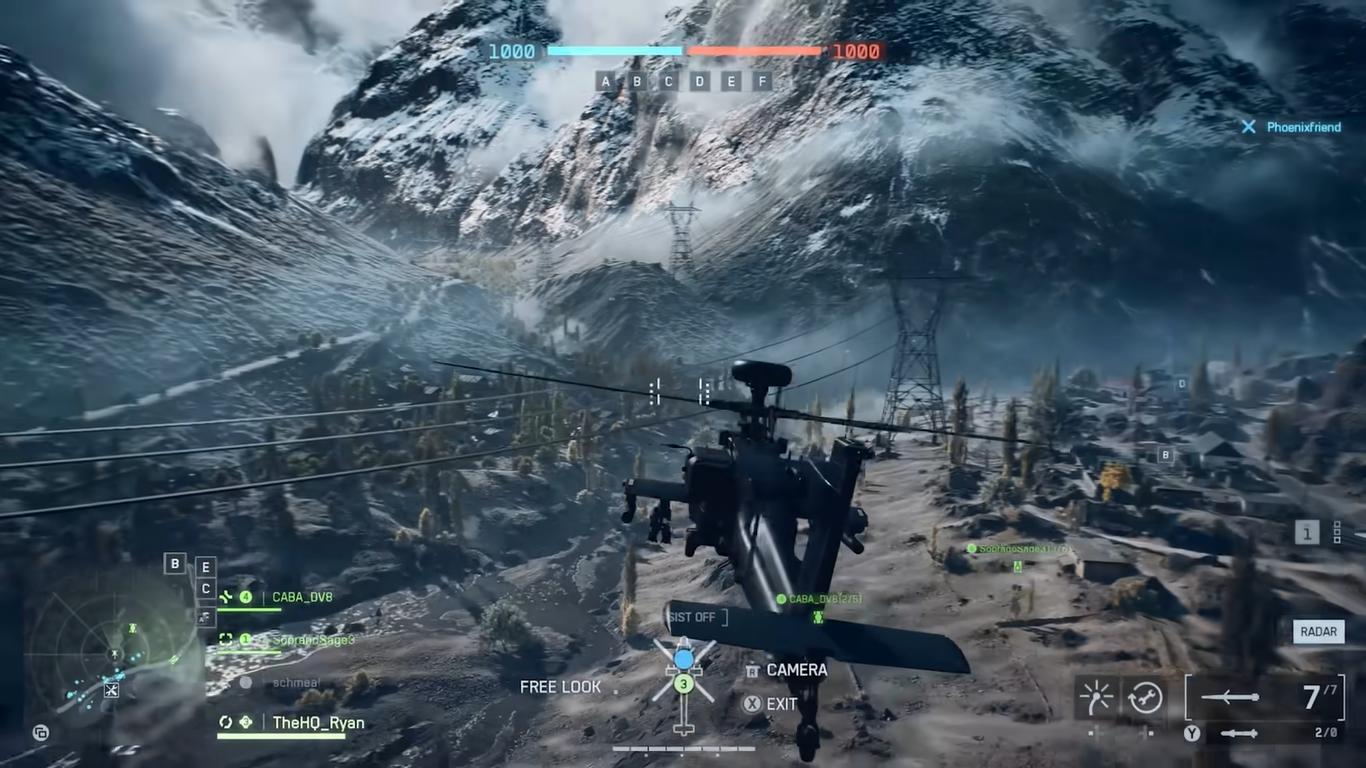
Increasing the sensitivity to around 200% will allow you to quickly maneuver and make the vehicle feel nimble. Taking your time to adjust the settings and testing them out can make combat feel more responsive and fun.
Challenges Tabs
The Challenges Tab is one of the more fundamental and overlooked parts of the main menu. There will always be a list of daily and weekly challenges as well as long-term assignments.
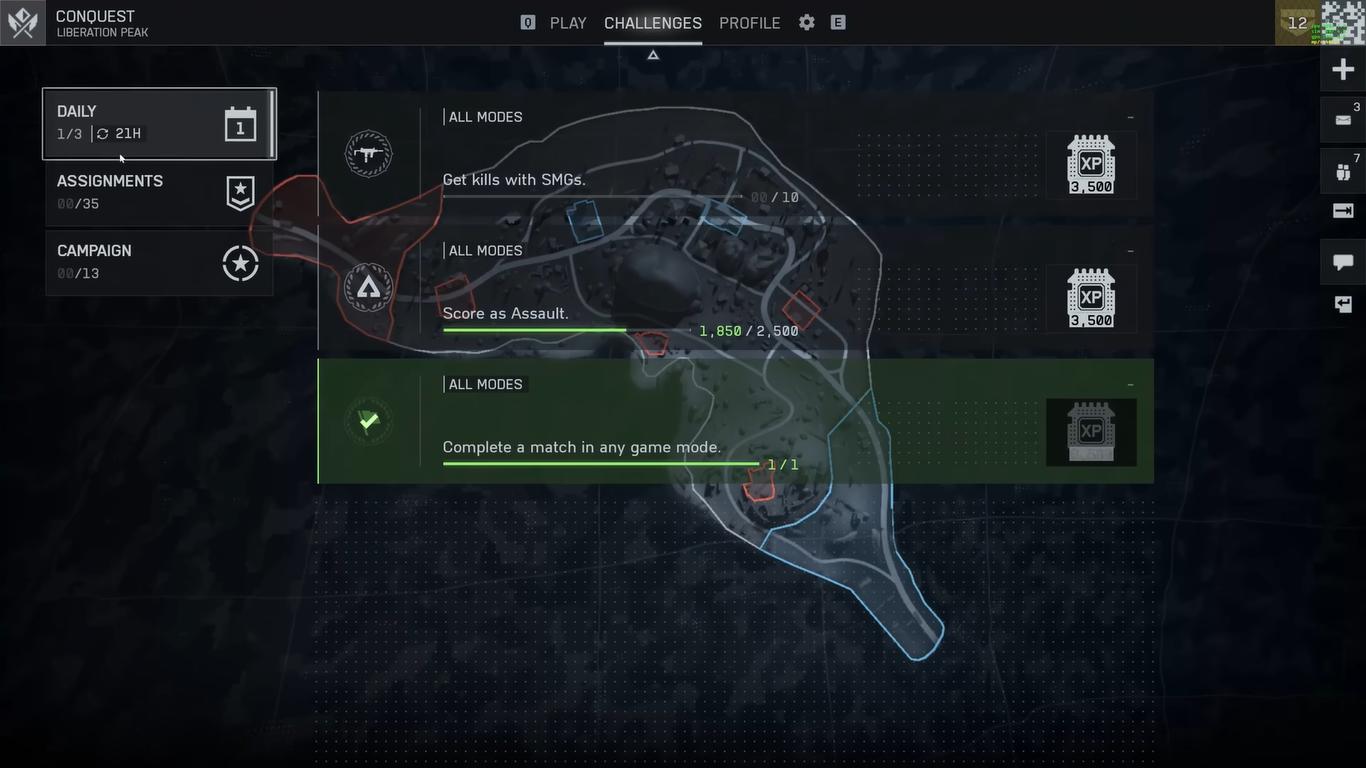
It offers you something to do as well as reward you with a lot of XP, helping you unlock progression rewards.
You’ll be allowed to track up to 4 challenges at once, and many of the assignments are linked to Level requirements, so knowing when new ones unlock will help you plan how you play more effectively.
Gadgets and Weapons
Most of the weapons unlock as you progress through leveling, but certain tools, like the Spawn Beacon, require you to complete certain tasks.
For example, the Spawn Beacon requires you to reach rank 20 and also get 30 kills whilst using the Adrenaline Injector. The injector isn’t used frequently, so it’s something you should keep track of when you’re at that rank.
XP Gains
Battlefield 6 offers you a lot of methods to gain XP.
There’s a permanent 5% XP bonus if you own the game copy, and when you join a squad, it also adds another 5%.
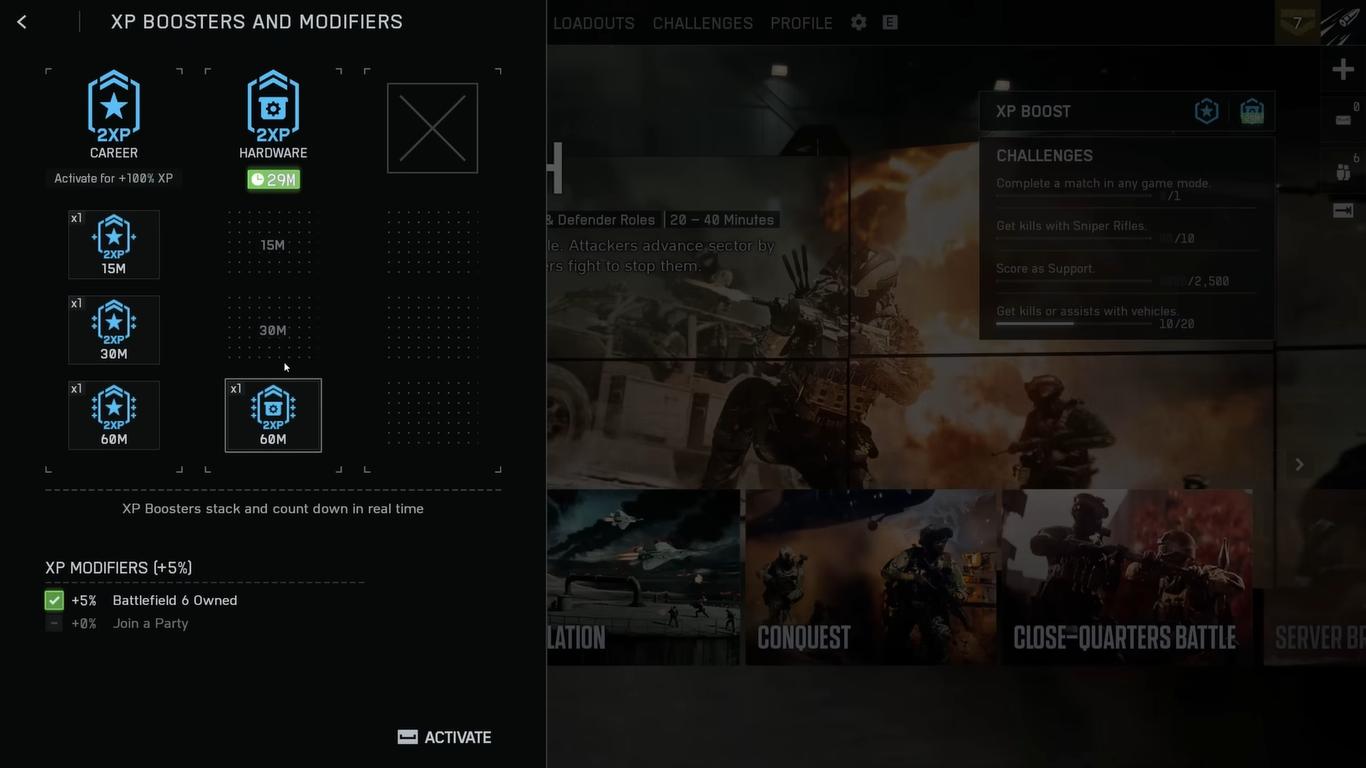
Whenever you complete your assigned task, you’ll earn XP Boost Modifiers, which usually last a couple of minutes though but they can be stacked to extend the bonus duration up to 45 minutes of accelerated XP.
Activating these during long play sessions can help you level up drastically.
The Sledgehammer
It wasn’t in the beta, but the Sledgehammer is one of the most powerful and versatile melee tools in Battlefield 6. I can help you destroy breakable walls and roofs in an instant, opening up new paths through buildings.
The best part is that it’s not restricted to any specific class; you’ll be able to equip it on any loadout and use it strategically.
Swapping Loadouts
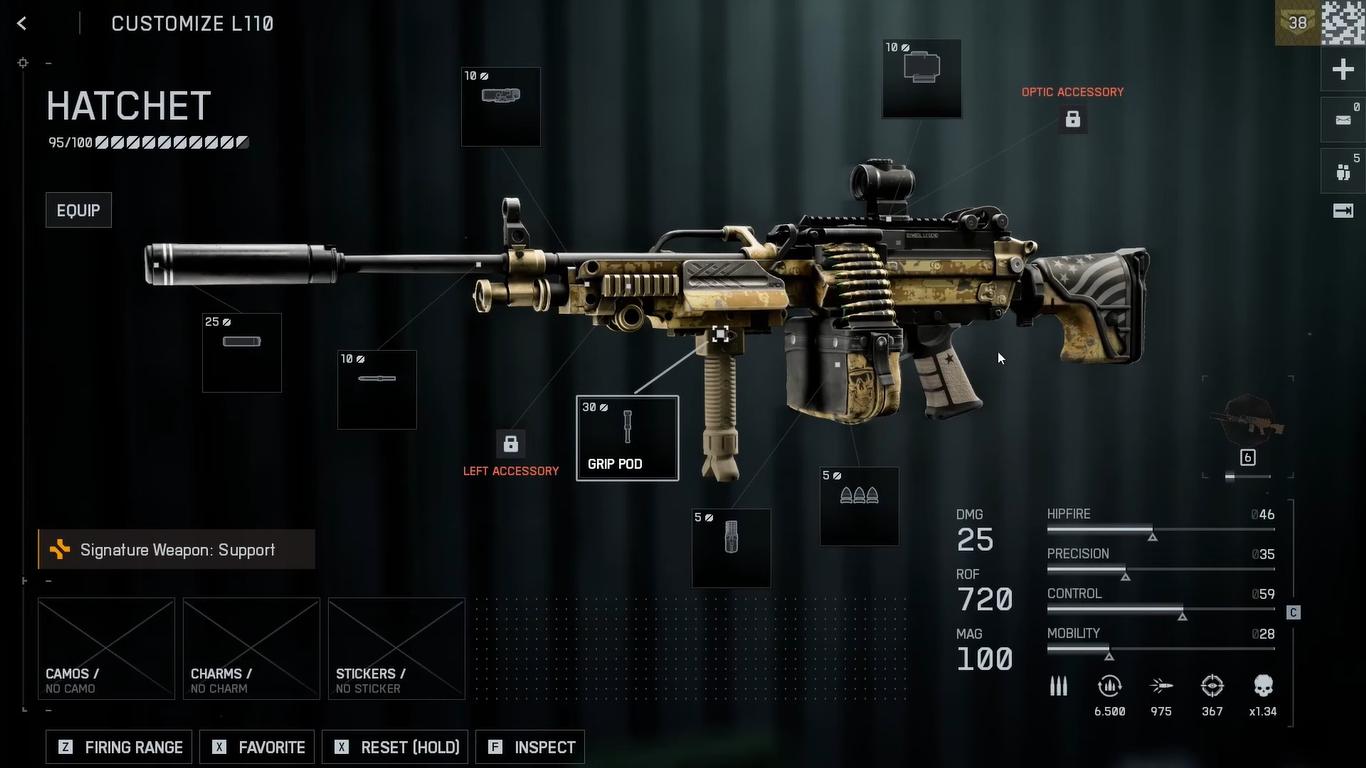
When you spawn in, you’ll be able to change your loadout before moving. It’s useful when you’re put in different scenarios in the same match during differing circumstances, like switching to an anti-vehicle gear when tanks start popping up or swapping to a sniper setup on bigger maps.
Ammo Management
The assault class will start with two primary weapons, with the ammo pool you get is divided between them, causing shortages at times.
You’ll want to replace the second weapon with a gadget to consolidate all of the ammo to one gun. This will increase your combat endurance and reduce the need for frequent ammo refills.
Active and Passive Abilities
Each of the classes in Battlefield 6 will have passive and active abilities that will influence how you play the game. Active abilities will become available to you after you earn enough XP and trigger them with a specific key. These include:
- The Recon actives deploy the UAV that reveals enemies
- When the Engineer's actives are in use, units will activate a repair boost that restores your vehicle's health.
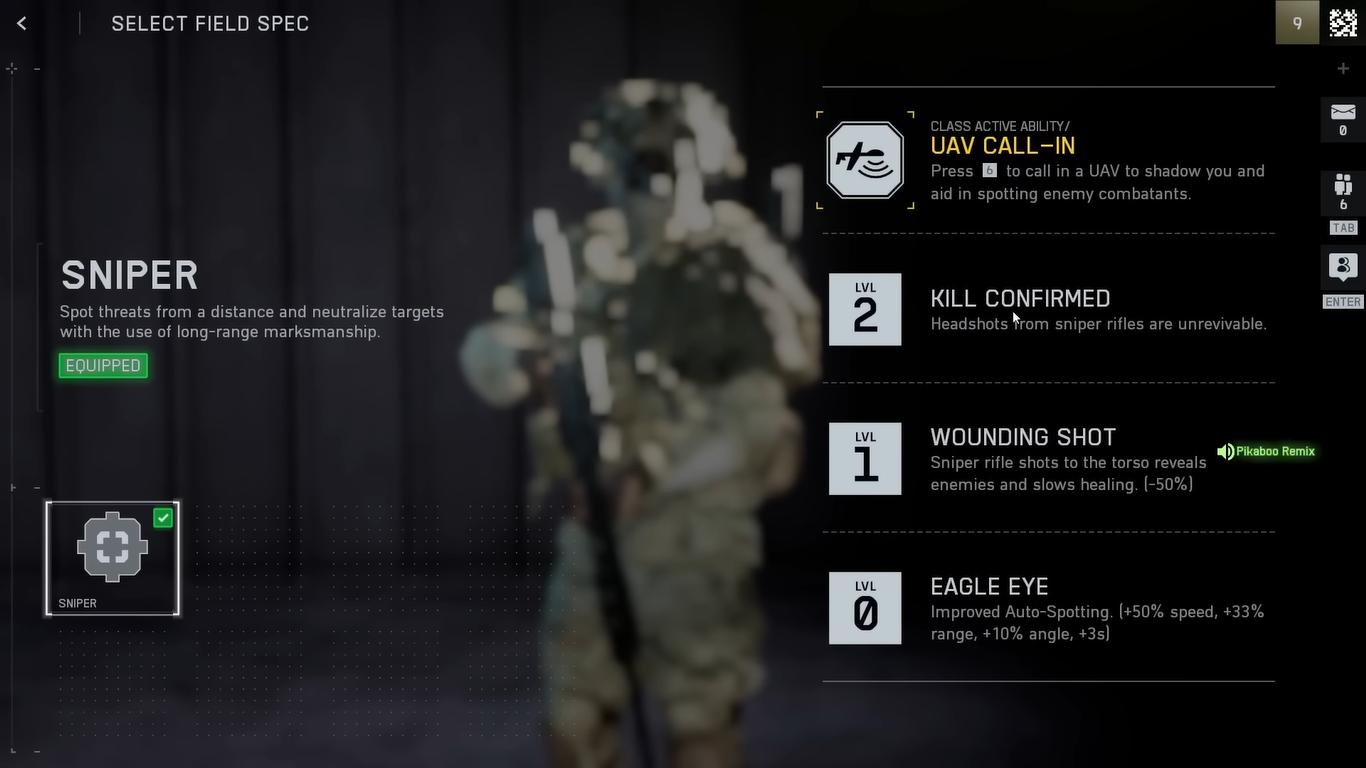
Passive Abilities vary by class, but they play a role in your loadout decision:
- Assault passives will allow you to draw your weapon faster and recover faster after sprinting.
- Support passives will let you ADS faster with LMGs and even help you maintain spread while carrying them.
- Engineer passives will help you benefit from better SMG control and reduced explosive damage around friendly vehicles, and also prevent enemy hijacking of abandoned vehicles.
- Recon passives include better sniper control and reduced weapons sway, and automatically spotting enemies when you ADS.
These are important perks that will affect how you perform in that class.
Sniper Glint
Bolt-action sniper rifles now have this Sweet Spot Mechanic, where each of the sniper rifles has an ideal range for dealing maximum damage. Showing the upper body within the ideal range will result in one-shot kills.
And if an enemy snipers show a bright glint, that means the target is in that sweet spot range, so you’ll need to be extra careful.
Revive Menu
When you are downed, there’s a new HUD system that will display the distance to nearby enemies that are capable of reviving you, as well as the indicators that show who has you for revival. This helps reduce chaos and increases the chance of you actually being revived.
Battlefield 6 will reward players who are capable of adapting and are aware of their surroundings. Small habits like taking cover effectively, managing your utility can greatly enhance how you play the game.
Learning various maps and recognizing how the sound cubes work, as well as coordinating with your team, are all important for mastering the chaos in Battlefield 6.
Before entering matches, give a moment to yourself to tweak everything to your liking. Once familiar with the system, you’re gameplay will drastically improve, delivering you the classic Battlefield experience.
Also, check out our Battlefield 6 Review and other guides below:
- Battlefield 6 Beginner's Guide | Tips & Tricks
- Battlefield 6 Guide | How to Fly Helicopter
- Battlefield 6 Guide | How to Fly Jets
- Battlefield 6 Guide | Best Classes
- Battlefield 6 Guide | Best L110 Loadout
- Battlefield 6 Guide | Best SGX Loadout
- Battlefield 6 Guide | Best Low Recoil Early Weapons
- Battlefield 6 Guide | How to Level Up Player & Gun Fast
- Battlefield 6 Guide | Best M433 Loadout
- Battlefield 6 Guide | Best M4A1 Loadout
- Battlefield 6 Guide | Best PW7A2 Loadout
Contributor, NoobFeed
Latest Articles
No Data.