
Grand Theft Auto 6 Guide | How to Disable Store Alarms and Security Cameras
In this guide, we'll explain how to disable store alarms, find security switches, and destroy CCTV cameras before starting a robbery.
Game Guide by Amaya on Nov 23, 2026
Disabling store alarms and security cameras in GTA 6 makes robbing businesses much easier, allowing you to avoid alerting the police and escape with your loot. To do this, you need to unlock the Snap Gun in Chapter 3, identify alarm-wired doors, and disable security systems before entering restricted areas.
1. How to Unlock the Snap Gun in GTA 6
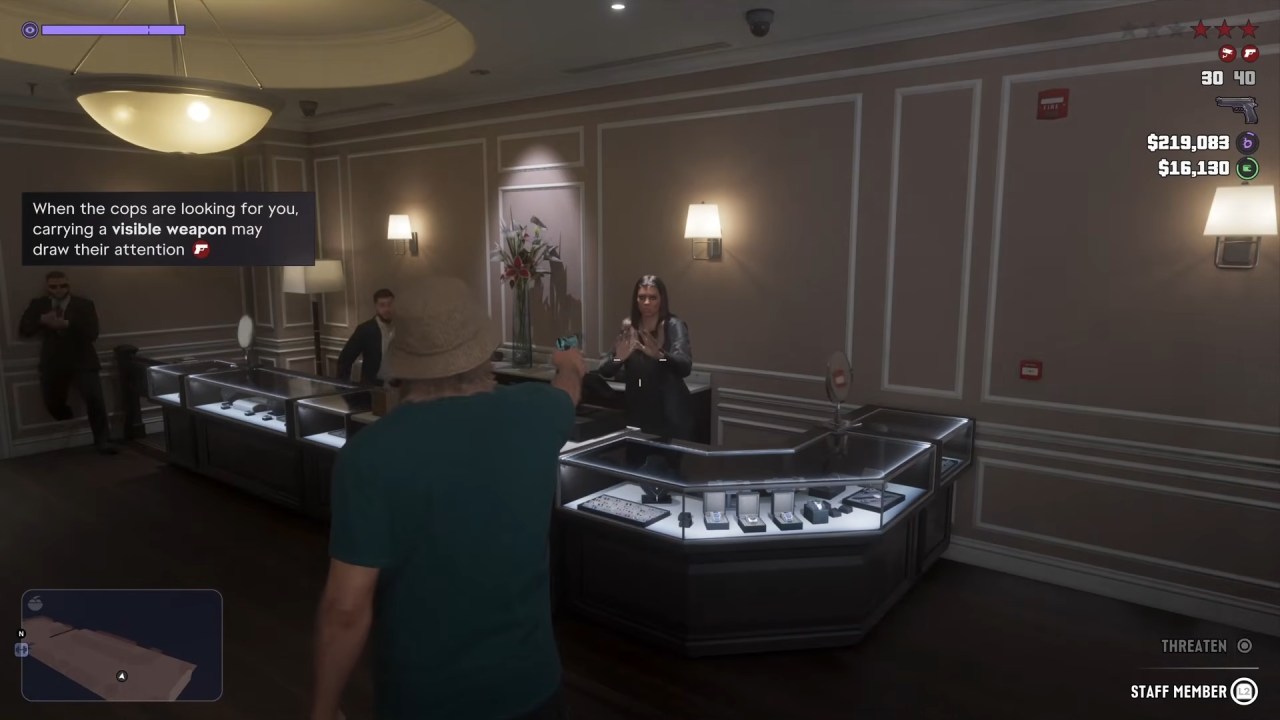
The Snap Gun is an important tool for players who want to rob businesses without triggering their security systems.
You can unlock it during Chapter 3 by completing your first jewelry store robbery for Yasmani.
Follow these steps:
-
Progress through Chapter 3 until you unlock Yasmani's jewelry store robbery.
-
Complete your first jewelry store robbery.
-
Return to Yasmani to collect your share of the earnings.
-
He will reward you with the Snap Gun.
Once you have the Snap Gun, you'll be able to deal with certain locked doors without immediately triggering their alarms.
2. How to Identify Alarm-Wired Doors
Before breaking into a store's backroom, you should check whether the door is connected to an alarm.
Opening the wrong door can immediately trigger a silent alarm, alerting the police even if nobody sees you.
To inspect doors, press L3 + R3 to activate your character's scanning ability.
Pay attention to the outlines around the doors:
-
White outline: The door is unlocked and can be opened without triggering the alarm.
-
Red outline: The door is connected to an alarm system.
If you see a red outline, avoid forcing the door open. Instead, look for another entrance or use the Snap Gun where applicable.
3. How to Disable Store Alarms in GTA 6
Once you've unlocked the Snap Gun, you can start approaching store robberies more carefully.
The first thing you should do is check whether the business has a back entrance.
Follow these steps:
-
Open your map and locate the store you want to rob.
-
Look around the building for a back entrance.
-
Travel to the rear of the business.
-
Use your scanner to inspect the door.
-
If the entrance has a break-in option, use it to access the backroom.
-
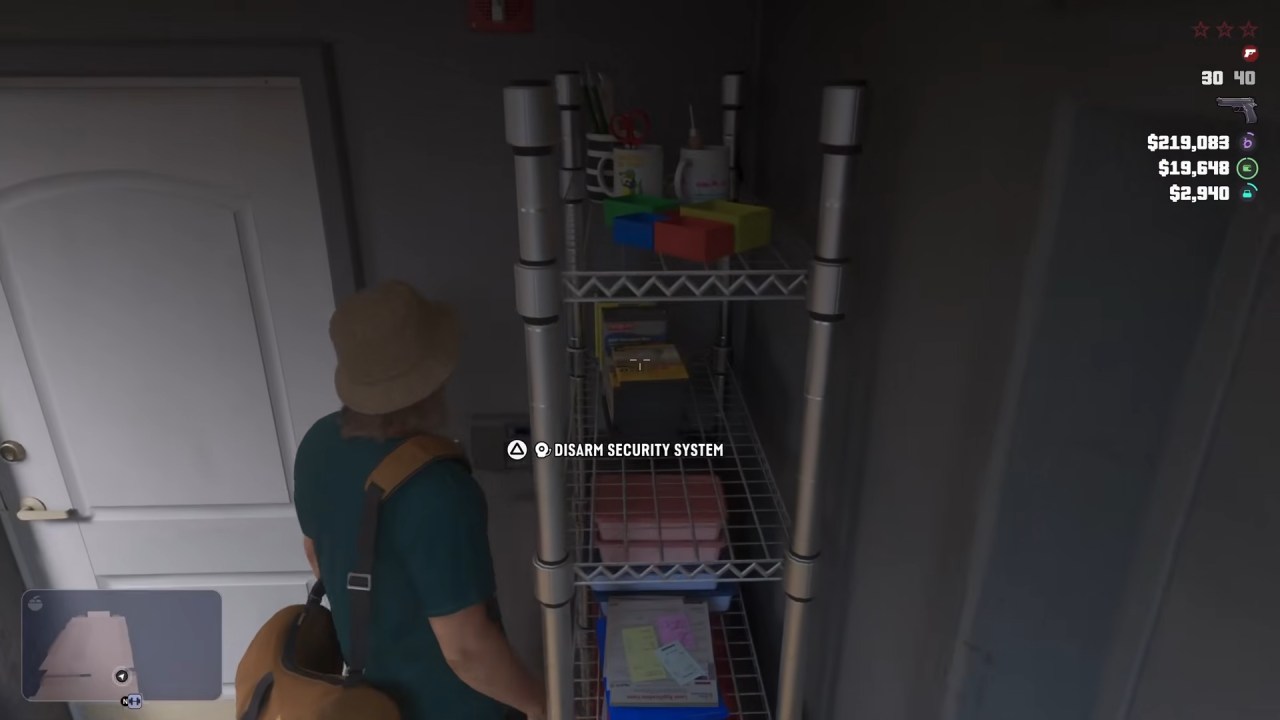
Sneak inside and look for security switches or other alarm controls.
-
Disable the security system before entering the main store area.
Some businesses have security switches that you can interact with to disable their alarms. However, their locations can vary depending on the building.
If there are employees or guards inside, sneak up behind them and quietly neutralize them before they notice you.
Tip: Always check the back entrance before attempting to rob a store through the front door. You might find a much safer way inside.
4. How to Disable Security Cameras in GTA 6
Security cameras are another major problem when robbing businesses.
Even if you successfully enter a store without triggering its alarm, CCTV cameras can record your actions and provide evidence to the police.
To avoid this, look around the building for cameras before starting your robbery.
Follow these steps:
-
Enter the business through an alternative entrance if available.
-
Sneak around the building and locate the CCTV cameras.
-
Look for a security switch or CCTV control panel.
-
Interact with the switch if one is available.
-
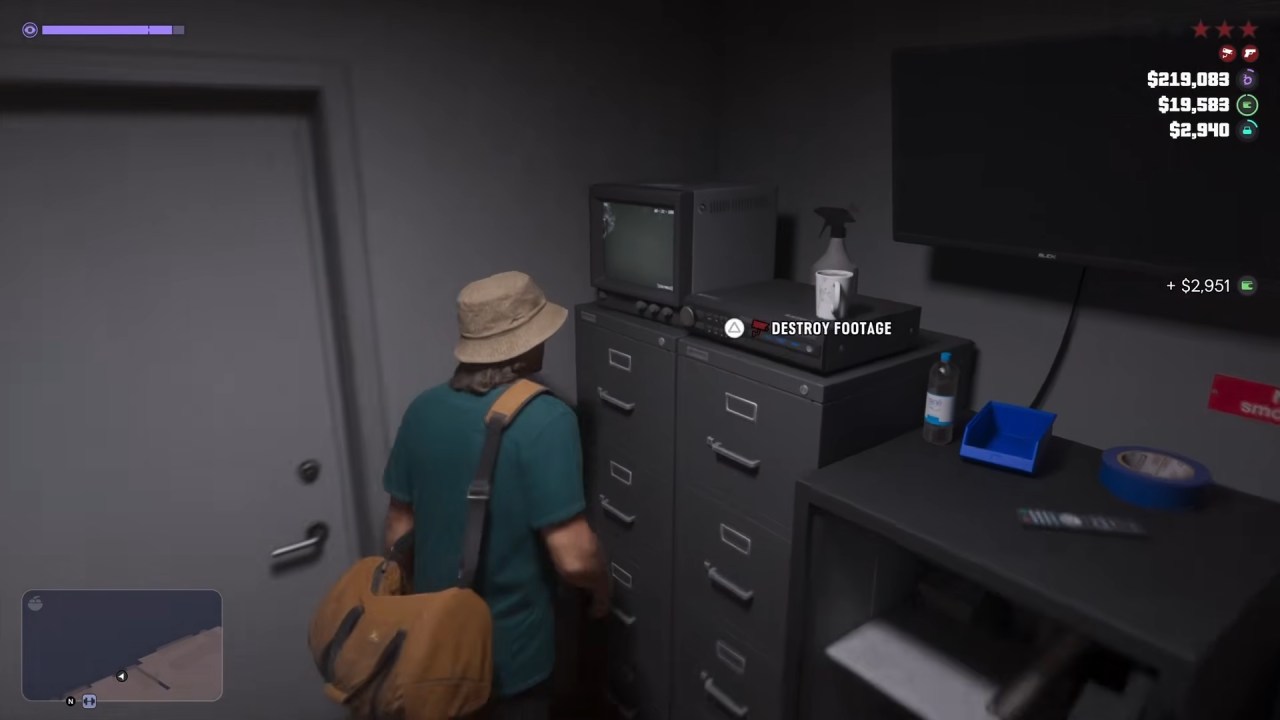
If you cannot disable the cameras through a control panel, destroy them.
Remember that GTA 6's Heat system distinguishes between locally stored CCTV footage and cloud CCTV recordings. Destroying a camera doesn't necessarily erase footage already uploaded remotely.
5. How to Rob Stores Without Triggering the Alarm
Now that you know how to identify alarm-wired doors and deal with security cameras, you can combine these techniques to make your robberies much easier.
Here's the approach I recommend:
-
Find a store you want to rob.
-
Check the map for alternative entrances.
-
Activate your scanner using L3 + R3.
-
Identify doors connected to alarms.
-
Use the Snap Gun where necessary.
-
Enter through the back entrance.
-
Quietly neutralize employees and guards.
-
Locate and disable the security switch.
-
Deal with any remaining CCTV cameras.
-
Collect the cash and valuables before leaving.
This approach gives you a much better chance of completing a robbery without immediately attracting police attention.
Final Thoughts
Disabling store alarms and security cameras is an important part of planning successful robberies in GTA 6. The Snap Gun is particularly useful because it allows you to access certain restricted areas without immediately triggering silent alarms.
I recommend unlocking it as soon as you reach Chapter 3 and completing Yasmani's first jewelry store robbery. After that, make a habit of checking back entrances, inspecting doors, and disabling security systems before collecting your loot.
FAQ
Q. How do you unlock the Snap Gun in GTA 6?
A. Complete your first jewelry store robbery for Yasmani in Chapter 3 and return to him to collect your cut. He rewards you with the Snap Gun.
Q. How do you identify alarm-wired doors in GTA 6?
A. Press L3 + R3 to activate your scanner. White outlines indicate unlocked doors, while red outlines indicate doors connected to alarms.
Q. Can you disable store alarms in GTA 6?
A. Yes. You can use alternative entrances, the Snap Gun, and security switches to access certain businesses without triggering their alarms.
Q. How do you disable CCTV cameras in GTA 6?
A. Look for a security control panel and switch off the cameras if one is available. Otherwise, you can destroy individual cameras.
Q. Can you rob stores without alerting the police in GTA 6?
A. Yes. Use alternative entrances, avoid alarm-wired doors, quietly neutralize guards, and disable security cameras before collecting the loot.
Editor, NoobFeed
Latest Articles
No Data.