
Grand Theft Auto 6 Guide | All Icons and Markers Explained
In this guide, we'll explain the different map icons in GTA 6, what they represent, and which ones you should prioritize when exploring the open world.
Game Guide by Amaya on Nov 23, 2026
Grand Theft Auto 6 features a large variety of map icons and markers that help you find missions, activities, businesses, collectibles, services, and important locations throughout Leonida. Understanding what each symbol means makes exploring Vice City much easier, especially as the map fills with new locations as you progress through the story.
How Map Icons Work in GTA 6
The GTA 6 map uses different symbols to distinguish between story missions, side activities, businesses, services, and points of interest.
Some markers appear automatically when you discover a location, while others become available after you receive a phone call, complete a mission, or unlock a particular activity.
The Nine Map Index Categories
The Map Index is the easiest way to understand the different markers in GTA 6. It organizes discovered locations into nine categories, each represented by a different symbol.
The following categories are based on the in-game Map Index.
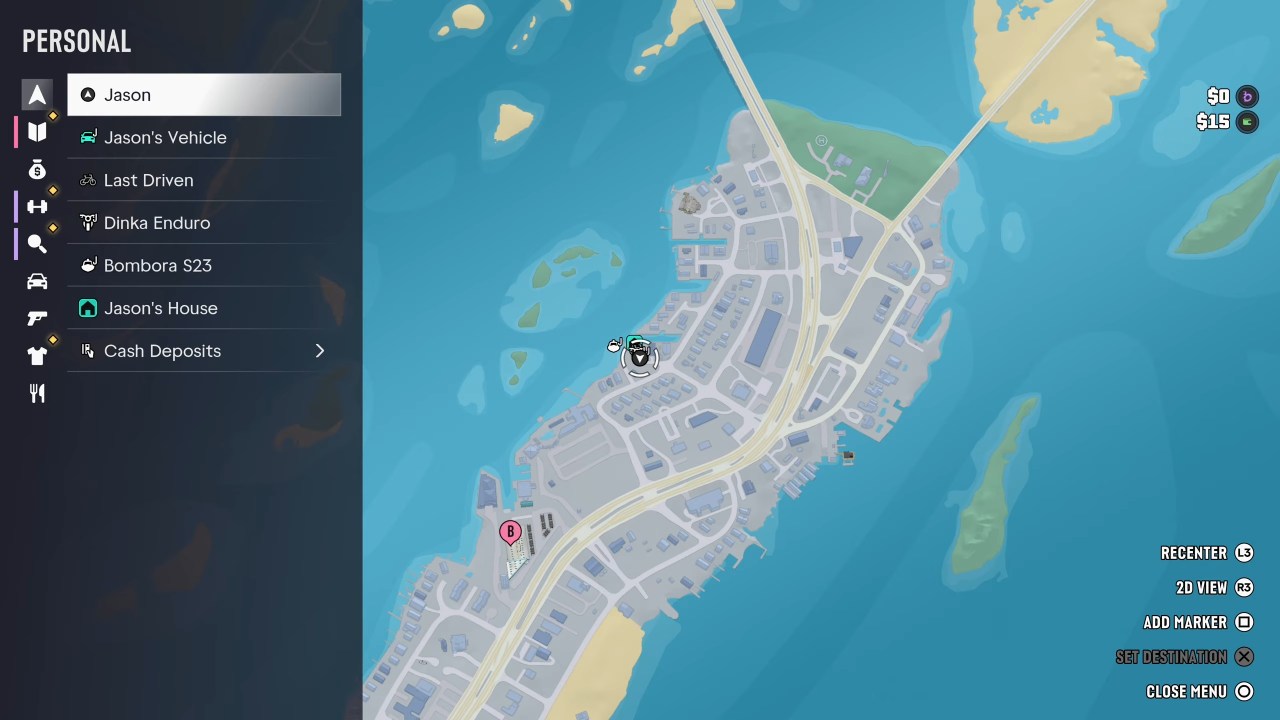
Personal – Arrow Icon
The Personal category contains locations and information related to your character and owned properties.
It includes:
-
Current player location.
-
Personal vehicles.
-
Safehouses and residences.
-
Owned garages.
-
ATMs.
Use this category to find your home, retrieve a vehicle, or locate an ATM to deposit money.
Story – Diary Icon
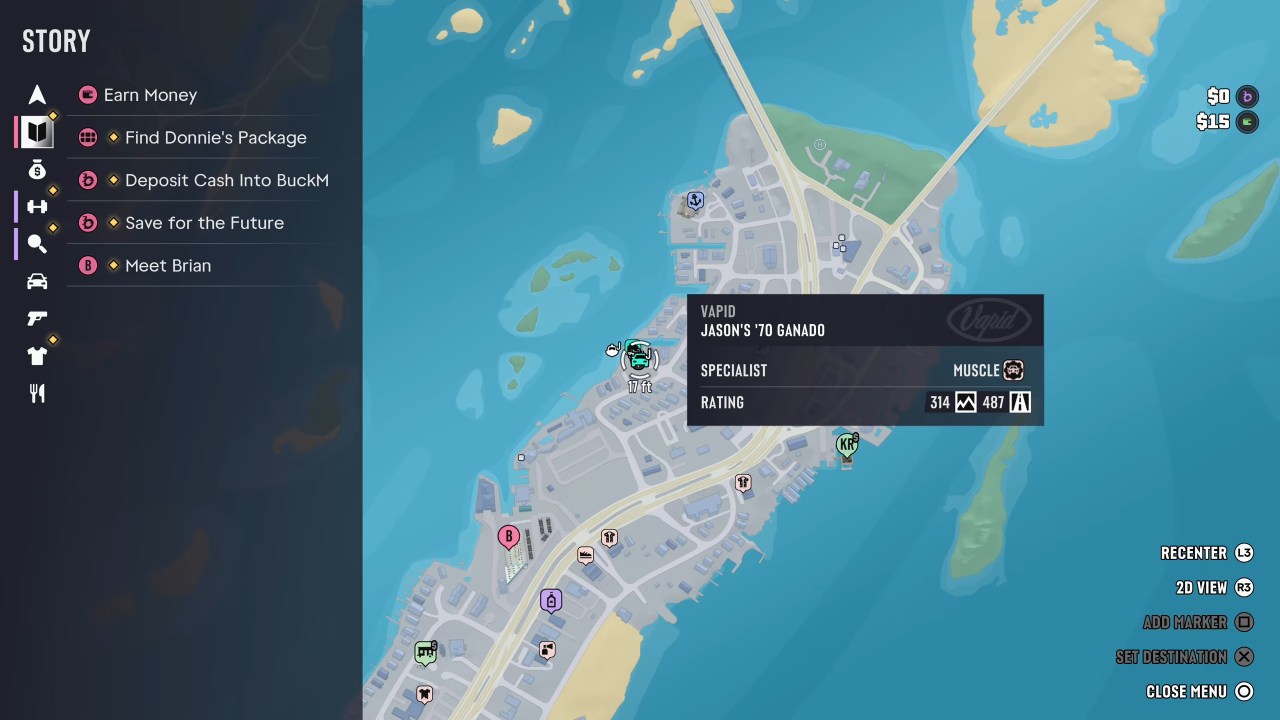
The Story category contains missions and objectives related to the main campaign.
It includes:
-
Main story missions.
-
Optional story missions.
-
Available character-related objectives.
Main missions are generally required to progress through the campaign, while optional missions can be completed whenever you want.
Robberies – Money Bag Icon
The Robberies category contains opportunities to make money through criminal activities.
It includes:
-
Banks.
-
Stick-up opportunities.
-
Gang hideouts.
-
Vehicle drop-off locations.
-
Other discovered robbery opportunities.
These markers are particularly important if you want to earn money outside the main story.
Activities – Dumbbell Icon
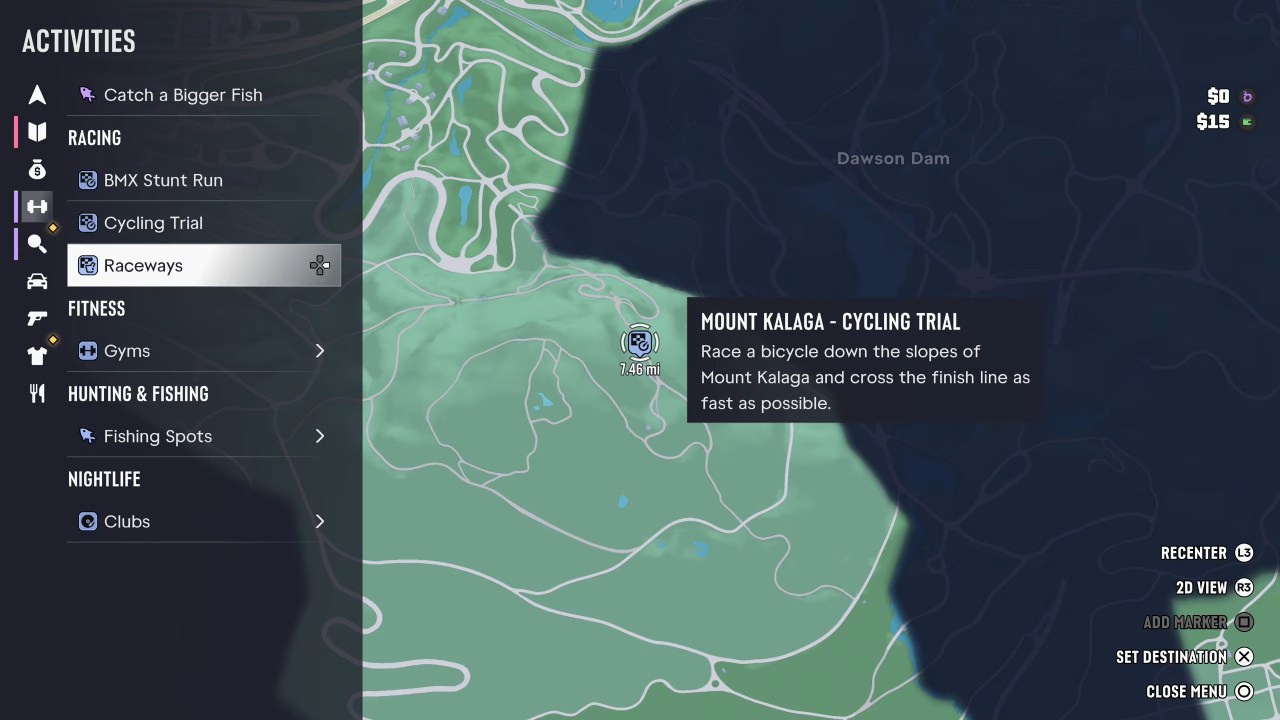
The Activities category contains recreational activities and places where you can improve your character's abilities.
It includes:
-
Races.
-
Shooting ranges.
-
Golf courses.
-
Gyms.
-
Hunting locations.
-
Fishing locations.
-
Clubs and other recreational activities.
Some activities improve your character's physical abilities, while others provide entertainment and additional ways to earn money.
Exploration – Magnifying Glass Icon
The Exploration category contains locations worth investigating throughout Leonida.
It includes:
-
Points of interest.
-
Optional quests.
-
Stunt jumps.
-
BASE jumps.
-
Pawn shop collectors.
If you enjoy exploring the map and completing optional objectives, this is one of the most important categories to check.
Vehicles – Car Icon
The Vehicles category includes locations for purchasing, maintaining, repairing, and traveling with vehicles.
It includes:
-
Vehicle modification shops.
-
Pay 'n' Spray locations.
-
Gas stations.
-
Garages.
-
Transportation hubs.
-
Ferry terminals.
Use this category when you need to repair, customize, refuel, or find transportation.
Weapons – Gun Icon
The Weapons category lists discovered Ammu-Nation locations and other weapon-related retailers.
It includes different weapon shopping categories:
-
Everyday weapons.
-
Premium weapons.
-
Hunting weapons.
-
Pawn weapons.
Visit these locations to purchase firearms, ammunition, and other equipment.
Style – Shirt Icon
The Style category includes businesses that let Jason and Lucia change their appearance.
It includes:
-
Clothing stores.
-
Tattoo parlors.
-
Hair salons.
-
Barbers.
-
Makeup locations.
This category is especially useful if you enjoy customizing both protagonists and experimenting with different outfits.
Food – Knife and Fork Icon
The Food category includes restaurants, shops, and other places where you can buy food and drinks.
It includes:
-
Restaurants.
-
Cafes.
-
Bars.
-
Convenience stores.
-
Fast-food restaurants.
-
Liquor stores.
Food and drinks help meet your character's needs, so keep an eye out for these locations while exploring.
Map Marker Colors Explained
Colors also help distinguish different types of locations and activities.
-
Pink: Commonly associated with story missions, optional missions, and certain businesses.
-
Teal: Used for personal locations and safehouse markers.
-
Purple: Used for certain exploration locations, including underwater dive sites.
-
Yellow: Used for certain collectibles, including collectible cards.
-
Orange: An orange diamond in the Map Index indicates a newly discovered entry that you haven't checked yet.
One important distinction is that a category icon's color and an individual map marker's color aren't necessarily the same.
How to Use the Map Index in GTA 6
The Map Index makes it much easier to navigate Leonida without searching for every location manually.
Follow these steps:
-
Press the Touchpad on PlayStation 5 to open the map.
-
Press Right on the D-pad to open the Map Index.
-
Select one of the nine categories.
-
Browse the discovered locations within that category.
-
Select a location to view its description.
-
Set it as your destination to create a route.
You can also add your own markers to remember useful locations.
Another useful feature is Quick Navigation. Hold down on the D-pad to bring up nearby activities and locations, then use the appropriate selection input to set a destination without opening the full map.
What Does the Orange Diamond Mean?
The orange diamond highlights newly discovered entries in the Map Index.
Whenever you discover a new business, activity, or location, check the corresponding category for an orange diamond. This makes it easier to identify places you haven't reviewed yet.
Select the entry to view its details and remove the new-discovery indicator.
Final Thoughts
Understanding the different GTA 6 map icons will make exploring Leonida much easier. The nine Map Index categories provide a convenient way to organize everything from story missions and robberies to restaurants, clothing stores, and vehicle services.
I recommend regularly checking the Exploration and Robberies categories, especially if you want to discover optional activities and earn additional money outside the main campaign.
FAQ
Q. How many Map Index categories are there in GTA 6?
A. There are nine main categories: Personal, Story, Robberies, Activities, Exploration, Vehicles, Weapons, Style, and Food.
Q. What does the orange diamond mean in GTA 6?
A. It indicates a newly discovered location or activity that you haven't checked in the Map Index.
Q. How do you open the Map Index in GTA 6?
A. Open the map using the Touchpad on PS5 and press Right on the D-pad to access the Map Index.
Q. Can you set custom markers on the GTA 6 map?
A. Yes. You can add your own markers to remember important locations and create destinations.
Q. Do all locations appear on the GTA 6 map automatically?
A. No. Many locations only appear after you discover them through exploration or story progression.
Q. What is the difference between Story and Exploration markers?
A. Story markers identify campaign missions and optional story objectives, while Exploration markers highlight points of interest, collectibles, stunts, and other discoveries.
Editor, NoobFeed
Latest Articles
No Data.