
MSI Claw A8 Hands-On: AMD Z2 Extreme Gaming Handheld
MSI Claw A8 introduces the AMD Z2 Extreme processor with a vibrant 8-inch 120hz touchscreen and upgraded Wi-Fi 7.
Hardware by Tanvir Kabbo on Oct 18, 2025
MSI Claw A8 marks MSI's first handheld gaming console powered by the AMD Z2 Extreme processor. It brings an array of impressive specifications designed to balance power, performance, and aesthetics. With an 80Wh battery, 24GB of RAM running at 8000MT/s, and a full-size 1TB 2280 SSD slot, it immediately stands out.
The inclusion of Hall effect joysticks and triggers ensures durability and accuracy. At the same time, Wi-Fi 7 support adds a future-ready touch. The device also features an 8-inch IPS 120Hz VRR panel with a 16:10 aspect ratio, offering a broader visual experience than traditional 16:9 displays.
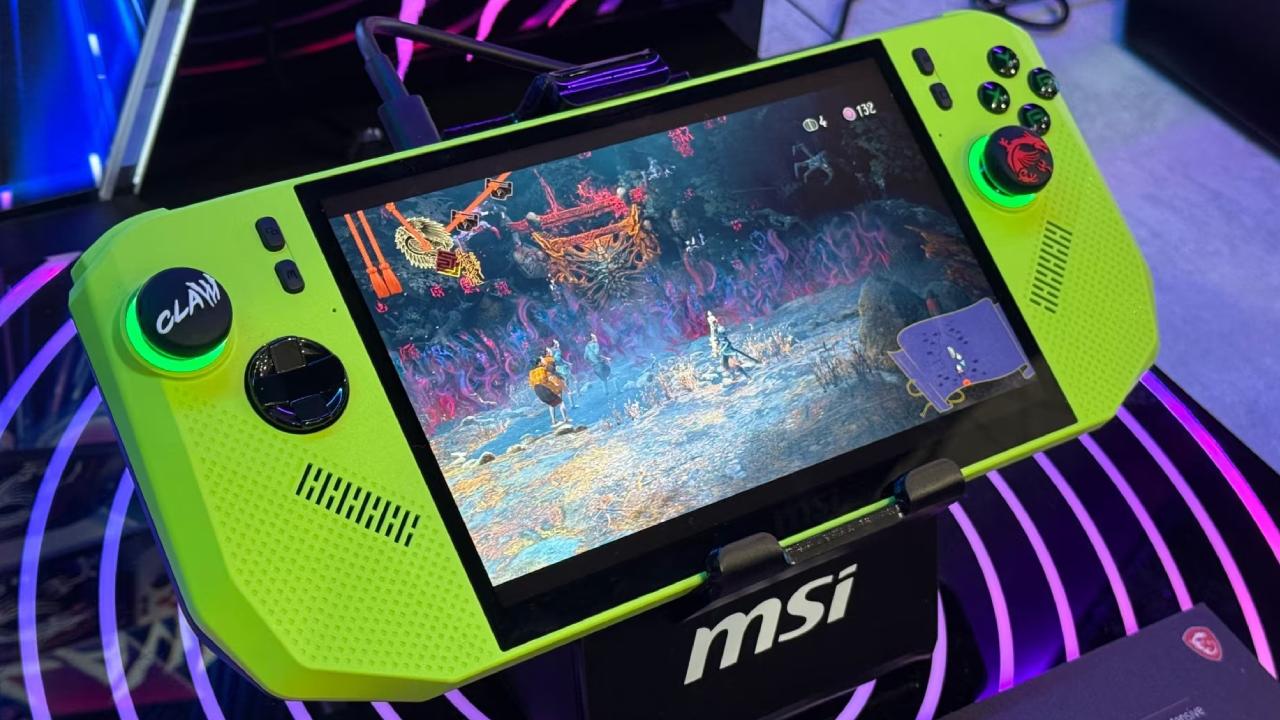
Display and Aspect Ratio Experience
The 8-inch 16:10 screen makes a strong impression from the moment it powers on. The additional vertical space compared to a 7-inch 16:9 display makes gaming more immersive, especially for 2D platformers and Metroidvania titles.
However, not all games support 16:10 natively, which can result in black bars at the top and bottom. Since the panel is not OLED, the black bars are not perfectly dark. Still, during regular gameplay, the difference is hardly noticeable. The 16:10 format feels like the sweet spot for handheld gaming, giving more screen real estate without making the device cumbersome.
Design and Build Quality
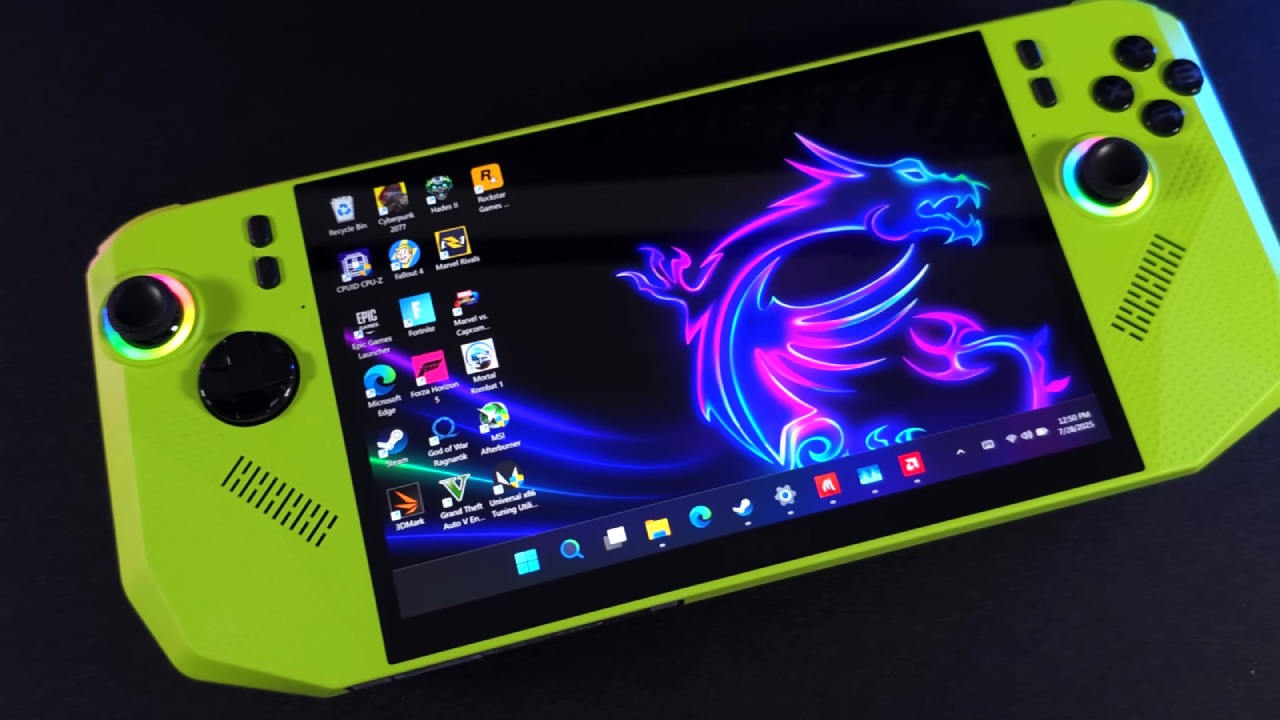
The Claw A8's design language screams gaming attitude. MSI has gone for an aggressive, angular aesthetic that mirrors the lines of a sports car, particularly reminiscent of a Lamborghini. Available in a striking green finish, it stands out from the typical black-and-white handhelds. Despite the sharp edges, the ergonomics are surprisingly comfortable.
The grips are contoured to fit naturally in the palms, and the asymmetrical joystick layout feels intuitive. The triggers and bumpers, although small, are easy to reach and responsive. Overall, the design perfectly combines visual flair with practical comfort.
Performance and Power Efficiency
The Claw A8 has an 80Wh battery and an AMD Z2 Extreme CPU. This makes it a great balance between performance and battery life. The Z2 Extreme doesn't do much better than the Z1 Extreme at maximum power, but it is much more efficient at lower wattages.
The sweet spot lies around 20W, offering smooth gameplay and solid battery life. Beyond 25W, diminishing returns set in. Running most games at 20W has delivered optimal performance and consistency.
At 20W and 800p resolution, Cyberpunk 2077 on low settings with FSR 3 Performance mode averages around 73 fps, dropping to 55 fps at higher resolutions. Dying Light 2 also runs at 800p at 73 fps and at 1200p at 56 fps.
These numbers show that the handheld device works very well, especially because driver optimizations are still being worked on. Updates in the future should make performance even better.
.jpg)
Screen Quality and VRR Advantage
The 120Hz VRR (Variable Refresh Rate) display is a standout feature. VRR ensures gameplay remains smooth even when frame rates fluctuate, eliminating screen tearing and stuttering. It makes a significant difference in fast-paced titles like Resident Evil 4 Remake or precision-based 2D games.
For less demanding titles, frame rates can exceed the refresh rate, so it's often wise to cap games at or below 120fps to prevent tearing. Once properly configured, the screen delivers crisp visuals, rich colors, and fluid motion, elevating the entire experience.
Optimized Visual Settings and Tricks
Using AMD's Radeon Image Sharpening (RAIS) is a terrific way to get the most out of both your performance and your images. When you set games to 720p or 800p and turn on RAIS at 50–75%, lower resolutions look as clear as 1080p or even 1200p.
This change greatly increases frame rates while keeping the picture quality quite high. It's a simple and very useful way to make things run better, especially for hard games.
Software and Controls
The Claw A8 runs Windows 11 and integrates MSI's Quick Settings directly into the Xbox Game Bar. This makes it easy to adjust power profiles, fan speeds, and other performance options without leaving the game.
The quick settings button opens a clean, fast interface where we can adjust brightness, power, real-time monitoring, FPS limits, and more. The software feels snappy and well-optimized compared to other handheld utilities.
MSI Center M serves as the central hub for deeper customization, including manual TDP settings, fan speed control, joystick calibration, vibration testing, and gyro adjustments.
The device also includes programmable back paddles, which we can assign custom functions to. One missing feature is per-game button mapping, which would make the system even more flexible.
Vibration Feedback
If there's one area where the Claw A8 feels slightly underwhelming, it's vibration. Even at default 50% strength, it feels intense but not particularly refined.
When both sides vibrate simultaneously, one side seems stronger and slightly rattly, reducing the overall quality of the haptic experience. While functional, it lacks the polish found in higher-end haptic systems.
Pricing and Value
In the US, the Claw A8 competes competitively with other AMD Z2 Extreme handhelds. The 24GB of RAM, 80Wh battery, Hall-effect joysticks, two USB 4 ports, Wi-Fi 7, and bright 8-inch 120Hz display make it a great deal for roughly $850.
It has a bigger screen and more modern ways to connect than other versions, and it only costs a little more. The bargain is great for people who want an AMD-powered handheld with a long battery life, fast performance, and a high-quality design.
Final Thoughts
MSI Claw A8 is a powerful competitor in the world of handhelds. It features a stunning design, a brilliant screen, and outstanding performance all in one. The vibration feature may use some work, and new software updates are still coming out, but the overall experience feels high-end and reliable.
With future driver improvements and Xbox full-screen support expected, we're excited about what this handheld can become. Suppose you're looking for an 8-inch Z2 Extreme-powered handheld that balances performance, efficiency, and aesthetics. In that case, the Claw A8 deserves serious consideration—especially if you love that vibrant green finish.
Also, Check our Other Handheld Articles :
- ASUS ROG Ally X Handheld Review: Double the Battery, Double the Comfort
- Nintendo Switch 2 Vs. Original Switch 1: A Full Comparison
- How To Connect A Camera And Join Voice Chat With Nintendo Switch 2
- Nintendo Switch 2 Review: Handheld Performance, Features & Value Breakdown
- ROG Xbox Ally X Vs. ROG Ally X: Display, Battery & Controls
- ASUS ROG Ally X vs. Steam Deck OLED: Display, Battery & Gaming Benchmarks
- MSI Claw 8 AI+ Review: Display, Controls & Gaming
- Nintendo Switch 2 vs. Steam Deck OLED: Gaming, Performance, Battery, Display and Value
- PlayStation Portal Review: Remote Play, Cloud Streaming & Travel Gaming
- PlayStation Portal vs. Lenovo Legion Go: Best Portable Gameplay
- Cyberpunk 2077 Patch 2.3 FPS Test on MSI Claw 8 AI+
Senior Editor, NoobFeed
Gaming Hardware Updates
No Data.