
How to Play Free Online Games on PC Without Downloading
Other by Ayaka Naomi on Nov 17, 2025
In today's gaming world, you no longer need to download and install large files to enjoy fun games on your PC. GameChamp, for example, is a browser-based gaming hub where you can jump in and play dozens of titles instantly.
Let's walk through how you can play free online games on your PC without having to download anything.
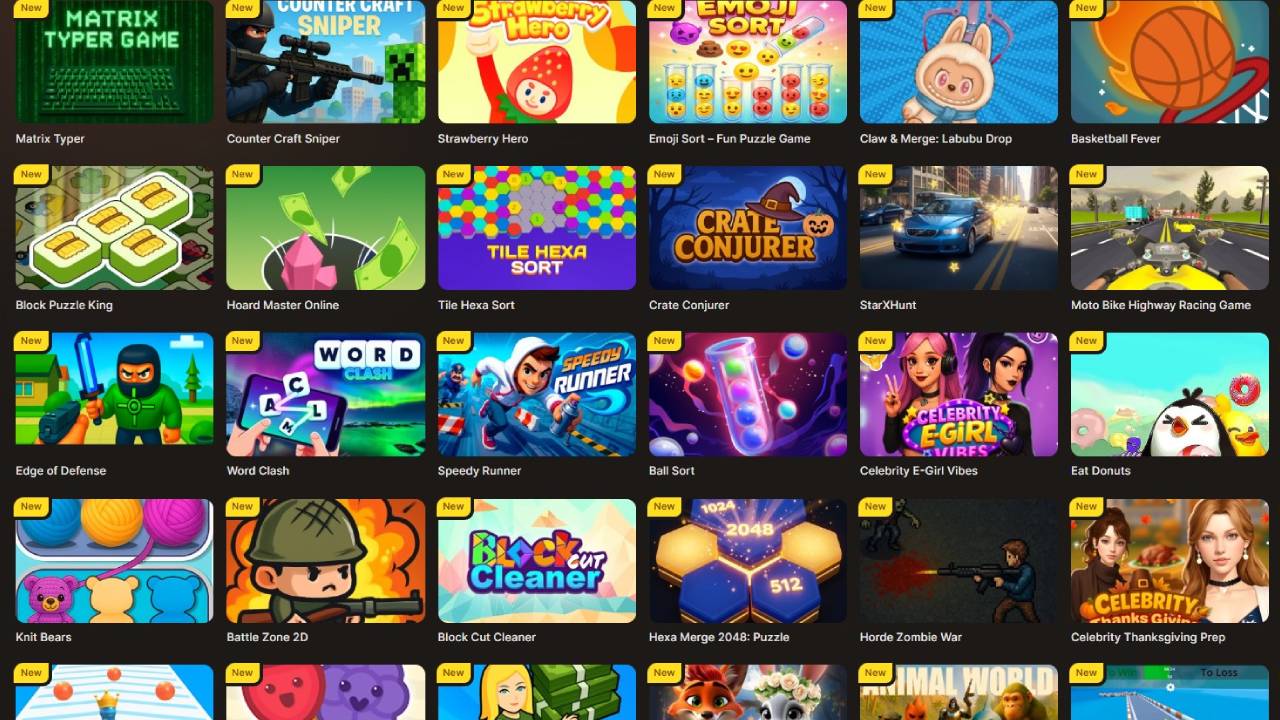
Choose the Right Browser and Access GameChamp
First things first: open your web browser on your PC (Chrome, Edge, Firefox, or whatever you prefer) and navigate to gamechamp.com. On their homepage, you'll see menus such as "Newest," "Most played," and "All categories".
These menus give you quick access to games right from your browser. Because the games are browser-based, there's no large download or installation required. You simply load the page, and the game runs.
Navigate the Library and Select a Game
Once you're on the site, you can browse by category – for example, "Adventure,” "Action," or "Hypercasual,". Under each section in Gamechamp, you'll find images and titles of games, such as Little Hero Knight, Ball Balance Challenge, City Apocalypse Zombies Invasion, and more. Click the game you're interested in playing, and the game will load in the browser, and you can begin playing right away.
Check System Requirements and Browser Setup
Even though you're not downloading a full game client, you still want to make sure your PC is ready:
- Use an up-to-date browser (latest version of Chrome, Firefox, Edge, etc.).
- Ensure your internet connection is stable enough for streaming or browser gameplay.
- If a game uses sound or full-screen mode, make sure your browser allows it.
Start Playing – and Explore Features
Once you click a game from the list, you'll typically see the game load, and then you're ready to play. On the site, you'll notice a leaderboard, categories like "Ignite," “Editor pick," and "Random". They are all designed to help you explore new titles.
With GameChamp, you can experiment with different genres – from racing, puzzles, action, to simple hyper-casual games. This is great because you can test many games quickly without committing to a download.
Enjoy Free and Instant Access
Since GameChamp offers free online games that are accessible right away, you avoid waiting for lengthy installations, updates, or patches. Because the games run in your browser, you can play whenever you like, on any PC with a compatible browser. What's also great is that the website advertises that their library is continuously being updated with new titles.
Consider These Tips & Best Practices (if you're new to online gaming)
- Try smaller-scale games first (hyper-casual) to check performance, then branch out to more complex ones.
- Use full-screen mode in your browser to improve immersion.
- Ensure your browser isn't overloaded with tabs or extensions; they could slow down performance.
- Because these are free games, expect some ads or loading screens – it's the trade-off for no download and no price tag.
- If you plan on playing frequently, you might bookmark GameChamp or even add the site to your browser's "Apps" for quicker access.
Why Browser-Based Free Games Are a Great Option
The beauty of a platform like GameChamp is that it removes friction. No download means no waiting, no patching, and no heavy space usage. You can quickly check out a lot of games, switch titles easily, and play across different PCs (as long as you log into your account or simply access the site). This convenience makes browser-based free online games perfect for casual play, quick breaks, or discovering new genres.
In summary: To play free online games on your PC without downloading—just hop onto a site like GameChamp, browse their extensive catalogue, click the game you like, and start playing in your browser. No installs, minimal wait time, and a great variety to choose from. Give it a shot and enjoy the hassle-free gaming experience.
Moderator, NoobFeed
Latest Articles
No Data.