
Pokémon Legends: Z-A Guide | How to Claim Mystery Gifts
Here's a guide on how to claim Mystery Gifts in Pokémon Legends: Z-A.
Game Guide by Ragib Rawnak on Oct 27, 2025
In Pokémon Legends Z-A, you can access your Mystery Gifts and redeem your Pre-Order Bonuses shortly after completing the game’s introduction. Once you reach this point, open your in-game menu to find several available options.
Accessing The Link Play Menu
From the main menu, select the Link Play option. Inside this section, you will find a list of connectivity features. On the right-hand side, you will see the Mystery Gift option. Choose this to proceed with the claim for your items in Pokémon Legends: Z-A.
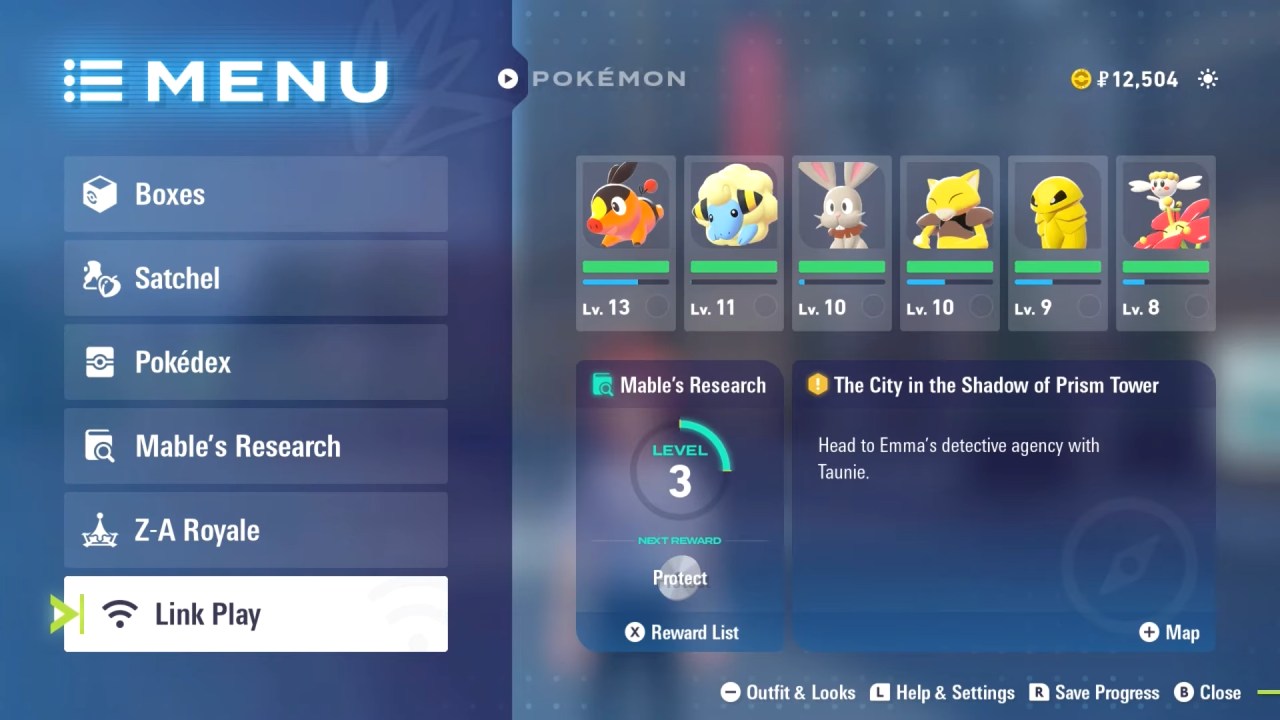
Redeeming Your Pre-Order Bonus
After entering the Mystery Gift menu, select Get Via Internet. This allows you to download and receive your pre-order bonus directly. Through this method, you can claim your Ralts Pokémon Gift, which will be automatically delivered to your party or storage.
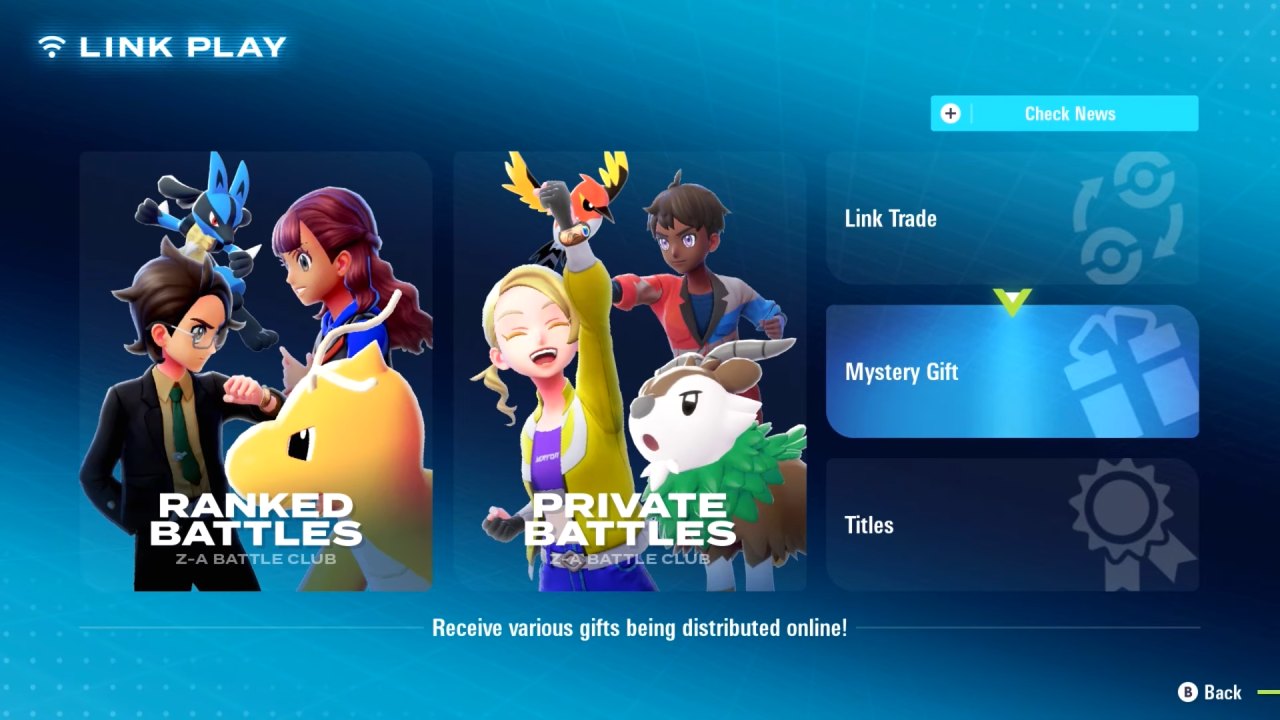
Using Codes To Redeem Mystery Gifts
If you possess any Mystery Gift Codes, you can redeem them by selecting the Get With Code or Password option within the same menu. If you have purchased the digital version of Pokémon Legends: Z-A, a code will be sent via email. Entering this code will grant you a bonus of 100 Poké Balls that can be used during gameplay.
Also, check our Pokémon Legends: Z-A Review. and other guides below:
- Pokémon Legends: Z-A Beginner's Guide | Gameplay Tips & Tricks
- Pokémon Legends: Z-A Guide | How to Choose a Starter
- Pokémon Legends: Z-A Guide | All Characters
- Pokémon Legends: Z-A Guide | All Pokémon Types
- Pokémon Legends: Z-A Guide | What is Mega Evolution
- Pokémon Legends: Z-A Guide | How to Activate Mega Evolutions
- Pokémon Legends: Z-A Guide | All New Mega Evolutions
- Pokémon Legends: Z-A Guide | All Base Game Mega Evolutions
- Pokémon Legends: Z-A Guide | How to Get Mega Charizard Y and Charizardite Y
- Pokémon Legends: Z-A Guide | How to Create a Character
- Pokémon Legends: Z-A Guide | How to Catch Eevee
- Pokémon Legends: Z-A Guide | How to Get Mega Gengar and Gengarite
- Pokémon Legends: Z-A Guide | How to Get Mega Slowbro and Slowbronite
- Pokémon Legends: Z-A Guide | How to Get Froakie Early
- Pokémon Legends: Z-A Guide | How to Get Mega Alakazam and Alakazite
- Pokémon Legends: Z-A Guide | How to Get Houndoom
- Pokémon Legends: Z-A Guide | How to Get Heracross
- Pokémon Legends: Z-A Guide | How to Get Gardevoir
- Pokémon Legends: Z-A Guide | How to Claim Mystery Gifts
- Pokémon Legends: Z-A Guide | How to Get Sableye
- Pokémon Legends: Z-A Guide | How to Get Mawile
- Pokémon Legends: Z-A Guide | How to Get Tyranitar
- Pokémon Legends: Z-A Guide | How to Get Mega Charizard X and Charizardite X
- Pokémon Legends: Z-A Guide | How to Get Mega Beedrill and Beedrillite
- Pokémon Legends: Z-A Guide | How to Get Mega Pidgeot and Pidgeotite
- Pokémon Legends: Z-A Guide | How to Get Mega Kangaskhan and Kangaskhanite
- Pokémon Legends: Z-A Guide | How to Get Mega Pinsir and Pinsirite
- Pokémon Legends: Z-A Guide | How to Get Mega Gyarados and Gyaradosite
- Pokémon Legends: Z-A Guide | How to Get Mega Ampharos and Ampharosite
- Pokémon Legends: Z-A Guide | How to Get Mega Steelix and Steelixite
- Pokémon Legends: Z-A Guide | How to Get Mega Scizor and Scizorite
Senior Editor, NoobFeed
Latest Articles
No Data.