
Solarpunk Guide | How to Move Items Between Island
Here's a guide on how to move items between island in Solarpunk.
Game Guide by Rubaiyat Shihab on Jun 20, 2026
In Solarpunk, when you've ever had to transport items from one side of your island to the other, there's a better way than flying back and forth yourself. This guide will take you through the process of using a Drone to do that for you.
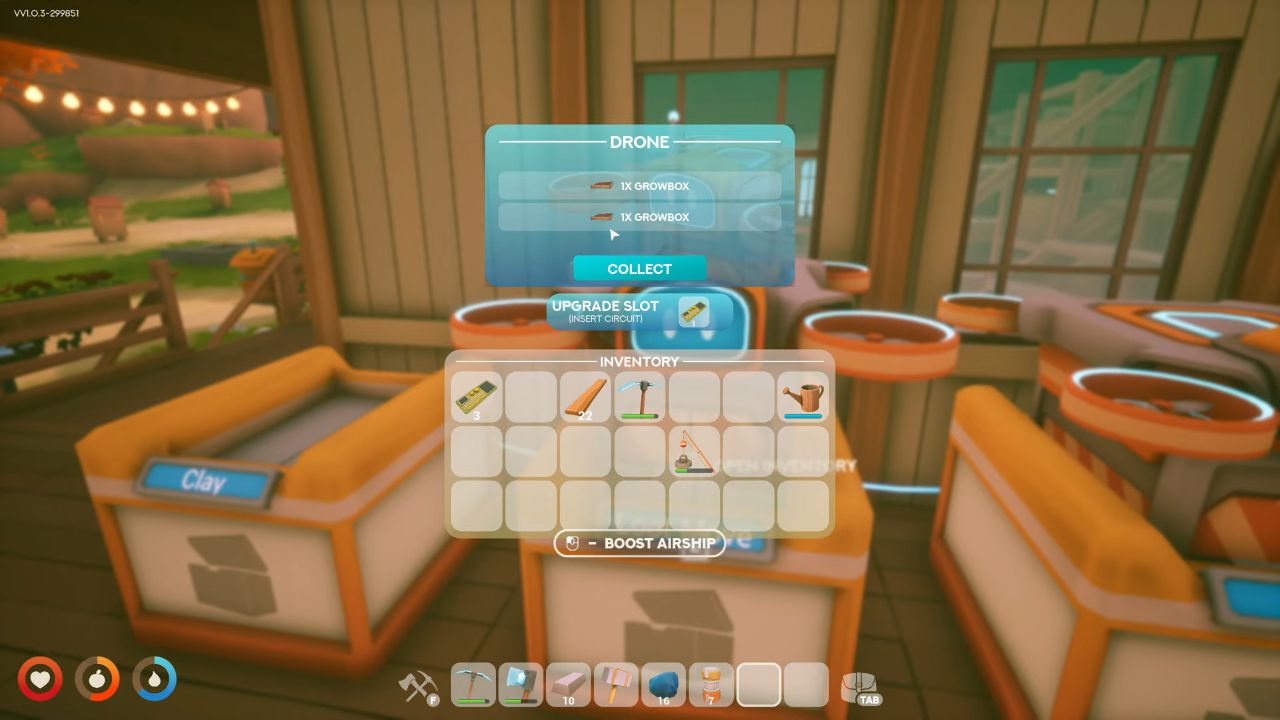
Setting Up a Drone
When you create a Drone, you can name it. Then it can be given other tasks. One of the tasks you can give it is to watch a Chest. This is a good option if you don't want to cross the island alone, or if you simply want something playing on a continuous loop in the background.
Assigning Pickup Duty
To begin, click on the Chest you wish the drone to monitor. Then you instruct it to go and retrieve any loot inside. Please note that this is for pick up only. The drone will not loot the other way and drop the loot into a chest for storage. It would be nice to have, but that doesn't appear to be an option yet. You can expect the drone to fly up, emptying the chest (which has only two slots), and return to drop it off.
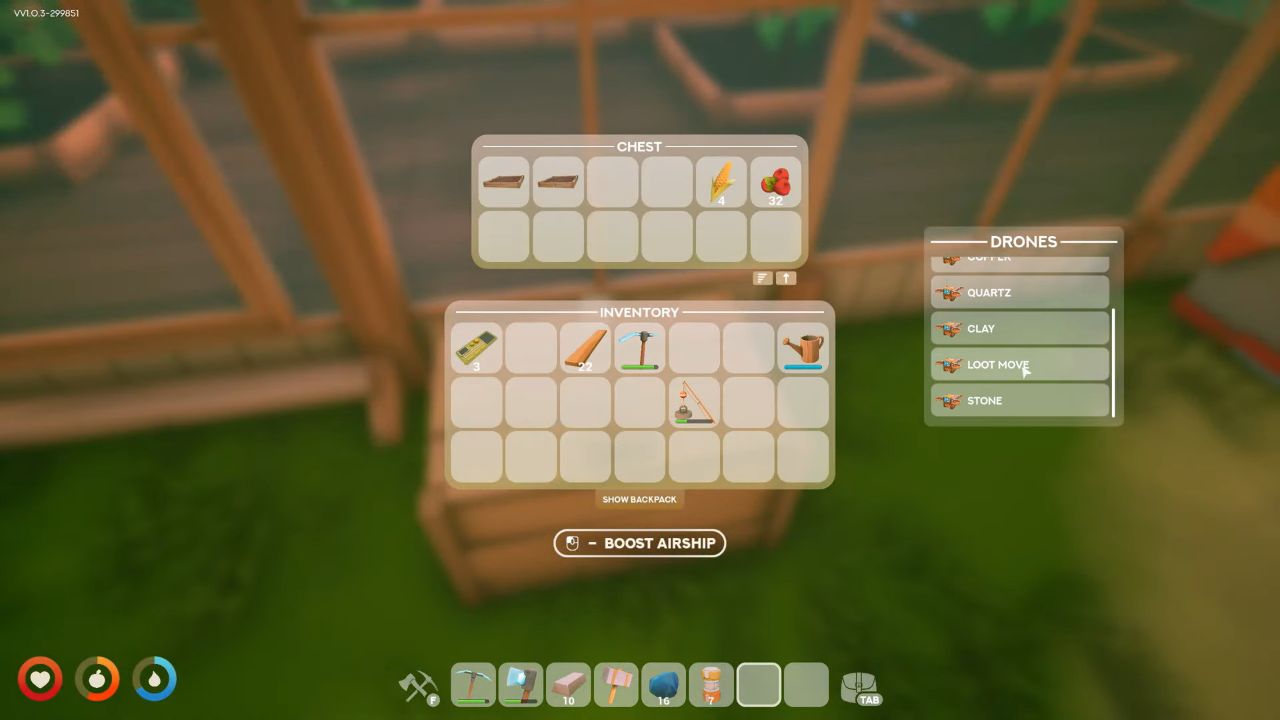
Using It While You Mine
This is a great setup to have when you're out collecting resources, such as mining Sand, and you want it to return to base while you're still mining. Place a Chest at your mining location, assign a Drone to it, and if you're playing with other people, that Drone can continue to carry sand back to you as you dig, even before you unlock a machine to do the mining for you. Alternatively, you can simply hand dig and have the drone do the heavy lifting. Either way, the person who gets back to base building can begin using the sand immediately, without having to fly it over themselves.
This is the best way to move loot from base to base at this time.
Editor, NoobFeed
Latest Articles
No Data.