

Ultimate 4K Gaming PC Build With RTX 5090 And Ryzen 9950X3D
An enthusiast level PC configuration designed around premium components, advanced cooling, and uncompromised gaming performance.
Hardware by Godrics01 on Dec 16, 2025
Some of the most cutting-edge consumer hardware is combined in a high-end gaming PC, which combines state-of-the-art performance, contemporary cooling options, and a thoughtfully designed layout.
To create a system optimized for 4K gaming performance, heavy multitasking, and visual coherence, this build combines flagship components from MSI, AMD, NVIDIA, and Lian Li.

Configuration of Cooling and Fans
Since cooling is essential to a system of this quality, we started with ventilation. Lian Li Uni Fan SL Wireless fans, which combine LCD and non-LCD models, are used in construction. We used both normal- and reverse-blade designs to install 10 fans in total. Reverse-blade fans are particularly helpful in situations with a lot of glass since they enhance airflow without sacrificing the fan's visible side.
Two radiators handle thermals. We selected NZXT Kraken Elite 360 RGB CPU. The circular LCD provides clear system readouts, and the mounting method blends in seamlessly with the other gear. To maintain construction consistency, we swapped out the cooler's built-in fans for Uni Fan SL units.
MSI RTX 5090 Suprim Liquid provides the GPU cooling solution. Unlike conventional air cooling, this card transfers heat away from the die more effectively by integrating a 360mm all-in-one liquid cooler right onto the GPU. While a separate fan on the card keeps airflow over the memory and surrounding components, the radiator controls GPU thermals. A PCIe Gen5 connector is used to transmit power instead of several 8-pin wires.
Selection of CPU, Storage, and Memory
We chose AMD Ryzen 9 9950X3D to match RTX 5090. With 16 cores and 32 threads, this processor offers both higher core and thread counts along with excellent gaming performance. It offers versatility for both gaming and productivity applications, unlike lower-core X3D models.
A Samsung 9100 Pro 8TB PCIe Gen5 NVMe SSD handles storage. Although smaller capacities are more cost-effective, capacity and bandwidth are given priority in this setup. G.Skill Trident Z5 Neo RGB DDR5 is the source of memory. We suggest 32GB or 64GB, depending on your demands; this build chooses a larger capacity to prevent restrictions in demanding applications.
Power Delivery and Motherboard
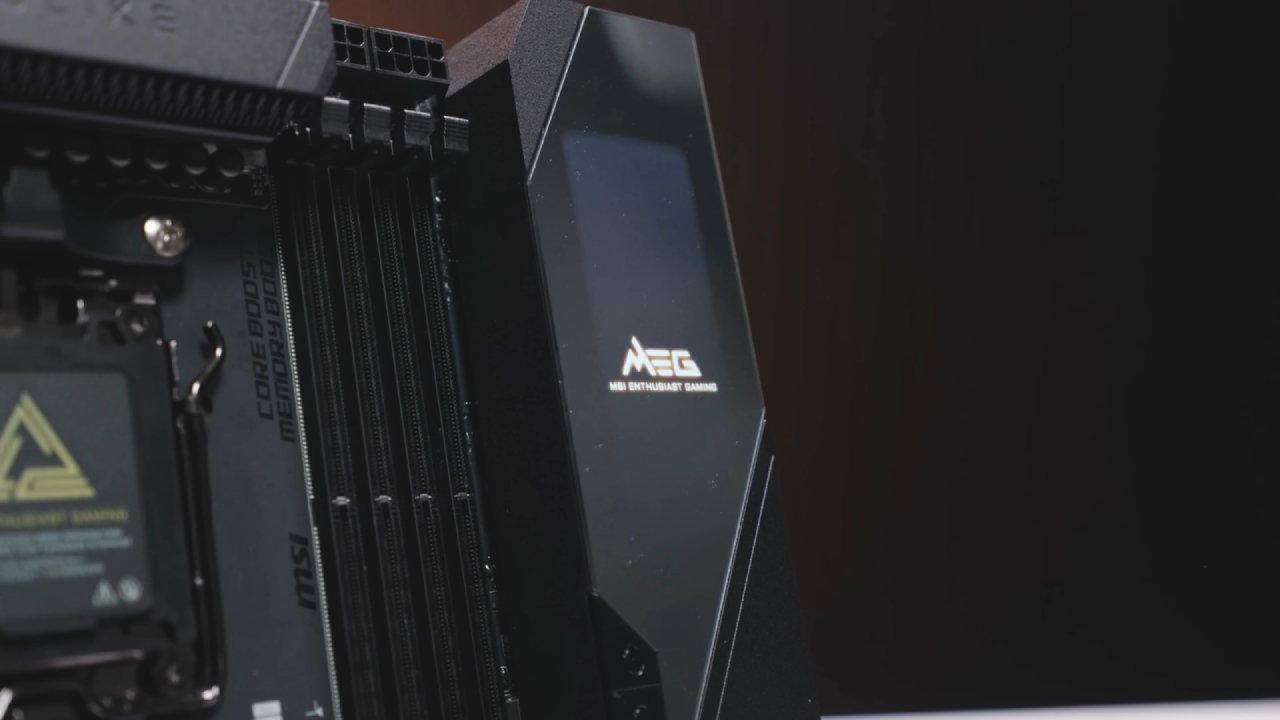
MSI MEG X870E Godlike X is the motherboard. With more PCIe Gen5 compatibility, additional toolless mechanisms, and more BIOS storage, this platform builds upon the original Godlike architecture. This board features Wi-Fi 7, 10 GbE networking, five onboard M.2 slots, an M.2 add-in card for further expansion, and comprehensive USB connectivity, including 40 Gbps USB-C.
MSI MEG AI1600T PSU provides power. Even though 1600W is more than most systems need, it provides headroom for future upgrades and peak demands. The PSU has USB monitoring for real-time power data, braided wires, and native PCIe Gen5 GPU power support.
Assembly and Layout of the Case
Lian Li O11D EVO RGB comes with all the parts. With recessed RGB lighting along the borders, the case has a dual-glass design. It permits vertical adjustment of the motherboard for radiator clearance and supports ATX and EATX motherboards.
We positioned the GPU radiator on the side as an intake and the CPU radiator at the top as an exhaust. The GPU radiator is tubes-down because of tubing limitations. We built a push-pull fan system with visible front-mounted reverse-blade fans and hidden fans behind the radiator to increase airflow and improve aesthetics.
Because of its weight, the motherboard was put flat to save strain. After removing the stock retention brackets to make room for the Kraken Elite mounting gear, the CPU was installed using conventional AM5 methods. For best performance, the primary NVMe drive was positioned in the top M.2 slot. At the same time, memory was inserted in the second and fourth slots.
Management of Power and Cables
We routed the primary power connections, such as the PCIe Gen5 GPU cable, the dual 8-pin CPU power cables, and the 24-pin motherboard wire, after the graphics card was placed. RGB hubs and case lighting now have SATA power lines. Before turning on the system, only a few small changes were needed after the PSU was secured and the cable routing was finalized.
Final Thoughts
This setup isn't meant to serve as a model for common game builds. It shows what is achievable when component and cost constraints are lifted. Assembling and testing a system at this level demonstrates the current pinnacle of consumer PC performance and design, even if such hardware is not necessary for a pleasurable gaming experience.
Also, check our other NVIDIA articles below:
- NVIDIA GeForce RTX 5080 Review (2025): Still A 4K Gaming Powerhouse?
- NVIDIA RTX 5070 Review: Mid-Range Muscle or Marketing Hype?
- RTX 5070 Ti Review: Performance, Thermals & Power Efficiency Tested
- ASUS GeForce RTX 5090 LC Liquid Cooled GPU Review: Unmatched Silence & Speed
- INNO3D RTX 5060 Ti 16 GB X2 Review: Gaming Benchmarks, Temps, and Power Efficiency
- HP Omen 45L Review: RTX 5090 Performance, Thermals, and Value Analysis
- ASUS TUF Gaming GeForce RTX 5060 Ti Review: DLSS 4, Power Efficiency, and Gaming
- ASUS Prime RTX 5060 Ti OC 16GB Review: DLSS 4, Ray Tracing, & Thermals Tested
- NVIDIA GeForce RTX 5060 Review: Specs, Gaming, and Cost per Frame
- MSI GeForce RTX 5090 GAMING TRIO OC Review: A Monster Power GPU
Editor, NoobFeed
Latest Articles
No Data.