
XBOX App Redesign Makes XBOX Mode 60% Faster
Microsoft introduces a redesigned XBOX interface with faster navigation, improved game library management, and a more console-like experience for Windows handhelds.
XBOX by Masaru Hoshino on Nov 08, 2026
Microsoft has introduced a redesigned XBOX app experience for Windows handheld devices, bringing faster navigation, a cleaner interface, and a more console-like layout. The upgrade is said to make the XBOX app up to 60% faster, improving how users access their games, Game Pass library, Store, and system settings. Available through the XBOX Insider program, the redesigned experience addresses several limitations of the previous full-screen interface.
XBOX App Gets a Complete Redesign
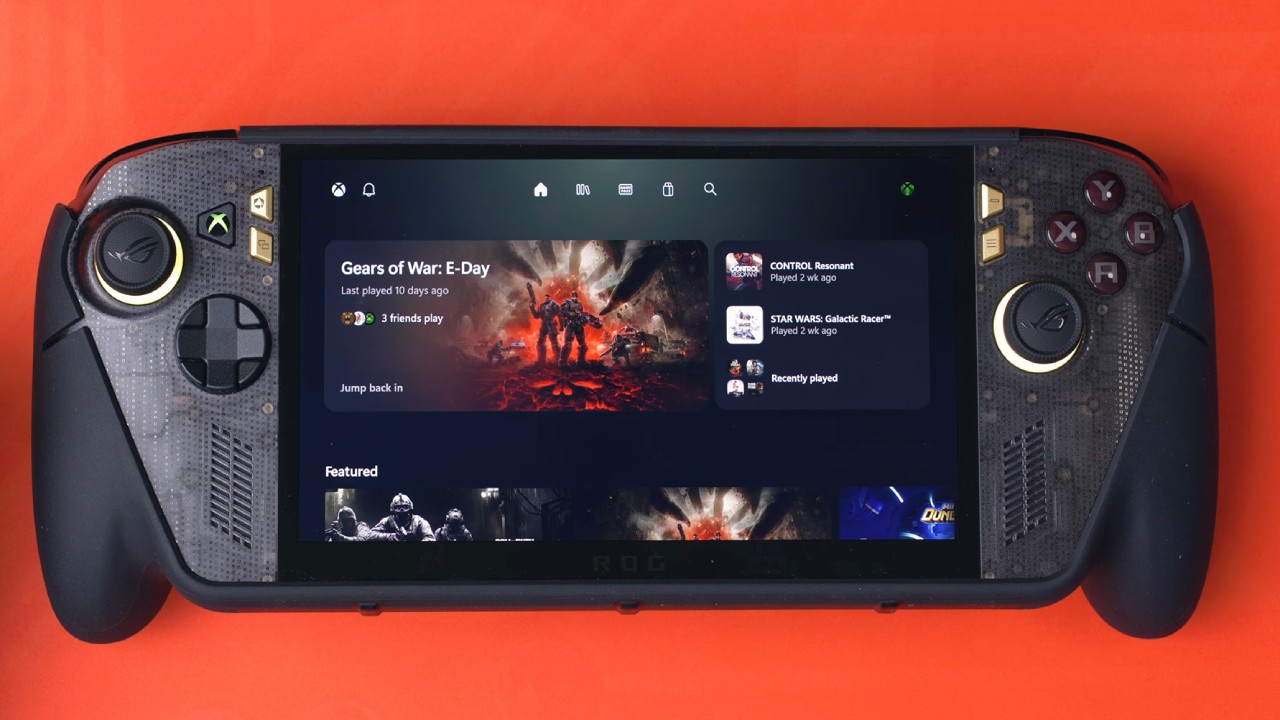
The new XBOX app experience became available after installing the latest Windows update and an additional XBOX Mode update. Unlike the previous version, which placed most navigation options along the left side, the redesigned interface adopts a layout that feels much closer to a traditional XBOX console.
The older experience essentially looked like a full-screen version of the standard PC XBOX app. Although it included Home, Game Pass, My Games, My Apps, Play Later, History, Install Queue, Cloud Gaming, Store, Friends, and Notifications, navigating between sections could feel slow and clunky.
The new interface provides a cleaner look, better organization, and faster transitions. Users can now toggle between the old and new app experiences in XBOX Mode settings.
Improved Home Screen and Navigation
The redesigned home screen offers a better-structured view of recently played games, featured content, and recommendations. It may also display games from Steam and EA, giving you access to titles across many platforms.
Other sections feature the XBOX 25th anniversary, newly added Game Pass titles, popular games, and friends' gaming activity. You can still reach the Guide button from the top left, which opens XBOX Game Bar, and notifications are available right from the interface.
But there is a slight problem with the first transition. Controller inputs may be temporarily disabled when moving from Desktop Mode to XBOX Mode or after enabling the new experience. You can resolve this by using the touchscreen until controller support is restored.
Library Supports Multiple Gaming Platforms
The Library is much better, with Installed games, My Games, and Apps all in different sections. Users can also add their own programs via the + button, such as tools like Intel PresentMon, Microsoft Store settings, and HDR Calibration Tool. The UI breaks down into All Games, Owned Games, Game Pass, EA Games, Ubisoft+, and Steam titles, making it easier to manage games across platforms.
The improvements are significant, including library load speed. Even browsing through the 898 games in the collection, there was no significant delay or blank visuals as the artwork loaded. Steam Grid DB artwork customization still works with the new design interface. Artwork previously set up may need to be reapplied after the update.
Game Pass, Store and Settings Improvements
The Game Pass section now has a simpler way to browse games, filters, and a separate Benefits section. The Store, meanwhile, shows you recommended games, top picks, and current deals to help with discovery.
Microsoft has also reordered the settings menu. In your account, you can: manage your profile, redeem codes, change subscriptions, adjust your privacy settings, and request refunds. The Device & Connections settings let you configure controller rumble, mouse input, and keyboard shortcuts.
System settings include display selections, battery indications, XBOX Mode, and installation and storage options. Users can also manage audio, offline play, cloud gaming, and remote play.
Apps: In the Apps section, you can integrate apps with third-party platforms like Steam and Epic Games. Additional choices are available in the Accessibility settings. The battery % indicator, however, doesn't seem to be working properly currently.
XBOX Mode Finally Feels More Like a Console
The most obvious change is the overall responsiveness. Navigating menus, launching the library, and browsing the hundreds of installed games feels substantially smoother than before.
Microsoft still has some work to do, particularly regarding controller input during initial setup and unified system updates. A single update section covering Windows, XBOX services, and installed applications would make the experience even better.
Nevertheless, the redesigned XBOX app is a meaningful improvement for Windows handheld gaming. After more than a year without a major visual overhaul, XBOX Mode finally feels closer to the console-like experience users have been expecting.
Editor, NoobFeed
Latest Articles
No Data.