
Intel P-Cores vs E-Cores: Why Do CPUs Use Two Types of Cores?
Modern Intel processors use two distinct core designs to improve processing performance, multitasking capabilities, and overall power efficiency.
Hardware by Tanvir Kabbo on Nov 07, 2026
Modern CPUs have evolved significantly over the years, moving from single-core designs to multi-core configurations with increasingly higher performance. With 12th-generation Alder Lake CPUs, Intel made a major architectural shift by combining two core types in one CPU: Performance Cores (P-cores) and Efficiency Cores (E-cores). But why do you need two different core types in a processor, and what does this hybrid architecture bring to your PC?
Traditionally, the cores in x86 CPUs had virtually comparable processing power and clock speeds. The premise was simple: split jobs across multiple cores to get things done faster. But ARM came up with an alternative technique called big.LITTLE architecture, which employs powerful cores for heavy workloads and smaller, energy-efficient cores for background tasks.
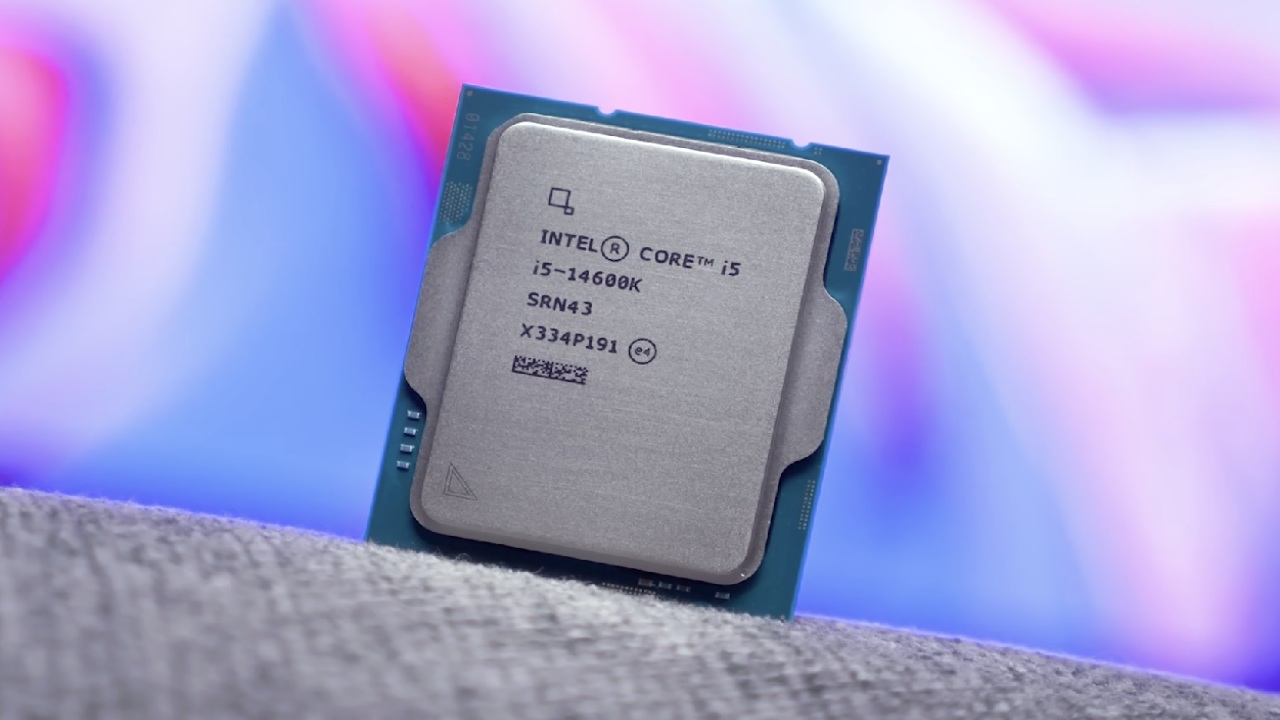
Intel did something similar, letting two groups of cores execute different jobs. The company first deployed this design with its Lakefield mobile processors like the Core i5-L16G7 and Core i3-L13G4, which had one P-core and four E-cores. It wasn't a whole new idea, and the first implementation was uneven, but Intel has polished the idea for its Alder Lake chips, to much fanfare.
What Exactly Is an Intel P-Core?
The P-cores are the most powerful cores in Intel's hybrid architecture. They operate at greater clock speeds, consume more power, and handle demanding instructions and workloads. These are basically the main cores that do the hard lifting for the processor.
The 12th-generation P-cores are based on the Golden Cove microarchitecture, which supersedes the Cypress Cove cores used in Intel's 11th-generation Rocket Lake processors. These high-performance cores are typically used for gaming, heavy processing, and applications that can benefit from great single-core performance.
Unlike traditional processors that divide workloads equally among identical cores, Intel's hybrid design assigns jobs based on their processing requirements. P-cores handle the heavy lifting, while efficiency cores tackle lighter tasks. P-cores also support Hyper-Threading; thus, each core can process two threads at the same time. This improves workload management and lets the processor run demanding applications more efficiently.
What Exactly Is an Intel E-Core?
E-cores are smaller and less powerful than P-cores, but use a lot less electricity. They exist to deliver the best possible performance per watt while keeping the system efficient. E-cores work alongside P-cores, running in parallel and handling background tasks and some multi-threaded workloads that don't need top performance. This leaves P-cores available for more demanding workloads.
Gracemont microarchitecture underpins Intel's 12th-generation E-cores, replacing the Tremont architecture used in several prior Pentium Gold and Celeron laptop processors. These efficiency-optimized cores run at relatively low clock speeds, with some mobile CPUs even running as low as 700MHz.
Intel says they are smaller and use less electricity, but they nevertheless give substantial performance advantages over previous CPU designs.
How Well Do P-Cores and E-Cores Work Together?
Intel says the P-cores in its 12th-generation CPUs are around 19% faster than cores in its 11th-generation CPUs. E-cores also provide amazing outcomes. Intel says they're something like 40% better than Skylake processors at the same wattage. Skylake was released in 2015 and still shows up in a few older gaming systems.
Improvements like this show the strength of Intel's hybrid architecture. Instead of just adding more of the same cores, Intel allows distinct cores to specialize in certain workloads. P-cores handle power-hungry programs, while E-cores manage background tasks and lighter duties.
For users, this means better workload distribution during gaming, multitasking, and everyday computing.
Are Hybrid CPU Architectures the Future?
Mixing different core types isn't a completely novel idea, but doing it within the x86 architecture is a big step forward. Intel's hybrid designs have shown how to increase core counts while balancing performance and power efficiency in modern processors.
The P-cores and E-cores were already a big step forward for PC architecture in their first implementation. As chip designs keep changing, we can expect manufacturers to find new ways to balance processing power with efficiency. Intel's Alder Lake chips showed why mixing two distinct types of CPU cores may make a real difference.
FAQ
Q. What is the difference between Intel P-cores and E-cores?
A. P-cores are designed to handle demanding workloads such as gaming and intensive processing, while E-cores manage background tasks and less demanding activities with lower power consumption.
Q. Which Intel processors introduced P-cores and E-cores?
A. Intel first experimented with its hybrid core architecture in Lakefield processors before introducing it to mainstream desktop CPUs with the 12th-generation Alder Lake lineup.
Q. Do Intel E-cores support Hyper-Threading?
A. No. Intel's E-cores do not support Hyper-Threading. Each E-core handles one processing thread, while supported P-cores can handle two threads simultaneously.
Q. Do P-cores and E-cores improve gaming performance?
A. Yes. P-cores handle demanding gaming workloads, while E-cores manage background processes, helping the processor distribute tasks more efficiently during gameplay.
Senior Editor, NoobFeed
Gaming Hardware Updates
No Data.