
AMD Ryzen 7 7800X3D paired with NVIDIA RTX 5070 Ti: All-White Gaming PC Combo
Building a Stunning All-White Gaming PC for 1440p and 4K Performance
Hardware by Tanisha Aria on Oct 22, 2025
Making a gaming PC that looks good, has good ventilation, and uses less power is not an easy task. The all-white concept is still popular with builders, and the newest hardware makes it easier than ever to get both style and function. This build gives you great 1440p and 4K performance without breaking the bank, thanks to the APNX V2 casing.
.jpg)
Exploring the APNX V2 Case
The APNX V2 has a daring design with three glass panels—one on the top, one on the side, and one on the front—giving it a full "fish tank" look. An angled support piece connects these panels, giving the chassis a high-end, one-of-a-kind look. Unlike most dual-chamber cases, the V2 offsets its motherboard tray to create better space management for the power supply, drives, and cables.
Airflow is a major focus here. The case includes three RGB fans at the bottom, pulling in cool air, with options for additional top and rear-mounted exhaust fans. Users can swap the 140mm rear fan for dual 120mm fans to improve airflow.
The rear resembles a "cheese grater" layout for maximum ventilation, while a built-in ARGB fan hub simplifies lighting control.
Additional touches, like the adjustable GPU support bracket and reverse-connect motherboard support, make cable management easier and the overall design cleaner. The inclusion of removable covers on the rear connections helps maintain a sleek, uninterrupted interior view.
Motherboard and CPU Selection
The MSI B850 Edge TI Wi-Fi motherboard goes well with the all-white design and the small black accents. This board offers many features, including Wi-Fi 7 connectivity, a Q-Code display for diagnostics, and stable power delivery. Even though it has a B-series chipset, it works and connects well for the price.
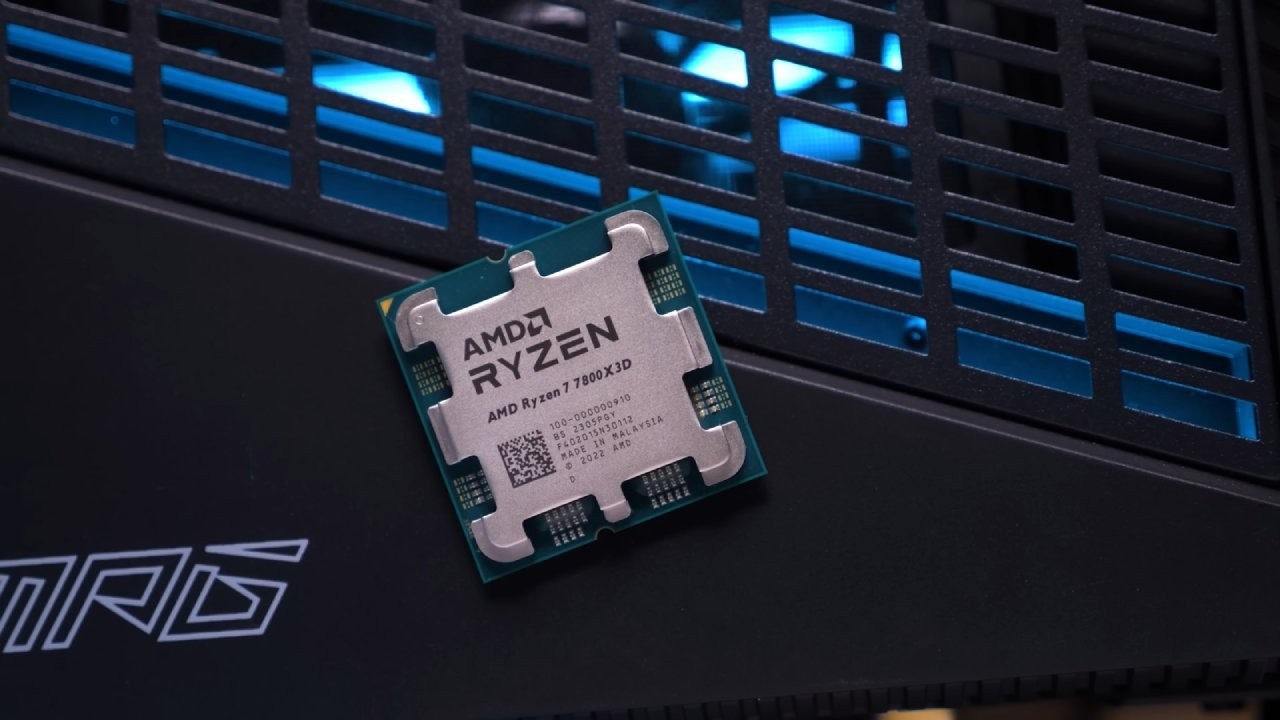
Paired with the motherboard is the Ryzen 7 7800X3D processor—an excellent choice for high-end gaming. It delivers near-9800X3D performance at a lower cost, maintaining strong value and efficiency. The 7800X3D delivers excellent gaming performance without overspending on the latest-gen CPUs, making it a smart balance between performance and price.
Memory and Storage Setup
Using G.Skill Trident Z5 Neo RGB memory, the system keeps its all-white design with sparse black accents. In addition to its aesthetic appeal, this RAM delivers exceptional stability and speed for modern games. Using the second and fourth DIMM slots for the best dual-channel performance makes installation easy.
For storage, the TeamGroup MP44L M.2 SSD provides fast load times and smooth operation at a budget-friendly price. Installed in the top slot, the toolless design of the MSI board simplifies mounting, making it ideal for first-time builders or those seeking an easy setup.
Cooling the System
Cooling duties are handled by MSI's CoreLiquid P13 all-in-one liquid cooler. The design fits the minimalist white theme with braided tubing and concealed pump cables routed through the tubing ends—the cooler mounts easily with MSI's AMD-specific hardware.
After testing fitment, the radiator works best at the top of the case, providing efficient airflow and clean cable routing. The stock fans can be swapped for APNX's matching models to maintain visual consistency. To maintain cool interior temperatures during prolonged gaming sessions, the setup vents hot air from the top and back.
Power Supply and Cable Management
Power delivery comes from the MSI A850L GL PCIe 5.1 PSU, chosen for its reliability and color-matching. The fully modular design and white-sleeved cables enable clean cable management, while PCIe Gen5 support ensures future GPU compatibility. The PSU mounts at the top of the case, with airflow pulled in from the rear panel.
Cable organization is straightforward thanks to APNX's thoughtful internal layout. Removable covers and labeled screw bags make the assembly process smoother. With careful routing and tidy cable runs, the final look is both professional and minimalist.
Installing the GPU
The build is finished with the white MSI RTX 5070 Ti. Price, design, and raw performance are all expertly balanced. Even though GPUs like the RX 9070 XT offer comparable performance, the RTX 5070 Ti remains a dependable and aesthetically pleasing choice. The integrated GPU support bracket keeps the card from sagging as it slides neatly into the top PCIe slot.
Direct airflow to the GPU is provided by the bottom intake fans, ensuring cool, silent operation even under high load. When turned on, the system's glass panels and white LEDs produce a sophisticated, luminous display.
Performance Benchmarks
4K gaming was the main focus of testing, with results also being obtained at 1440p and 1080p. The build demonstrated the power of the 7800X3D and RTX 5070 Ti combination, consistently delivering high frame rates across contemporary titles.
- Average frame rate for Call of Duty: Black Ops 6 (4K High): 140 fps
- Average F1 2025 (4K Ultra High) frame rate: 135 fps
- Average speed for Cyberpunk 2077 (4K High): 115 fps
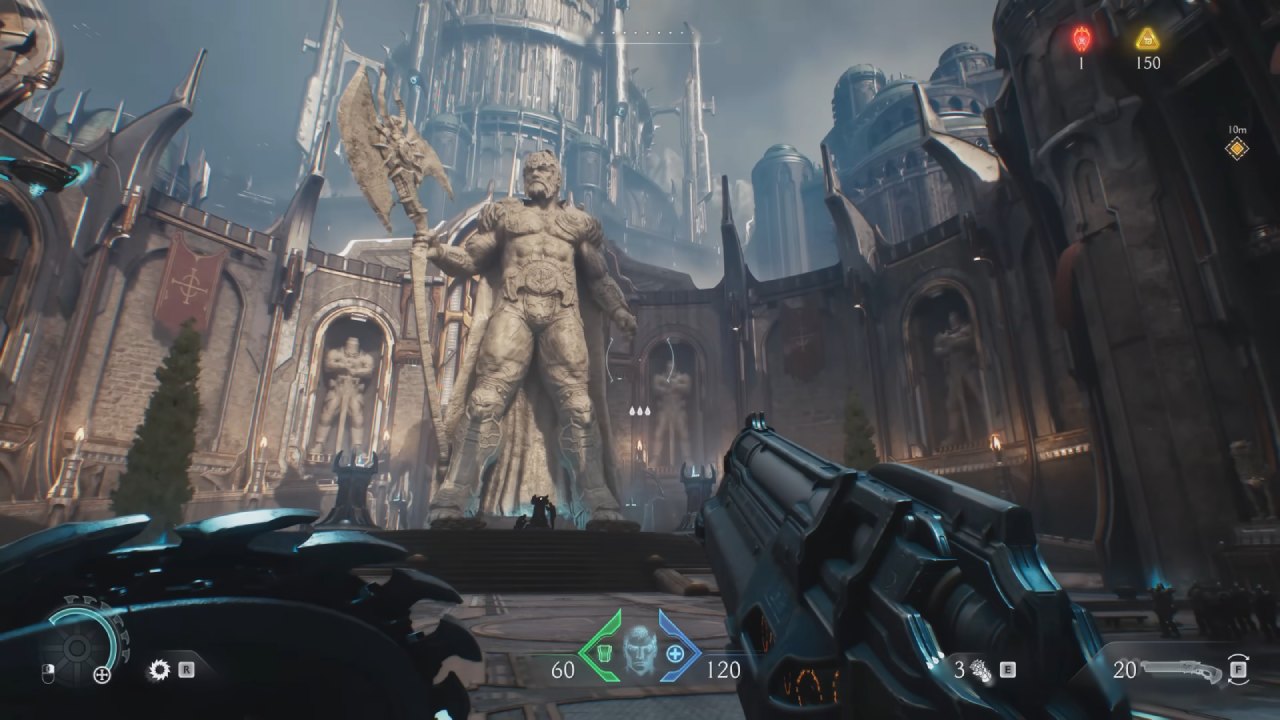
- The average frame rate for Doom: The Dark Ages is 95 fps (1440p High).
These results show that the system performs well for both 1440p and 4K gaming, keeping the action smooth and the graphics sharp, even in hard-to-play titles.
Final Thoughts
The all-white gaming PC setup is the best mix of style, performance, and efficiency. The APNX V2 case's offset-chamber structure and triple-glass panel arrangement offer a novel interpretation of contemporary design. When paired with the Ryzen 7 7800X3D and RTX 5070 Ti, it looks great on any desk and manages high-resolution gaming with ease.
This setup shows how a well-planned build can look great and work great without going over budget. This gaming setup is powerful, quiet, and neat, and it's ready to handle 1440p and 4K games.
Also, check our other NVIDIA articles below:
- GeForce RTX 5090 Unleashed: Is NVIDIA's New Flagship the Ultimate 4K Gaming GPU?
- NVIDIA GeForce RTX 5080 Review (2025): Still A 4K Gaming Powerhouse?
- RTX 5090 Performance Testing In GTA 5 – 1080p, 1440p, and 4K Max Settings Benchmark
- NVIDIA RTX 5070 Review: Mid-Range Muscle or Marketing Hype?
- RTX 5070 Ti Review: Performance, Thermals & Power Efficiency Tested
- ASUS GeForce RTX 5090 LC Liquid Cooled GPU Review: Unmatched Silence & Speed
- MSI GeForce RTX 5090 32GB SUPRIM SOC Review: Power Efficiency, Cooling, and Gaming Performance
- INNO3D RTX 5060 Ti 16 GB X2 Review: Gaming Benchmarks, Temps, and Power Efficiency
- HP Omen 45L Review: RTX 5090 Performance, Thermals, and Value Analysis
- ASUS TUF Gaming GeForce RTX 5060 Ti Review: DLSS 4, Power Efficiency, and Gaming
- ASUS Prime RTX 5060 Ti OC 16GB Review: DLSS 4, Ray Tracing, & Thermals Tested
- NVIDIA GeForce RTX 5060 Review: Specs, Gaming, and Cost per Frame
- MSI GeForce RTX 5090 GAMING TRIO OC Review: A Monster Power GPU
Contributor, NoobFeed
Gaming Hardware Updates
No Data.