
Dell XPS 13 (2026) Review: A Powerful MacBook Neo Alternative
Dell XPS 13 combines premium design, a 120Hz display, strong speakers, and longer battery life in a compact Windows package.
Hardware by Masaru Hoshino on Aug 17, 2026
The premium thin-and-light laptop segment has become increasingly competitive, with manufacturers trying to deliver the same combination of portability, build quality, battery life, and everyday performance that has made MacBooks so popular.
Dell's new XPS 13 enters the fray with a CNC aluminum design, slim bezels, a 120Hz touchscreen, a backlit keyboard, a larger battery, and an Intel mobile processor. At around $699.99, the XPS 13 looks like a particularly interesting Windows alternative to the MacBook Neo. However, Apple's machine still has an advantage in one key area.
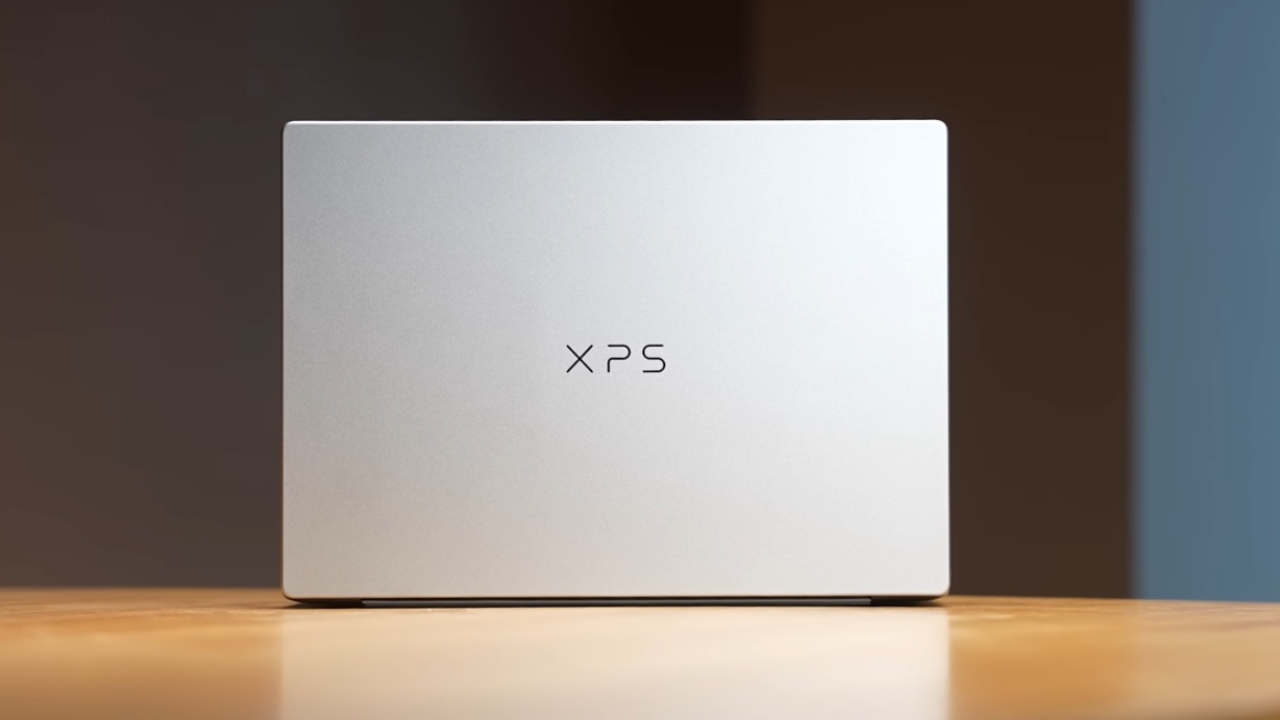
Premium Design Makes the XPS 13 Stand Out
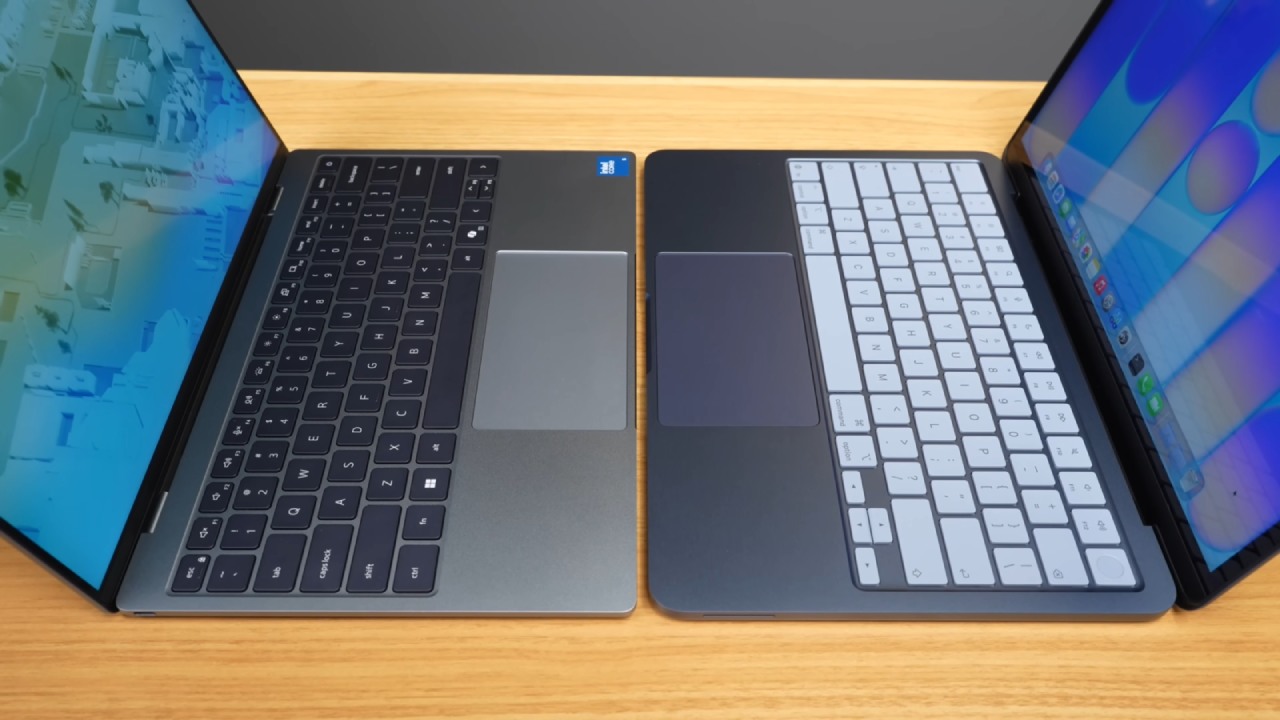
What's the one thing that immediately distinguishes a good laptop from a bad one? It has to be the industrial design. That's exactly where Dell starts flexing its muscles with the XPS 13. It's got a CNC aluminum build with an etched XPS logo on the lid. It's also thinner and lighter than the MacBook Neo.
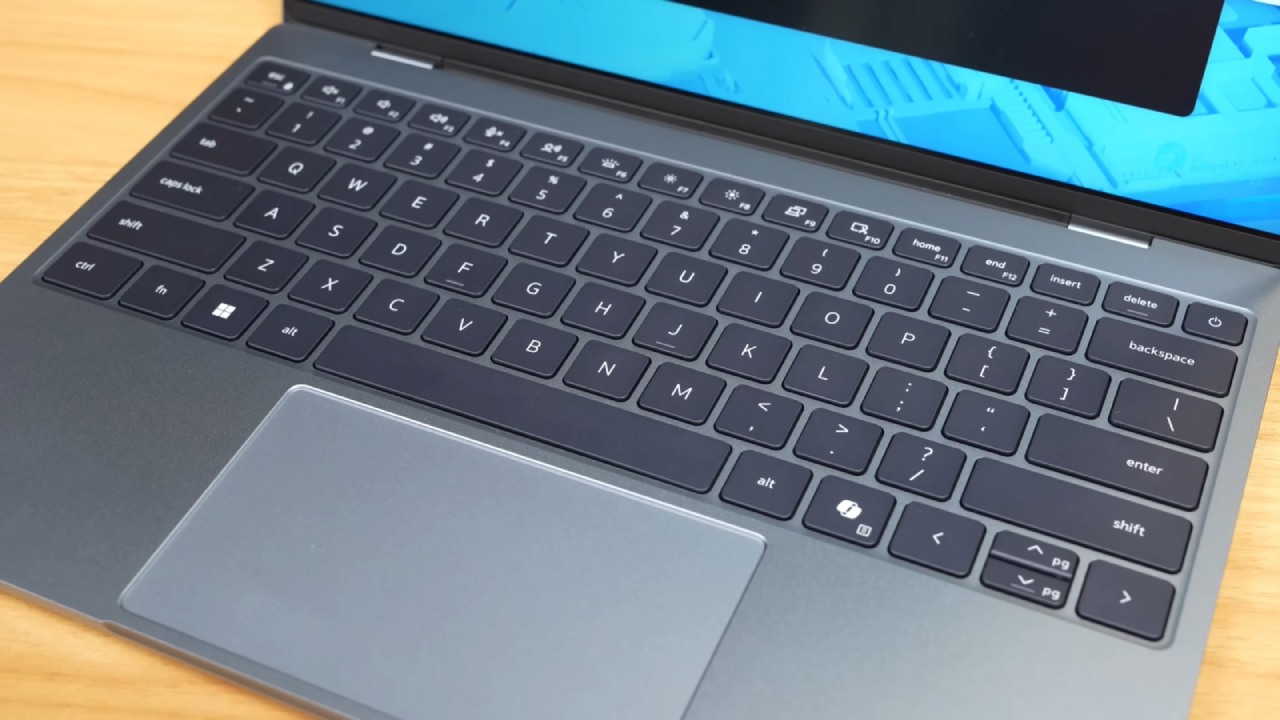
MacBooks are famously easy to open with one finger, and that's true of the Dell as well. Another plus of the XPS 13 is its proper backlit keyboard, which the MacBook Neo lacks. Therefore, for typing in low light, the Dell XPS 13 would be better.
The typing feel itself is very tight and satisfying. Yes, it's a membrane keyboard, but the keys are nicely spaced. There's a fair bit of key travel as well, and generally, when we typed on it, we found it very comfortable.
The XPS 13 also features a standard trackpad and a large glass trackpad. While the previous XPS series had an invisible trackpad, it was a little too minimal to be functional. That's why this trackpad is much better. It's also smooth and responsive, so there are no complaints.
Since this is a thin-and-light machine, you only get two USB 3.1 ports. But at least it's two USB 3.1 ports, whereas with the Neo you get USB 3 and USB 2. The only gripe is that the XPS 13 doesn't have a 3.5mm headphone jack. Probably Dell can fix that in the next version.
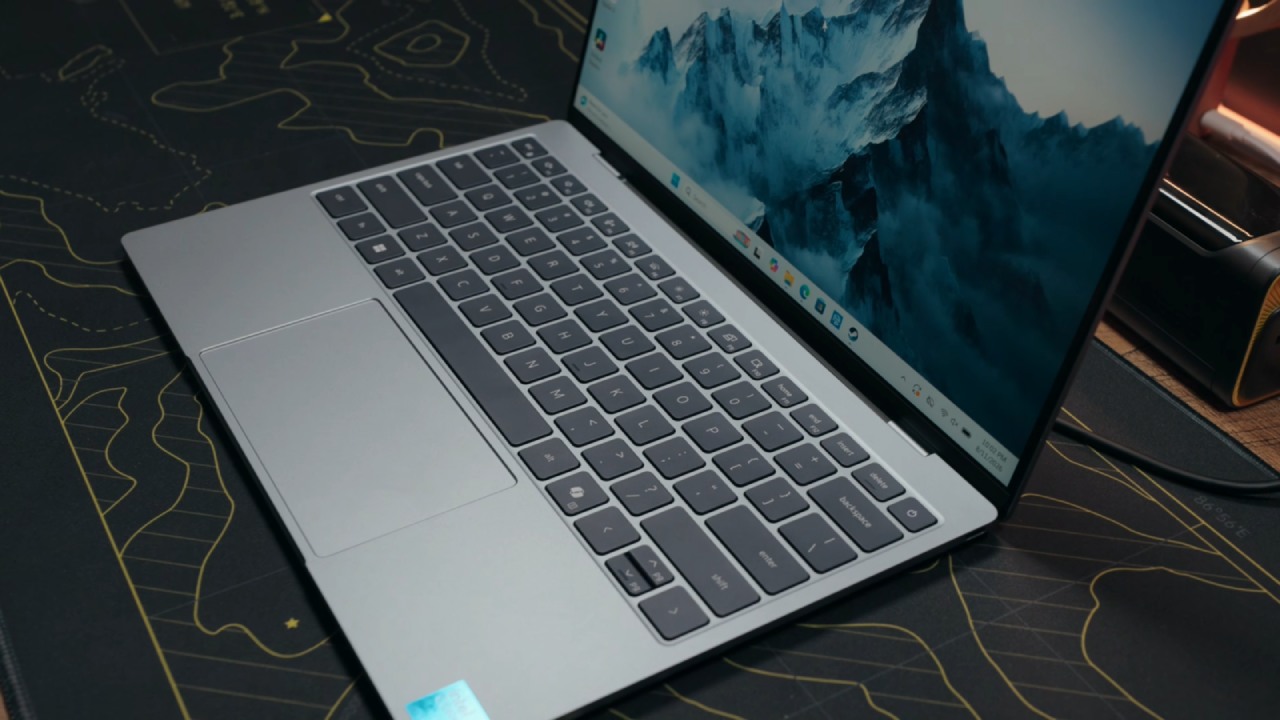
You get really tiny bezels around the display, which means more screen estate. There's also an HD webcam on the top bezel. The top bezel is very slim, and they've fitted it in there, which is very nice. The quality, however, feels like the Neo does it better.
Overall, the XPS 13 is very nice to hold and use. It really surpasses expectations and feels like one of the closest Windows interpretations of the MacBook formula. The 120hz display is a major advantage. The XPS 13 has a 13.4-inch IPS LCD panel with a 120 Hz refresh rate and touch support. Visually, it's much better than the MacBook Neo because the bezels are so slim, giving you more screen.
Touch is a nice bonus here. But the real game changer in this price range is the 120Hz refresh rate. A 60 Hz display can feel constricting, particularly when moving between a high-refresh-rate laptop and a machine limited to 60 Hz. On a bigger laptop screen, you can tell the difference, and that's where Dell's XPS 13 definitely made the right decision by giving you a 120hz display.
Brightness is rated at 500 nits. We checked the XPS 13 display next to the MacBook Neo, which is also rated at 500 nits, but the Dell XPS 13 actually looked slightly brighter.
You also get HDR400 support. HDR generally isn't particularly impressive on Windows, but on the XPS 13 it's well tuned. When you play HDR content with Dolby Vision support, the display switches to a Dolby Vision profile. Dell has done some background work to ensure that HDR playback is good on this laptop.
While the display is good and the color accuracy is pretty decent, the speakers really stand out. The stereo speakers on the XPS 13 are possibly some of the best tested on a thin-and-light machine. For watching content, the display is fantastic because the screen estate is good. The color reproduction is pretty good, too. HDR video playback is excellent, and the stereo speakers complete the experience.
Intel Performance Is Designed for Everyday Use
The XPS 13 is equipped with the Intel Core i5 320. It is an Intel mobile processor with a 6-core CPU. The base variant also comes with 8GB of LPDDR5X. You can also bump it up to 16GB if you want to, and you get a default 512GB NVMe SSD.
With the MacBook Neo, you get 8GB of RAM and 256GB of base storage. You can bump up to 512GB if you want, but the RAM doesn't increase. This is a thin-and-light machine, so most people buy it for portability. For everyday use, it's been pretty good. Whether you're browsing, using spreadsheets, streaming, or even doing casual multitasking, everything feels smooth and snappy.
Performance is where the MacBook Neo manages to get a little more out of the A18 Pro chipset than the Intel Core 5 320 in the XPS 13, especially if you're running heavy creative applications. For most students, casual multitaskers, and professionals, that performance gap won't make much difference in the real world. The choice ultimately depends on the workload.
Larger Battery Gives Dell an Edge
One area where the Dell XPS 13 pulls ahead is battery life. You get a larger 52Wh battery compared to the 36.5Wh battery in the MacBook Neo. Apple's optimization is fantastic to begin with. Still, Dell, with this Intel mobile chip, has also optimized it really well. In testing, the XPS 13 delivered about 7 hours and 45 minutes of screen-on time under heavy load.
In similar scenarios, the MacBook delivered about 7 hours. It's not a huge gap, but the XPS 13 still delivers better battery life. You also get faster charging with the XPS 13, with 65W charging via the included GaN charger.
Windows 11 Keeps Things Flexible
The Dell XPS 13 uses an x86 chip inside this thin-and-light form factor, so the type of user matters. If you're going to use it for casual tasks, studying, spreadsheets, PowerPoint, browsing, or general office work, this machine should work really well.
Of course, the Dell XPS 13 runs Windows, and you get Windows 11 Home. For longtime Windows users, Windows offers flexibility that macOS lacks. The XPS 13 generally comes with a clean Windows installation, except for McAfee. Dell and McAfee work together, so the software is pre-installed, though you can uninstall it if you need to.
A Compelling MacBook Neo Alternative
After spending about a week with the Dell XPS 13, Dell has actually nailed the thin-and-light form factor with this machine. That is why it deserves the hype. An $699.99 thin-and-light machine with these specs, with very little compromise and a balanced overall package, feels justified.
It's a great all-round thin-and-light machine for anybody who wants a very good portable laptop for productivity. When you consider the 120Hz display, backlit keyboard, better speakers, bigger battery, longer battery life, faster charging, and the option to bump the RAM to 16GB, many people might choose this over the MacBook Neo.
The Dell XPS 13 does not completely defeat Apple's machine, particularly in heavier creative workloads. But its combination of style, display, speakers, battery life, connectivity and Windows adaptability makes it one of the most tempting MacBook Neo options for anyone seeking a balanced thin-and-light laptop in 2026.
Editor, NoobFeed
Gaming Hardware Updates
No Data.