
Does PCIe 5 SSD Really Matter?
Performance metrics between PCIe 4 and PCIe 5 show minimal real-world differences during standard gameplay sessions.
Hardware by Masaru Hoshino on Aug 10, 2025
PCI Express 5 is often praised for its blazing speeds, but does it truly make a noticeable difference over PCI Express 4 when it comes to gaming? Given the substantial price difference between PCIe 4 and PCIe 5 SSDs, one may wonder if the investment is worthwhile.
It's critical to ascertain whether PCIe 5 offers actual advantages for gamers or if it's just theoretical bragging rights, given the abundance of marketing hoopla around better read and write speeds.
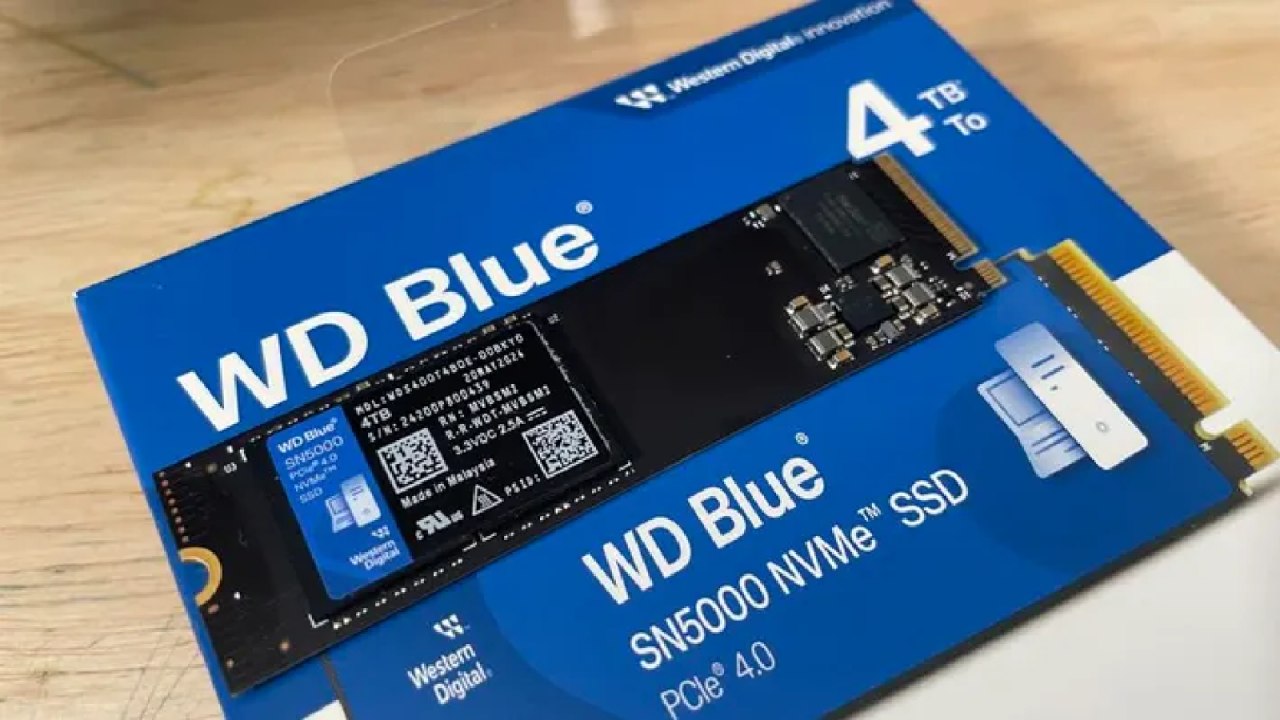
The Test Setup: Comparing Two SSDs
We tested the WD Blue 4TB NVMe SSD directly against an existing PCIe 5 drive Gigabyte's AORUS Gen5 10000 NVMe SSD.
The AORUS 10000 uses a Phison E26 controller and TLC flash. It delivers up to 10000MB/s read speeds and 9500MB/s write speeds, with a lifespan rated at 1400TB written. It includes a 5-year warranty and an MTBF of 1.6 million hours.
On the other hand, the WD Blue 4TB SSD uses a Polaris 3 controller and also uses TLC flash. It offers up to 5150MB/s read and 4900MB/s write speeds, with a 5-year warranty, a 600TB written endurance rating, and a 1 million hours MTBF.
Clearly, the PCIe 5 drive has higher numbers on paper, but does that translate into noticeable performance?
Installing and Preparing the SSD
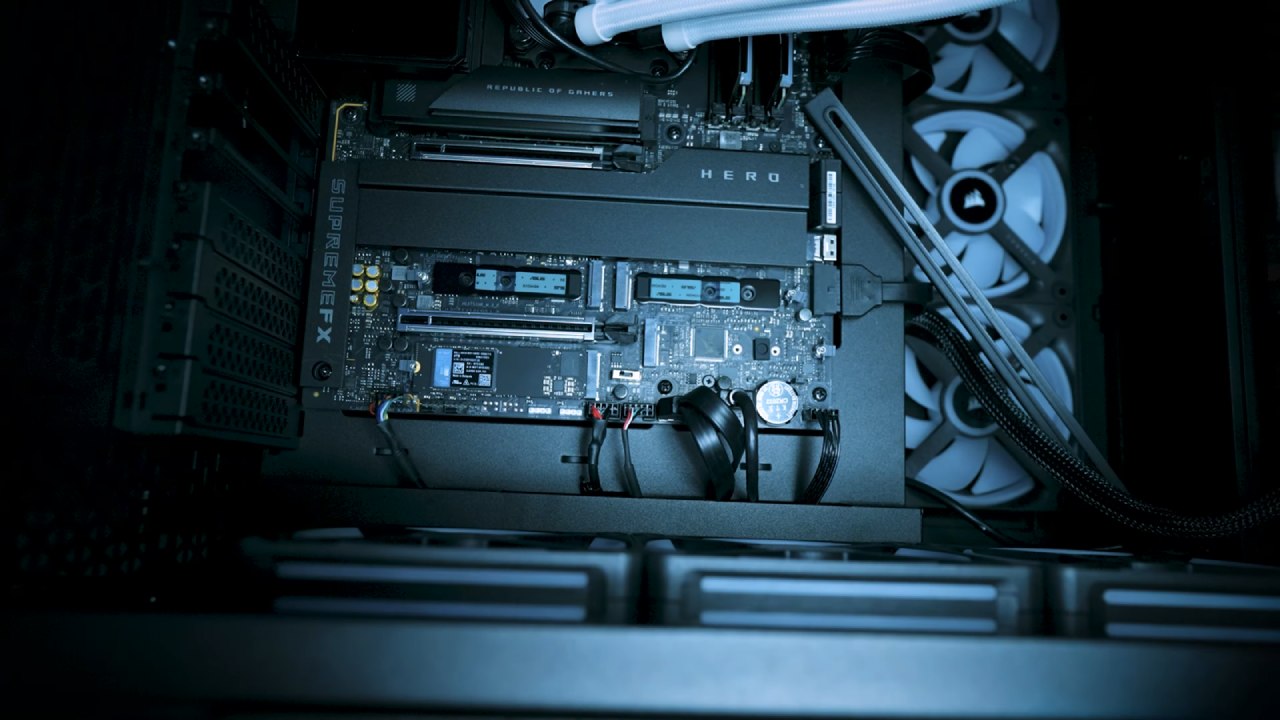
Before installing any NVMe drive, it's important to completely power off the PC. In this case, we had to remove the graphics card to access the SSD plate and swap in the new WD Blue 4TB drive. Once installed, the PC was reassembled and booted into Windows.
The new drive didn't show up immediately in "This PC", which is expected. A quick trip to Disk Management resolved the issue.
After initializing the drive as GPT, a new simple volume was created, formatted as NTFS, and labeled as "Western Blue". Now it was time to start testing with some real games.
Game Load Time Testing: Expedition 33
We installed Expedition 33 on the WD Blue SSD and ran some load-time tests. The results were surprisingly quick.
Loading the game and returning to the title screen happened almost instantly, and the game appeared to be highly optimized.
Even multiple load cycles didn't show any noticeable lag or stutter. From a user standpoint, performance felt seamless and responsive.
More Load Time Tests: Elden Ring
Next, we fired up Elden Ring and conducted similar save and load tests. The outcomes were outstanding once more.
Throughout several tests, load times were quick and constant; there were no lags or discernible variations that would point to a PCIe 4 SSD limit.
Cyberpunk 2077: Does PCIe 5 Matter Here?
Cyberpunk 2077, known for its massive world and high system requirements, seemed like the perfect candidate to test any potential gains from PCIe 5. But after running multiple save/load cycles, the results remained similar.
The difference between PCIe 4 and PCIe 5 wasn't noticeable to us while gaming. We were expecting more of a gap, but real-world experience didn't reflect the specs on paper.
Monsser Hunter Wilds
We then tested FPS in Monster Hunter Wilds to determine whether storage speed has an impact on in-game performance measures or frame rates.
And the outcome? No significant performance or FPS increases were noticed. Though switching between PCIe 4 and PCIe 5 SSDs had no effect on in-game performance, load times remained quick.
Benchmarking Black Myth: Wukong and Call of Duty: Black Ops 6
To dive deeper, we ran benchmarks on Black Myth: Wukong and Call of Duty: Black Ops 6. Once more, we looked for variations in system performance or FPS.
Regardless of the SSD utilized, the scores from both games were almost the same. This served as further evidence that, despite its impressive appearance, PCIe 5 doesn't significantly alter the gaming experience, at least not in games that are now available.

Final Thoughts
One thing emerged from all the testing: excellent gaming performance can be had without the fastest SSD on the market. Indeed, a PCIe 5 powerhouse was no match for PCIe 4 SSDs like the WD Blue.
PCIe 4 even beats its more recent competitor in certain situations, demonstrating that practical use does not always correspond with theoretical maximum speeds.
If you're building or upgrading a PC and trying to decide between PCIe 4 and PCIe 5, the smarter financial move for most gamers might be sticking with PCIe 4. It's fast, reliable, and much more cost-effective.
Also, check our other hardware articles:
- AMD Ryzen 9 9950X3D Review: Setting The Standard For 2025 Gaming CPU
- Amazon Luna 2025 Review: Is Prime Gaming's Cloud Service Your Go-To For Casual Fun?
- AMD RX 9070 XT Review: AMD's RDNA 4 Champion for 1440p Gaming
- GeForce Now Ultimate: Ditching Your Gaming PC For Cloud RTX 4080 Power?
- NVIDIA GeForce RTX 5080 Review (2025): Still A 4K Gaming Powerhouse?
- Intel Core Ultra 9 285K Review And Performance Breakdown (2025)
- AMD Ryzen 7 9800X3D Review: 3D V-Cache Goes God Mode with Stunning Gaming Performance
- Intel Core Ultra 9 285K vs AMD Ryzen 7 9800X3D: In-Depth Gaming Performance and Benchmark Comparison
- NVIDIA GeForce RTX 5080 Super Performance In Cyberpunk 2077: Path Tracing & DLSS 4.0 Tested
- RTX 5090 Performance Testing In GTA 5 – 1080p, 1440p, and 4K Max Settings Benchmark
- AMD Radeon RX 9070 XT In Cyberpunk 2077: Ray Tracing & FSR 4.0 Tested
- Intel Arc B580 Review: The $250 GPU Revolutionizing 1440p Gaming
- Intel Arc B570 Vs. B580: Value, Specs, And Real-World Gaming Performance
- Intel Arc B570 Review: Efficient Xe2 Performance At An Affordable Price
- RTX 5090 Laptop Vs. M4 Max MacBook Pro: Ultimate Raw Performance Vs. Battery Endurance
- Intel Arc b580 Vs. RTX 4060: Game Performance And Value Analysis
- RTX5090 Hell Is Us Demo 4K Ultra Benchmark: DLSS Vs. Native Performance Guide
- NVIDIA RTX 5070 Review: Mid-Range Muscle or Marketing Hype?
- Nintendo Switch 2 Review: Handheld Performance, Features & Value Breakdown
- RTX 5070 Ti Review: Performance, Thermals & Power Efficiency Tested
- Samsung Odyssey OLED G81SF Review 2025: Ultimate 32-Inch QD-OLED Gaming Monitor
- AMD RX 9070 Performance Review: Thermals, Clocks, and Real-World FPS
- AMD Ryzen 5 7600 Review: Best Budget Gaming CPU of 2025?
- AMD Radeon RX 7800 XT Review: RDNA 3 Power For Midrange Gaming
- Asus ROG RTX 5090 Astral OC Vs. Founders Edition: The 4K Gaming Benchmark
- ASUS ROG Astral RTX 5090 OC Edition Review: 32GB GDDR7 & 4K Gaming Benchmark
- Intel Core i5-13400F Gaming Performance: Still Worth It in 2025?
- ASUS GeForce RTX 5090 LC Liquid Cooled GPU Review: Unmatched Silence & Speed
- ASUS ROG Ally X Handheld Review: Double the Battery, Double the Comfort
- Lenovo Legion Go S Review: The Ultimate Steam Deck 2 Alternative
- Sapphire NITRO+ AMD Radeon RX 9070 XT Review: The Ultimate 4K Gaming GPU
- Alienware 16 Area 51 Review: The Ultimate 2025 Gaming Laptop
- Alienware Area-51 Review: Unmatched 4K, Thermal, and Acoustic Performance
- AMD Ryzen 7 7800X3D: Delivers Gaming Performance Far Beyond Expectations
- AMD Ryzen 9 7900X Review: Powering the AM5 Era with DDR5 & PCIe 5.0
- Intel Core i9‑14900K vs. AMD Ryzen 7 7800X3D: Power Profiles & Gaming Benchmarks
- Intel Core i9 14900K: Specs, Benchmarks, and Competitor Comparison
- ASRock Radeon RX 7800 XT Challenger OC Review: Best Price-to-Performance GPU of 2025
Editor, NoobFeed
Gaming Hardware Updates
No Data.